
- Catalogs
- Zhejiang Dahua Technology Co.,Ltd.
- Hugo Platform


Hugo Platform
Hugo Platform
Version V3.120.0000000.38 (June 23, 2026)
Introduced AI coding options, removed smart codec and dynamic compression, and updated third-party access tools.
Version V3.120.0000000.39 (May 30, 2026)
Added support for new devices and features like picture-in-picture mode and enhanced PTZ camera functions.
Version V3.120.0000000.34 (March 6, 2026)
Optimized encoding compression rate.
Version V3.120.0000000.32 (December 22, 2025)
Enabled password reset via DMSS and added Ukrainian language support.
Version V3.120.0000000.29 (November 27, 2025)
Supported sub stream 2 for Series 2 devices and fixed video display issues.
Version V3.120.0000000.26 (September 25, 2025)
Improved dynamic range and added device lifespan tracking.
Version V3.120.0000000.25 (September 4, 2025)
Supported new series and improved time plan editing.
Version V3.120.0000000.22 (August 6, 2025)
Supported 2449P-LED-PRO-S1 series.
Version V3.120.0000000.23 (July 24, 2025)
Fixed date format issue.
Version V3.120.0000000.21 (July 18, 2025)
Resolved device restart and PTZ speed setting issues.
Version V3.120.0000000.19 (June 21, 2025)
Introduced digital zoom for specific series.
Version V3.120.0000000.18 (May 30, 2025)
Optimized dynamic compression and WDR settings.
Version V3.120.0000000.17 (May 14, 2025)
Enhanced face effects and wall details.
Version V3.120.0000000.16 (April 30, 2025)
Improved image effect.
Version V3.120.0000000.15 (April 24, 2025)
Added Profile M support and dehaze feature.
Version V3.120.0000000.12 (March 7, 2025)
Introduced new LED series.
Version V3.120.0000000.11 (February 13, 2025)
Supported specific IPC model.
- ConfigTool: Step-by-step instructions for updating devices.
- Webpage Update: Process of updating through the device's webpage.
- Cloud Update: Procedure for cloud updates via the webpage and DMSS app.
Catalog excerpts

Hugo Platform Release Notes ZHEJIANG DAHUA VISION TECHNOLOGY CO., LTD.
Open the catalog to page 1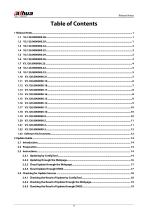
Release Notes
Open the catalog to page 2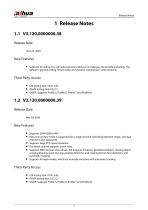
Release Notes Release Date June 23, 2026 New Features • Supports AI coding. You can select general coding or AI coding as the encoding strategy. The default is general coding. Smart codec and dynamic compression were removed. Third-Party Access • CGI testing tool: V2.91.3.65. • ONVIF testing tool: V25.12. • ONVIF: Supports Profile S, Profile G, Profile T and Profile M. • Picture-in-picture mode is supported for a single channel. Switching between single- and dualchannel is also supported. • Supports large PTZ camera baseline. • The detail channel supports zoom relay. • Supports SMD (human and...
Open the catalog to page 3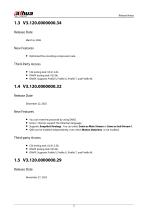
Release Notes • Optimized the encoding compression rate. • ONVIF testing tool: V25.06. • ONVIF: Supports Profile S, Profile G, Profile T, and Profile M. • You can reset the password by using DMSS. • Series 1 devices support the Ukrainian language. • Supports Snapshot Strategy . You can select Same as Main Stream or Same as Sub Stream 1. • SMD can be enabled independently, even when Motion Detection is not enabled. • ONVIF testing tool: V25.06. • ONVIF: Supports Profile S, Profile G, Profile T, and Profile M.
Open the catalog to page 4
Release Notes • Series 2 devices, except dual-channel cameras, support sub stream 2 with a capability of CIF @ 1 FPS. • Restricts the license language to prevent product diversion. • Supports automatic cloud updates. • Fixed the issue where, on Windows 11 (version 22H2 and later), logging in to the device with Chrome or Edge (version 139.0.7258 or later) could cause the video window to display abnormally. • Reduced purple fringing in indoor scenes. • ONVIF testing tool: V25.06. • ONVIF: Supports Profile S, Profile G, Profile T, and Profile M. • Improved the dynamic range for 2 MP and 4 MP products,...
Open the catalog to page 5
Release Notes • Supports Time Sync Allowlist. You can configure each source individually, including NTP, backend storage device, P2P, or the local webpage. • Improved operations for AI rules. When you create a new rule, the system automatically draws a rule line or a rule box on the page. • ONVIF testing tool: V25.06. • ONVIF: Supports Profile S, Profile G, Profile T, and Profile M. • Supports getting the information on the device lifespan. This function collects and records the following items: Total running duration, running duration since last power-on, total number of program updates performed...
Open the catalog to page 6
Release Notes • ONVIF: Supports Profile S, Profile G, Profile T, and Profile M. • ONVIF testing tool: V24.12. • ONVIF: Supports Profile S, Profile G, Profile T, and Profile M. • Fixed the issue where the date format selected during initialization was incorrect. • ONVIF testing tool: V24.12. • ONVIF: Supports Profile S, Profile G, Profile T, and Profile M. • Fixed the issue that the device occasionally restarted. • Optimized the encoding compression rate for smart codec.
Open the catalog to page 7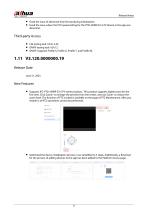
Release Notes • Fixed the issue of abnormal time format during initialization. • Fixed the issue where the PTZ speed setting for the PTS1439BP-E2-S-PV device in the app was abnormal. • ONVIF testing tool: V24.12. • ONVIF: Supports Profile S, Profile G, Profile T, and Profile M. • Supports IPC-PTS1439BP-E2-S-PV series products. This product supports digital zoom for the first time. Click Zoom+ to enlarge the preview from the center, and use Zoom- to reduce the zoom level. The function of PTZ Locked is available on the page of PTZ Maintenance. After you enable it, all PTZ operations cannot be performed....
Open the catalog to page 8
Release Notes • For dual light devices, when Day/Night mode is set to automatic and Warm Light Mode is selected, the device will remain in color and will not switch to black and white. • Devices that support line out now allow for Alarm Tone settings, Audio Linkage, and One-click Disarm. • Fixed the issue where the LDC function did not work after the device was restarted, but functioned correctly after logging in to the webpage. • ONVIF testing tool: V24.12. • ONVIF: Supports Profile S, Profile G, Profile T, and Profile M. • On the Encode page, when Smart Codec is enabled, there is a toggle for...
Open the catalog to page 9
Release Notes • After connecting the IPC to the NVR and adding the NVR to the DMSS app, you can enable or disable WDR for the IPC in the app. • ONVIF testing tool: V24.12. • ONVIF: Supports Profile S, Profile G, Profile T, and Profile M. • Optimized face effects and wall details. • ONVIF testing tool: V24.12. • ONVIF: Supports Profile S, Profile G, Profile T, and Profile M. • Optimized the image effect.
Open the catalog to page 10
Release Notes • ONVIF testing tool: V24.12. • ONVIF: Supports Profile S, Profile G, Profile T, and Profile M. • Dehaze is available for 4 MP devices. This function is turned off by default. You can set it to automatic. • Illumination Overexposure Remover can be used with HLC or BLC together. • Reduced startup time by about 2 seconds. • Optimized the image effect. • ONVIF testing tool: V24.12. • ONVIF: Supports Profile S, Profile G, Profile T, and Profile M. • ONVIF testing tool: V24.06. • ONVIF: Supports Profile S, Profile G and Profile T.
Open the catalog to page 11
Release Notes • Supports IPC-PTS2249BP-E2-S-PV-LED-PRO. This model supports PTZ functions, including preset, tour group, PTZ speed, idle motion, boot action, scheduled task, and PTZ maintenance. • ONVIF testing tool: V24.06. • ONVIF: Supports Profile S, Profile G and Profile T. • ONVIF testing tool: V24.06. • ONVIF: Supports Profile S, Profile G and Profile T. • 4 MP full-color devices support smart illumination.
Open the catalog to page 12
Release Notes • Fixed the issue where an abnormal display occasionally occurred when switching to NTSC in certain situations. • Fixed the issue where GPS information from the mobile NVR was displayed abnormally on the IPC after connecting to the mobile NVR. • ONVIF testing tool: V24.06. • ONVIF: Supports Profile S, Profile G, and Profile T. • Optimized the image effect of 4 MP devices. • The default value for the multicast port has been changed to 10,000 for the main stream and 10,016 for the sub stream. • ONVIF testing tool: V23.12. • ONVIF: Supports Profile S, Profile G, and Profile T. • Fixed...
Open the catalog to page 13All Zhejiang Dahua Technology Co.,Ltd. catalogs and technical brochures
 V3.211.0000012.3.R.260615
11 Pages
 PTZ85848-HNF-PA
4 Pages
 HAC-HFW1509MH-A-LED
3 Pages
 IPC-HFW3849T1-ZAS-PV
4 Pages
Archived catalogs
 IP VIDEO PROJECT PRODUCTS
161 Pages
 IP VIDEO DISTRIBUTION PRODUCTS
137 Pages
 HDCVI PRODUCT SELECTION
122 Pages
 Display & Control
28 Pages
 WizSense
20 Pages
 Commercial Display
24 Pages
 Dahua Mobile Products
16 Pages
 SD5A432XB-HNR-AC
4 Pages
 IPC-HDBW3849R1-ZAS-PV
4 Pages


- Dahua digital camera
- Dahua visible camera
- Touch monitor
- Ethernet switch
- LCD screen
- Dahua CMOS camera
- Dahua industrial camera
- Management software solution
- Analysis software solution
- Industrial network switch
- Dahua infrared camera
- Full-color camera system
- Dahua monitoring camera
- Real-time software
- Color display panel
- Managed switch
- Gigabit Ethernet ethernet switch
- Dahua detection camera
- Monitoring software solution