
- Catalogs
- ZEISS Métrologie et Microscopie Industrielle
- ZEISS ABIS Planner

ZEISS ABIS Planner
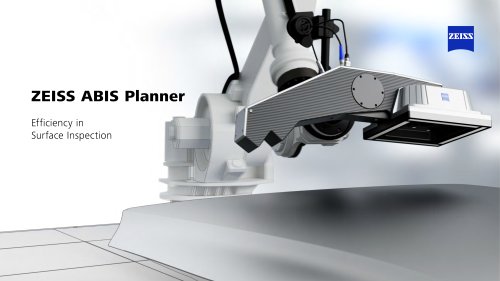
ZEISS ABIS Planner
ZEISS ABIS Planner is an efficient offline tool designed for creating test programs in robot cells without interrupting ongoing operations, thereby reducing production downtimes.
- Robot Programming: Fast, simple, and efficient creation of virtual robot cells and positions offline, with access to pre-existing projects.
- 3D Model Creation: Import CAD data or use standard geometries to create a true-to-scale 3D model of the robot cell.
- Robot Libraries: Individually expandable with pre-programmed movements, including home position and axis limits.
- Sensor Adjustment: Utilize the 'Click and Pick' function for sensor positioning and automatic collision checks with error visualization.
- Mirror Function: Allows optimal sensor positioning using a virtual eye image.
- Significant time savings in configuring an ABIS station.
- Increased productivity and efficiency with reduced programming efforts.
- High system availability and usability without requiring robot expertise.
- Select Robot Cell: Create or import a CAD model of the robot cell.
- Add Workpiece: Position the workpiece on the table or conveyor belt using the cell's coordinate system.
- Sensor Positioning: Define inspection positions manually or via 'Click and Pick', and check optimal sensor positions with a virtual eye image.
- Automatic Collision Check: Conduct a virtual test run to identify and rectify collisions or errors.
- 3D Robot Cell Creation: Supports CAD import and standard geometries.
- Robot Library: Pre-installed with KUKA, FANUC, YASKAWA, and expandable.
- Test Program Creation: Includes pre-programmed robot-specific movements.
- Safety: Features collision check and error visualization.
- Hardware: Must meet Carl Zeiss Optotechnik GmbH specifications; Nvidia graphic card required.
- Operating System: Compatible with Microsoft Windows 10 Enterprise LTSC 2016 and 2019.
- Languages: Available in German and English.
Catalog excerpts
ZEISS ABIS Planner Efficiency in Surface Inspection
Open the catalog to page 1
Plan Offline, Check Live ZEISS ABIS Planner is your efficient offline tool for creating test programs in the robot cell. New test programs can be created and added without interrupting ongoing operations. Your advantage: reduced downtimes in production
Open the catalog to page 2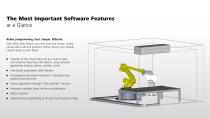
The Most Important Software Features at a Glance Robot programming: Fast. Simple. Efficient. With ZEISS ABIS Planner, you save time and money. Create virtual robot cells and positions offline. Access your already created projects even faster. • reation of the virtual robot cell as a true to scale C 3D model by importing CAD data or using standard geometries (cuboid, sphere, cylinder, cone) Individually expandable robot libraries P re-programmed robot movements, including home position and axis limits Sensor adjustment through “Click and Pick” function Automatic collision check and error visualization...
Open the catalog to page 3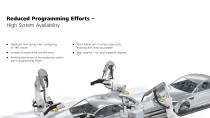
Reduced Programming Efforts – High System Availability S ignificant time saving when configuring an ABIS station uch earlier use of surface inspections M in production ramp-up possible Increase of productivity and efficiency High usability – no robot expertise required voiding downtimes of the production system A due to programm
Open the catalog to page 4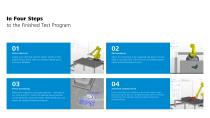
to the Finished Test Program Zelleri Eigenschaften 01 Select robot cell Create your robot cell with the editor, import a CAD model of your cell or select an already created layout from your database. Select the workpiece to be inspected and place it on the table or conveyor belt. The cell's own coordinate system makes positioning easier for you. Define the inspection or by-pass positions - manually or via “Click and Pick". Check the optimal sensor position via the patented virtual eye image. Alternatively, you can import an already stored test program. 04 Automatic collision check In the virtual...
Open the catalog to page 5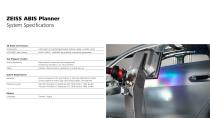
Components CAD import or standard geometries (cuboid, sphere, cylinder, cone) EASY-ROB™ robot library KUKA, FANUC, YASKAWA pre-installed, individually expandable Sensor positioning Robot-specific movements pre-programmed, positioning manually or via "Click and Pick" Safety Collision check and error visualization in virtual test run Hardware Must correspond to the specification of Carl Zeiss Optotechnik GmbH for the respective sensor type used; Nvidia graphic card required Operating system Microsoft Windows 10 Enterprise LTSC 2016 (Version 1607, 64-Bit) Microsoft Windows 10 Enterprise LTSC 2019...
Open the catalog to page 6
Seeing beyond READ MORE
Open the catalog to page 7All ZEISS Métrologie et Microscopie Industrielle catalogs and technical brochures
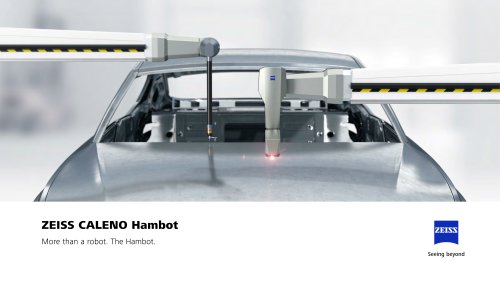 ZEISS CALENO Hambot
12 Pages
 Quality Assurance for eMobility
45 Pages
 ZEISS Medical Industry Solutions
17 Pages
 ZEISS Metrology Shop
8 Pages
 IQS
52 Pages
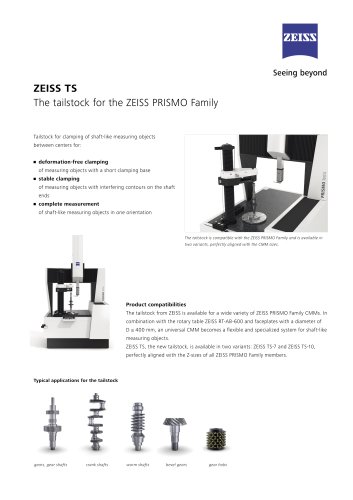 ZEISS TS
2 Pages
 GearPro
6 Pages


Archived catalogs
 ZEISS DuraMax
6 Pages
 ZEISS CenterMax
4 Pages
 ZEISS METROTOM
4 Pages
 ZEISS Xradia Versa Family
2 Pages
 ZEISS Xradia Ultra Family
33 Pages


- Automation software solution
- Analysis software solution
- ZEISS measuring system
- Process software
- ZEISS microscope
- Computer-aided design software
- Cloud-based software
- Control software
- ZEISS optical microscope
- Industrial software
- Measurement software
- Visualization software solution
- ZEISS laboratory microscope
- Quality software
- Simulation software solution
- Programming software solution
- Reporting software
- EDM software
- Engineering software
- Automatic measurement system