
- Catalogs
- Xiamen Dexing Magnet Tech. Co., Ltd.
- User Manual of DXMP series Current Source


User Manual of DXMP series Current Source

User Manual of DXMP series Current Source
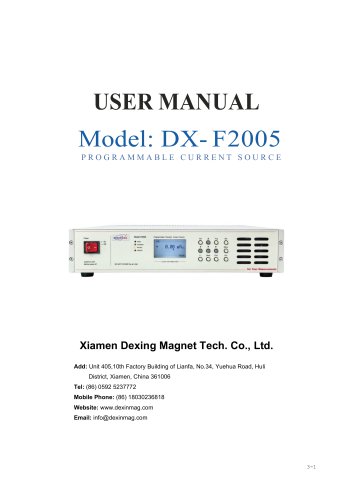
This document serves as the user manual for the DXMP Series Constant Current Power Supply by Dexing Magnet Tech. Co., Limited, covering safety instructions, specifications, installation procedures, and operational guidelines for version V4.2.0.
The power supply includes a one-year warranty for free repairs or replacements, excluding issues from improper maintenance or unauthorized modifications. The warranty begins from the delivery or commissioning date.
The equipment generates a high-intensity magnetic field, necessitating precautions to prevent interference with sensitive devices and ensure personal safety. Only trained personnel should operate the system, with safety signs clearly displayed.
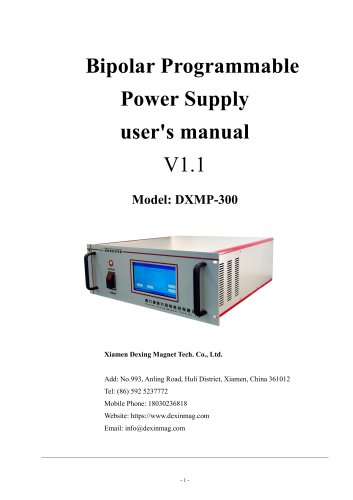
The power supply features high performance with digital control and bipolar constant current, suitable for electromagnet and Helmholtz coil excitation. It supports keyboard and computer control via RS232 interface and includes protections against power down, overheating, overcurrent, and overpower.
The front panel includes an LCD, indicator lights, and a keyboard for controls such as power, remote/local switch, and parameter settings. The back panel features the main power switch, RS-232 port, cooling interface, and DC/AC connections.
The power supply operates on a three-phase AC220V input, offering output power from 0.5kW to 15kW and output current from 10A to 120A, with stability options of 50ppm/h or 10ppm/h.
Instructions are provided for connecting the power supply, load, and communication interfaces, covering startup, channel selection, current or field mode operation, and control mode switching.
Includes instructions for computer remote operation with a command set, and outlines common faults and self-inspection procedures for troubleshooting.
- Frequency: 50/60 Hz
- Output Current: 90 A
- Output Voltage: 60 V
- Output Modes: Bipolar constant current
- Resolution Ratio: 2×19 bit
- Stabilization: 50 ppm/h
- Load Effect: 2×10⁻⁵
- Current Accuracy: 0.02% reading ±2mA
- Output Ripple Wave: 5×10⁻⁵±0.5mA
- Rate of Change: 15 A/s
- Preheating Time: ≥30min
- Communication Interface: RS-232
- Measurement Scope: 0 - ±30000 Gs
- Storage Temperature: -10 to 50 ℃
- Working Temperature: 0 to 35 ℃
- Working Humidity: ≤80%
- Cooling Form: Water cooling
- Input Line Diameter: ≥4 mm2
- Output Line Diameter: ≥25 mm2
- Dimensions and Weight: 600*700*1330 mm, 115Kg
- Connection Block Diagram: Provided for integral connection.
- Standard Shipping List: Includes power supply, user manual, certificate, guarantee card, optical disk, USB-RS232 line, optional gauss meter probe and support.
- Power Supply Connection: Requires 220V, 50/60Hz input; phase voltage within 220±10V.
- Load Connection: Ensure correct and reliable connections; incorrect connections may damage equipment.
- RS232/RS485 Connection: Standard interfaces for communication; use factory-provided lines.
- Gauss Meter Probe Connection: Only compatible with Dexing Magnet Tech probes; improper use may damage equipment.
- Cooling: Water cooling requires proper configuration; air cooling requires no obstructions within 20cm of outlet.
- Starting-up: Ensure connections are secure; follow steps to power on and enter self-check mode.
- Interface Display: LCD shows current, voltage, and field values; control modes include key and remote instruction.
- Current Mode Operation: Set current using numeric or direction keys; automatic adjustment to target value.
- Field Mode Operation: Requires gauss meter probe; set magnetic field similarly to current mode.
- Control Mode Switching: Switch between local and remote modes; RS232 and RS485 communication modes available.
- Parameter Setting: Accessed via menu for various operational settings.
Users can navigate the menu using the up and down keys or numeric keys to select parameter items. The left and right keys allow page navigation. The 'ESC' key exits to the main screen, while the 'Enter' key confirms parameter modifications. The 'Menu' key saves all changes.
The 'Power' key is always active across all control modes. Holding it for 2 seconds shuts down the power supply, displaying 'POWER DOWN' on the screen. For long-term inactivity, the rear panel power switch should be turned off.
The power supply supports RS232 or RS485 remote control with specific instruction formats. Key parameters include start bit, baud rate, and instruction end mark. RS232 uses a DB9 pin interface, while RS485 uses an RJ45 interface. Commands are case-insensitive and require a minimum interval of 100ms between instructions.
Commands include POWER ON/OFF, channel queries (CHV?, CHC?), current and voltage queries (CURR?, VOLT?), and mode settings (MODE?). Commands are structured with input and return formats, and examples are provided for clarity.
Power on self-test faults include communication failures, overheating, overcurrent protection, condensation, and insufficient cooling. Working faults trigger automatic shutdowns with buzzer alerts. Faults are displayed on screens, with specific codes for overheating (O.H.), overcurrent (O.C.), and overpower (O.P.).
Overheating (OH or HEAT) may result from damaged sensors or poor heat dissipation. Overpower (OP) can occur due to small load resistance or during current loading. Overcurrent (OC) suggests internal module failure, requiring professional repair. Restarting after a fault requires a full power cut-off for over 10 seconds.
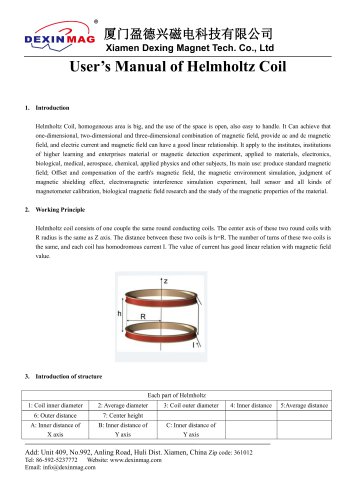
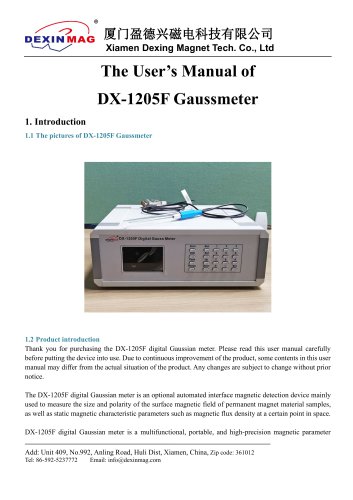
Catalog excerpts

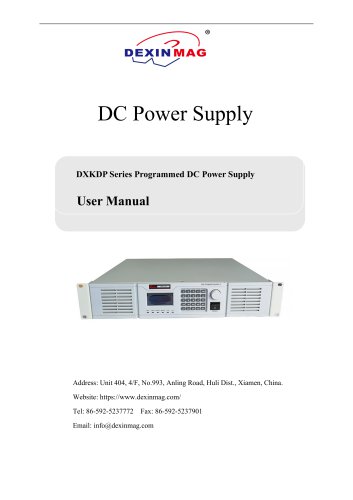
Dexing Magnet Tech. Co., Limited 1. This Manual is applicable to the power supply of following models 2. Please make sure that the model of the power supply is conforming to that in this manual prior to use. 3. Dexing Magnet Tech. Co., Limited holds the intellectual property and interpretation right to this document, and any reprint and modification, or use for commercial object of this document by any other organization or individual are not permitted. Address: Unit 404, 4/F, No.993, Anling Road, Huli Dist., Xiamen, China. https://www.dexinmag.com/ Tel: 86-592-5237772 Fax: 86-592-5237901 Email: [email protected] Statement of limited quality assurance: Warranty period is one year. 1 / 34
Open the catalog to page 1
Dexing Magnet Tech. Co., Limited 1. Dexing Magnet guarantees that all the instrument replacement or service caused by faults (except for the situations listed in Article 4 in this statement) shall be free of charge within the warranty period. Dexing Magnet shall repair or replace the products freely for the clients upon receiving the fault report from the client in the warranty period. The repaired or changed parts shall be ensured to have a guarantee time of 90 days or as original (whichever is longer). 2. Dexing Magnet shall take responsibility for the products sold in the following approaches:...
Open the catalog to page 2
Dexing Magnet Tech. Co., Limited Warnings The equipment is of a high-intensity magnetic field, all the instruments susceptible to or affect the magnetic field shall be kept away from the equipment. Ferro magnetic material shall not be placed within 1m around the equipment to avoid any effect on the magnetic field. No instruments radioactive or susceptible to the interference of the magnetic field, such as distribution cabinet, vibratory equipment or X-ray, shall be placed within 1 meter around the electromagnet. The personnel with ferromagnetic substance, cardiac pacemaker in body, or other medical...
Open the catalog to page 3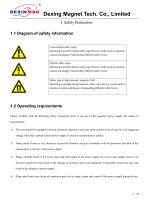
Dexing Magnet Tech. Co., Limited I. Safety Instruction 1.1 Diagram of safety information Conventional safety signs Indicating a possible regular safety sign, the key words (such as attention, caution and danger) representing different safety levels. Electric safety signs Indicating a possible electric safety sign, the key words (such as attention, caution and danger) representing different safety levels. Safety sign of high-intensity magnetic field Indicating a possible strong magnetic safety sign, the key words (such as attention, caution and danger) representing different safety levels. 1.2...
Open the catalog to page 6
Dexing Magnet Tech. Co., Limited 5) Be sure that each part of the power supply is shut down and waiting for 10 to 20 seconds to enable the high-voltage high-capacity capacitance in this power supply to fully discharge to avoid potential electric shock hazard and the damage of the control circuit when performing the following operations: • Connect or disconnect the power input or output cable. • Connect or disconnect the control/measuring cable. • Adjustment of interior circuit. 6) In order to ensure the personal safety of users and operators and the warranty right of the owner of the power supply,...
Open the catalog to page 7
Dexing Magnet Tech. Co., LimitedII. General of Functions This power supply features high performance, digital control and bipolar constant current, and can be widely used for the excitation of electromagnet and Helmholtz coils to generate smooth, steady and controlled magnetic field. 1) Be able to provide two modes of control and adapt to different application environment: • Controlled by a computer through UART (RS232) interface. 2) Multiple protection functions. Comprehensive protection for the power supply shall be provided considering the factors, such as electric supply status, cooling status...
Open the catalog to page 8
Dexing Magnet Tech. Co., Limited • The rapidest change rate of output current may reach 50A/s, and the power supply may adjust to restrict the output rate of the reactive load according to the current and power. • With non-output switch reversing, current can smooth the zero crossing point. 5) As a series, GP may select different input and output parameters according to the difference of the application loads. • The stability of current 50ppm/h (standard) or 10ppm/h (high stable type) are optional. • Output power between 0.5kW and 15kW is optional • Output current between10A and 120A is optional...
Open the catalog to page 9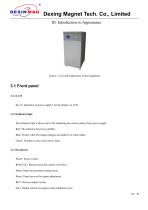
Dexing Magnet Tech. Co., Limited III. Introduction to Appearance Figure 3.1 Overall Appearance of the Equipment 3.1 Front panel 3.1.1 LCD See “6. Operation of power supply” for the display on LCD. 3.1.2 Indicator light The indicator light is three-color LED indicating the current status of the power supply. Red: The indicator for power standby. Blue: Flicker when the output changes and shall be on when stable. Green: Twinkle in case of any power fault. 3.1.3 Keyboard Power: Power switch REM/LOC: Remote and local control switch key Menu: Open the parameter setting menu Pause: Pause/recover the...
Open the catalog to page 10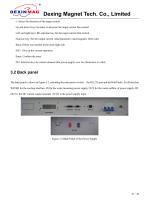
Dexing Magnet Tech. Co., Limited ±: Select the direction of the target current Up and down keys: Increase or decrease the target current fine control Left and right keys: Bit selection key for the target current fine control Numeric key: Set the output current value/parameter value/magnetic field value Back: Delete one number at the most right side ESC: Give up the current operation Enter: Confirm the entry NO. Selection key for current channel (the power supply over two dimension is valid) 3.2 Back panel The back panel is shown in Figure 3.2, including the main power switch 、the RS-232 port...
Open the catalog to page 11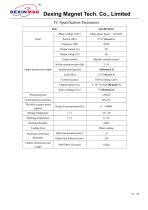
Dexing Magnet Tech. Co., LimitedIV. Specification Parameters Item
Open the catalog to page 12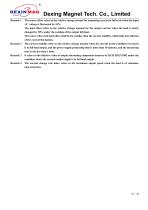
Dexing Magnet Tech. Co., Limited Remark 1 The source effect refers to the relative change amount for outputting current in full scale when the input AC voltage is fluctuated by 10%. The load effect refers to the relative change amount for the output current when the load is slowly changed by 50% under the condign of the output full load. The source effect and load effect shall be far smaller than the current stability, which falls into oblivion of the current fluctuation. The current stability refers to the relative change amount when the current on the condition of current is in full load output,...
Open the catalog to page 13All Xiamen Dexing Magnet Tech. Co., Ltd. catalogs and technical brochures
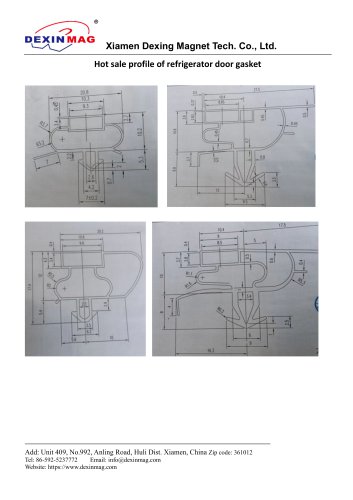 Common door gasket profile
6 Pages
 DXME-15C10 Operation manual
18 Pages
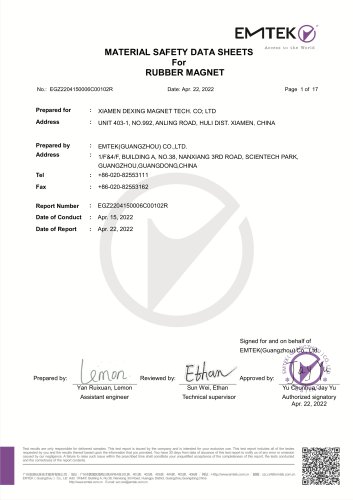 Rubber Magnet MSDS
18 Pages
 Impulse Magnetizer ROHS
18 Pages
 Dexinmag Product Categories
32 Pages
 DX-1205F Gaussmeter
16 Pages
 Three Dimensional Hall Probe
6 Pages
 Two-dimensional Hall Probe
7 Pages
 Axial Probe
8 Pages
 Transverse Probe
12 Pages






- Cutting system
- Industrial press
- Kiln
- DC power supply
- AC/DC power supply
- Welding system
- Chamber kiln
- Forming press
- Hydraulic press
- Measuring device
- Automatic cut-off machine
- Heat treatment kiln
- Monitoring analyzer
- Knife cutting system
- Automatic welding machine
- Measuring machine
- Automatic analyser
- Microscope
- Plastic cutting machine