
- Catalogs
- Xiamen Dexing Magnet Tech. Co., Ltd.
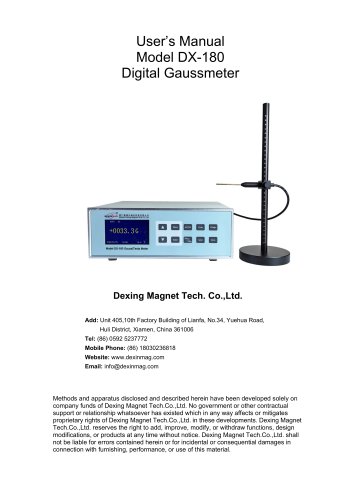
- User Manual of DX-330F Fluxgate Magnetometer


User Manual of DX-330F Fluxgate Magnetometer
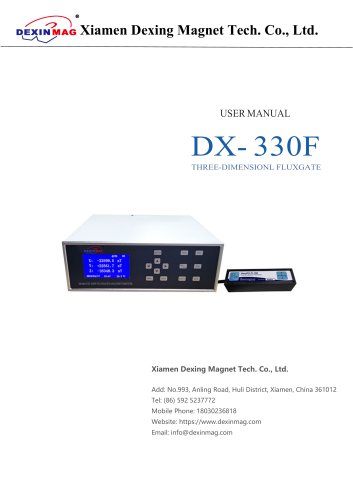
User Manual of DX-330F Fluxgate Magnetometer
Xiamen Dexing Magnet Tech. Co., Ltd. is a specialist in high-precision magnetic testing equipment and magnetic field control systems. The company offers advanced Hall probes and magnetometers, certified by ISO 9001 and IQ NET, used in aerospace, military, and scientific research.
DX-330F Overview: The DX-330F is a high-precision device for testing weak magnetic fields, featuring a VGA display, basic accuracy of ±0.50% ±0.05%, automatic zero and range, data storage, and RS-232C/USB interfaces. It measures DC and AC magnetic fields with high stability and probe interchangeability.
Quick Start: Ensure the power switch is off before connecting the probe and power cord. Allow a 20-30 minute warm-up after powering on. Use the Zero button to set the measurement zero point. Common functions include range switching and peak value display.
Front Panel: Describes the functions of keys such as Enter, Menu, Hold, Save, and others.
Back Panel: Includes power units, RS-232 connector, and probe connectors.
Menu Introduction: Details settings for time, calibration, threshold, brightness, and data saving.
Probe Handling: Probes are calibrated before shipping and can be exchanged without recalibration. Handle with care to avoid damage, especially to the Hall sensor tip.
Probe Operation: Probe direction affects polarity readings. Preheat the instrument and probe for optimal accuracy.
Probe Accuracy: Accuracy depends on the angle between the probe tip and the magnetic field direction. Preheating is recommended for accurate readings.
The DX-330F model is designed for high accuracy measurements, with a rated accuracy better than 0.05% of the reading. Precision requires zeroing the probe before use and maintaining optimal conditions such as temperature and sensor alignment.
High precision measurements require a stable, interference-free environment. The laboratory power supply should be stable and properly grounded. For multiple point measurements, the probe should remain fixed.
The DX-330F is equipped with RS-232 and USB ports for data communication, supporting real-time data transmission to a computer. It uses a 9-pin D-type connector for serial communication.
The DX-330F supports asynchronous communication with a half-duplex transmission mode, relying on software timing for flow control. It supports baud rates of 19200, 57600, and 115200 bps.
Common issues include communication malfunctions and intermittent suspensions. Solutions involve checking baud rates, ensuring correct cable connections, and restarting the device or computer. Communication cables should not exceed 15 meters in length.
The device supports various commands for querying and setting data, including real-time data queries, unit settings, threshold adjustments, and high-speed data queries up to 200 times per second.
To configure the device, access the Device Manager and identify the RS232 connection port. Set the instrument type to a one-dimensional Gaussian meter, and use a serial port for communication.
Initiate data collection by clicking the 'Start' button. Data can be recorded manually or continuously. Adjustments in acquisition speed will impact the resolution and measurement accuracy.
Different acquisition frequencies affect resolution and test accuracy. For example, at 20 Hz, the resolution is ±0.001 mT with a maximum fluctuation of 0.006 mT and a test accuracy of 0.01%.
The DX-330F features a BNC connector for monitoring analog outputs, with a voltage range of ±3.0V corresponding to a magnetic field range of ±3.0T or ±30T. Shorting the BNC connector may affect output accuracy or damage the instrument.
Catalog excerpts
Xiamen Dexing Magnet Tech. Co., Ltd. USER MANUAL Xiamen Dexing Magnet Tech. Co., Ltd. Add: No.993, Anling Road, Huli District, Xiamen, China 361012 Tel: (86) 592 5237772 Mobile Phone: 18030236818 Website: https://www.dexinmag.com Email: [email protected]
Open the catalog to page 1
Xiamen Dexing Magnet Tech. Co., Ltd. Company introduction Xiamen Dexing Magnet Tech. Co., Ltd. is a technology-based company specializing in high-precision magnetic testing equipment and magnetic field control for fully automated magnetic measurement systems. Relying on the advanced technology of the Chinese Academy of Sciences, we have developed and produced high-precision onedimensional, two-dimensional, and three-dimensional Hall probes (with temperature compensation), as well as multi-dimensional high-precision and high-resolution magnetometers. We have passed the IS0 9001 and IQ NET international...
Open the catalog to page 2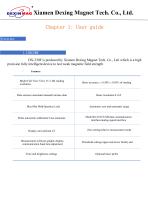
Xiamen Dexing Magnet Tech. Co., Ltd.Chapter 1: User guide Overview DX-330F is produced by Xiamen Dexing Magnet Tech. Co., Ltd. which is a high precision fully intelligent device to test weak magnetic field strength.
Open the catalog to page 3
Xiamen Dexing Magnet Tech. Co., Ltd. High precision, high resolution The DX-330F three-dimensional fluxgate meter is designed with a combination of high-precision user-friendly instruments and high-precision user-friendly Hall probes, achieving basic accuracy of 0.50% ± 0.05% of the reading range and basic resolution of 0.1nT. So as to reach the world's advanced level. High intelligence, multifunctional The DX-330F three-dimensional fluxgate meter can measure DC and AC magnetic fields, with the maximum and minimum values keeping the J interface locked, data storage (automatic/manual)/user reading,...
Open the catalog to page 4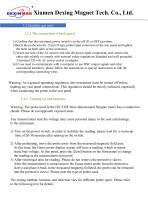
Xiamen Dexing Magnet Tech. Co., Ltd. 1.2 Quickly get start 1.2.1 The connection of back panel 1) Confirm that the rear panel power switch is in the off (O or OFF) position. 2)Insert the probe into the 15-pin D-type probe input connector on the rear panel and tighten the bolts on both sides of the connector. 3) Insert one side of the AC power cord into the power input component, and connect the other side reliably to comply with national safety regulations Standard and well grounded 3-terminal 220 volt AC power socket or adapter. 4) If you need to communicate with a computer or use BNC output...
Open the catalog to page 5
Xiamen Dexing Magnet Tech. Co., Ltd. 1.2.3 Common functions Range switching - Press the [R ange] button on the front panel repeatedly, and the measurement range of the Gaussian meter will cycle between automatic range AUTO, 30mT, 300mT, and 3T. Usually, the default measurement range is automatic range, without the need to switch to manual range. Peak valley value display - Press the [Max/M] button on the front panel, and the screen will display the maximum and minimum values of the measured data during the measurement process after pressing the button (the positive and negative signs used to...
Open the catalog to page 6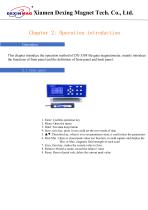
Xiamen Dexing Magnet Tech. Co., Ltd.Chapter 2: Operation introductionGenerationThis chapter introduce the operation method of DX-330F fluxgate magnetometer, mainly introduce the functions of front panel and the definition of front panel and back panel. 2.1 Front panel 1. Enter: Confirm operation key 2. Menu: Open the menu 3. Hold: Test data keep button 4. Save: save key, press it you could set the save mode of data 5. ▲ ▼: Direction key, when it is in set parameters state, it could select the parameters 6. Max/Min.: Open or closed peak value test function, it could capture and display the Min....
Open the catalog to page 7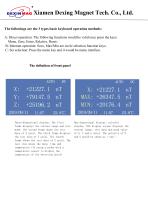
Xiamen Dexing Magnet Tech. Co., Ltd.The followings are the 3 types basic keyboard operation methods: A: Direct operation: The following functions would be valid once press the keys: Menu, Zero, Enter, Relative, Reset; B: Itinerant operation: Save, Max/Min are circle selection function keys; C: Set selection: Press the menu key and it would be menu interface. The definition of front panelAUTO DC X: +21227.1 nT Y: +79147.5 nT Z: +25196.2 nT Three-dimensional display: The first frame displays the current range and test mode; the second frame shows the test data of X axial. The third frame displays...
Open the catalog to page 8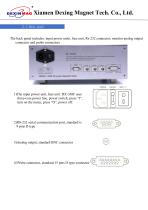
Xiamen Dexing Magnet Tech. Co., Ltd. 2.2 Back panel The back panel includes: input power units, fuse unit, Rs-232 connector, monitor analog output connector and probe connectors 1)The input power unit, fuse unit: DX-330F uses three-core power line, power switch, press “I”, turn on the meter, press “O”, power off. 2)RS-232 serial communication port, standard is 9 pins D type 3)Analog output, standard BNC connector 4)Probe connector, standard 15 pins D type conn
Open the catalog to page 9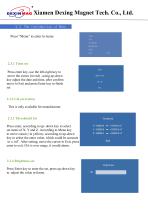
Xiamen Dexing Magnet Tech. Co., Ltd. 2.3 The introduction of Menu Press “Menu” to enter to menu 2.3.1 Time set Press enter key, use the left-right key to move the cursor (in red) , using up-down key adjust the date and time, after confirm move to Exit and press Enter key to finish set 2.3.2 Cal correction This is only available for manufacturer. 2.3.3 Threshould Set Press enter, according to up- down key to select set items of X, Y and Z. According to Menu key to move cursor ( in yellow), according to up-down key to select the enter value, which could be accurate to o.1nT. After setting, move...
Open the catalog to page 10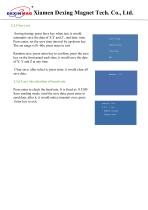
Xiamen Dexing Magnet Tech. Co., Ltd.2.3.5 Save set Saving timing: press Save key when test, it would automatic save the data of X,Y and Z , and date, time. Press enter, set the save time interval by up-down key. The set range is 01-60s, press enter to exit. Random save: press enter key to confirm, press the save key on the front panel each time, it would save the date of X, Y and Z at any time. Save Timing Random Save Clear Save Exit Clear save: after select it, press enter, it would clear all save data. Press enter to check the baud rate. It is fixed as 115200 Save sending mode: send the save...
Open the catalog to page 11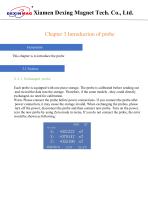
Xiamen Dexing Magnet Tech. Co., Ltd.Chapter 3 Introduction of probe Generation This chapter is to introduce the probe Each probe is equipped with one piece storage. The probe is calibrated before sending out and record the data into the storage. Therefore, if the same models , they could directly exchanged, no need for calibration. Warn: Please connect the probe before power connections. If you connect the probe after power connection, it may cause the storage invalid. When exchanging the probes, please turn off the power, disconnect the probe and then connect new probe. Turn on the power, zero...
Open the catalog to page 12All Xiamen Dexing Magnet Tech. Co., Ltd. catalogs and technical brochures
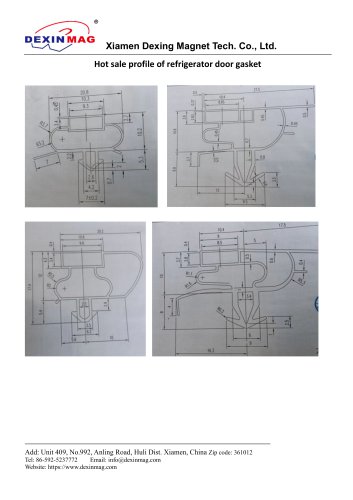 Common door gasket profile
6 Pages
 DXME-15C10 Operation manual
18 Pages
 Rubber Magnet MSDS
18 Pages
 Impulse Magnetizer ROHS
18 Pages
 Dexinmag Product Categories
32 Pages
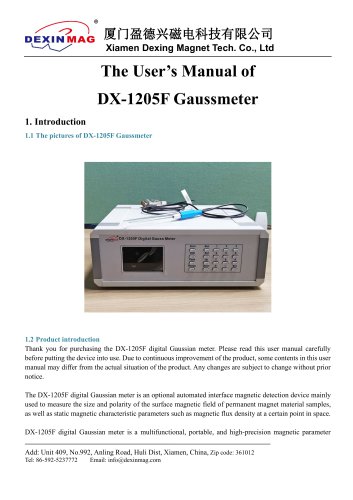
 DX-1205F Gaussmeter
16 Pages
 Three Dimensional Hall Probe
6 Pages
 Two-dimensional Hall Probe
7 Pages
 Axial Probe
8 Pages
 Transverse Probe
12 Pages






- Cutting system
- Industrial press
- Kiln
- DC power supply
- AC/DC power supply
- Welding system
- Chamber kiln
- Forming press
- Hydraulic press
- Measuring device
- Automatic cut-off machine
- Heat treatment kiln
- Monitoring analyzer
- Knife cutting system
- Automatic welding machine
- Measuring machine
- Automatic analyser
- Microscope
- Making machine