- Catalogs
- Xiamen Dexing Magnet Tech. Co., Ltd.
- User Manual of DX-320HC Coercive Force Meter


User Manual of DX-320HC Coercive Force Meter
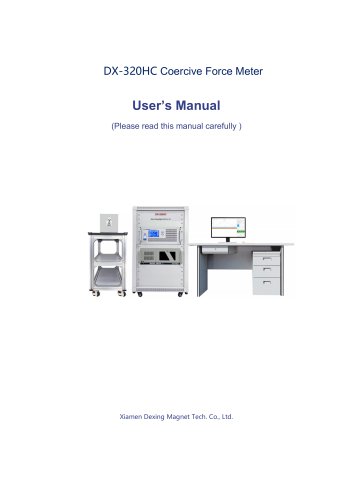
User Manual of DX-320HC Coercive Force Meter
1.1 Overview: The DX-320HC Coercimeter measures the coercivity of soft magnets using a vibration sample zero flux detection sensor for high sensitivity and accuracy.
1.2 Application Fields: Suitable for testing soft magnets and components like relays and magnetic labels, with a test range of 5~1000A/m.
1.3 Measuring Method: Utilizes gradient magnetic field over zero method and intelligent change range technology for high resolution.
1.4 Hardware Parameters: Features ARM control technology and supports fine, fast, and smart measurement modes.
1.5 Technical Data: Specifies working environment requirements and system parameters, including maximum magnetic field and measurement accuracy.
2.1 Safety Tips: Provides safety instructions for operating the device.
2.2 Checkout before POWER ON: Lists steps to ensure all connections and settings are correct before powering on.
2.3 POWER ON: Describes the process to safely power on the device and software.
2.4 POWER OFF: Outlines steps to safely power off the device.
2.5 Measuring Software: Details the software interface, including menu bar, graphic display, and data processing functions.
2.6 Host Display Interface: Explains the device's display interface and function distribution.
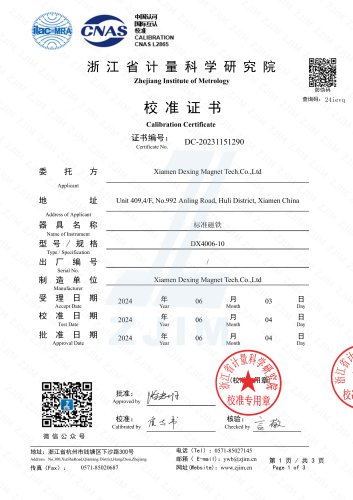
3.1 General Maintenance: Includes instrument calibration and fuse replacement.
3.2 Daily Maintenance: Provides guidelines for routine maintenance.
3.3 Common Faults Analysis: Offers solutions for common issues.
4.1 Description of Warranty: Details the warranty coverage.
4.2 Items Excluded from Free Warranty: Lists items not covered under the free warranty.
Unit Switching and Test Information Settings: Users can switch units and set test parameters through the device screen settings.
Advanced Settings and Alarm Cancellation: Includes time/date settings, system information, and parameter storage. Alarms can be reset, and persistent issues should be checked.
Cautions: Proper fixture selection is crucial for accurate measurements. Ensure sample size is within fixture limits and verify instrument accuracy with reference samples.
Common Wrong Operations: Incorrect operations include improper power sequences and ignoring alarms.
Manufacturer Authorization: Users must not alter system parameters or open the instrument without authorization.
Maintenance: Calibration should be performed by professionals. Regular maintenance includes weekly operation and monthly cleaning.
Common Faults Analysis: Solutions are provided for common faults such as alarms and abnormal test data.
Warranty: The warranty period is 18 months, excluding fragile parts and unauthorized damages.
Appendix: Includes symbols, names, and units related to magnetic measurements.
Catalog excerpts
DX-320HC Coercive Force Meter User’s Manual (Please read this manual carefully ) Xiamen Dexing Magnet Tech. Co., Ltd.
Open the catalog to page 1
Chapter 1 . System Overview
Open the catalog to page 2
Xiamen Dexing Magnet Tech. Co., Ltd 4.2 Items Excluded from Free Warranty
Open the catalog to page 3
Xiamen Dexing Magnet Tech. Co., Ltd Statements Dear Customers: Welcome to be our customers. It is great honor for us that you purchase the DEXINMAG (R) Magnetic Measuring Instruments. We provide this User Manual with the instrument. Please read this User Manual carefully before put the instrument into use, which will help you make better use of it. Please keep this User Manual properly as part of the instrument, so that the operators can refer to it whenever needed. Although this User Manual has been carefully checked, the flaws cannot be avoided. If there is any ambiguity, please contact XIAMEN...
Open the catalog to page 4
Date: Date:
Open the catalog to page 5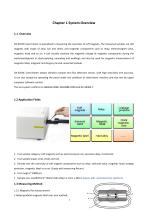
Chapter 1 System Overview 1.1 Overview DX-320HC Coercimeter is specialized in measuring the coercivity of soft magnets. The measured samples are soft magnets with shape of strip, bar and sheet, and magnetic components such as relay, electromagnet valve, magnetic head and so on. It can visually evaluate the magnetic change of magnetic components during the workmanship(such as electroplating, annealing and welding); and also be used for magnetic measurement of magnetic label, magnetic anti-forgery ink and cemented carbide. DX-320HC Coercimeter adopts vibration sample zero flux detection sensor,...
Open the catalog to page 6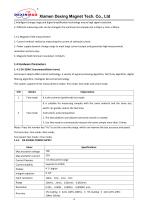
Xiamen Dexing Magnet Tech. Co., Ltd 2.Intelligent change range and digital amplification technology ensure high signal resolution. 3. Different measuring coils can be changed, the minimum test sample size is 20^m x 1mm x 30mm. 1.3.2 Magnetic field measurement 1. Current method: realize by measuring the current of solenoid current. 2. Power supply dynamic change range to meet large current output and guarantee high measurement resolution and accuracy. 3. Magnetic field minimum resolution: 0.01A/m. Instrument adopts ARM control technology, a variety of signal processing algorithm, fast fuzzy algorithm,...
Open the catalog to page 7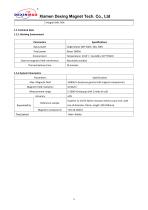
Xiamen Dexing Magnet Tech. Co., Ltd Integral drift: N/A
Open the catalog to page 8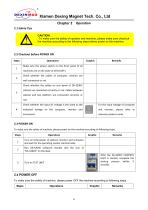
Xiamen Dexing Magnet Tech. Co., Ltd Chapter 2 Operation2.1 Safety Tips I A CAUTION: To make sure the safety of operator and machine, please make sure checkout M | \ the machine according to the following steps before power on the machine.2.2 Checkout before POWER ON Steps To make sure the safety of machine, please power on the machine according to following steps. Turn on total power of cabinet, monitor and computer and wait for the operating system startnormally. Run DX-320HC software: Double click the icon of "DX-320HC" on the desk. Turn on TEST UNIT After the DX-320HC CONTROL UNIT is started,...
Open the catalog to page 9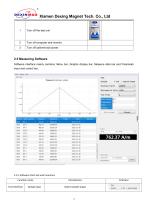
Xiamen Dexing Magnet Tech. Co., Ltd 1 Turn off the test unit 2.5 Measuring Software Software interface mainly contains: Menu bar, Graphic display bar, Measure data bar and Parameter input and control bar. 2.5.1 Software Parts Set and Functions
Open the catalog to page 10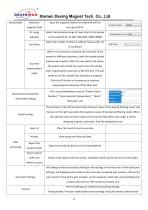
Excitation magnetic field Input the magnetic field to be measured with an accuracy of 0.01. Select the estimated range of coercivity for the sample to be tested (0-50, 50-500, 500-5000, 5000-50000) Test times Select the number of times (1-100) to measure this set of conditions Dual end measurement mode When it is necessary to measure the coercivity of the sample in different directions, check the double ended measurement option; After the user selects the option, the system will prompt the user to turn the sample after measuring the coercivity of the first end. The user needs to turn the sample...
Open the catalog to page 11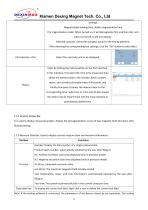
Magnetization holding time: Stable magnetization time Pre magnetization mode: When turned on, it will demagnetize first and then test, and when turned off, it will test directly. Solenoid constant: cannot be changed, bound to the testing platform; After selecting the corresponding test settings, click the "OK" button to take effect Select the coercivity unit to be displayed Enter by clicking the history button on the first interface. In this interface, first select the time to be measured, then select the relevant data in the number, batch number, tester, and remarks (all empty means full search),...
Open the catalog to page 12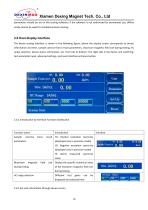
Xiamen Dexing Magnet Tech. Co., Ltd parameters should be set on the testing software; If the software is not authorized for permanent use, offline mode cannot be used for standalone device testing The device testing interface is shown in the following figure, where the display screen corresponds to device information and time, sample coercive force result parameters, maximum magnetic field size during testing, Hc range selection, device status information, etc. from top to bottom. The right side is the device unit switching, test parameter input, advanced settings, and reset interface entrance...
Open the catalog to page 13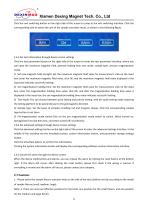
Xiamen Dexing Magnet Tech. Co., Ltd Click the unit switching button on the right side of the screen to jump to the unit switching interface. Click the corresponding unit to switch the unit of the sample coercivity result, as shown in the following figure. 2.6.3 Set test information through device screen settings Click the test parameter button on the right side of the screen to enter the test parameter interface, where you can input the maximum magnetic field, planned holding time, test mode, sample type, and pre magnetization mode. 1) Set max.magnetic field strength: Set the maximum magnetic...
Open the catalog to page 14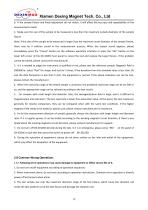
Xiamen Dexing Magnet Tech. Co., Ltd b. If the sample fixture and knob adjustment do not match, it will affect the accuracy and repeatability of the measurement results. 2. Make sure the size of the sample to be measured is less than the maximum outside diameter of the sample fixture Note: If the size of the sample to be measured is larger than the maximum outer diameter of the sample fixture, there may be a collision sound in the measurement process; When the impact sound appears, please immediately press the "Cancel" button on the software operation interface or press the "ESC" button on the...
Open the catalog to page 15All Xiamen Dexing Magnet Tech. Co., Ltd. catalogs and technical brochures
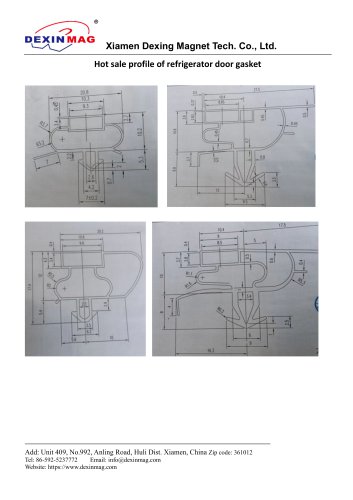 Common door gasket profile
6 Pages
 DXME-15C10 Operation manual
18 Pages
 Rubber Magnet MSDS
18 Pages
 Impulse Magnetizer ROHS
18 Pages
 Dexinmag Product Categories
32 Pages
 DX-1205F Gaussmeter
16 Pages
 Three Dimensional Hall Probe
6 Pages
 Two-dimensional Hall Probe
7 Pages
 Axial Probe
8 Pages
 Transverse Probe
12 Pages