
- Catalogs
- Xi'an Yunyi Instrument Co., Ltd.
- YUNYI YDW31Wireless Pressure Transmitter


- Company
- Products
- Catalogs
- News & Trends
- Exhibitions
YUNYI YDW31Wireless Pressure Transmitter
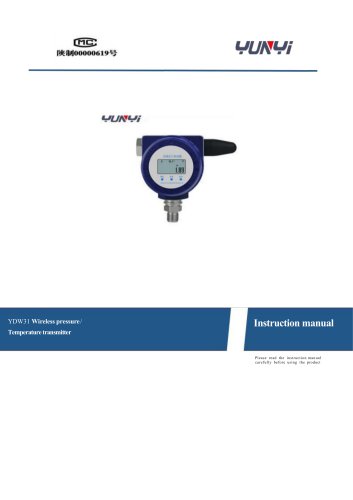
YUNYI YDW31Wireless Pressure Transmitter
Catalog excerpts
YDW31 Wireless pressure / Temperature transmitter Instruction manual Please read the instruction manual carefully before using th e produc t
Open the catalog to page 1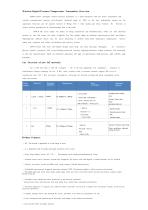
YDW 31 Series intelligent wireless pressure transmitter is a smart instrument with low power consumption and wireless communication function, with advanced Industrial grade of MCU As the core, high-quality sensors are the acquisition front-end, and the junction Internet of Things CAT 1 Data module, and China Telecom 4G Network to realize wireless transmission of field instrument data to the cloud. YDW 31 The series adopts two modes of timing transmission and threshold alarm, which can find abnormal pressure in time and ensure the safety of pipeline Sex. This product adopts an industrial explosion-proof...
Open the catalog to page 2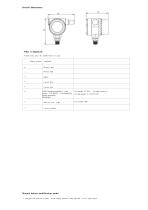
Overall dimensions: Normal mode: press the middle button to query Manual button modification mode: 1. Long press the menu key to enter ; Screen display 000000; Enter password 1 1 1 237 Figure below
Open the catalog to page 4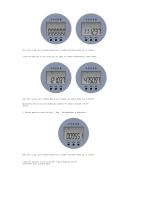
Note : The o k key can be shifted; Return key to modify the number; Menu key to confirm. 2. Press the menu key to turn to the first 0-1 pages. IP Address modification, as shown below: Note : The o k key can be shifted; Return key to modify the number; Menu key to confirm. Special Note: The key can only modify pure numbers IP Address. Example: 121.037. 475.097 3 . Press the menu key to turn to the first 2 Page ; Port modification, as shown below: Note : The o k key can be shifted; Return key to modify the number; Menu key to confirm . 4. Press the menu key to turn to the first 3 pages. Reporting...
Open the catalog to page 5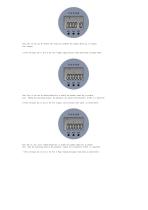
Note : The o k key can be shifted; The return key modifies the number. Menu key to confirm. Unit: minutes 5. Press the menu key to turn to the fi rst 4 pages, upper pressure limit alarm. Such as Figure below: Note: The o k key can be shifted; Return key to modify the numbe r, menu key to confirm. Unit : Taking the mea suring range as the parameter, the liquid level transmitter is KPa Is a parameter. 6. Press the menu key to turn to the first 5 pages. Lower pressure limit alarm , as shown below: Note: The o k key can be shifted; Return key to modify the number; Menu key to confirm. Unit: Take...
Open the catalog to page 6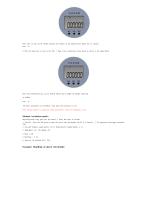
Note: The o k key can be shifted; Returns the number of key modifications; Menu key to confirm. Unit: ℃。 8. Press the menu key to turn to the first 7 Page. Lower temperature limit alarm, as shown in the figure below: Note: The confirmation key can be shifted; Return key to modify the number; Menu key to confirm. Unit: The above parameters are modified. Long press the menu key to exit. Note : Please modify as requested. Other parameters ca nnot be modified at will. Manual escalation mode: Reporting mode: Long press the left button 4 Enter the report in seconds. 1. Activate : Press the left button...
Open the catalog to page 7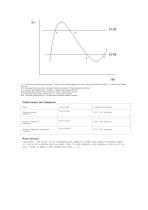
A Yes Upper limit exception alarm : persistent 2 Minutes, with a pressure higher than A Point, report data, continue to be high Yu A Click to report the data only once. B It is the upper limit recovery data : the pressure falls back and stops B When clicking, report the data. D Yes Lower Limit Abnormal Alarm : Continue 2 Minutes, with a pressure below D Point, up Report data, continues to be lower than D Click to report the data only once. C Yes lower limit recovery data : Pressure rises to C Click to report the data. Note : Our factory pressure support 2 Click the alarm to facilitate customer...
Open the catalog to page 8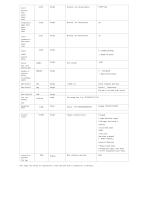
Note: Flags and content are separated by a colon and each field is separated by a semicolon.
Open the catalog to page 10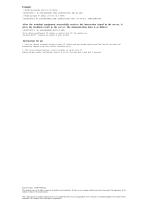
Example: 1. Modify the reporting interval to 60 Minute $ XIANYUNYI $ ; ID :61052408260005; TIME :20200525123935; INR :60; END ; 2. Modify and report IP Address (219.145. 20.3 : 8888) $ XIANYUNYI $; ID :61052408260005; TIME :20200525123935; RSA : 219.145.20.3 ; PORT :8888; END ; After the terminal equipment successfully receives the instruction issued by the server, it gives the feedback result to the server. The demonstration data is as follows: $ XIANYUNYI $ ; ID :61052408260005; RCVD :0; END ; Server delivery modification IP Address or interval, must ID The numbers are consistent. RCVD : Indicates...
Open the catalog to page 12
Xian Yunyi Instrument Co., Ltd Address : Phase II, Ronghao Industrial Park, Gaoling District, Xian City 21 Building Sales Center Address : Sihai International, Weiyang District, Xian City 10 Layer Tel : 4000-118-588 Fax : 029-88612256 URL : www .369 yb . com Email : yunyi @369 yb . com
Open the catalog to page 13All Xi'an Yunyi Instrument Co., Ltd. catalogs and technical brochures
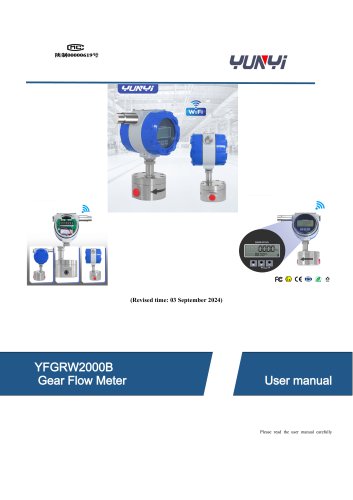
 YUNYI Circular Gear Flowmeter
15 Pages
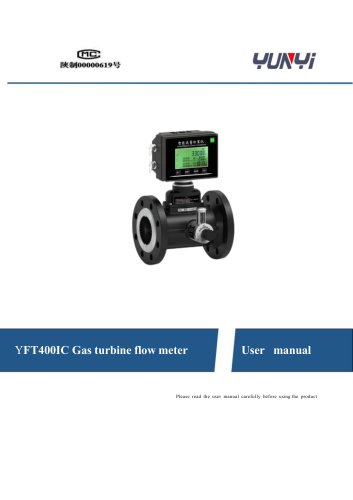
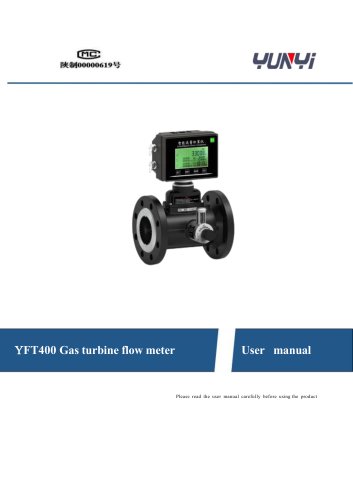 YUNYI Gas Turbine Flowmeter
18 Pages
 K series
3 Pages
 YX-2006B
2 Pages
 XY-2002
1 Page
 YFM4800E
14 Pages
 YD32
YD322 Pages
 Temperature calibrator WT
2 Pages
 Pt100 temperature sensor
3 Pages
 Digital density meter JL-T
6 Pages
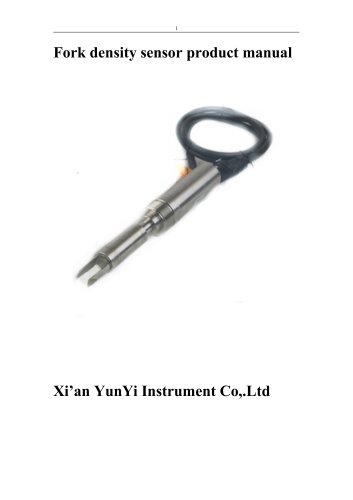 Process density sensor
8 Pages
 Digital density meter YMF883
4 Pages
 Digital density meter JL-YT
4 Pages
 Digital density meter JL-LD
2 Pages
 Digital density meter JL-SD
2 Pages
 Digital density meter JL-GD
2 Pages
 Portable pH meter K series
2 Pages
 Leak calibrator XY-2006B
2 Pages
 Deadweight tester JY
2 Pages
 Pressure calibrator XY-2001A
2 Pages
 Pressure calibrator YX-60
2 Pages
 Leak calibrator YX-2001C
2 Pages
 Dial pressure gauge YK-M4
2 Pages
 Infrared flow meter YFM-4800
21 Pages
 Mass flow meter YFU2000-B
4 Pages
 Mass flow meter Coriolis
14 Pages
 Orifice flow meter
6 Pages
 Mass flow meter MF4000
3 Pages
 Mass flow meter
3 Pages
 Vortex flow meter YFV
20 Pages
 Ultrasonic flow meter YFU2000H
14 Pages
 Turbine flow meter YFT
13 Pages
 Mass flow meter YFV300
20 Pages
 Mass flow meter YFT300D
13 Pages
 Turbine flow meter
13 Pages
 Mass flow meter MF5700
3 Pages
 Level measuring instrument
11 Pages
 Liquids level gauge YLR68
12 Pages
 Liquids level gauge
3 Pages
 Radar level sensor
12 Pages
 Diaphragm pressure switch
2 Pages
 Digital pressure controller
2 Pages
 YD31 series
4 Pages








- Kiln
- Flowmeter
- Temperature probe
- Volume flow monitor
- Liquid flow monitor
- Resistance temperature sensor
- Pressure gauge
- Calibration system
- Analog pressure transmitter
- Waterproof flow meter
- Gas flow monitor
- Level probe
- Digital temperature control
- Stainless steel flow monitor
- Liquid level sensor
- Pressure switch
- Industrial flow monitor
- Analog pressure gauge
- Waterproof pressure transmitter