
- Catalogs
- Wuxi Bewis Sensing Tecnology LLC
- BWSENSING BWM460


- Company
- Products
- Catalogs
- News & Trends
- Exhibitions
BWSENSING BWM460
BWSENSING BWM460
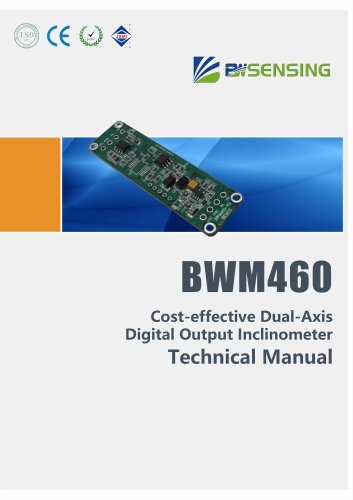
The BWM460 is a cost-effective dual-axis digital output inclinometer designed by Bewis Sensing Technology LLC. It features RS485 and TTL output modes and utilizes MEMS technology for high consistency and stability. The device operates within an industrial temperature range of -40°C to +85°C and is suitable for various monitoring applications such as foundation pits, soil, dams, and high-speed rail.
Specifications
- Measuring Range: ±60°
- Accuracy: 0.005° (Max)
- Voltage Input: 9~35VDC
- Output Mode: RS485/TTL
- Resolution: 0.001°
- Operating Temperature: -40℃~+85℃
- Vibration Resistance: >2000g
Electrical Specifications
The inclinometer requires a power supply of 9-35V and operates with a current of 20-40mA. It is designed to withstand temperatures from -40°C to +85°C and has a shock resistance of 2000g.
Performance Specifications
- Measuring Axis: X-Y
- Frequency Response: 100Hz
- Insulation Resistance: ≥100 MΩ
- MTBF: ≥100000 h
Mechanical Characteristics
The product dimensions are L67*W20*H8 mm, and it is installed using four M2 screws. The device includes a cable hole and bare board for connections.
Software and Protocol
The inclinometer can be connected to a computer using serial debugging software for angle display and parameter modification. The data frame format is hexadecimal, with a default baud rate of 9600. Commands are available for reading angles, setting zero points, baud rates, and output modes.
Standards and Certifications
The BWM460 complies with ISO9001:2008, CE, and RoHS standards, ensuring quality and safety in its applications.
Catalog excerpts

BWM460 Cost-effective Dual-Axis Digital Output Inclinometer Technical Manual
Open the catalog to page 1
Cost-effective Dual-Axis Digital Output Inclinometer Introduction Designed by Bewis Sensing Technology LLC, BWM460 is cost-effective dual-axis digital output inclinometer which output mode is RS485 and TTL optional. It adopts the latest technology MEMS manufacturing process tilting unit, with small size, low power consumption, high consistency and stability. Because it is a digital inclinometer, the linearity is more easily corrected. The operating temperature reaches the industrial grade -40 ° C ~ +85 ° C. When multi-section cascading is used, we provide a multi-section slanting algorithm, which...
Open the catalog to page 2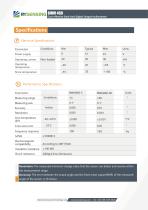
BWM 460 Cost-effective Dual-Axis Digital Output Inclinometer Resolution: The measured minimum change value that the sensor can detect and resolve within the measurement range. Accuracy: The error between the actual angle and the Root mean square(RMS) of the measured angle of the sensor (>16 times). Bewis Sensing Technology LLCl
Open the catalog to page 3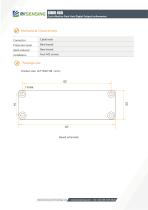
Mechanical Characteristic Connector Bewis Sensing Technology LLCl
Open the catalog to page 4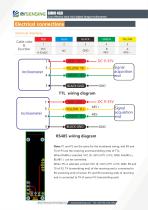
BWM 460 Cost-effective Dual-Axis Digital Output Inclinometer Electrical interfaces —©^YELLOW TX —«^GREEN RX —•IbLACKGN^#-GND »|BLACK GND^»-GND Signal acquisition end Signal acquisition end Cable color & Function RS485 wiring diagram Note: P1 and P2 are the same for the numbered wiring, and RX and TX of P3 are the receiving and transmitting ends of TTL; When RS485 is selected, VCC (9~35V) of P1 or P2, GND, AH(485+), BL(485-) can be connected; When TTL is selected, connect VCC (9~35V) of P1 or P2, GND, RX and TX of P3, TX (transmitting end) of the receiving end is connected to RX (receiving end)...
Open the catalog to page 5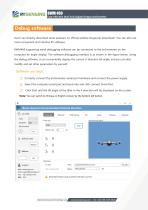
Cost-effective Dual-Axis Digital Output Inclinometer Debug software Users can directly download serial assistant on official website (Supports-Download). You can also use more convenient and intuitive PC software. BWM460 supporting serial debugging software can be connected to the inclinometer on the computer for angle display. The software debugging interface is as shown in the figure below. Using the debug software, it can conveniently display the current X-direction tilt angle, and you can also modify and set other parameters by yourself. Software use steps: ① Correctly connect the inclinometer...
Open the catalog to page 6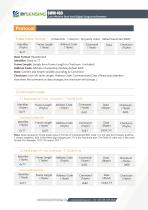
Cost-effective Dual-Axis Digital Output Inclinometer Protocol 1Data Frame Format: (8 data bits,1 stop bit,No parity check,default baud rate 9600) Identifier (1byte) 0x77 Data Format: Hexadecimal Identifier: Fixed to 77 Frame Length: Length from Frame Length to Checksum(included) Address Code: Address of acquiring module, default 0x00 Data: Content and length variable according to Command Checksum: Sum of Frame Length, Address Code, Command and Data. (Please pay attention that when the command or data changes, the checksum will change. ) 2 Command Format 2.1 Read angle of X axis Command:77 04...
Open the catalog to page 7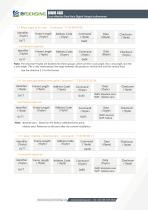
Cost-effective Dual-Axis Digital Output Inclinometer 2.3 Read angle of X,Y axis Identifier (1byte) Command response: Identifier (1byte) Note: The returned 9 bytes are divided into three groups, which are the x-axis angle, the y-axis angle, and the z-axis angle. (The z-axis characterizes the angle between the product's vertical line and the vertical line); See the directive 2.1 for the format. 0x00: absolute zero 0x01: relative zero Command response: Identifier (1byte) Note: absolute zero:Based on the factory-calibrated zero point. relative zero: Reference to the zero after the current installation....
Open the catalog to page 8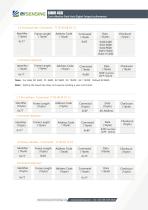
Cost-effective Dual-Axis Digital Output Inclinometer Command response: Identifier (1byte) Note:For data, 00: 2400, 01: 4800, 02: 9600, 03: 19200,04: 115200,Default 02:9600. Note:Setting the baud rate does not require sending a save command. Command response: Identifier (1byte) Command response: Identifier (1byte
Open the catalog to page 9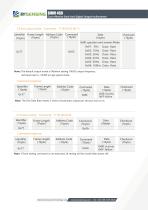
Cost-effective Dual-Axis Digital Output Inclinometer 0x00: question and answer Mode 0x01: 5Hz 0x0C Data Rate Data Data Data Data Data Rate Rate Rate Rate Rate Note: The default output mode is 00(when setting 100HZ output frequency. Set baud rate to 115200 in high speed mode. Command response: Identifier (1byte) Note: The 5Hz Data Rate means 5 times of automatic output per second, and so on. Command response: Identifier (1byte) Note: If Save setting command is not executed, all setting will be invalid after powe
Open the catalog to page 10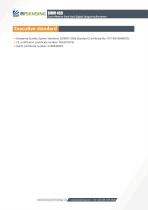
Cost-effective Dual-Axis Digital Output Inclinometer Executive standard ● Enterprise Quality System Standard: ISO9001:2008 Standard (Certificate No.:10114Q16846ROS) ● CE certification (certificate number: 3854210814) ● RoHS (certificate number: G190930099) Bewis Sensing Technology LLC
Open the catalog to page 11
BWM460 Cost-effective Dual-Axis Digital Output Inclinometer Wuxi Bewis Sensing Technology LLC Address: Building 30, No. 58 Xiuxi Road, Binhu District, Wuxi City, Jiangsu Province, China Tel/Whatsapp: +86 189 2129 2620 Email: [email protected] Website: www.bwsensing.com
Open the catalog to page 12All Wuxi Bewis Sensing Tecnology LLC catalogs and technical brochures
 BW-D63-B
5 Pages
 BW-C50-B
4 Pages
 BW-B80-B
5 Pages
 GI320
GI32025 Pages
 BWSENSING BWK217S
8 Pages
 AH100C
9 Pages
 LoRaWAN G500 Gateway
1 Page
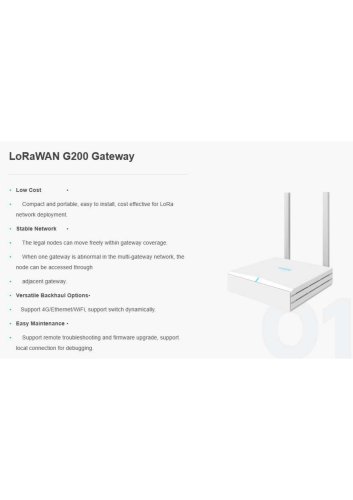 LoRaWAN G200 Gateway
1 Page
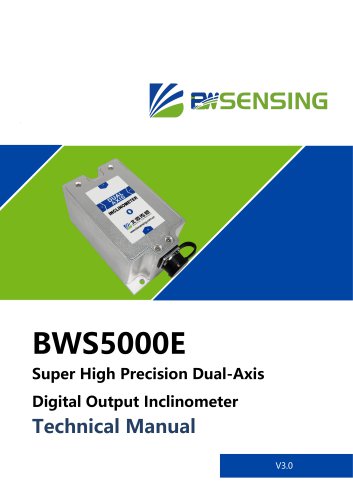 BWSENSING BWS5000E
14 Pages
 BWSENSING Catalog 2020
60 Pages
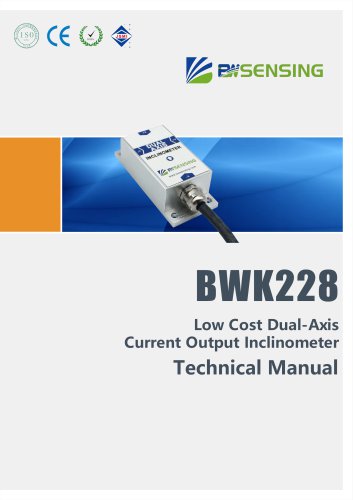 BWSENSING BWK228
13 Pages
 BWSENSING BWK218
12 Pages
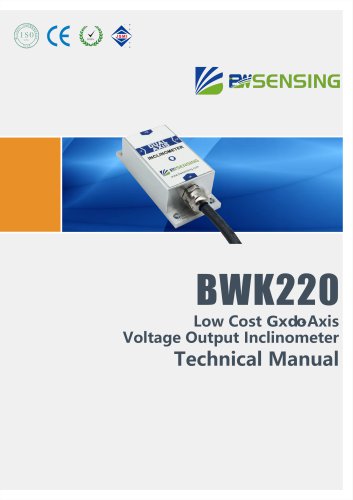 BWSENSING BWK220
13 Pages
 BWSENSING BWK210
13 Pages
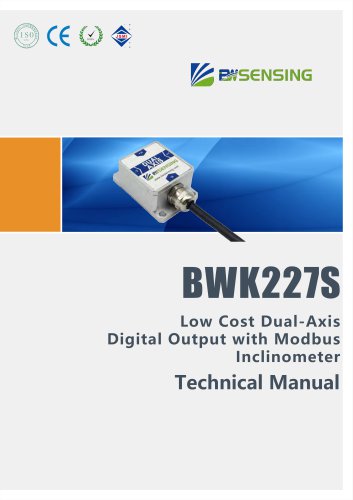 BWSENSING BWK227S
13 Pages
 BWSENSING BWK226S
13 Pages
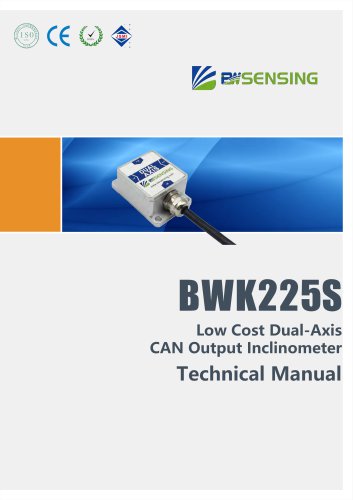 BWSENSING BWK225S
12 Pages
 BWSENSING BWK216S
12 Pages
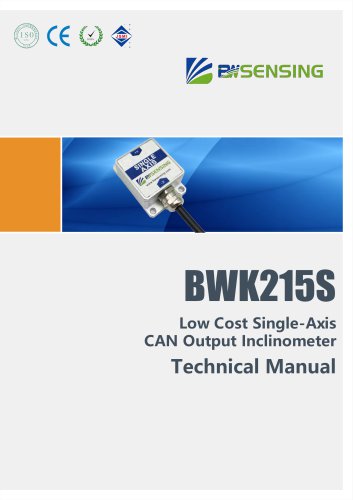 BWSENSING BWK215S
12 Pages
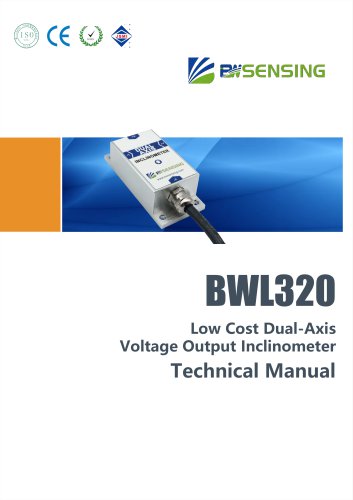 BWSENSING BWL320
13 Pages
 BWSENSING BWL328
13 Pages
 BWSENSING BWL318
12 Pages
 BWSENSING BWL310
13 Pages
 BWSENSING BWL327S
13 Pages
 BWSENSING BWL326S
13 Pages
 BWSENSING BWL325S
12 Pages
 BWSENSING BWL317S
12 Pages
 BWSENSING BWL316S
12 Pages
 BWSENSING BWL315S
12 Pages
 BWSENSING BWN460
12 Pages
 BWSENSING BWN428
13 Pages
 BWSENSING BWN427
13 Pages
 BWSENSING BWN425
12 Pages
 BWSENSING BWN420
13 Pages
 BWSENSING BWM427
13 Pages
 BWSENSING BWM426
13 Pages
 BWSENSING BWM425
12 Pages
 BWSENSING BWM420
13 Pages
 BWSENSING BWM418
12 Pages
 BWSENSING BWM417H
12 Pages
 BWSENSING BWM417
12 Pages
 BWSENSING BWM416
12 Pages
 BWSENSING BWM415
12 Pages
 BWSENSING BWM410
12 Pages
 BWSENSING BWH528
14 Pages
 BWSENSING BWH527
13 Pages
 BWSENSING BWH526
14 Pages
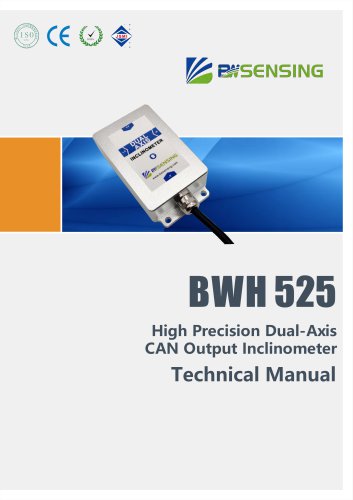 BWSENSING BWH525
12 Pages
 BWSENSING BWH520
14 Pages
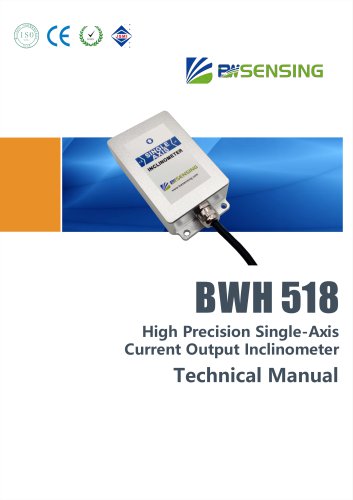 BWSENSING BWH518
13 Pages
 BWSENSING BWH517
12 Pages
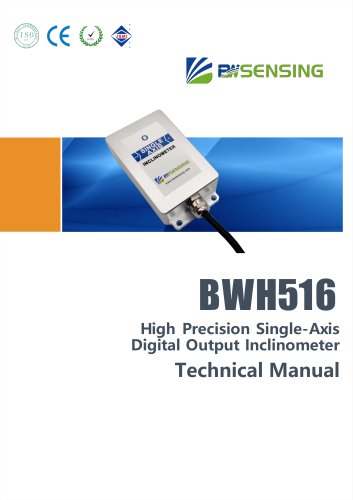 BWSENSING BWH516
13 Pages
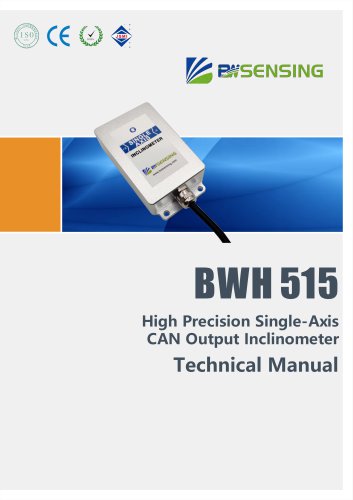 BWSENSING BWH515
12 Pages
 BWSENSING BWH510
13 Pages
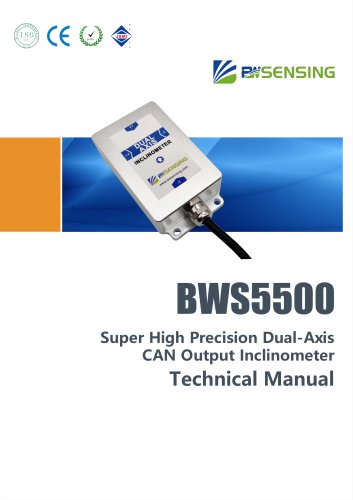 BWSENSING BWS5500
12 Pages
 BWSENSING BWS4800
14 Pages
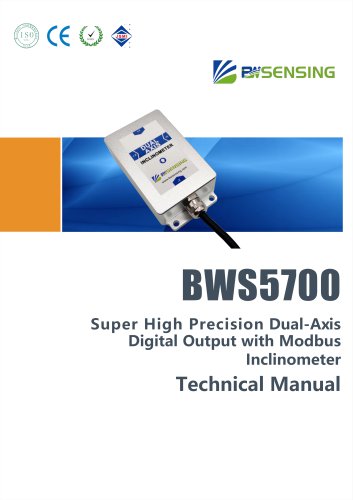 BWSENSING BWS5700
13 Pages
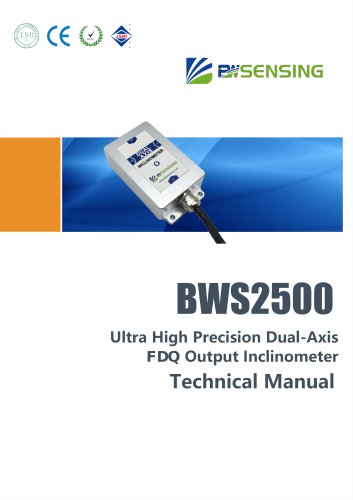 BWSENSING BWS2500
12 Pages


Archived catalogs
 BWSENSING BWN426
13 Pages
- Digital imager
- Visible imager
- Measuring device
- Industrial camera module
- Infrared imager
- Monitoring camera system
- Acceleration sensor
- Detection camera system
- Pressure probe
- Communication gateway
- Waterproof camera module
- Compact imager
- Inspection imager
- Thermographic camera
- Industrial gateway
- Digital gauge
- High-speed camera module
- Temperature-controlled camera
- Membrane pressure sensor