


Interactive Flat Panel and Commercial Display

Interactive Flat Panel and Commercial Display
ViewSonic, established in 1987, is a leader in visual solutions, specializing in display-centric products like monitors and projectors. Their mission is to be the preferred global brand by fulfilling customer needs and delivering shareholder value.
Designed for collaboration in corporate and educational settings, ViewSonic's ViewBoard panels support Google-based platforms and Windows 10. They feature a 20-point touch display, annotation tools, and content sharing capabilities, with integration through myViewBoard.com for real-time document editing and global screen sharing.
The IFP50 series offers 4K UHD resolution in sizes from 55" to 86", supporting multi-point touch and features like a two-finger Floating Pen and cloud integration. The IFP60 series enhances these features with InGlass™ technology for a pen-like touch experience and fingerprint recognition for security, supporting dual slot-in PCs for improved performance.
Detailed specifications include display size, resolution, brightness, contrast ratio, touch technology, input/output options, power consumption, and dimensions for various models.
ViewSonic provides accessories like wall mounts, trolley carts, and slot-in PCs to enhance the functionality of ViewBoard displays, supporting flexible installation and improved performance.
myViewBoard software offers advanced whiteboarding capabilities, cloud synchronization, and secure screen sharing, supporting various content formats and integrating with popular cloud services.
- Cloud Storage and Application: Integration with myViewBoard allows access to third-party applications and conference software with a single login.
- FollowMe AI: Personalizes whiteboard settings accessible via email login, QR code, or fingerprint scan.
- AI Pen: Provides automatic graphic suggestions based on user drawings.
- Magic Tool Box: Offers multiple whiteboard tools, camera plug-in, and screen recording functions.
- ViewBoard® Cast: Facilitates content sharing among mobile devices, supporting real-time annotations and remote control.
- BYOD: Allows users to connect to ViewBoard over wireless and wired networks using the vCastSender app.
- Moderator Mode: Supports simultaneous connections of up to 50+ laptops, allowing hosts to manage and annotate screens.
- Education: OKTOPUS and Ximbus software provide access to thousands of ready-to-use lessons and real-time collaboration tools.
- IT Management: SureMDM offers remote device management, security policy enforcement, and app deployment.
- Commercial Displays: The CDE and CDM series offer features like 4K resolution, integrated media players, and touch screen capabilities for various professional settings.
- ePoster Series: Provides free-standing digital displays with 4K resolution and touch screen options for high-traffic areas.
Detailed specifications for the CDE, CDM, and EP series include panel size, resolution, brightness, contrast ratio, input/output options, and power consumption.
The vSignage device has a normal power consumption of 117 W and a maximum of 150 W, consuming less than 0.5 W in off mode.
The device does not support wall mounting via VESA.
Physical dimensions are 812 x 1900 x 450 mm and 820 x 1900 x 450 mm, with a net weight of 84.7 kg and 85 kg respectively.
This model features a Quad-Core ARM CPU, 8GB NAND Flash memory, and runs on Embedded Linux (Android 4.4), including HDMI 1.4, RJ45 LAN, wireless 802.11 b/g/n, and USB ports.
The device operates within a temperature range of 0°C to 40°C and humidity levels of 30% to 80% non-condensing.
The device complies with CE, CE LVD, and FCC class B standards.
Suitable for 46" to 84" displays, supporting a maximum load of 125 kg with a mounting pattern up to 900 x 616 mm.
Features an Intel i5-6300 (vPro) processor, 8GB DDR4 RAM, 128GB SSD, and is compatible with Win 10 Pro, including HDMI, USB, and RJ45 connectivity options.
The device supports Win 10 Professional, myViewBoard, Intel Unite, and Quicklauncher installer, compatible with models CDP9800, CDE8600, CDE7500, and CDE6510.
Online support is available through the ViewSonic website and social media platforms.
Specifications and availability are subject to change without notice. Lifespan and power consumption may vary based on usage.
Catalog excerpts

Interactive Flat Panel and Commercial Display Create and Communicate
Open the catalog to page 1
ViewSonic® We are a global visual solution expert Founded in 1987, ViewSonic's mission is to be the preferred global brand of visual solutions as we continue to focus on display-centric products including monitors, projectors, commercial displays, and cloud computing solutions. ViewSonic continues to pioneer in visual technology innovation to build a connected and ever-reaching digital future. Our mission statement “To be the preferred global brand of visual solution products, Viewsonic is dedicated to meeting the needs of our customers, generating profitable growth through efficient operations...
Open the catalog to page 2
ViewBoard® 4K UHD Interactive Flat Panel Display Our wide range of ViewBoard interactive flat panel displays are designed as an open platform with excellent collaborative capabilities, ideal for meetings and presentations in corporate or education environments. With open collaboration in mind, ViewBoard are designed to work seamlessly with Google-based platforms and are fully compatible with Windows 10 systems. All ViewBoards will have a standard 20-point touch display along with multiple pre-installed tools such as vBoard for annotation, Air Class quiz tool and ViewBoard Cast function for content...
Open the catalog to page 3
ViewBoard® IFP50 Series Advanced 4K UHD Interactive Flat Panels The ViewBoard® IFP50 series user experience is highlighted by its intuitive two-finger Floating Pen and exclusive one-touch “save” feature on Google Drive/OneDrive, giving you full control at your fingertips. Featuring 4K UHD resolution on a 20-point touch screen, the IFP50 Series delivers incredible collaborative capabilities for modern boardrooms and classrooms. ViewBoard 2.1 Annotation Software ViewBoard 2.1 is an advanced annotation app that includes subject templates, multimedia support, screen recording and many other effective...
Open the catalog to page 4
ViewBoard® IFP60 Series Latest 4K UHD Interactive Flat Panels with InGlass™ Technology On top of the IFP50 series features, the ViewBoard® IFP60 series enhances the interactive experience by its InGlass™ technology. It is one the most advanced touch technology that will deliver a pen-like experience, and users can draw in two colours with different thickness simultaneously. It’s a “myViewBoard” native app with rich annotation capabilities and easy cloud synchronisation (Google Drive/One Drive/Dropbox), supporting web browsers, as well as popular document & media file types. The built-in hub allows...
Open the catalog to page 5
Accessories Slot-in PC for ViewBoard® The ViewSonic slot-in PCs are the ideal integrated solution for delivering a more powerful smart whiteboard and smart meeting room functionality on our ViewBoard® interactive flat panels. Intel Unite Certified The VPC14 and VPC12 are Intel UNITE certified, giving you an easy way to have a secure, large-scaled wireless group presentations, video conferencing, file sharing, and screen sharing with high-definition audio and video. Wall Mount or on Trolley All our ViewBoard® feature a VESA-compatible design and can be placed on a wall mount, or on an optional...
Open the catalog to page 7
Unique Features Advanced Whiteboarding Screen Sharing / Collaboration SaaS (Software as a Service) combines advanced whiteboarding software and cloud services. A content sharing app enables 1080p content to be streamed from users’ devices onto ViewBoard® wirelessly or over a cable network. Lesson Plan Award-winning lesson plan solution A powerful enterprise mobility management (EMM) solution for Android, iOS, and Windows platforms
Open the catalog to page 8
Advanced Whiteboarding myViewBoard™, a hybrid cloud-based whiteboard solution What makes for a great lesson/story? Make your lessons/presentations stand out with illustrative diagrams and materials. Import a wide range of contents from Google G Suite, Microsoft Office 365, Smartboard, Promethean Board, other digital whiteboard solutions, and websites. Powered by Amazon web services for enterprise-grade security, “myViewBoard™” Ecosystem consists of “myViewBoard™ for Windows” software for the host PC and a web app (myViewBoard.com) for participant devices. It is designed to provide a better digital...
Open the catalog to page 9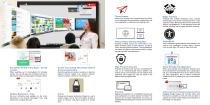
Throw Feature Online Screen Sharing Integration Instant File Sharing from anywhere and any device to the whiteboard for presentations, collaboration and more application in classroom and meeting room. Available with multiple whiteboard tools, external camera plug-in and screen recording function. It also supports various file formats that can be opened and saved in myViewBoard™. It also supports various file formats including .iwb for legacy education contents. Creating a FREE account on myViewBoard.com allows unlimited users to share screens, as well as cast-in and out across the network. The...
Open the catalog to page 10
ViewBoard® Cast (SW-101) ViewBoard® Cast is an app for content sharing among mobile devices that enables 1080p content to be streamed from a user’s device onto ViewBoard® over wireless or cable networks. Content that can be broadcasted from mobile devices and shown on ViewBoard®’s large screen includes any digital content that can be used by multiple users simultaneously for real-time annotations. A host can control displayed content broadcasted from Window/Mac/Chrome OS laptops while Android and iOS device participants are able to use ViewBoard® Cast’s specialized annotation toolbar and control...
Open the catalog to page 11
Lesson Plan Powered by Qwizdom Oktopus software, educators can save time while building upon their current topic materials on ViewBoard® by accessing 10,000+ ready-to-use lessons on-line. The popular .iwb and .notebook format lessons are provided by educators worldwide to deliver lessons for all topics at any level. Designed for Google Apps for Education (GAFE), Qwizdom Ximbus delivers annotation tools for teachers and students and even enables real-time sharing, collaboration, and polling. Teachers can instantly poll students with an array of question types and gain immediate participant feedback,...
Open the catalog to page 12All ViewSonic catalogs and technical brochures
 VG2039m-LED
2 Pages
 32" LED Professional Display
2 Pages
 Networkable XGA Projector
2 Pages
 VX2475Smhl-4K
2 Pages
 VP2765-LED
2 Pages
 27" Frameless LED Display
2 Pages
 ViewSonic® Projectors
7 Pages
 PJD6683ws
2 Pages
 PJD7820HD
2 Pages
 PJD7533w
2 Pages
 PLED-W200
2 Pages
 Pro8600
2 Pages
 18947
189478 Pages
 17709
177096 Pages
 VMP70 Digital Media Player
2 Pages
 VOT132 Mini-PC
2 Pages
 MPC1701 All-in-one PC
2 Pages


- LCD display panel
- Touch monitor
- LCD screen
- Industrial monitor
- HDMI monitor
- VESA mounting monitor
- Panel-mount screen
- LED monitor
- USB monitor
- Color display panel
- LED backlight monitor
- LED display panel
- IPS display panel
- TFT-LCD monitor
- Control display system
- Wall-mount monitor
- Programmable display system
- Information display
- 15" monitor