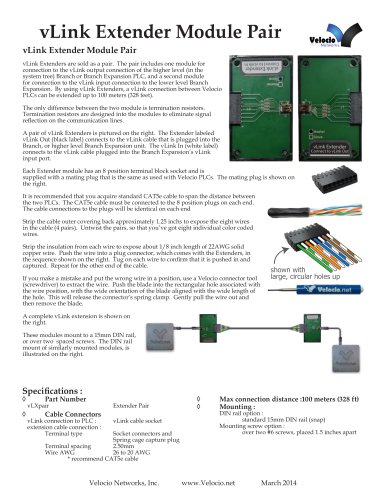
- Catalogs
- Velocio Networks
- eSimulators

eSimulators
eSimulators
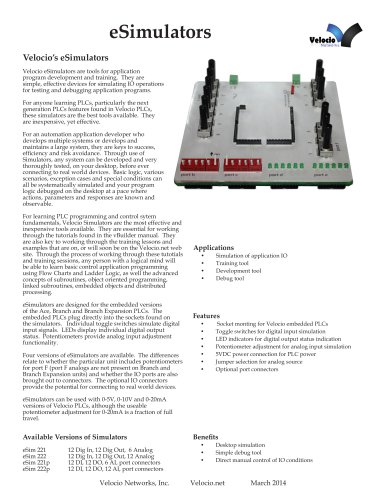
Velocio Networks' eSimulators are tools designed for application program development and training, particularly for learning and testing PLC (Programmable Logic Controller) operations. They are cost-effective and efficient for simulating IO operations, allowing developers to test and debug application programs on a desktop before connecting to real-world devices.
- Socket mounting for Velocio embedded PLCs.
- Toggle switches for digital input simulation and LED indicators for digital output status.
- Potentiometer adjustment for analog input simulation.
- 5VDC power connection for PLC power with jumper selection for analog source.
- Optional port connectors for real-world device connections.
- eSim 221: 12 Digital Inputs, 12 Digital Outputs, 6 Analog Inputs.
- eSim 222: 12 Digital Inputs, 12 Digital Outputs, 12 Analog Inputs.
- eSim 221p: Includes port connectors.
- eSim 222p: Includes port connectors.
- Used for simulation of application IO, training, development, and debugging.
- Facilitates desktop simulation and direct manual control of IO conditions.
Digital inputs are simulated using toggle switches, with external connections possible through port connectors. Digital outputs use "open drain" transistor outputs, with LED indicators showing output status. External outputs can be connected similarly to PLC digital outputs.
- Primary Power: 4.75 - 5.5VDC, 300 mA maximum.
- Auxiliary Analog Power: 10VDC for 0-10V simulation, 2VDC for 0-20mA simulation.
- Potentiometers: 5K ohm resistance.
- Physical Dimensions: 5.5”L x 5.5”W.
Analog inputs are simulated with potentiometers, with specific jumper and power connection requirements for different voltage ranges (0-5V, 0-10V, 0-20mA). External analog signals can be connected by removing the analog voltage supply jumper and turning potentiometers to full scale.
Catalog excerpts
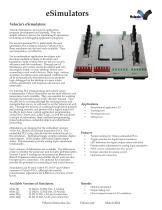
eSimulatorsVelocio's eSimulators Velocio eSimulators are tools for application program development and training. They are simple, effective devices for simulating IO operations for testing and debugging application programs. For anyone learning PLCs, particularly the next generation PLCs features found in Velocio PLCs, these simulators are the best tools available. They are inexpensive, yet effective. For an automation application developer who develops multiple systems or develops and maintains a large system, they are keys to success, efficiency and risk avoidance. Through use of Simulators, any system can be developed and very thoroughly tested, on your desktop, before ever connecting to real world devices. Basic logic, various scenarios, exception cases and special conditions can all be systematically simulated and your program logic debugged on the desktop at a pace where actions, parameters and responses are known and observable. For learning PLC programming and control sytem fundamentals, Velocio Simulators are the most effective and inexpensive tools available. They are essential for working through the tutorials found in the vBuilder manual. They are also key to working through the training lessons and examples that are on, or will soon be on the Velocio.net web site. Through the process of working through these tutotials and training sessions, any person with a logical mind will be able to learn basic control application programming using Flow Charts and Ladder Logic, as well the advanced concepts of subroutines, object oriented programming, linked subroutines, embedded objects and distributed processing. eSimulators are designed for the embedded versions of the Ace, Branch and Branch Expansion PLCs. The embedded PLCs plug directly into the sockets found on the simulators. Individual toggle switches simulate digital input signals. LEDs display individual digital output status. Potentiometers provide analog input adjustment functionality. Four versions of eSimulators are available. The differences relate to whether the particular unit includes potentiometers for port F (port F analogs are not present on Branch and Branch Expansion units) and whether the IO ports are also brought out to connectors. The optional IO connectors provide the potential for connecting to real world devices. eSimulators can be used with 0-5V, 0-10V and 0-20mA versions of Velocio PLCs, although the useable potentiometer adjustment for 0-20mA is a fraction of full travel. • Training tool • Development tool • Debug tool • Socket monting for Velocio embedded PLCs • Toggle switches for digital input simulation • LED indicators for digital output status indication • Potentiometer adjustment for analog input simulation • 5VDC power connection for PLC power • Jumper selection for analog source • Optional port connectors • Desktop simulation • Simple debug tool • Direct manual control of IO conditions Available Versions of Simulators eSim 221 12 Dig In, 12 Dig Out, 6 Analog eSim 221p 12 DI, 12 DO, 6 AI, port connectors eSim 222p 12 DI, 12 DO, 12 AI, port connectors
Open the catalog to page 1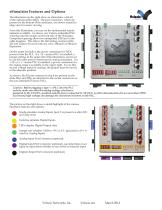
eSimulator Features and Options The illustration on the right show an eSimulator, with all of the options (eSim 222p). The port connectors, which are present on the bottom of the simulator, are shown rotated to edge view for easier viewing. From this illustration, you can see the fundamental feature elements available. As shown, any Velocio embedded PLC will plug into the sockets on the top side of the Simulator. Component spacing allows for unimpeded USB and vLink cable insertion. This allows the full analog versions (eSim 222 and 222p) to be used with any eAce, eBranch or eBranch Expansion....
Open the catalog to page 2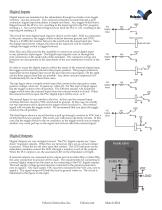
Digital inputs are simulated on the eSimulators through two banks of six toggle switches - one for each port. If no external connection is made through a port connector, digital input simulation is simple and basic. Any toggle switch that is flipped toward the PLC is 'on', resulting in the input tag bit in the PLC program reading a 1. Any switch that is flipped away from the PLC is 'off', resulting in the input tag bit reading a 0. The circuit for each digital input signal is shown on the right. With no connection to the port connector, the toggle switch switches between ground and 5VDC. There...
Open the catalog to page 3
Analog Inputs are simulated on the eSimulator with potentiometers. There is one potentiometer for each analog input. The eSim 221 and 221p simulators have potentiometers for port A only. The eSim 222 and 222p simulators have potentiometers for both the A and F analog ports. The figure on the right illustrates the signal input to the each analog input. The potentiometer can be jumpered to connect to either the 5VDC power input that powers the PLC, or the optional AV analog voltage supply which can be connected to the second terminal block (labeled AV+ and AV-). AV- is tied directly to ground....
Open the catalog to page 4All Velocio Networks catalogs and technical brochures
 Wall Plug Power Supplies
1 Page
 Status
1 Page
 Command HMIs
6 Pages
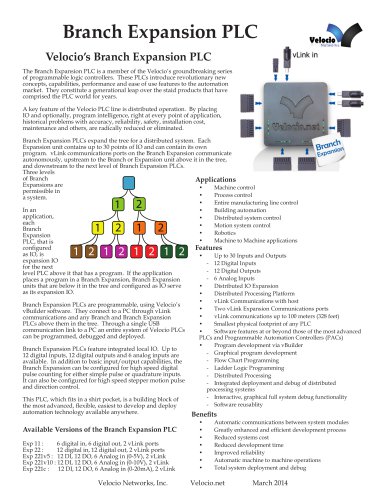 Branch Expansion PLC
6 Pages
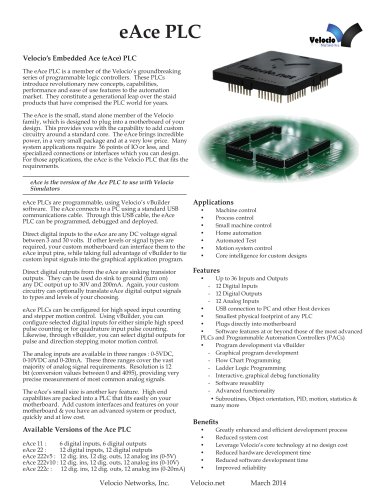 eAce PLC
5 Pages
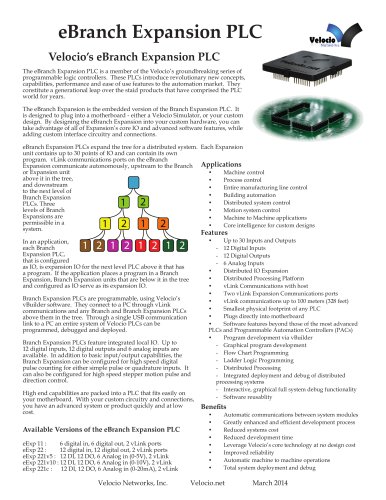 eBranch Expansion PLC
6 Pages
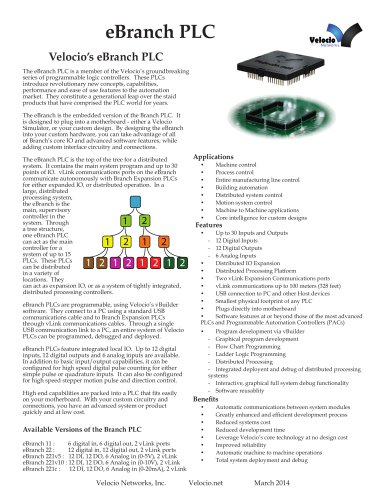 eBranch PLC
6 Pages
 Branch PLC
13 Pages
 Ace PLCs
20 Pages