
- Catalogs
- U-Reach Data Solutions Inc.
- USB 3.2 Duplicator & Tester (USB/USB-HDD)

USB 3.2 Duplicator & Tester (USB/USB-HDD)
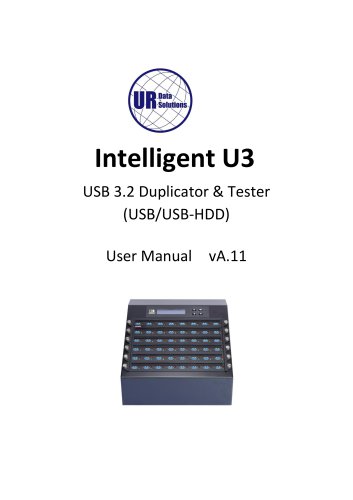
USB 3.2 Duplicator & Tester (USB/USB-HDD)
U-Reach disclaims liability for damages from product use, including data loss or device malfunction. Customers must ensure product quality meets their requirements. Specifications may change without notice.
A one-year warranty covers parts and labor, excluding consumables. Extended warranties are available. Lifetime support is provided as defined by U-Reach.
U-Reach is not responsible for copyright infringement. Users must ensure legal compliance when copying data.
Read the manual thoroughly before use. Avoid power interruptions during firmware updates. Devices may operate at high temperatures; use protective gloves. Ensure proper grounding to prevent ESD. Use only approved power sources and operate in clean, dry environments.
The manual includes a hardware overview, package contents, and power adapter requirements. Different models may require specific adapters.
Notes and cautions ensure safe and effective operation.
The duplicator offers functions such as Copy, Compare, Copy&Compare, Media Check, Signal Detection, Utilities, Setup, Log Manager, Write Protect, and Burn-In, each with specific features and settings.
- Copy: Connect source and target devices, select 'Copy', and start duplication. Ensure target capacity is adequate.
- Compare: Performs a bit-for-bit comparison between source and target.
- Copy&Compare: Combines copying and comparison for accuracy.
- Media Check: Includes various checks like signal, H2, and H5, with options to set error limits and speed thresholds.
- Signal Detection: Detects USB2.0 and USB3.1 signals.
- Utilities: Provides information, erase options, formatting, and system updates.
- Setup: Configures startup menu, copy mode, language, and other settings.
- Log Manager: Manages log reports and settings.
- Write Protect: Sets write protection on devices.
- Burn-In: Conducts stress tests on USB targets.
- Compare Function: Verifies the accuracy of copied data by comparing source and target.
- Copy & Compare: Automates the copy and compare functions sequentially.
- Media Check: Includes various tests (Signal+H2+Format, H2+Format, etc.) to assess device quality and format media.
- Signal+H2+Format: Tests device signal and quality, then formats to original format.
- H2+Format: Similar to Signal+H2+Format but without signal check.
- Signal+H5+Format: Similar to Signal+H2+Format but uses H5 files.
- Setup Range: Allows setting quality check capacity range in percentage or MB.
- Error Limit: Sets error tolerance during flash check.
- Minimum Speed: Sets minimum read/write speed for media check.
- Information: Displays USB and system information.
- Erase Functions: Includes Quick Erase, Full Erase, DoD Erase, and NSA Erase.
- Formatting Options: Auto, FAT16, FAT32, and exFAT formats available.
- Hash Calculations: CRC64, MD5, and SHA256 for data verification.
- System Update: Procedure for updating firmware using a USB drive.
- Copy Mode: Options include System and Files, Whole Media, and Percentage.
- GPT Backup Area: Option to ignore GPT backup for copying to smaller devices.
- USB Revision: Sets USB protocol detection preference.
- Target Tolerance: Sets capacity tolerance between source and target drives.
- Asynchronous Copy: Enables faster copying if data is smaller than buffer memory.
- Power Off Time: Sets time gap between copy and compare to prevent data loss.
- Log Reports: Options for today's, recent, and custom log reports.
- Advanced Functions: Includes clearing logs and setting passwords for protection.
- USB drives with write protection cannot be erased, formatted, or deleted.
- Steps to set write protection include preparing source and target USBs, plugging them in, and selecting the appropriate write protection function.
- Functions include Copy+WriteProtect, Copy+Comp+WriteP, Set Write Protect, Set Write Enable, and Show USB WP Info.
- Write protection requires W-mode USB drives and cannot be executed on the source port.
- The Burn-In test involves data writing, powering off, and data comparing.
- Users can set parameters such as writing loop, compare loop, power off time, and writing pattern.
- Two types of Burn-In tests are available: Burn-In (Copy+Comp) and Burn-In (Auto Data).
- Settings include Burn Time, Loop Count, Test Range, Bad Limit, Data Pattern, Compare Count Per Loop, and Power Off Between Loop.
- PC-Monitoring allows users to monitor duplication progress, testing results, and operation logs in real-time.
- Steps include connecting the PC-LINK cable, powering on the duplicator, and launching the LV07B software.
- Ensure the duplicator has completed boot-up before launching the software.
- Interrupting the write protect process may damage the USB drive.
- Data will be deleted after releasing write protection.
- Specifications are subject to change without notice.
Catalog excerpts
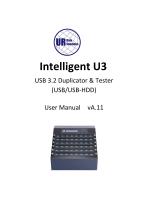
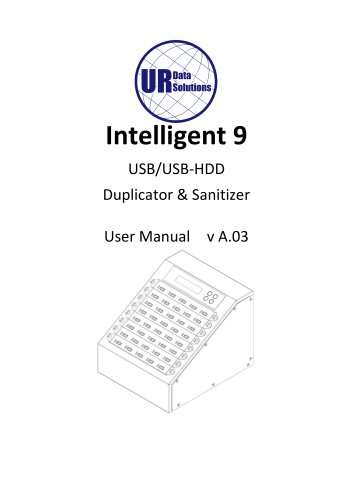
Intelligent U3 USB 3.2 Duplicator & Tester (USB/USB-HDD) User Manual
Open the catalog to page 1
Index Table
Open the catalog to page 2
Product Disclaimer U-Reach is not accountable for any incidental or consequential damages, which includes, but is not constrained to property harm, loss of time or data from use of a U-Reach product, or any other damages attributable to product malfunction or failure (including without limitation, those attributable to: (1) reliance of the materials provided, (2) costs of product replacement, (3) loss of use, data or profits, (4) delays or business interruptions, (5) and any principle of legal responsibility, arising out of or in reference to the use or overall performance or from delays in servicing...
Open the catalog to page 3
• Carefully read the entire manual before operating. • Never turn off the power while the firmware is updating. • Devices will operate at high temperature during high-speed tasks. Please wear protective gloves to prevent burns when handling devices. • Devices working in high temperature may cause it to slow down or even shut down. Please make sure the devices are not overheated. • Ensure machine and operator are properly grounded to prevent ESD. • Make sure the source device is correct and functioning. • Equal capacity of source and target is recommended for guaranteed data consistency. • Using...
Open the catalog to page 4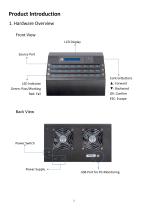
Product Introduction 1. Hardware Overview Front View LCD Display Source Port Control Buttons ▲: Forward ▼: Backward OK: Confirm ESC: Escape LED Indicator Green: Pass/Working Red: Fail Back View Power Switch Power Supply
Open the catalog to page 5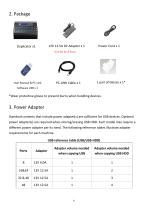
*Wear protective gloves to prevent burns when handling devices. Standard contents that include power adapter(s) are sufficient for USB devices. Optional power adapter(s) are required when cloning/erasing USB-HDD. Each model may require a different power adapter per its need. The following reference tables illustrate adapter requirements for each machine. USB reference table (USB/USB-HDD)
Open the catalog to page 6
Special items, procedures, or notes to be observed prior to use.
Open the catalog to page 7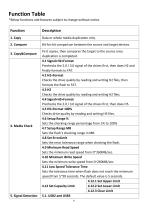
*Below functions and features subject to change without notice.
Open the catalog to page 8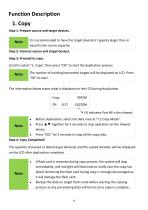
Step 1: Prepare source and target devices.
Open the catalog to page 13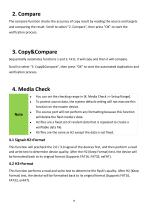
2. Compare The compare function checks the accuracy of copy result by reading the source and targets and comparing the result. Scroll to select "2. Compare", then press "OK" to start the verification process. 3. Copy&Compare Sequentially automates functions 1 and 2. First, it will copy and then it will compare. Scroll to select "3. Copy&Compare", then press "OK" to start the automated duplication and verification process. You can set the checking range in [4. Media Check >> Setup Range]. To protect source data, the system default setting will not execute this function on the master device. The...
Open the catalog to page 14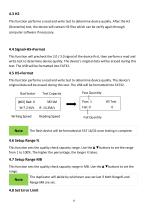
This function performs a read and write test to determine device quality. After the H2 (Overwrite) test, the device will contain H2 files which can be verify again through computer software if necessary. This function will precheck the 2.0 / 3.0 signal of the device first, then perform a read and write test to determine device quality. The device's original data will be erased during this test. The USB will be formatted into FAT32. This function performs a read and write test to determine device quality. The device's original data will be erased during this test. The USB will be formatted into...
Open the catalog to page 15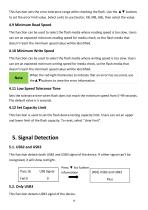
This function sets the error tolerance range while checking the flash. Use the ▲▼ buttons to set the error limit value. Select units to use (Sector, KB, MB, GB), then select the value. 4.9 Minimum Read Speed This function can be used to select the flash media whose reading speed is too slow. Users can set an expected minimum reading speed for media check, so the flash media that doesn’t reach the minimum speed value will be identified. 4.10 Minimum Write Speed This function can be used to select the flash media whose writing speed is too slow. Users can set an expected minimum writing speed for...
Open the catalog to page 16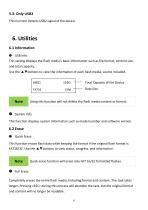
5.3. Only USB2 This function detects USB2 signal of the device. 6. Utilities 6.1 Information ➊ USB Info. This setting displays the flash media’s basic information such as file format, content size, and total capacity. Use the ▲▼buttons to view the information of each flash media, source included. Total Capacity of the Device Data Size Using this function will not delete the flash media content or format. ➋ System Info. This function displays system information such as model number and software version. 6.2 Erase ➊ Quick Erase This function erases flash data while keeping the format if the original...
Open the catalog to page 17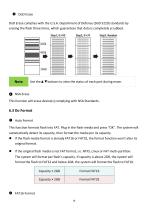
DoD Erase complies with the U.S.A. Department of Defense (DoD 5220) standards by erasing the flash three times, which guarantees that data is completely scrubbed. This function will erase device(s) complying with NSA Standards. This function formats flash into FAT. Plug in the flash media and press "OK". The system will automatically detect its capacity, then format the media per its capacity. • If the flash media format is already FAT16 or FAT32, the format function won't alter its original format. • If the original flash media is not FAT format, i.e. NTFS, Linux or FAT multi-partition. The...
Open the catalog to page 18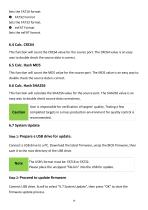
Sets the FAT16 format. ➌ FAT32 Format Sets the FAT32 format. ➍ exFAT Format Sets the exFAT format. 6.4 Calc. CRC64 This function will count the CRC64 value for the source port. The CRC64 value is an easy way to double check the source data is correct. 6.5 Calc. Hash MD5 This function will count the MD5 value for the source port. The MD5 value is an easy way to double check the source data is correct. 6.6 Calc. Hash SHA256 This function will calculate the SHA256 value for the source port. The SHA256 value is an easy way to double check source data correctness. User is responsible for verification...
Open the catalog to page 19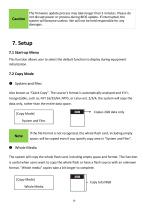
The firmware update process may take longer than 5 minutes. Please do not disrupt power or process during BIOS update. If interrupted, the system will become useless. We will not be held responsible for any damages. 7. Setup 7.1 Start-up Menu This function allows user to select the default function to display during equipment initialization. 7.2 Copy Mode ➊ System and Files Also known as "Quick Copy”. The source’s format is automatically analyzed and if it’s recognizable, such as, FAT 16/32/64, NTFS, or Linux ext. 2/3/4, the system will copy the data only, rather than the entire data space. Copies...
Open the catalog to page 20All U-Reach Data Solutions Inc. catalogs and technical brochures
 Carry Series
21 Pages
 SATA III Ultra-High Speed
19 Pages
 Carry Series
18 Pages
 MTS-SASN Series
31 Pages
 MT/MTC Series
31 Pages
 PCIE SSD Duplicator
23 Pages
 Auto-detect Dual-interfaces
23 Pages
 NV-BM600CFX
37 Pages
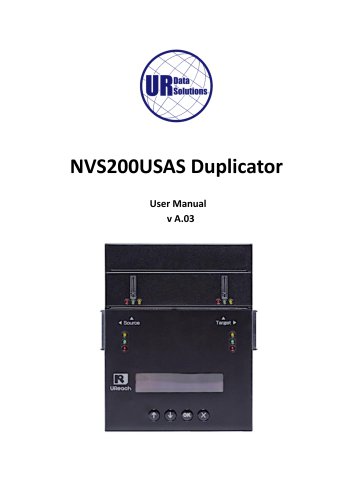 NVS200USAS Duplicator
21 Pages
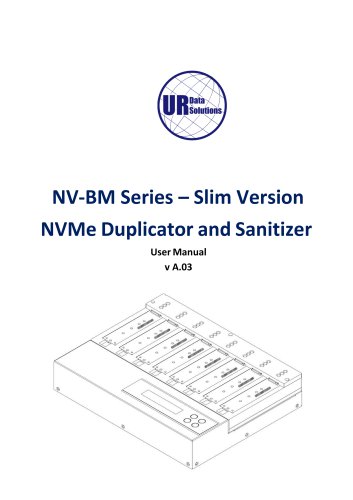 NV-BM Series – Slim Version
24 Pages
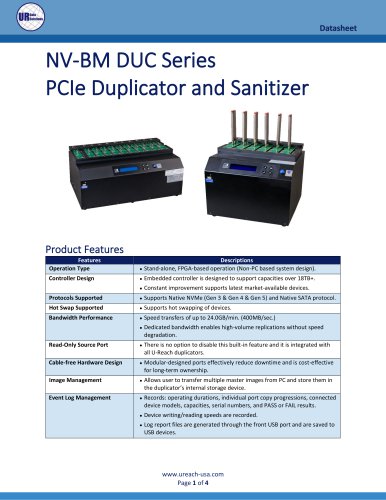 NV-BM DUC Series
4 Pages
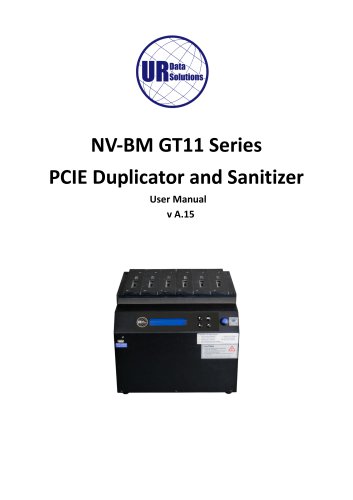 NV-BM GT11 Series
41 Pages
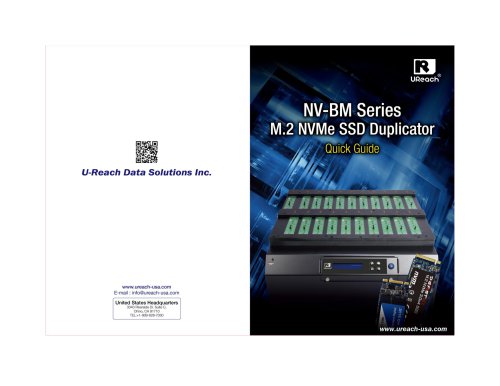 NV-BM Series
2 Pages
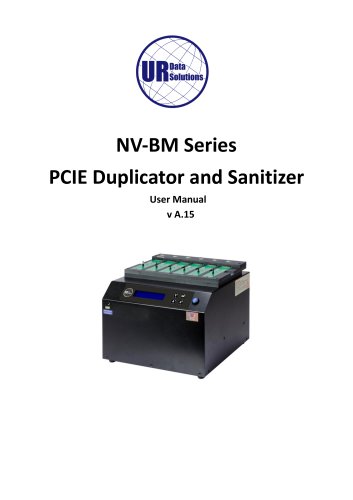 NV-BM Series
41 Pages
- Grinding mill
- LED hand lamp
- Vertical pulverizer
- Reporting software
- Punching center
- Creation software
- Waste chopper
- Impact pulverizer
- Rechargeable hand lamp
- Storage software
- Visible illumination
- Hammer grinding mill
- Compact lump breaker
- Portable hand lamp
- Hole punch punching machine
- Lamp illumination
- Automatic grinding mill
- Software solution on site
- Hand lamp with battery
- UV illumination