

TpaCAD
1 /414Pages
TpaCAD
1 /414Pages
Catalog excerpts
Program Editor Tecnologie e Prodotti per l'Automazione
Open the catalog to page 1
This documentation is property of TPA S.r.l. Any unauthorized duplication is forbidden. The Company reserves the right to modify the content of the document at any time.
Open the catalog to page 2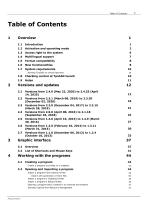
1.2 Activation and operating mode 2 1.3 Access right to the system 6 Running TpaCAD on virtual machines 10 1.8 Checking control at TpaCAD launch 10 2.1 Versions from 2.4.0 (May 22, 2020) to 2.4.25 (April 2.5 Versions from 1.4.0 (April 10, 2015) to 1.4.9 (March 3.2 List of Shortcuts and Mouse Keys 41 4 Working with the programs 44 Create a program according to a template 44 4.2 Opening and importing a program 44 Import a program from external format 45 Import with generation of more files 46 Import a program in TpaEdi32 format 46 Import a program in EdiCad format 46 Opening a program-piece created...
Open the catalog to page 3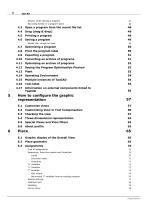
Reports while opening a program 47 Recording format of a program-piece 48 4.3 Open a program from the recent file list 48 4.4 Drag (drag & drop) 49 Names that cannot be used 50 4.8 Print the program label 50 4.10 Converting an archive of programs 51 4.11 Optimizing an archive of programs 52 4.12 Seeing the Program Optimization Preview 53 4.15 Multiple instances of TpaCAD 54 4.17 Information on external components linked to 5.2 Customizing View in Tool Compensation 60 5.5 Special Views and View filters 63 6.1 Graphic display of the Overall View 65 Dimensions, Execution modes and Properties 70...
Open the catalog to page 4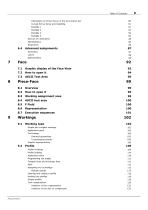
Information on fictive faces in the local status bar 80 Curved fictive faces and modelling 81 7.1 Graphic display of the Face View 92 7.3 ASCII Text Area 95 8.3 Working assignment area 99 8.4 ASCII text area 100 Simple and complex workings 102 Tangent lines and intercept lines 111 Opening and closing a profile 116 Variation of the side to compensate 125 Program Editor
Open the catalog to page 5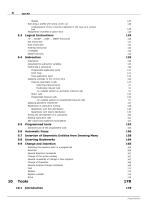
Executing a profile with sharp corner cut 126 Compensation of the correction diameter in the case of a conical Assignment of profiles in piece-face 128 IF ... ELSEIF ... ELSE ... ENDIF Structures 129 Assigning the subroutine variables 137 Programmed application point 141 Final application point 142 Applying workings to the correct face 142 Induced (automatic) calls 143 Selecting induced faces 143 Positioning induced calls 144 <j> variable solution in automatic induced calls 144 Programmed induced calls 145 <j> variable solution in programmed induced calls 147 Applying geometric transforms 147...
Open the catalog to page 6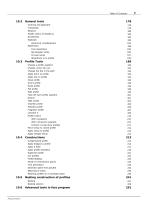
Modify (menu of Graphics) 182 Change a profile segment 189 Change corner into arc 192 Change the line in the path 192 Apply entry to profile 193 Apply exit to profile 194 Take off each profile segment 201 With connection segment 210 Connect consecutive profiles 211 Move setup to closed profile 212 Apply setup to profile 213 Apply multiple setup 213 Apply bridges to profile 214 Apply profile repetition 219 Divide on intersection points 224 Generate spline from polyline 232 Rotating profiles on a Cartesian plane 239 10.5 Nesting construction of profiles 241 10.6 Advanced tools in face program 251...
Open the catalog to page 7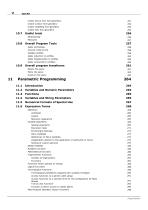
Create fictive face from geometry 251 Create surface from geometry 252 Create modelling from geometry 253 Create font from geometry 253 10.8 Overall Program Tools 257 Apply reduction to profiles 260 Apply fragmentation to profiles 260 Apply connection to profiles 260 10.9 Overall program transforms 261 11.2 Variables and Numeric Parameters 264 11.4 Variables and String Parameters 265 11.5 Numerical Formats of Special Use 267 References to Piece Variables 274 Assignments relative to the application of subroutine or macro 275 Setting of custom sections 279 Functions which operate on strings 285...
Open the catalog to page 8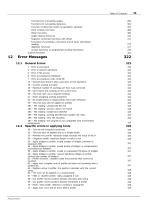
Functions for calculating angles 299 Functions for calculating distances 302 Function of detection points on geometric elements 303 Point rotation functions 308 Angle rotation functions 310 Segment correction functions with offset 311 Functions of coordinate conversion and of faces information Access functions to programmed working information 318 2 - Error in memory allocation 322 5 - Error in file access 323 6 - Error accessing the Clipboard 323 7 - Error accessing an Undo temp file 323 13 - System level doesn't allow execution of this operation 323 18 - Current working is invalid 323 36 -...
Open the catalog to page 9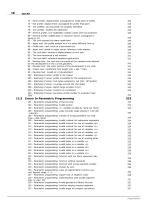
VIII TpaCAD 72 - Enter profile: displacement unassigned for initial point of profile 329 73 - Exit profile: displacement unassigned for profile final point 329 75 - Join profiles: second profile not properly identified 329 78 - Join profiles: profiles are separated 329 79 - Stretch profile: non-modifiable complex codes were encountered 329 80 - Stretch profile: amplification or reduction factor unassigned or 82 - The tool required too many repetitions 330 85 - Apply tool: the profile assigns arcs in a plane different from xy 330 86 - Profile exit: can't hook on a downward exit 330 88 - Apply...
Open the catalog to page 10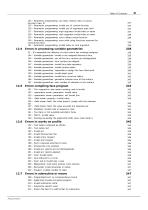
134 - Parametric programming: too many nested calls of custom 135 - Parametric programming: invalid use of custom function 337 136 - Parametric programming: invalid use of arguments arg# res# 337 137 - Parametric programming: arg# argument invalid index or name 337 138 - Parametric programming: res# argument invalid index or name 338 139 - Parametric programming: error calling custom function 338 140 - Parametric programming: error while using functions reserved for 141 - Parametric programming: invalid index to var# argument 338 12.4 Errors in processing variable geometries 338 22 - It's impossible...
Open the catalog to page 11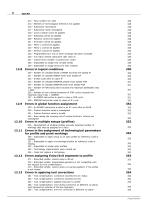
213 - Face number not valid 348 214 - Element of technological reference not applied 348 216 - Subroutine read failure 348 217 - Subroutine name unassigned 348 218 - Curve creation can't be applied 348 219 - Emptying cannot be applied 348 220 - Rotation cannot be applied 348 221 - Inversion cannot be applied 348 222 - Mirror x cannot be applied 349 223 - Mirror y cannot be applied 349 224 - Stretch cannot be applied 349 225 - Programmed tool: one or more workings had been excluded 349 226 - Too many nested subroutine calls (max 5) 349 227 - Custom error number <custom error code> 349 228 - Impossible...
Open the catalog to page 12All T.P.A. SRL TECNOLOGIE PRODOTTI catalogs and technical brochures
- Panel PC
- Industrial panel PC
- Panel PC with touch screen
- LCD screen
- Industrial monitor
- Automation software solution
- Intel® Core™ PC
- Industrial computer
- Fanless PC
- Intel® Core™ panel PC
- VESA mounting monitor
- HDMI PC
- Box PC
- Digital I/O
- Windows PC
- USB keyboard
- Industrial keyboard
- USB monitor
- IO module
- Keyboard with mechanical keys