

Albatross
1 /273Pages
Albatross
1 /273Pages
Catalog excerpts
Numeric control Tecnologie e Prodotti per l'Automazione
Open the catalog to page 1
This documentation is property of TPA srl Any unauthorized duplication is forbidden. The Company reserves the right to modify the contents at any time.
Open the catalog to page 2
2.1 Access rights to the system 2 2.3 Typical architecture of the system 2 2.4 Organization and logic configuration 3 3.1 Using the Synoptic Panel 6 3.2 How to operate on the Synoptic Panel 6 3.4 Manual Axis Movement 6 4 Technological and Tool parameters 8 4.1 Technological Parameter Window 8 4.2 Tool Parameter Window 9 5.2 Diagnostics window composition 10 5.4 Interacting with Devices 11 5.5 List of navigation keys to navigate through a tree 5.7 Axis calibration control board 12 6.2.1 Errors generated by axes control 16 1 AxisName: incorrect encoder connection 16 2 AxisName: not ended movement...
Open the catalog to page 3
10 AxisName: the Real-Time execution is faster than the profile construction 17 6.2.2 Errors generated by remote I/O 17 2049 Receiver number: incorrect configuration 17 2050 Receiver number: disconnected 17 2051 Receiver number: reconnected 17 2052 Receiver number: error reading Output not connected (number 2054 Receiver number: wrong type 17 2055 Receiver number: initialized 17 2056 Receiver number: +24 VDC power fail 18 2057 GreenBus power fail 18 2058 Receiver number: error reading DeviceType DeviceName 18 2059 Test failed on dual port memory of transmitter 18 2060 Error initializing transmitter...
Open the catalog to page 4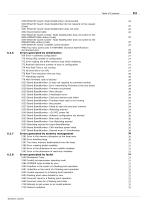
3338 EtherCAT board: Node NodeNumber: Reconnected 25 3340 EtherCAT board: Node NodeNumber did not respond to the request 3341 EtherCAT board: Node NodeNumber does not exist 26 3343 EtherCAT board number: Node NodeNumber does not switch to the SAFE-OPERATIONAL status (Code) 26 3344 EtherCAT board number: Node NodeNumber does not switch to the OPERATIONAL status (Code) 26 3345 EtherCAT board: Unstable communication 26 4400 Too many active axes in FASTREAD (Function:NameFunction 6.2.6 Errors generated by initialization 27 769 Error in software configuration 27 770 Wrong IRQ number in configuration...
Open the catalog to page 5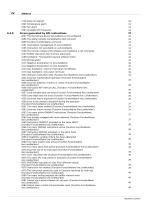
6.2.9 Errors generated by GPL instructions 33 4097 The DeviceType device DeviceName is not configured 33 4098 The global variable VariableName does not exist 33 4099 Function FunctionName not found 34 4101 Inconsistent management of axis AxisName 34 4105 Instruction not executable on axis AxisName 34 4106 The remote module of the stepper axis AxisName is not connected 34 4107 SYSOK instruction has incorrect arguments 34 4108 AxisName: Final position beyond software limits 34 4111 Negative Acceleration on axis AxisName 35 4112 Negative Deceleration on axis AxisName 35 4114 Axis AxisName: reset...
Open the catalog to page 6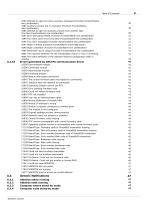
4383 Attempt to open too many auxiliary processes (Function:FunctionName 4384 Auxiliary process not in execution (Function:FunctionName 4385 Attempt to open an auxiliary process from another task 4391 Error activating SYSOK (Function: FunctionName line:UneNumber) 41 4394 Too many cycle errors (Function:FunctionName line:LineNumber) 41 4395 Too many messages (Function:FunctionName line:UneNumber) 41 4397 Stack overflow (Function:FunctionName line:LineNumber) 41 4398 Stack underflow (Function:FunctionName line:LineNumber) 41 4399 Parameter out of range (Function:FunctionName line:UneNumber) 41...
Open the catalog to page 7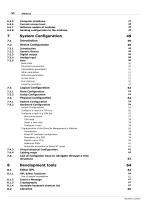
6.3.6 Current access level 48 6.3.7 Software update of modules 48 6.3.8 Sending configuration to the modules 48 Characteristics of the EtherCat Management in Albatros 58 EtherCAT hardware configuration 58 Automatic acquisition of EtherCAT nodes 61 7.5 List of navigation keys to navigate through a tree 8.1.4 Avalaible keyboard shortcut list 67 Numeric control
Open the catalog to page 8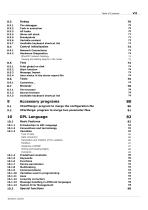
8.3.4 Show call stack 71 8.3.7 Available keyboard shortcut list 72 EtherCAT network topology 73 Viewing and editing objects in the nodes 73 8.5.1 Print global on disk 74 8.5.4 User notice in the alarm report file 76 8.7.3 Available keyboard shortcut list 79 9.1 XConfMerge: program to merge the configuration file 80 9.2 XParMerge: program to merge two parameter files 81 Declaration and Visibility of the variables 86 Writing and Reading Rights 88 10.1.10 Variables used in programming 95 10.1.13 Message handling in different languages 98 10.1.14 System Error Management 98 Numeric control
Open the catalog to page 9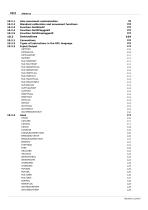
VIII Albatros 10.2.1 Axis movement customization 98 10.2.2 Standard calibration and movement functions 100 10.3.2 Types of instructions in the GPL language 104 Numeric control
Open the catalog to page 10
Numeric control
Open the catalog to page 11
10.3.7 Variables, Vectors and Matrixes 164 Numeric control
Open the catalog to page 12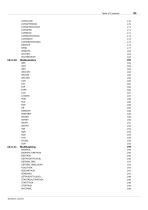
Numeric control
Open the catalog to page 13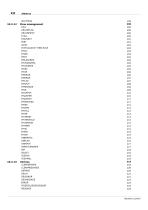
Numeric control
Open the catalog to page 14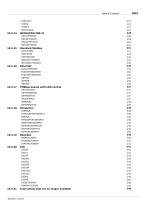
10.3.17 TMSBus boards with CAN control 237 10.3.21 Instructions that are no longer available 248 Numeric control
Open the catalog to page 15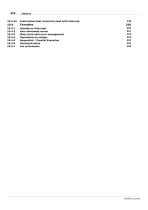
Instructions that cannot be used with interrupt 248 Axis movement server 251 Main Cycle with error management 253 Sequential / Parallel Execution 254 Numeric control
Open the catalog to page 16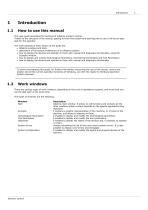
How to use this manual This user guide describes the functions of Albatros numeric control. Thanks to the structure of the manual, getting to know the system and learning how to use it will be an easy task for the operator. The main subjects of each section of the guide are: · Albatros windows and tools. · description of the typical architecture of an Albatros system. · how to display the devices and operate on them with manual and diagnostic functionality, using the Synoptic window. · how to display and modify Technological Parameters, Geometrical Parameters and Tool Parameters. · how to display...
Open the catalog to page 17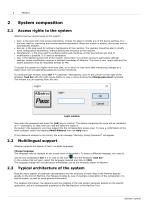
• User: is the level with most access restrictions. It does not allow to modify any of the device settings. It is the level used for machining and normal machine operations. When the system is booted, this access level is automatically enabled. • Service: is the level used for ordinary maintenance of the machine. The operator should be able to modify some configuration parameters, without altering the structure of the machine. • Manufacturer: is the level used to configure plants and machines. At this level almost any kind of modification is possible. It is used by developers. • Tpa: is the highest...
Open the catalog to page 18All T.P.A. SRL TECNOLOGIE PRODOTTI catalogs and technical brochures
- Panel PC
- Industrial panel PC
- Panel PC with touch screen
- LCD screen
- Industrial monitor
- Automation software solution
- Intel® Core™ PC
- Industrial computer
- Fanless PC
- Intel® Core™ panel PC
- VESA mounting monitor
- HDMI PC
- Box PC
- Digital I/O
- Windows PC
- USB keyboard
- Industrial keyboard
- USB monitor
- IO module
- Keyboard with mechanical keys