
- Catalogs
- Thyracont Vacuum Instruments GmbH
- VGR VacuGraph® Windows® Software

VGR VacuGraph® Windows® Software
VGR VacuGraph® Windows® Software
- User Interface: Intuitive and multilingual guidance.
- Real-Time Measurement: Online display of data on a PC with simultaneous communication with multiple transducers.
- Data Management: Export measurement data as CSV files or graphs as pixel/vector graphics. Read-out capabilities for Thyracont data loggers.
- Device Configuration: Simple parameter configuration including adjustment, relay settings, and gas-type correction.
- Remote Access: Control features like activation/deactivation and keyboard lock for VD12 and VD14.
- Leak Rate Calculation: Convenient calculation using rate of rise measurement.
- Pressure Units and Display: Wide choice of units (mbar, Pa, Torr, psi, atm) with logarithmic or linear scales. Time line can be absolute or relative.
- Measurement Curve Management: Marking, commenting, and printing capabilities.
- Display Options: Numerical or graphical display of values.
- Firmware Updates: Independent updating of device firmware.
- Freeware with limited features, providing an overview before purchasing a full version.
- Allows one live measurement tab for up to 5 minutes.
- Full version required for printing, storing, or exporting measurements.
- Download and execute the VacuGraph software.
- Activate with a licence code via the Help menu.
- Use the First Start Wizard for configuration.
- Software Versions: TMn VGR for single licence, VGRX3 for triple licence, compatible with Windows, Linux, and MacOS.
- Accessories: Includes interface converters (RS485-USB, RS485-Bluetooth), sniffer app for Bluetooth transfer, and various interface cables.
Catalog excerpts
■ Intuitive user interface ■ Multilingual user guidance real-time display of measurement data directly on a PC ■ Simultaneous communication with any number of active transducers ■ Read-out of Thyracont data loggers ■ Export of measurement data e.g. as CSV files for Microsoft Excel, or export of graphs as pixel or vector graphics ■ Simple configuration of all device parameters e.g. adjustment, relay settings, analog output, gas-type correction factor, and many more ■ Remote access to controllers e.g. activation/deactivation or keyboard lock of VD12 and VD14 ■ Convenient leak rate calculation by rate of rise measurement: select relevant curve section with cursor and enter chamber volume ■ Wide choice of pressure units e.g. mbar, Pa, Torr, psi, atm, etc. ■ Logarithmic or linear pressure scale ■ Time line selectable as absolute (with date and time) or relative to time of measurement ■ Marking, commenting, and printing of measurement curves ■ Numerical or graphical display of measured values ■ Firmware update assistant: simple, independent updating of device firmware to immediately benefit from newly developed features Vacuum Instruments www.thyracont-vacuum.co
Open the catalog to page 1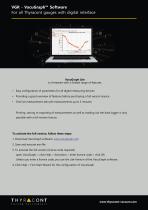
VacuGraph Lite is a freeware with a limited range of features. • Easy configuration of parameters for all digital measuring devices • Providing a good overview of features before purchasing a full version licence • One live measurement tab with measurements up to 5 minutes Printing, storing or exporting of measurements as well as reading out the data logger is only possible with a full version licence. To activate the full version, follow these steps: 1. Download VacuGraph software: www.vacugraph.com 2. Save and execute exe-file 3. To activate the full version (licence code required) open VacuGraph...
Open the catalog to page 2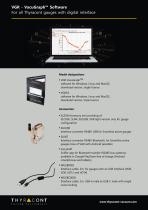
software for Windows, Linux and MacOS, download version, single licence software for Windows, Linux and MacOS, download version, triple licence ■ SLZUB Accessory set consisting of: SLCASE, SLN4, SLKUSB, VGR light version only for gauge configuration Interface converter RS485-USB for Smartline active gauges Interface converter RS485-Bluetooth, for Smartline active gauges (Use of VGR with Android possible) Sniffer app for Bluetooth transfer (RS485 bus systems), available in Google PlayStore free of charge (Android smartphones and tablets) Interface cable, 2m, for gauges with an USB interface (VD8,...
Open the catalog to page 3All Thyracont Vacuum Instruments GmbH catalogs and technical brochures
 VD800 Compact vacuum meter
3 Pages
 VD800 Product Family
8 Pages
 VD81
VD813 Pages
 VD83 Compact Vacuum Meter
3 Pages
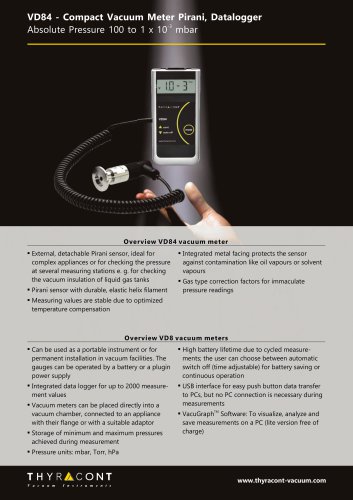 VD84 Compact Vacuum Meter
3 Pages
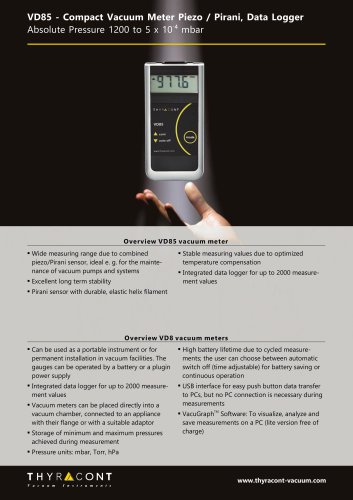 VD85 Compact Vacuum Meter
3 Pages
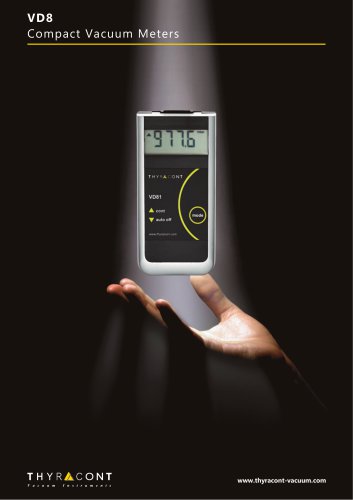 VD8 Compact Vacuum Meters
5 Pages
 Thyracont product overview
32 Pages
 VSM vacuum transducer
3 Pages
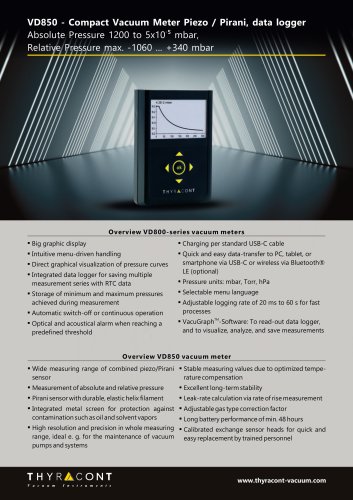 VD850 Compact Vacuum Meter
3 Pages
 VD810 Compact Vacuum Meter
3 Pages
 Analogline product family
7 Pages
 VCR-SL-vacuum-transducer
3 Pages
 VSP Vacuum Transducer
3 Pages
 VSH Vacuum Transducer
3 Pages
 VSL
VSL3 Pages
 VSR Vacuum Transducer
3 Pages
 VD6 vacuum controller
3 Pages
 VSP841/2 Vacuum Sensor
3 Pages
 VSP63 Vacuum Transducer
3 Pages
 VRP Vacuum Switch
3 Pages
 VRC Vacuum Switch
3 Pages
 VCP63 Vacuum Transducer
3 Pages
 VSC43 Vacuum Transducer
3 Pages
 VCC200 Vacuum Transducer
3 Pages


- Connector
- Data connector
- Analysis software solution
- Process software
- Pressure gauge
- Windows software
- Rectangular connector
- Pressure probe
- Visualization software solution
- Process pressure gauge
- DIN connector
- Membrane pressure sensor
- Analog pressure sensor
- Digital pressure gauge
- Data analysis software
- Mobile app
- Thyracont Vacuum Instruments vacuum gauge
- Android mobile app
- Vacuum switch
- Thyracont Vacuum Instruments digital vacuum gauge