
- Catalogs
- SOLIDWORKS
- SOLIDWORKS PREMIUM_2015


- Products
- Catalogs
- News & Trends
- Exhibitions
SOLIDWORKS PREMIUM_2015
SOLIDWORKS PREMIUM_2015
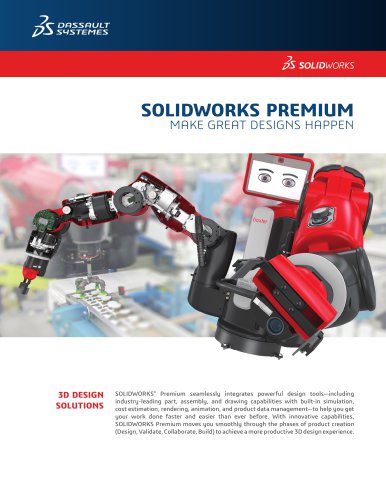
SOLIDWORKS Premium 2016 is a comprehensive 3D design solution that integrates powerful design tools with simulation, cost estimation, rendering, animation, and product data management. It facilitates a seamless transition through product creation phases: Design, Validate, Collaborate, and Build, enhancing productivity and efficiency in 3D design.
- Design Tools: Includes 3D solid modeling, conceptual design, large assembly design, advanced surfacing, sheet metal, weldments, mold design, piping/tubing, and electrical cable/harness design.
- Design Reuse and Automation: Features SOLIDWORKS Search, Treehouse, design automation, Toolbox, and online components to streamline design processes.
- Rendering and Animation: Offers advanced rendering, walk-through/fly-through animations, and assembly animation to communicate design intent effectively.
- 2D Drawings: Provides automatic drawing view creation and updates, dimensioning and tolerancing, BOM automation, and standards checking.
- Virtual Testing: Integrated simulation tools for time-based motion and linear static simulation to ensure design performance.
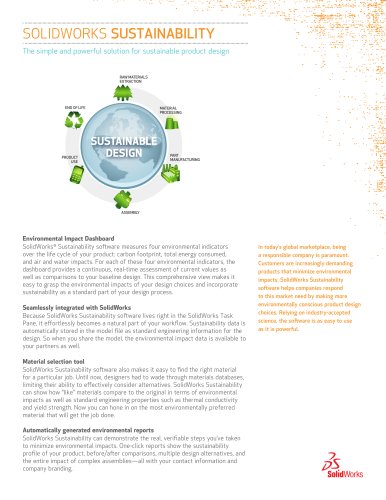
- Sustainability: SOLIDWORKS Sustainability assesses environmental impact and optimizes material selection.
- Flow Simulation: FloXpress provides initial air and water flow simulation.
- Cost Estimation: Automatic cost estimation and customizable manufacturing settings.
- Manufacturability Checks: DFMXpress checks manufacturability, and tools for detecting interferences and tolerance stack-up analysis.
- Manufacturing Data Output: Supports CNC data export, sheet metal flattening, and 3D printing formats.
- Data Exchange: Supports a wide range of native and neutral CAD formats for seamless data exchange.
- Collaboration Tools: Includes Large Design Review, eDrawings Viewer, and intellectual property protection features.
- Product Data Management: Manages design data with revision control and data security.
- Standards: Supports ANSI, BSI, DIN, GB, GOST, ISO, JIS.
- Formats: Includes support for various CAD, 3D printing, image, and document formats.
SOLIDWORKS Premium 2016 is designed to enhance productivity and innovation in 3D design, offering a robust set of tools for design, simulation, and collaboration, suitable for companies of all sizes.
Catalog excerpts
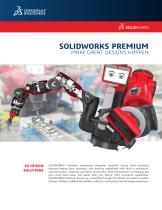
SOLIDWORKS PREMIUM MAKE GREAT DESIGNS HAPPEN SOLIDWORKS® Premium seamlessly integrates powerful design tools—including industry-leading part, assembly, and drawing capabilities with built-in simulation, cost estimation, rendering, animation, and product data management—to help you get your work done faster and easier than ever before. With innovative capabilities, SOLIDWORKS Premium moves you smoothly through the phases of product creation (Design, Validate, Collaborate, Build) to achieve a more productive 3D design experience.
Open the catalog to page 1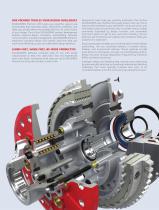
ONE PACKAGE TACKLES YOUR DESIGN CHALLENGES SOLIDWORKS Premium 2016 gives you powerful, easy-to-use functionality that automates tasks, streamlines workows, and helps you quickly define and validate the form, fit, and function of your design. Part of the SOLIDWORKS product development solution—covering design, simulation, sustainability, technical communication, and data management—SOLIDWORKS Premium empowers innovative design with specific tools that help you work more efficiently so you can make better design decisions. LEARN FAST, WORK FAST, BE MORE PRODUCTIVE SOLIDWORKS software combines ease...
Open the catalog to page 2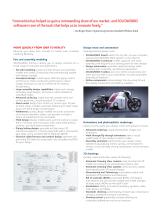
“Innovation has helped us gain a commanding share of our market, and SOLIDWORKS software is one of the tools that helps us to innovate freely.” — Kai Birger Olsen, Engineering Director, Ramboll Offshore Wind MOVE QUICKLY FROM IDEA TO REALITY Design reuse and automation Advance your ideas from concept to market with increased modeling flexibility. Leverage existing design work. Part and assembly modeling SOLIDWORKS Premium allows you to design products for a broad range of industries and applications. • 3D solid modeling: create and edit 3D part and assembly models and create 2D drawings that...
Open the catalog to page 3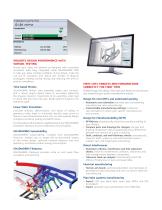
VALIDATE DESIGN PERFORMANCE WITH VIRTUAL TESTING Ensure your ideas will perform as designed with innovative simulation tools fully integrated inside SOLIDWORKS CAD to help you solve complex problems during design. Take the risk out of innovation and reduce the number of physical prototypes, thereby saving money and reducing the time to product completion. Time-based Motion SOLIDWORKS Motion uses assembly mates, part contacts, and a robust physics-based solver to accurately determine the physical dynamic movements of an assembly under load to verify that you have met your design goals throughout...
Open the catalog to page 4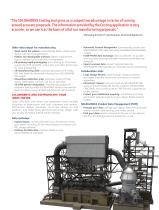
“The SOLIDWORKS Costing tool gives us a competitive advantage in terms of turning around accurate proposals. The information provided by the Costing application is very accurate, so we use it as the basis of all of our manufacturing proposals.” — Managing Director P. Chandramouli, Domotech Appliances Other data output for manufacturing • Sheet metal at pattern: automatically atten sheet metal design with bend compensation • Flatten non-developable surfaces: atten surfaces that require material to be stretched or compressed • 3D printing/rapid prototyping: print directly to 3D printers supporting...
Open the catalog to page 5
SOLIDWORKS PRODUCT DEVELOPMENT SOLUTIONS DATA EXCHANGE SOLIDWORKS software provides an intuitive 3D development environment that helps maximize the productivity of your design and engineering resources to create better products faster and more cost-effectively. See the full range of SOLIDWORKS software for design, simulation, technical communication, and data management at www.solidworks.com/products2016. SOLIDWORKS Premium 2016 features built-in translators that let you exchange CAD data created in a wide variety of software applications and file formats. To learn more about SOLIDWORKS Premium...
Open the catalog to page 6All SOLIDWORKS catalogs and technical brochures
 SOLIDWORKS VISUALIZE
6 Pages
 SOLIDWORKS Solutions
6 Pages
 SOLIDWORKS PDM
2 Pages
 SOLIDWORKS Premium_2016
6 Pages
 SOLIDWORKS Composer
2 Pages
 SolidWorks Plastics
2 Pages
 SOLIDWORKS ENTERPRISE PDM
4 Pages
 3D COMPONENT DESIGNER
2 Pages
 INDUSTRY INNOVATION
3 Pages
 3D SCULPTOR
2 Pages
 SOLIDWORKS ELECTRICAL SUITE
6 Pages
 SOLIDWORKS Simulation Suite
4 Pages
 SOLIDWORKS MBD
4 Pages
 3DVIA COMPOSER
4 Pages
 SW_Plastics_DS_2013
4 Pages


Archived catalogs
 SOLIDWORKS PREMIUM 2011
4 Pages
 SOLIDWORKS Simulation_2016
6 Pages
 2017 SWK PDM
4 Pages
 PROJECT PLANNER
2 Pages
 SOLIDWORKS Subscription
2 Pages
 SOLIDWORKS Flow Simulation
4 Pages
 SOLIDWORKS CircuitWorks
4 Pages
 SOLIDWORKS EPDM
4 Pages
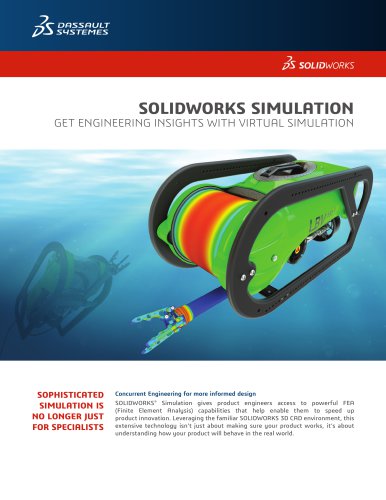 SolidWorks Simulation_2014
6 Pages
 DRAFTSIGHT
2 Pages
 SW2014 Datasheet EPDM
4 Pages
 SW2014 Datasheet Top Ten
2 Pages
 EPDM
EPDM4 Pages
 hcv
hcv2 Pages
 em
em2 Pages
 SW_Electrical_DS_2013
4 Pages
 Business Innovation
6 Pages
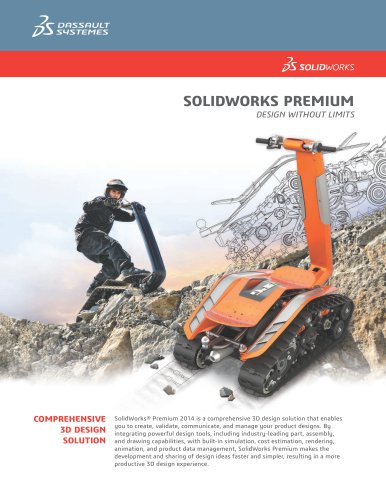 SolidWorks Premium_2013
8 Pages
 SOLIDWORKS SIMULATION 2010
6 Pages
 SolidWorks Routing
2 Pages
 PhotoWorks Product Overview
2 Pages
 COSMOSWorks Designer
2 Pages
 SolidWorks 2008
2 Pages



- SOLIDWORKS management software
- SOLIDWORKS automation software
- Analysis software solution
- SOLIDWORKS process software
- SOLIDWORKS real-time software
- Windows software
- SOLIDWORKS CAD software
- SOLIDWORKS cloud software
- SOLIDWORKS control software
- SOLIDWORKS design software
- Monitoring software solution
- Industrial software
- SOLIDWORKS 3D software
- SOLIDWORKS interface software
- Visualization software solution
- SOLIDWORKS quality software
- SOLIDWORKS simulation software
- Programming software solution
- Automated software
- SOLIDWORKS development software