
- Catalogs
- SOLIDWORKS
- SolidWorks 2008


- Products
- Catalogs
- News & Trends
- Exhibitions
SolidWorks 2008

1 / 2 PagesView full catalog
SolidWorks 2008
Product catalog summary
Overview: SolidWorks 2008 is a 3D CAD software designed to enhance product design efficiency and effectiveness. It offers numerous innovations and customer-requested enhancements to provide a competitive edge in product development.
Key Features:
- Performance: Optimized for designing large assemblies with improved speed and efficiency.
- Design Capabilities: Offers industrial-strength engineering drawings with automatic bills of materials, and 100% editable design data ensuring up-to-date relationships between parts, assemblies, and drawings.
- User Interface: Features ease of use with comprehensive search functions, Heads-up User Interaction, and customizable shortcut menus to minimize mouse travel and clicks.
- Data Integration: Supports 2D and 3D data integration and reuse, with tools like DWGeditor for editing DWG files and converting 2D data to 3D.
- Design Automation: Automates repetitive tasks and generates multiple design variations to meet customer needs, while identifying manufacturability issues early.
- Unique Tools: Includes SWIFT for simplifying complex design operations, COSMOSXpress for stress analysis, eDrawings for design communication, and specialized tools for machine and consumer product design.
- Data Exchange: Provides file translators for various CAD products, supporting formats like DWG, DXF, STEP, and more.
- Standards and Language Support: Complies with standards like ANSI, ISO, and supports multiple languages including English, French, German, and more.
- System Requirements: Compatible with Windows XP or Vista, requiring a minimum of 512 MB RAM and an Intel or AMD processor.
Additional Features:
- Part and Assembly Modeling: Facilitates reference and relationship maintenance between parts, with features like SmartMates and Physical Simulation for realistic motion simulation.
- 2D Drawing: Enables production-ready drawings with associative views and automatic dimension updates, along with tools for generating bills of materials and comparing drawing versions.
- Surfacing: Advanced 3D sketching and surfacing tools allow for intuitive design manipulation and creation of complex surfaces.
See more
All SOLIDWORKS catalogs and technical brochures
 SOLIDWORKS VISUALIZE
6 Pages
 SOLIDWORKS Solutions
6 Pages
 SOLIDWORKS PDM
2 Pages
 SOLIDWORKS Premium_2016
6 Pages
 SOLIDWORKS Composer
2 Pages
 SolidWorks Plastics
2 Pages
 SOLIDWORKS ENTERPRISE PDM
4 Pages
 3D COMPONENT DESIGNER
2 Pages
 INDUSTRY INNOVATION
3 Pages
 3D SCULPTOR
2 Pages
 SOLIDWORKS ELECTRICAL SUITE
6 Pages
 SOLIDWORKS Simulation Suite
4 Pages
 SOLIDWORKS MBD
4 Pages
 3DVIA COMPOSER
4 Pages
 SW_Plastics_DS_2013
4 Pages


Archived catalogs
 SOLIDWORKS PREMIUM 2011
4 Pages
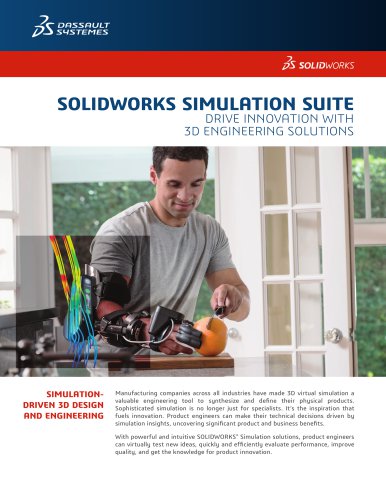 SOLIDWORKS Simulation_2016
6 Pages
 2017 SWK PDM
4 Pages
 PROJECT PLANNER
2 Pages
 SOLIDWORKS Subscription
2 Pages
 SOLIDWORKS Flow Simulation
4 Pages
 SOLIDWORKS CircuitWorks
4 Pages
 SOLIDWORKS EPDM
4 Pages
 SolidWorks Simulation_2014
6 Pages
 DRAFTSIGHT
2 Pages
 SW2014 Datasheet EPDM
4 Pages
 SW2014 Datasheet Top Ten
2 Pages
 EPDM
EPDM4 Pages
 hcv
hcv2 Pages
 em
em2 Pages
 SW_Electrical_DS_2013
4 Pages
 Business Innovation
6 Pages
 SolidWorks Premium_2013
8 Pages
 SOLIDWORKS SIMULATION 2010
6 Pages
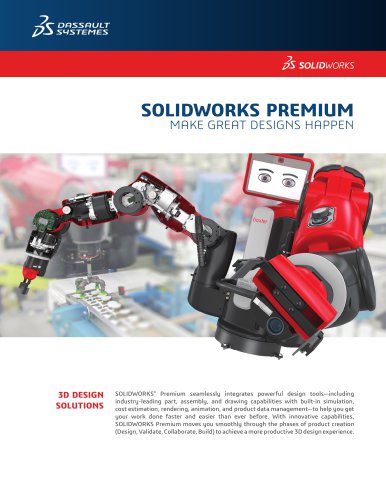 SOLIDWORKS PREMIUM_2015
6 Pages
 SolidWorks Routing
2 Pages
 PhotoWorks Product Overview
2 Pages
 COSMOSWorks Designer
2 Pages




Related Searches
- SOLIDWORKS management software
- SOLIDWORKS automation software
- Analysis software solution
- SOLIDWORKS process software
- SOLIDWORKS real-time software
- Windows software
- SOLIDWORKS cloud software
- SOLIDWORKS control software
- SOLIDWORKS design software
- Monitoring software solution
- Industrial software
- SOLIDWORKS 3D software
- SOLIDWORKS interface software
- Visualization software solution
- SOLIDWORKS quality software
- SOLIDWORKS simulation software
- Programming software solution
- Automated software
- SOLIDWORKS development software
*Prices are pre-tax. They exclude delivery charges and customs duties and do not include additional charges for installation or activation options. Prices are indicative only and may vary by country, with changes to the cost of raw materials and exchange rates.
About DirectIndustry
DirectIndustry is a marketplace that offers B2B players a complete experience, from product sourcing to purchase. DirectIndustry is an entity of VirtualExpo Group.
Are you a buyer?
Are you a supplier?
© 2026 All rights reserved - Terms - Privacy policy - General Terms - Manage cookies - 鄂ICP备2026053537号-2 -