
- Catalogs
- SMC Corporation of America
- ISE70, Digital Pressure Sensor, 3 Sreen IP67 with IO Link


ISE70, Digital Pressure Sensor, 3 Sreen IP67 with IO Link

ISE70, Digital Pressure Sensor, 3 Sreen IP67 with IO Link
- 3-Screen Display: Displays peak, bottom, and current pressure values simultaneously, with a rotatable display for better visibility.
- Settings Visualization: Allows adjustment of settings like threshold and hysteresis while monitoring pressure.
- Pressure Range: Models support pressure ranges from 1.0 MPa to 10 MPa.
- Output Modes: Includes hysteresis and window comparator modes with normal and reversed outputs.
- IO-Link Compatibility: Facilitates real-time monitoring, diagnostics, and remote control.
- Power Supply: 12 to 24 VDC for switch output, 18 to 30 VDC for IO-Link devices.
- Accuracy: Display accuracy is ±2% F.S., repeatability ±0.5% F.S.
- Enclosure: Rated IP67 for dust and water protection.
- Materials: Sensor area made of silicon or alumina, with various piping and O-ring materials.
- Mounting: Installable with a wrench, adjustable display for optimal viewing.
- Settings Adjustment: Simple 3-step process with security code and power-saving mode options.
- Diagnostic Features: Includes pressure error counting and resolution switch function.
- Various brackets and lead wire configurations available.
- Selectable pressure units and anti-chattering functions enhance usability.
Catalog excerpts

High-Precision Digital Pressure Switch General Fluids It is possible to change the settings while checking the measured value. For general fluids Gray Main screen Measured value (Current pressure value) Sub screen Label (Display item), Set value (Threshold value) Visualization of Settings Set value (Threshold value) Hysteresis value Peak value Bottom value Angled display Front Good visibility from various mounting positions Top Rotating display Install a switch with a wrench. After installation, the display can be rotated to an easy-to-see direction by securing the body by hand.
Open the catalog to page 1
Visualization of Settings Mode Examples The sub screen (label) shows the item to be set. Current model Normal output (Threshold value) output ©SMC PRESSURE inonnfi LI U Li LI d I il ncnn I 11 _ ) LUIJLlI Window comparator mode Normal output/ Set value Normal output/ Set value Lo side (Threshold value) Hi side (Threshold value) Switches between displays Always displayed on one screen _ 11 njnn I 111 ncnn n il Luuuln in uuuu Simple 3-Step Setting When the SET button is pressed and the set value (P_1) is being displayed, the set value (threshold value) can be set. When the SET button is...
Open the catalog to page 2
High-Precision Digital Pressure Switch ISE7 m/7 mG Series Convenient Functions Resolution switch function Security code The key-lock function keeps unauthorized persons from tampering with the settings. Applied pressure error Reduces monitor flickering Power-saving mode Power consumption is reduced by tur ning off the monitor. (Reduce power consumption by approx. 60%.) (Only the displayed values are changed; the accuracy remains the same.) 3 Setting Modes Select the setting mode that best meets your needs. • Threshold value setting or • Hysteresis value setting Simple Setting Mode Settings When...
Open the catalog to page 3
3-Screen Display| High-Precision Digital Pressure Switch ISE7\3/7\3GSeries IO-Link Compatible Visualization of operation/equipment status/Remote monitoring and control by communication Device settings can be set by the master. •Threshold value •Operation mode, etc. Configuration File (IODD File*1) •Manufacturer •Product part no. •Set value *1 IODD File: IODD is an abbreviation of IO Device Description. This file is necessary for setting the device and connecting it to a master. Save the IODD file on the PC to be used to set the device prior to use. Read the device data. •Switch ON/OFF signal...
Open the catalog to page 4
Rated pressure range Power supply voltage When used as a switch output device When used as an IO-Link device Temperature characteristics Output type Number of screens/ Display type Materials of parts in contact with fluid Withstand pressure Lead wire with M12 connector, Bracket Selectable pressure unit, Anti-chattering function, Display calibration function, Power-saving mode, Sub screen setting function
Open the catalog to page 5
High-Precision Digital Pressure Switch ISE7 m/7 mG Series For details, refer to the Web Catalog. For General Fluids: Remote Type Variations Click here for the PSE56 series. Click here for the PSE57 series. ¡ aterial of parts in contact with M fluid: Stainless steel 316L ¡ uitable for a wide variety of fluids S ¡ nalog output (Voltage/Current) A ¡ elect from a face seal or S compression fitting. ¡Withstand voltage: 500 VAC ¡Materials of parts in contact with fluid Piping port: C3604 + Nickel plating Pressure sensor: Al2O3 (Alumina 96%) O-ring: FKM + Grease (PSE570/573/574) Square ring: FKM (PSE575/576/577)...
Open the catalog to page 6
High-Precision Digital Pressure Switch: For Air Pressure range Piping specification *1 Refer to pages 7 and 10 for details. Unit specification *1 Under the New Measurement Act, switches with the unit selection function are not permitted for use in Japan. *2 Fixed unit: MPa, kPa When only optional parts are required, order with the part numbers listed below.
Open the catalog to page 7
For pressure switch precautions and specific product precautions, refer to the “Operation Manual” on the SMC website. Click here for details. *1 Value without digital filter (at 0 ms) *2 If the applied pressure fluctuates around the set value, the hysteresis must be set to a value more than the amount of fluctuation, or chattering will occur. *3 Setting is only possible for models with the unit selection function. Only MPa or kPa is available for models without this function. *4 The response time indicates when the set value is 90% in relation to the step input. *5 The configuration file can...
Open the catalog to page 8
® IO-Link C. € cSHus CrQhs) High-Precision Digital Pressure Switch: For General Fluids Pressure range' *1 Orifice is shipped together with the product. Output specification*
Open the catalog to page 9
For pressure switch precautions and specific product precautions, refer to the “Operation Manual” on the SMC website. Click here for details. *1 Value without digital filter (at 0 ms) *2 If the applied pressure fluctuates around the set value, the hysteresis must be set to a value more than the amount of fluctuation, or chattering will occur. *3 Setting is only possible for models with the unit selection function. For models without this function, only MPa or kPa is available for the ISE70G/ISE75G, and only MPa is available for the ISE76G/ISE77G. *4 The response time indicates when the set value...
Open the catalog to page 10
High-Precision Digital Pressure Switch ISE7m/7mG Series Set the pressure within the rated pressure range. The set pressure range is the range of pressure within which switch output can be set. The rated pressure range is the range of pressure that satisfies the specifications (accuracy, linearity, etc.) of the product. Although it is possible to set a value outside the rated pressure range, the specifications cannot be guaranteed even if the value stays within the set pressure range. When used as a switch output device Setting of NPN open collector 2 outputs * The numbers in the circuit diagrams...
Open the catalog to page 11
Dimensions Without bracket Bracket A (Interchangeable with ISE70/ISE75(H)) (Part no.: ZS-50-A) Lead wire with M12 connector (Part no.: ZS-31-B) Cable Specifications When used as a switch output device
Open the catalog to page 12All SMC Corporation of America catalogs and technical brochures
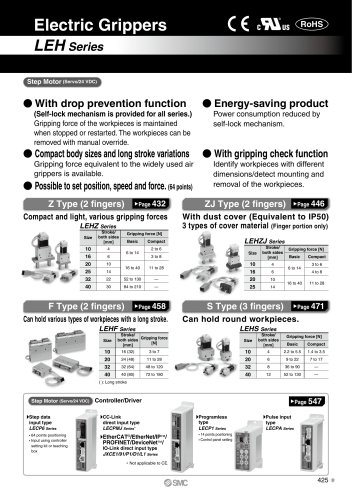 LEHZ
LEHZ67 Pages
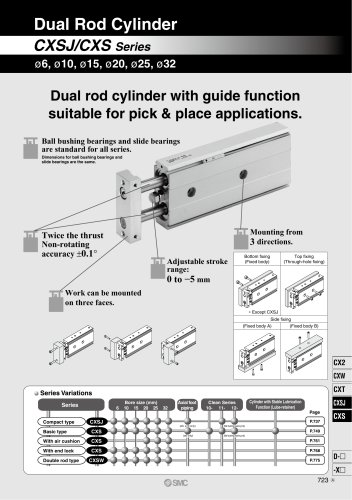 CXSJ
CXSJ60 Pages
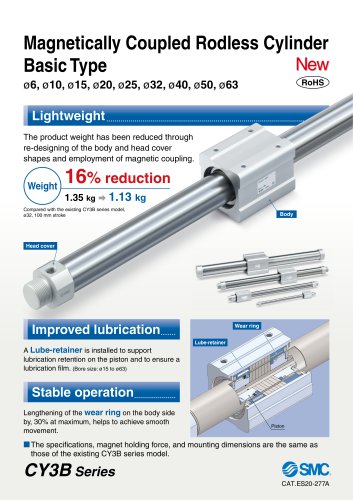 CY3B
CY3B17 Pages
 Aluminum High Vacuum Angle Valve
26 Pages
 AP Ultra High Purity
25 Pages
 IFW5 series
5 Pages
 Air Management System
64 Pages
 25A-ZSE20(F)/ISE20 Series
12 Pages
 ASG
ASG4 Pages
 IDG
IDG49 Pages
 CXSJ_M
2 Pages
 JLV20/30
8 Pages
 Series NCQ2/CQ2
252 Pages
 AC Series - Modular F.R.L. Units
70 Pages
 KQG2
KQG218 Pages
 IDF*E
IDF*E48 Pages
 AC10-A to AC40-A
82 Pages
 VQZ115, 100 Series
41 Pages
 SYJ300
60 Pages
 3000 Series
272 Pages
 MTS8
MTS823 Pages
 CXS-A
CXS-A60 Pages
 CXSL
CXSL60 Pages
 MXQR
MXQR36 Pages
 NC(D)Q2-Z
252 Pages
 LEY series
88 Pages
 MXH series
18 Pages
 KQ2
KQ2214 Pages
 Modular F.R.L. Units
108 Pages
 MXQ series
198 Pages
 Fieldbus System
92 Pages
 Fluoropolymer Piping Equipment
82 Pages
 Digital Flow Switch
24 Pages
 Vacuum Pad with Ejector
8 Pages
 Intrinsically safe Valve
43 Pages
 CQ2 series
25 Pages
 IDH, Thermo-dryer
12 Pages
 ISG
ISG10 Pages
 ISE3
ISE38 Pages
 ISE2
ISE27 Pages
 ISE1
ISE15 Pages
 ISA
ISA59 Pages
 IS3000
2 Pages
 IS10/10M/10E
4 Pages
 PSE series
44 Pages
 ISE70/75/75H
10 Pages
 ISE80
ISE8017 Pages
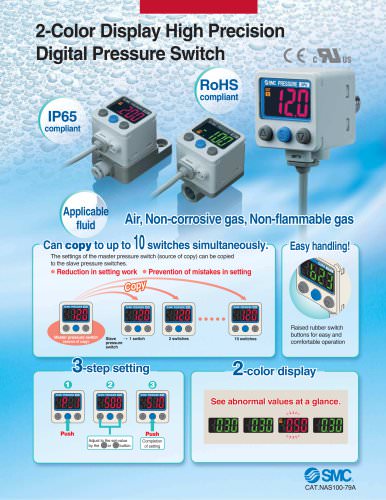 ISE40A
29 Pages
 HED series
16 Pages
 HEC series
32 Pages
 HEB series
9 Pages
 HRG series
85 Pages
 HRZ series
52 Pages
 HRW series
28 Pages
 LQ series
35 Pages
 LVQ series catalog
75 Pages
 PA series
37 Pages
 EX600, Analog Input/Output Unit
59 Pages
 LER series
62 Pages
 LEJ series
58 Pages
 ISE/ZSE30A series
18 Pages
 LAT3 series
24 Pages
 LEH series
103 Pages
 CQS series
59 Pages
 CH series
175 Pages
 ARX series
12 Pages
 HRS series
47 Pages
 LES
LES59 Pages
 MHS
MHS74 Pages
 MHY
MHY27 Pages
 MHC
MHC27 Pages
 MHR
MHR30 Pages
 MHZ series
78 Pages
 MSQ
MSQ37 Pages
 MGP
MGP127 Pages
 MXS
MXS38 Pages
 NRB
NRB10 Pages
 MXW
MXW22 Pages
 MHT
MHT11 Pages
 MY3
MY354 Pages
 CQM
CQM15 Pages
 NCA1
NCA163 Pages
 CM2
CM2152 Pages
 NCM
NCM91 Pages
 NCG
NCG96 Pages
 NCRA1
NCRA15 Pages
 CS2
CS232 Pages
 T/TIA
T/TIA1 Page
 KR
KR7 Pages
 KF
KF16 Pages
 KQ
KQ80 Pages
 AFF
AFF80 Pages
 AMG
AMG80 Pages
 IDF
IDF16 Pages
 HAA
HAA3 Pages
 ZFA
ZFA14 Pages
 ZA
ZA13 Pages
 MHF
MHF32 Pages
 CRB
CRB44 Pages
 D
D117 Pages
 RB
RB23 Pages
 CEP
CEP44 Pages
 rsq
rsq30 Pages
 CLK
CLK51 Pages
 MK
MK20 Pages
 CLJ
CLJ65 Pages
 MGJ
MGJ7 Pages
 ZSE30A
17 Pages
 IDFB*E
89 Pages
 ISE10
ISE1016 Pages
 ITV1000/2000
50 Pages
 AW
AW27 Pages
 NVFM200
12 Pages
 NVM100
32 Pages
 LLA*A
LLA*A36 Pages
 VX3*
VX3*41 Pages
 SY3000
158 Pages
 CH(D)2
175 Pages
 M(D)SUB
31 Pages


Archived catalogs
 Rodless cylinder
52 Pages
 ZSE1 series
12 Pages
 Rack and Pinion Rotary Actuators
37 Pages
 Special Fittings
14 Pages
 Toggle Grippers
16 Pages
 SX series
138 Pages
 ACG series
25 Pages
 C95 Pneumatic Cylinder
50 Pages
 Shock Absorber
16 Pages
 Silencer
4 Pages
 VV061 series
11 Pages
 Air Filter Catalog
18 Pages
 heavy Duty Actuators
88 Pages
 Self-seal Fittings Catalog
13 Pages
 Connectors Catalog
53 Pages

