


ISE10

ISE10
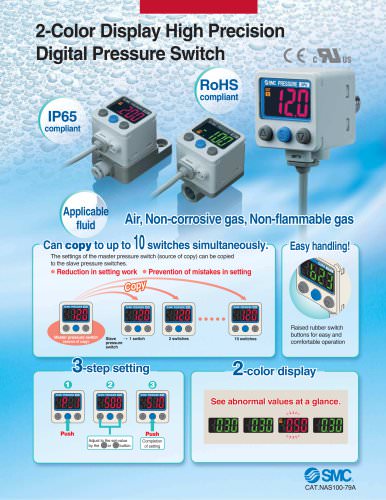
The Series ZSE10(F)/ISE10 digital pressure switches are RoHS compliant and feature a 3-step setting process. They allow simultaneous setting copying to up to 10 switches, reducing setup time and errors. The pressure ranges are: ISE10 for positive pressure (-0.100 to 1.000 MPa), ZSE10 for vacuum pressure (0.0 to -101.0 kPa), and ZSE10F for compound pressure (-100.0 to 100.0 kPa). They offer NPN or PNP open collector outputs, with analog voltage output options.
Settings are adjusted using push buttons, with a confirmation push to finalize. Master switch settings can be copied to slave switches for efficient configuration.
Includes secret code setting, resolution conversion, power-saving mode, and a standardized 2-output type. Features a multi-angle indicator for visibility and a power-saving display option. Designed for vertical mounting with minimal space requirements.
Available options include lead wires with connectors, panel mount adapters, and DIN rail adapters. Different output specifications and piping configurations can be ordered.
Compliant with CE Marking, UL (CSA), and RoHS standards. Operates within -5 to 50°C and 35 to 85% RH. Features IP40 enclosure protection.
Functions include setting replication, auto-preset, precision indicator setting, peak and bottom display, key lock, zero-clear, and anti-chattering to prevent errors from temporary pressure drops.
1. Overcurrent Error: Exceeds 80 mA load current. Remedy: Turn off power, remove output factor, and restart.
2. Zero-clear Error: Reset applied pressure within range and perform zero-clear.
3. Applied Pressure Error: Occurs when supply pressure is out of range.
4. System Error: Internal data error, requires power cycling and potential repair.
1. Power-saving Mode: Activates after 30 seconds of inactivity.
2. Secret Code Setting: Allows key lock security.
1. Compatibility: Equipment designer must ensure compatibility through analysis and testing.
2. Operation: Only trained personnel should operate.
3. Safety Measures: Confirm safety before servicing or removing equipment.
1. Warranty: 1-year service or 1.5 years post-delivery, excluding vacuum pads.
2. Compliance: Prohibits use in weapon manufacturing and requires adherence to export regulations.
1. Hazard Levels: Caution, Warning, and Danger labels indicate risk levels.
2. Handling Precautions: Avoid corrosive or flammable gases, ensure proper handling.
1. Mounting: Follow torque guidelines and ensure even surfaces.
2. Connection: Ensure correct wiring and avoid power line interference.
1. Set Pressure Range: Defines possible pressure settings.
2. Rated Pressure Range: Specifies pressure range for accuracy and linearity.
Catalog excerpts

Digital Pressure Switch RoHS compliant Low profile 9.8 mm (Actual size) space reduced to approx. ! 12 53.4 mm 103.5 mm b Vertical mounting 26.1 mm b Reduced in depth! Can copy to up to 10 switches simultaneously. (ZSE /ISE30A) The settings of the master pressure switch (source of copy) can be copied to the slave pressure switches. b Reduction b Prevention Prevention in setting work work of mistakes in setting Copy Master pressure switch (source of copy) 3-step setting Slave pressure switch 1 switch 2 switches 2 1 10 switches 3 Push Push Adjust to the set-value by the or button. Completion of setting Series ZSE10(F)/ISE10 CAT.ES100-75B
Open the catalog to page 1
Improved visibility from multiple directions The vacuum suction and burst pressure can be checked at a glance by indicator lights. Multi-angle indicator <Application example> Can be mounted closely in vertical direction Piping is possible from Pressure range of the positive pressure type expanded to vacuum area. Rated pressure range: output + Analog output (1 to 5 V) Resolution conversion function The flickering on the display can be eliminated. Rated pressure (Only the displayed value is changed, and there is no Secret code setting function A function to prevent operation by anyone other than...
Open the catalog to page 2
Digital Pressure Switch c^Xus compound pressure Rated pressure range* Piping specifications* M5 female thread/Side ported M5 female thread/Rear ported Piping port Piping adapter Piping adapter Output specifications Note 1) Under the New Measurement Law, sales of switches with the unit switch- Note 2) Fixed unit: Unit specifications Panel mount adapter H Front protective cover DIN rail adapter Note 5> Note 3) Not available for piping specifications of 01 and N01. Note 4) Not available for piping specifications of M5R, 01 and N01. Note 5) The DIN rail needs to be prepared by the customer. When...
Open the catalog to page 3
Note) If the applied voltage fluctuates around the set-value, the hysteresis must be set to a value more than the fluctuating width, otherwise chattering will occur. Piping Specifications Function (Details => Pages 8 and 9)
Open the catalog to page 4
Digital Pressure Switch Series ZSE10(F)/ISE10 Analog Output Voltage output g¡ button (DOWN) @ button (UP) Internal Circuits and Wiring Examples Lead wire with connector Residual voltage 2 V or less Residual voltage 2 V or less NPN (1 output) + Analog voltage output PNP (1 output) + Analog voltage output Residual voltage 2 V or less Analog voltage output Output impedance approx. 1 kn Residual voltage 2 V or less Analog voltage output Output impedance approx. 1 kn » The FUNC terminal is connected when using the copy function. (Refer to "Copy function" on page !
Open the catalog to page 5
Digital Pressure Switch Series ZSE10(F)/ISE10
Open the catalog to page 7
Panel mount adapter + Front protective cover Panel mount adapter + Front protective cover
Open the catalog to page 8
Digital Pressure Switch Series ZSE10(F)/ISE10 Panel fitting dimensions 57.2 _Q4_ _ 28.8 or more (Rear ported) For side ported models, dimensions differ depending on the fittings and tubing. The DIN rail needs to be prepared by
Open the catalog to page 9
Function Details The settings of the master pressure switch can be copied to the slave pressure switches. This can reduce the labor for setting and prevent the entry of incorrect set-values. The set-value can be copied to up to 10 switches simultaneously. (Maximum communication distance 4 m) pressure switch Slave pressure switch 1) Connect the power supply and copy line as shown in the left figure. 2) Select the slave switch which is to be the master, and change it into a master using the buttons. (In the default setting, all switches are set as slaves.) 3) Press the [I] button of the master...
Open the catalog to page 10
Digital Pressure Switch Series ZSE10(F)/ISE10 The FD in ( ) shows the function code number. Refer to the Operation Manual for the details of operation procedures and function codes. H Error indication function If the above remedy cannot recover the operation, ask SMC for repair. Available response time settings A large bore cylinder or ejector consumes a large volume of air in operation and may ex- perience a temporary drop in the supply pressure. This function prevents detection of such temporary drops in the supply pressure as an error. This function averages pressure values measured during...
Open the catalog to page 11
These safety instructions are intended to prevent hazardous situations and/or equipment damage. These instructions indicate the level of potential hazard with the labels of "Caution," "Warning" or "Danger." They are all important notes for safety and must be followed in addition to International Standards (ISO/IEC)*1), and other safety regulations. Caution indicates a hazard with a low level of risk which, If not avoided, could result In minor or moderate Injury. Warning indicates a hazard with a medium level of risk which, if not avoided, could result in death or serious injury. Danger Indicates...
Open the catalog to page 12
Specific Product Precautions 1 Be sure to read before handling. Refer to back page 1 for Safety Instructions and Handling Precautions for SMC Products 1. Do not use pressure sensors with corrosive and/or flammable gases. 1. Do not drop, bump, or apply excessive impacts (100 m/s2) while handling. Although the body of the sen- sor may not be damaged, the internal parts of the sensor could be damaged and lead to a malfunction. 2. The tensile strength of the cord is 35 N. Applying a greater pulling force on it can cause a malfunction. When handling, hold the body of the sensor—do not dangle it from...
Open the catalog to page 13
Specific Product Precautions 2 Be sure to read before handling. Refer to back page 1 for Safety Instructions and Handling Precautions for SMC Products 2. Removal and mounting of DIN rail • It is necessary to prepare a DIN rail adapter for the mounting • Take care not to bend the claws of the DIN rail adapter when Mounting of DIN rail adapter Engage claw 1 of the product with the upper part of the DIN rail and press it downward, then fit claw 2 of the product horizontally until it clicks. Engage claw 1 of the product with the DIN rail as indicated direction (2), and then fit claw plate available...
Open the catalog to page 14All SMC Corporation of America catalogs and technical brochures
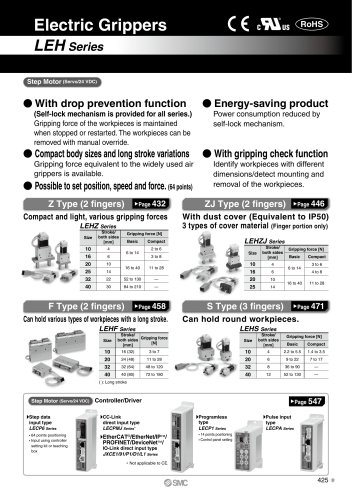 LEHZ
LEHZ67 Pages
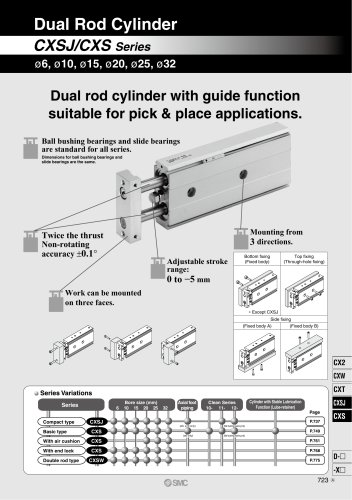 CXSJ
CXSJ60 Pages
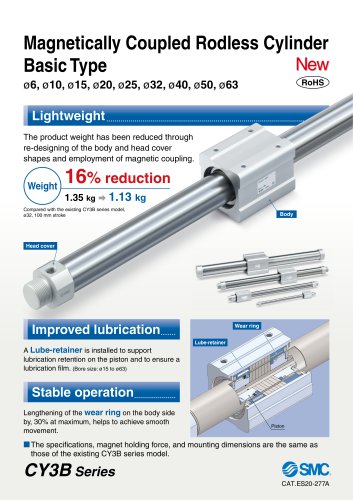 CY3B
CY3B17 Pages
 Aluminum High Vacuum Angle Valve
26 Pages
 AP Ultra High Purity
25 Pages
 IFW5 series
5 Pages
 Air Management System
64 Pages
 25A-ZSE20(F)/ISE20 Series
12 Pages
 ASG
ASG4 Pages
 IDG
IDG49 Pages
 CXSJ_M
2 Pages
 JLV20/30
8 Pages
 Series NCQ2/CQ2
252 Pages
 AC Series - Modular F.R.L. Units
70 Pages
 KQG2
KQG218 Pages
 IDF*E
IDF*E48 Pages
 AC10-A to AC40-A
82 Pages
 VQZ115, 100 Series
41 Pages
 SYJ300
60 Pages
 3000 Series
272 Pages
 MTS8
MTS823 Pages
 CXS-A
CXS-A60 Pages
 CXSL
CXSL60 Pages
 MXQR
MXQR36 Pages
 NC(D)Q2-Z
252 Pages
 LEY series
88 Pages
 MXH series
18 Pages
 KQ2
KQ2214 Pages
 Modular F.R.L. Units
108 Pages
 MXQ series
198 Pages
 Fieldbus System
92 Pages
 Fluoropolymer Piping Equipment
82 Pages
 Digital Flow Switch
24 Pages
 Vacuum Pad with Ejector
8 Pages
 Intrinsically safe Valve
43 Pages
 CQ2 series
25 Pages
 IDH, Thermo-dryer
12 Pages
 ISG
ISG10 Pages
 ISE3
ISE38 Pages
 ISE2
ISE27 Pages
 ISE1
ISE15 Pages
 ISA
ISA59 Pages
 IS3000
2 Pages
 IS10/10M/10E
4 Pages
 PSE series
44 Pages
 ISE70/75/75H
10 Pages
 ISE80
ISE8017 Pages
 ISE40A
29 Pages
 HED series
16 Pages
 HEC series
32 Pages
 HEB series
9 Pages
 HRG series
85 Pages
 HRZ series
52 Pages
 HRW series
28 Pages
 LQ series
35 Pages
 LVQ series catalog
75 Pages
 PA series
37 Pages
 EX600, Analog Input/Output Unit
59 Pages
 LER series
62 Pages
 LEJ series
58 Pages
 ISE/ZSE30A series
18 Pages
 LAT3 series
24 Pages
 LEH series
103 Pages
 CQS series
59 Pages
 CH series
175 Pages
 ARX series
12 Pages
 HRS series
47 Pages
 LES
LES59 Pages
 MHS
MHS74 Pages
 MHY
MHY27 Pages
 MHC
MHC27 Pages
 MHR
MHR30 Pages
 MHZ series
78 Pages
 MSQ
MSQ37 Pages
 MGP
MGP127 Pages
 MXS
MXS38 Pages
 NRB
NRB10 Pages
 MXW
MXW22 Pages
 MHT
MHT11 Pages
 MY3
MY354 Pages
 CQM
CQM15 Pages
 NCA1
NCA163 Pages
 CM2
CM2152 Pages
 NCM
NCM91 Pages
 NCG
NCG96 Pages
 NCRA1
NCRA15 Pages
 CS2
CS232 Pages
 T/TIA
T/TIA1 Page
 KR
KR7 Pages
 KF
KF16 Pages
 KQ
KQ80 Pages
 AFF
AFF80 Pages
 AMG
AMG80 Pages
 IDF
IDF16 Pages
 HAA
HAA3 Pages
 ZFA
ZFA14 Pages
 ZA
ZA13 Pages
 MHF
MHF32 Pages
 CRB
CRB44 Pages
 D
D117 Pages
 RB
RB23 Pages
 CEP
CEP44 Pages
 rsq
rsq30 Pages
 CLK
CLK51 Pages
 MK
MK20 Pages
 CLJ
CLJ65 Pages
 MGJ
MGJ7 Pages
 ZSE30A
17 Pages
 IDFB*E
89 Pages
 ITV1000/2000
50 Pages
 AW
AW27 Pages
 NVFM200
12 Pages
 NVM100
32 Pages
 LLA*A
LLA*A36 Pages
 VX3*
VX3*41 Pages
 SY3000
158 Pages
 CH(D)2
175 Pages
 M(D)SUB
31 Pages


Archived catalogs
 Rodless cylinder
52 Pages
 ZSE1 series
12 Pages
 Rack and Pinion Rotary Actuators
37 Pages
 Special Fittings
14 Pages
 Toggle Grippers
16 Pages
 SX series
138 Pages
 ACG series
25 Pages
 C95 Pneumatic Cylinder
50 Pages
 Shock Absorber
16 Pages
 Silencer
4 Pages
 VV061 series
11 Pages
 Air Filter Catalog
18 Pages
 heavy Duty Actuators
88 Pages
 Self-seal Fittings Catalog
13 Pages
 Connectors Catalog
53 Pages

