

SIMULIA V6R2013x_2015
SIMULIA V6R2013x_2015
This document serves as a reference for ordering software license keys for 3DEXPERIENCE R2015x Roles and Options. It is primarily intended for customer personnel responsible for requesting Dassault Systèmes license keys and applies to the Generally Available (GA) Roles and Options of 3DEXPERIENCE R2015x.
Operating Environments
Cloud: In a Cloud environment, both the Dassault Systèmes applications and License Key server are hosted externally. Key features include:
- Rich Client Application software is downloaded to the customer's workstation.
- Web Clients and DS License Server operate in the Cloud.
- License keys are stored in the Cloud.
- Rich Client Application software operates on the customer's workstation.
- Web Clients and DS License Server operate on the customer's server.
- License Keys are installed on the customer's server.
How to Request Keys
For Cloud Implementations: Customers do not need to request license keys. The keys are delivered as part of the Purchase Order process and sent to the customer's Cloud environment. An email notification is sent to the designated License Key Administrator.
For On-Premise Implementations: License Keys should ideally be ordered by a Distributor, VAR, or Dassault Systèmes representative. If not, a Key Request Form can be downloaded from the Dassault Systèmes website. The form provides contact information for the Key Management Center (KMC) and instructions for emergency requests. Customers need to provide Product Numbers and the Target ID of the system running the DS License Server.
Roles/Options and Additional Keys
Starting from 3DEXPERIENCE R2015x, MEC and MER do not require STY Additional Keys.
Catalog excerpts
3DS.COM © Dassault Systèmes | Confidential Information | 2/23/2015 | ref.: 3DExperience R2015x Customer License Key Reference V1.0 Customer License Key Reference
Open the catalog to page 1
3DS.COM © Dassault Systèmes | Confidential Information | 2/23/2015 | ref.: 3DExperience R2015x Customer License Key Reference V1.0
Open the catalog to page 2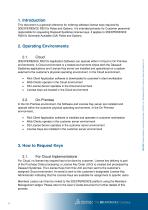
1. Introduction This document is a general reference for ordering software license keys required by 3DEXPERIENCE R2015x Roles and Options. It is intended primarily for Customer personnel responsible for requesting Dassault Systèmes license keys. It applies to 3DEXPERIENCE R2015x Generally Available (GA) Roles and Options. 2. Operating Environments Cloud 3DEXPERIENCE R2015x Application Software can operate either in Cloud or On-Premise environments. A Cloud environment is a hosted environment where both the Dassault Systèmes applications and License Key server are installed and operational on...
Open the catalog to page 3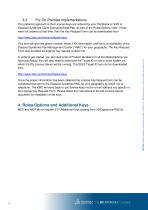
The preferred approach is that License Keys are ordered by your Distributor or VAR or Dassault Systèmes Client Executive/Sales Rep. as part of the Roles/Options order. If they were not ordered at that time, then the Key Request Form can be downloaded from http://www.3ds.com/terms/software-keys In order to get started, you will need a list of Product Numbers for all the Roles/Options you have purchased. You will also need to determine the Target ID of one or more system on which the DS License Server will be running. The DSLS Target ID tool can be downloaded from http://www.3ds.com/terms/software-keys...
Open the catalog to page 4Archived catalogs
 SIMULIA
6 Pages
 CATIA ELECTRICAL SOLUTIONS
8 Pages
 SIMULIA ExSight
2 Pages
 Abaqus for CATIA V5
6 Pages
 SIMULIA V6R2013
6 Pages
 SIMULIA DesignSight Thermal
2 Pages
 Isight 5.8
3 Pages
 CATIA Structural Analysis
2 Pages
 CATIA Surface FE Modeling
2 Pages
 CATIA Advanced FE Modeling
2 Pages
 SIMULIA Execution Engine
2 Pages
 CATIA ICEM SHAPE DESIGN
5 Pages
 CATIA ICEM AEROEXPERT
5 Pages
 CATIA for Creative Designers
9 Pages
 power of CATIA
1 Page
 EN O V IA V 6R 2013x
12 Pages
 SIMULIA V6R2013x_2012
7 Pages
 SIMULIA V5-6R2016
6 Pages
 ABAQUS UNIFIED FEA
6 Pages
 fe-safe
6 Pages
 Isight
6 Pages
 SIMULIA
28 Pages
 CST STUDIO SUITE® 2017
32 Pages
 XFlow
XFlow6 Pages
 XFlow 2019x
2 Pages
 Opera
Opera12 Pages
 ABAQUS/CAE 2017
4 Pages
 ABAQUS/STANDARD 2017
3 Pages
 Abaqus 6.8
8 Pages


- Management software solution
- Automation software solution
- SIMULIA analysis software
- SIMULIA process software
- Real-time software
- SIMULIA CAD software
- Cloud-based software
- Control software
- SIMULIA design software
- Industrial software
- SIMULIA 3D software
- Measurement software
- SIMULIA interface software
- Visualization software solution
- SIMULIA quality software
- SIMULIA simulation software
- Automated software
- SIMULIA development software
- Network software
- SIMULIA engineering software