
- Catalogs
- SIMEX Sp. z o.o.
- Digital indicator SWS-73 datasheet


Digital indicator SWS-73 datasheet

Digital indicator SWS-73 datasheet
- Power Supply: 19V ÷ 50V DC; 16V ÷ 35V AC or 85 ÷ 260V AC/DC, all separated.
- Power Consumption: Max. 4.5 VA for AC and max. 4.5 W for DC.
- Display: Two-coloured (red-green), 4 x 13 mm (IP 40) or LED, red, 6 x 9 mm (IP 65).
- Communication: RS-485, Modbus RTU, with adjustable transmission speed from 1200 to 115200 bit/sec.
- Operating Temperature: 0°C ÷ +50°C (standard), -20°C ÷ +50°C (optional).
- Protection Class: IP 65 for front with additional frame, IP 20 for case and connection clips.
- Display brightness adjustable in 8 steps.
- Power supply output: 24V DC, max. 100 mA, stabilized.
- Configuration via free S-Config software.
- SimCorder Soft: For data acquisition, visualization, reporting, and emergency notifications.
- S-Config 2: For device detection and configuration in Modbus RTU networks.
- SRS-U4 Converter: Connects USB host to RS-485 devices, ensuring galvanic isolation.
- Mounting Accessories: Various board thickness brackets and adaptors available.
- IP 65 frame for enhanced protection.
- Operating temperature options for different environments.
Catalog excerpts

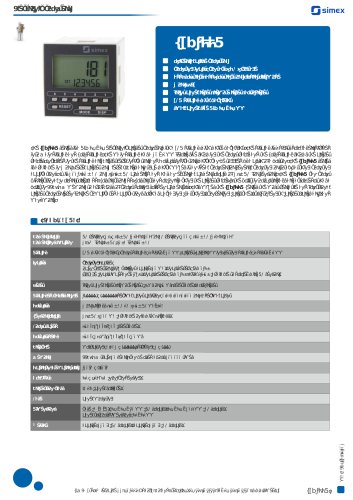
Data displays SWS-73 indicator in a small case two-coloured display (4-digits, IP 40) RS-485 / Modbus RTU MASTER / SLAVE power supply output: 24V DC display brightness adjustable in 8 steps free configuration software S-Config The SWS-73 is a simple digital panel indicator intended for displaying any numerical values and characters defined by user (in SLAVE mode only) sent from the master device over the RS-485 serial interface link. The displayed value may be collected from other device (in MASTER mode). The display brightness can be adjusted in 8 steps. The 24V DC / 100 mA output is designed to supply measuring transducers, and the RS-485 port enables data transmission in production process monitoring systems. Modbus RTU protocol is used to communication with device. The indicator can be configured with the local keyboard or free S-Config software via the RS-485 communication port. SIMEX Ltd., Wielopole 11, 80-556 Gdansk, Poland, tel. (+48) 58 762-07-77, fax 58 762-07-70, www.simex.pl
Open the catalog to page 1
Data displays Panel cut-out dimensions ORDERING SWS-73-0000-1-X-XX1 I— options: 00 : no options 01 : IP 65 frame (display 6 x 9 mm) 08 : operating temp. -20°C f +50°C 0P : operating temp. -20°C f +50°C + IP 65 frame (display 6 x 9 mm) -power supply: 3 : 24V AC/DC 4 : 85V - 260V AC/DC SIMEX Ltd., Wielopole 11, 80-556 Gdansk, Poland, tel. (+48) 58 762-07-77, fax 58 762-07-70, www.simex.pl
Open the catalog to page 2
Meters accessories MOUNTING PLATES SMP-147/73 to mount 72 x 36 mm size unit in place of 144 x 72 mm cut-out BOARD THICKNESS BRACKETS / ADAPTORS SPH-07 1 ÷ 7 mm board thickness brackets (2 pcs) standard included with device SPH-05 1 ÷ 5 mm board thickness brackets (2 pcs) SPH-45 1 ÷ 45 mm board thickness brackets (2 pcs) SOFTWARE S-Config 2 is used for the simultaneous detection of devices in multiple Modbus RTU networks and allows user to change the configuration of most of them. For each detected device a list of its registers, which the user can modify, is displayed and also additional informations...
Open the catalog to page 3All SIMEX Sp. z o.o. catalogs and technical brochures
 SLN-44D
2 Pages
 Temperature sensors catalogue
96 Pages
 STH-42
2 Pages
 SPP-638
3 Pages
 SLC_30_46_47
2 Pages
 SLN-44
2 Pages
 SLE-42
2 Pages
 SWZ-W610
3 Pages
 SPP-N118
3 Pages
 SPP-94
3 Pages
 SPI-638
3 Pages
 SPI-N118
3 Pages
 SPI-94
3 Pages
 STI-638
3 Pages
 STI-N118
3 Pages
 STI-94
3 Pages
 STI-73
3 Pages
 SLN-94
3 Pages
 SLK-94T
3 Pages
 SLIK-638
3 Pages
 SLIK-N118_eng.pdf
3 Pages
 SLB-94
3 Pages
 SLIK-94
3 Pages
 SLIK-73
3 Pages
 SLE-73
3 Pages
 SLC-457
3 Pages
 SLC-94
3 Pages
 MultiCon brochure
19 Pages
 SCK-11
1 Page
 SimCorder Soft Overview
7 Pages
 Galvanic Isolators brochure
4 Pages
 Digital indicator SWS-147
3 Pages


Archived catalogs
 SWS-99
1 Page


- Flowmeter
- DC power supply
- AC/DC power supply
- Temperature probe
- Volume flow monitor
- Liquid flow monitor
- Rectangular housing
- LCD display panel
- Measuring device
- Industrial display panel
- Data logger
- TFT display module
- Resistance temperature sensor
- Pressure transmitter
- Analysis software solution
- Digital I/O
- Plastic housing
- Process software