
- Catalogs
- Siglent Technologies Co., Ltd
- Siglent SDS2000X User Manual

- Company
- Products
- Catalogs
- News & Trends
- Exhibitions
Siglent SDS2000X User Manual

Siglent SDS2000X User Manual
This document serves as the user manual for the SDS2000X Series Digital Oscilloscope by SIGLENT TECHNOLOGIES CO., LTD. It provides comprehensive instructions on usage, safety, and maintenance.
The manual is copyrighted by SIGLENT TECHNOLOGIES CO., LTD. and is protected by patent law. Reproduction or translation requires permission.
- General Safety Summary: Follow safety precautions to prevent injury or damage, including using the correct power cord and ensuring proper ventilation.
- Safety Terms and Symbols: Terms like WARNING and CAUTION indicate potential hazards.
- Measurement Category: Suitable for measurement category I, involving circuits not directly connected to MAINS.
Operate within 10℃ to +40℃ and store between -20℃ to +60℃. Avoid humid or explosive environments.
Maintain at least 10 cm clearance around the device for proper ventilation.
Keep the instrument clean and dry, avoid direct sunlight and corrosive liquids.
The manual covers:
- Quick Start: Initial setup and basic operation.
- System Settings: Vertical, Horizontal, and Sample System configurations.
- Triggering and Decoding: Using trigger functions.
- Measurements and Math Operations: Performing measurements and math operations.
- Display and System Settings: Customizing display and system configurations.
- Troubleshooting: Solutions for common issues.
Includes models like SDS2304X (300MHz, 4 channels) and SDS2072X (70MHz, 2 channels).
Instructions on enabling channels, adjusting vertical scale and position, and specifying channel coupling, bandwidth limit, probe attenuation, input impedance, and amplitude unit.
Guidance on setting the horizontal system, including adjusting the horizontal scale, trigger delay, roll mode, and zoom function.
Discusses sampling theory, sample rate, memory depth, sampling mode, waveform interpolation, and acquisition modes.
Details on triggering the oscilloscope, including trigger source, mode, level, coupling, holdoff, noise rejection, and various trigger types.
Covers setup and triggering for IIC, SPI, UART/RS232, CAN, and LIN signals, along with serial decoding procedures.
Instructions for saving reference waveforms to internal memory and managing them.
Explains math operations on waveforms, including addition, subtraction, multiplication, division, FFT, differentiation, integration, and square root calculations.
Details cursor measurements, automatic measurements, and types of measurements such as voltage, time, and delay.
Guidance on setting display type, color, persistence, grid type, waveform intensity, grid brightness, and transparency.
Procedures for saving and recalling data internally and externally, disk management, and file operations.
Includes system status viewing, self-calibration, sound settings, language specification, and pass/fail test setup.
Introduction to using the oscilloscope for the first time, including preparations and an overview of the front and rear panels and user interface.
Covers various settings and tests for the oscilloscope, including USB and LAN settings, auxiliary output, quick calibration, firmware updates, and self-tests.
Details the use of the AWG feature, including setting wave types and parameters, output and load settings, and self-calibration.
Provides troubleshooting tips and solutions for common issues encountered with the oscilloscope.
Includes numerous figures and diagrams illustrating various features, settings, and tests.
Outlines waveform settings, sample rate, bandwidth, memory depth, and acquisition modes.
Describes trigger modes, level, slope, coupling, holdoff, noise rejection, and trigger types.
Details setup and triggering for IIC, SPI, UART/RS232, CAN, and LIN signals, along with serial decoding procedures.
Explains amplitude, time, and delay measurements, including automatic measurements.
Guidance on display type, color, persistence, grid type, waveform intensity, grid brightness, and transparency.
Procedures for saving and recalling data internally and externally, disk management, and file operations.
Includes system status, self-calibration, sound and language settings, pass/fail testing, and I/O settings.
Instructions for setting up USB and LAN communication, screen image printing, and auxiliary output configuration.
Guidelines for updating firmware and configuration.
Includes screen, keyboard, and LED tests.
Instructions for configuring screen saver and managing options.
Enables recording of waveforms and managing recorded data.
Instructions for using the AWG feature, including setting wave types and parameters.
Catalog excerpts

User Manual SDS2000X Series Digital Oscilloscope UM0102X-E01A
Open the catalog to page 1
Copyright and Declaration Copyright SIGLENT TECHNOLOGIES CO., LTD. All Rights Reserved. Trademark Information SIGLENT is the registered trademark of SIGLENT TECHNOLOGIES CO., LTD. Declaration SIGLENT products are protected by patent law in and outside of P.R.C. SIGLENT reserves the right to modify or change parts of or all the specifications or pricing policies at company‘s sole decision. Information in this publication replaces all previously corresponding material. Any way of copying, extracting or translating the contents of this manual is not allowed without the permission of SIGLENT. Product...
Open the catalog to page 3
Safety Information General Safety Summary Carefully read the following safety precautions to avoid any personal injury or damage to the instrument and any products connected to it. To avoid potential hazards, please use the instrument as specified. Use Proper Power Cord Only the power cord designed for the instrument and authorized by local country should be used. Ground the Instrument The instrument is grounded through the protective earth conductor of the power cord. To avoid electric shock, please make sure the instrument is grounded correctly before connecting its input or output terminals....
Open the catalog to page 4
SIGLENT Do not touch exposed contacts or components when the power is on. Use Proper Fuse Use only the specified fuse. Do Not Operate Without Covers Do not operate the instrument with covers or panels removed. Do Not Operate With Suspected Failures. If you suspect damage has occurred to the instrument, have it inspected by qualified service personnel before further operation. Any maintenance, adjustment or replacement especially to circuits or accessories must be performed by SIGLENT authorized personnel. Do Not Operate in Wet Conditions. In order to avoid short circuiting to the interior of...
Open the catalog to page 5
Safety Terms and Symbols Terms in this Manual. These terms may appear in this manual: WARNING Warning statements indicate the conditions or practices that could result in injury or loss of life. CAUTION Caution statements indicate the conditions or practices that could result in damage to this product or other property. Terms used in this product. These terms may appear in the product: DANGER Indicates direct injuries or hazards that may happen. WARNING Indicates potential injuries or hazards that may happen. CAUTION Indicates potential damages to the instrument or other property that may happen....
Open the catalog to page 6
Measurement Category Measurement Categories SDS2000X series digital oscilloscopes can make measurements in measurement category I. WARNING This oscilloscope can only be used for measurements within its specified measurement categories. Measurement Category Definitions Measurement category I is for measurements performed on circuits not directly connected to MAINS. Examples are measurements on circuits not derived from MAINS, and specially protected (internal) MAINS derived circuits. In the latter case, transient stresses are variable; for that reason, the transient withstand capability of the...
Open the catalog to page 7
Working Environment Temperature Operating: 10℃ to +40℃ Non-operation:-20℃ to +60℃ Humidity Operating: 85%RH, 40℃, 24 hours Non-operating: 85%RH, 65℃, 24 hours WARNING To avoid short circuit inside the instrument or electric shock, please do not operate in humid environment. Altitude Operating: less than 3 km Non-operation: less than 15 km Installation (Overvoltage) Category This product is powered by mains conforming to installation (overvoltage) category II. WARNING Make sure that no overvoltage (such as that caused by lightning) can reach the product or else the operator might be exposed to...
Open the catalog to page 8
Ventilation Requirement This oscilloscope uses fan-forced air cooling. Please make sure that the air intake and exhaust areas are free from obstructions and have adequate ventilation. When using the oscilloscope in a bench-top or rack setting, provide at least 10 cm clearance beside, above and behind the instrument for adequate ventilation. WARNING Inadequate ventilation may cause temperature increase which would damage the instrument. So please keep the instrument well ventilated during operation and inspect the intake and fan regularly.
Open the catalog to page 9
General Care and Cleaning Care Do not store or leave the instrument in direct sunshine for long periods of time. WARNING To avoid damages to the instrument or probe, please do not leave them in fog, liquid, or solvents. Cleaning Please perform the following steps to clean the instrument and probe regularly according to its operating conditions. 1. Disconnect the instrument from all power sources and then clean it with a soft wet cloth. 2. Clean the loose dust on the outside of the instrument and probe with a soft cloth. When cleaning the LCD, take care to avoid scratching it. WARNING To avoid...
Open the catalog to page 10
Document Overview This manual introduces how to use the SDS2000X series digital oscilloscope in detail. Quick Start To Set the Vertical System To Set the Horizontal System To Set the Sample System To Trigger the Oscilloscope Serial Trigger and Decode To Save Reference Waveform To Make Math Operation To Make Cursor Measurements To Make Measurements Display Setting Save and Recall System Setting Arbitrary Waveform Generation Default Troubleshooting Provide information about preparations before using the instrument and a brief introduction of the instrument. Introduce the functions of the vertical...
Open the catalog to page 11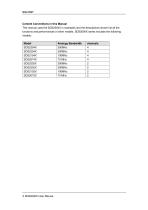
Content Conventions in this Manual This manual uses the SDS2304X in examples and the descriptions shown list all the functions and performances of other models. SDS2000X series includes the following models: Model Analogy Bandwidth
Open the catalog to page 12
XVIII SDS2000X User Manual
Open the catalog to page 20
Quick Start This chapter introduces the preparations when using the oscilloscope for the first time, the front panel, rear panel and user interface of the oscilloscope, The contents of this chapter: General Inspection Front Panel Overview Rear Panel Overview Front Panel Function Overview Back Panel Function Overview User Interface
Open the catalog to page 21All Siglent Technologies Co., Ltd catalogs and technical brochures
 SDS6000A Series
21 Pages
 SDS 7000A Series
21 Pages
 SDL1000X Series
10 Pages
 SSM5000A Series
15 Pages
 Spectrum Analyzer Bandwidth
6 Pages
 Siglent_Product Catalog 2016
48 Pages
 Siglent Selection Guide 2016
10 Pages
 Benefits of deep memory
3 Pages
 SIGLENT Probes Datasheet
7 Pages
 Siglent SDS2000X Service Manual
59 Pages
 Probe Data Sheet + Siglent
7 Pages
 USB-GPIB User Manual_Siglent
13 Pages
 ISFE User Manual
12 Pages
 Siglent TrueArb Technology
9 Pages
 SDS2000 VS DS2000A_EN_Siglent
10 Pages
 SIGLENT SDS1000CFL
8 Pages
 SIGLENT SHS800 Data Sheet
10 Pages


- Power supply unit
- DC power supply
- AC/DC power supply
- Automation software solution
- Monitoring analyzer
- Analysis software solution
- Automatic analyser
- Windows software
- Computer-aided design software
- Cloud-based software
- Control software
- Benchtop analyser
- Design software solution
- Switched-mode power supply
- Portable analyzer
- Measurement software
- Interface software
- Real-time analyzer
- Tabletop power supply
- Laboratory analyzer