
- Catalogs
- Shenzhen HTI Sanjiang Electronics Co., Ltd.
- Instruction Manual


- Company
- Products
- Catalogs
- News & Trends
- Exhibitions
Instruction Manual
1 /1Page
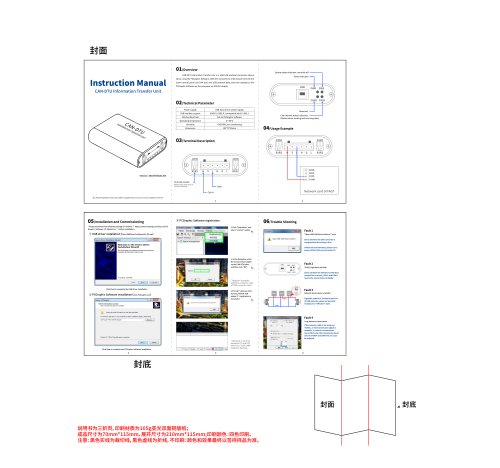
Instruction Manual
1 /1Page
Catalog excerpts
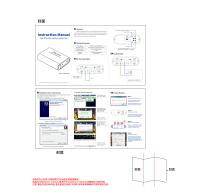
Instruction ManualCAN-DTU Information Transfer Unit01/Overview CAN-DTU Information Transfer Unit is a USB-CAN protocol conversion device when using the PCGraphic Software. CAN-DTU converts the information from the fire alarm control panel (via CAN bus) into USB protocol data, and then uploads to the PCGraphic Software on the computer via USB for display. 02/Technical Parameter Power supply /j\ Read through these instructions before using this device to ensure correct installation and use! 05/Installation and Commissioning * Please download the sofeware package on website " https://www.sanjiang-security.com/PC Graphic_Software_Vl.0beta5.rar " before installation. Click Next to complete the USB driver installation (D PCGraphic Software installation (click pccraphicexe) ® PCGraphic Software registration PCGraphic System y v System Tree view Spec* arrangement Fire_Disable_Fault_General CAN CMM~| Supv * Network is normal between PC and FAP when the "CAN CMM" indicator flashing. "Open USB-CAN Device Failure!" error. Check whether the CAN converter is energized and the wiring is firm. If fault still uneliminated, please try to power off the CAN unit and restart it. Fault 4 Long distance transmission If the network cable is too long (e.g >500m), or the transmission signal is unstable, in order to communicate more effectively, the transmission baud rate of all FACP and CAN-DTU on it can be reduced.
Open the catalog to page 1All Shenzhen HTI Sanjiang Electronics Co., Ltd. catalogs and technical brochures
 Fire Alarm System
18 Pages
- DC power supply
- AC/DC power supply
- Temperature probe
- LED lighting
- Resistance temperature sensor
- Digital I/O
- IO module
- Push-button switch
- Power supply for industrial applications
- Digital IO module
- Waterproof temperature sensor
- Signal amplifying integrated circuit
- Industrial detector
- Power supply with overload protection
- Emergency telephone
- Analog telephone
- Programmable power supply
- LED indicator light
- Power amplifying integrated circuit