
- Catalogs
- SHAREBOT SRL
- User Manual Snowwhite2HT

User Manual Snowwhite2HT

User Manual Snowwhite2HT
Ensure the grounding system is functional and maintain room temperature between 20°C and 25°C. Use safety glasses and dust masks when handling powders. The printer can operate in normal or inert atmospheres, requiring an oxygen alarm monitor for the latter.
The safety system includes emergency and stop buttons, a start button, and a safety switch on the front door. Opening the front panel or pressing the emergency button cuts power to critical systems.
The SnowWhite2 HT is a rapid prototyping machine using a CO₂ laser to melt thermoplastic powder, reaching temperatures up to 350°C. The process involves powder deposition, selective melting, and layer progression.
The printer includes a powder distributor, heaters, and an inert gas system. The powder distributor has an upper and lower shell, while heaters maintain necessary temperatures. The inert gas system regulates the controlled atmosphere for printing.
- Preventive Maintenance: Regular cleaning to prevent clogging, including dismounting pistons and cleaning with isopropanol.
- Piston Gasket Replacement: Steps for disassembling pistons and replacing gaskets.
- Print Job Preparation: Clean critical components before each print job.
- Weekly and Monthly Maintenance: Thorough cleaning of the build chamber and powder distributor.
- Biannual Maintenance: Clean the laser window and inspect the laser tube.
- Temperature Control: Uses IR sensors and thermistors.
- Dashboard Monitoring: Adjust machine parameters via a browser interface.
- Key Parameters: Includes laser movement speed, power settings, and temperature controls.
- Warm-Up Process: Steps for heating the machine to reduce thermal stress.
- Temperature Limits: Do not exceed 350°C.
- Laser Power Limits: Maintain between 25% and 100%.
- Operational Recommendations: Regular maintenance and adherence to parameter limits are crucial.
Outlines power settings for the laser machine and the cool-down process, including specific settings for cooling down from 180°C to 100°C.
Convert STL files using a slicer program like Cura. Follow detailed instructions for powder loading and starting the print.
If interrupted, clean the building plate and other components before restarting. Cool the machine below 100°C before removing the object.
Common errors include issues during layer changes and overheating. Solutions involve checking motor responses and temperature logs.
Wear dust masks and follow safety measures. New powder requires aging, and used powder can be mixed with new powder up to 20%.
Address issues like surface lumps and fragile parts by adjusting temperatures and energy levels.
Increase reference temperature or loading cylinder temperature to address delays. Ensure the object cools below 100°C to prevent warping.
Adjust laser settings to prevent powder adhesion and dimension alteration.
Increase laser power to ensure complete sintering.
Adjust slicing parameters based on powder and object shape.
Control laser movement with speed, power, and position parameters in the gcode file.
Control laser rate and power via gcode.
Determine temperature and laser settings for new powders and print a test object.
The printer warranty lasts 12 months, excluding consumables and damage from non-compliant materials or improper maintenance. Technical support is available via email.
Catalog excerpts

Sharebot SnowWhite2 HT User Manual Ver. January 2025
Open the catalog to page 1
© Sharebot srl via Montello 18 23895 Nibionno (LC) Italia - Codice Fiscale, Partita IVA IT 03482570136 Tel +39.031.692.132 - Fax + 39.031.228.1412 www.sharebot.it [email protected]
Open the catalog to page 3
• Verify that the grounding system is functioning properly. • Place the printer in a room where the temperature remains between 20°C and 25°C. • Always wear safety glasses to protect your eyes from potential laser reflections. • Always wear a dust mask when handling powders and follow the preventive measures recommended by the powder manufacturer. • The machine can be configured to operate in either a normal or an inert atmosphere. If using an inert atmosphere, an oxygen alarm monitor must be installed in the room where the SnowWhite2 HT is located. This monitor will alert you if the oxygen level...
Open the catalog to page 4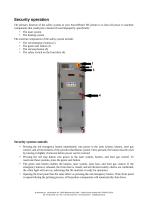
The primary function of the safety system in your SnowWhite2 HT printer is to shut off power to machine components that could pose a hazard if used improperly, specifically: The external components of the safety system include: • The green start button (2) • The safety switch on the front door (4) • Pressing the red emergency button immediately cuts power to the laser system, heaters, inert gas control, and all movements of the powder distribution system. Once pressed, the button must be reset by turning it slightly clockwise before power can be restored. • Pressing the red stop button cuts power...
Open the catalog to page 5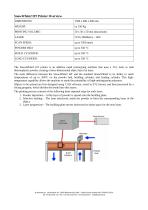
The SnowWhite2 HT printer is an additive rapid prototyping machine that uses a CO2 laser to melt thermoplastic powder, creating a three-dimensional object layer by layer. The main difference between the SnowWhite2 HT and the standard SnowWhite2 is its ability to reach temperatures of up to 350°C on the powder bed, building cylinder, and loading cylinder. This high-temperature capability allows the machine to study the printability of high-melting-point polymers. Objects to be printed are first designed using CAD software, saved in STL format, and then processed by a slicing program, which divides...
Open the catalog to page 6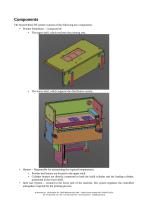
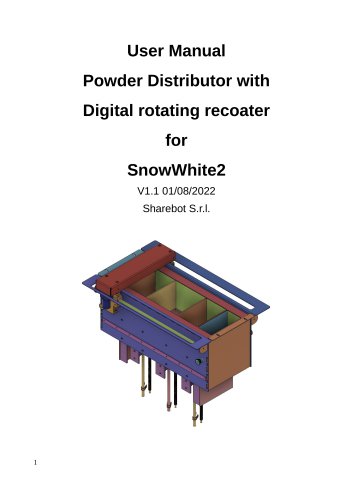
The SnowWhite2 HT printer consists of the following key components: • Powder Distributor - Composed of: • The upper shell, which encloses the printing area._ The lower shell, which supports the distribution system. • Heaters - Responsible for maintaining the required temperatures: • Powder bed heaters are located in the upper shell. • Cylinder heaters are directly connected to both the build cylinder and the loading cylinder, positioned in the lower shell. • Inert Gas System - Located in the lower part of the machine, this system regulates the controlled atmosphere required for the printing process....
Open the catalog to page 7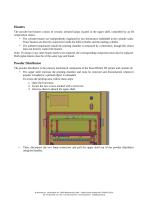
Heaters The powder bed heaters consist of ceramic infrared lamps located in the upper shell, controlled by an IR temperature sensor. • The cylinder heaters are independently regulated by two thermistors embedded in the cylinder walls. These heaters are directly connected to both the build cylinder and the loading cylinder. • The ambient temperature inside the printing chamber is measured by a thermistor, though this sensor does not directly control the heaters. Note: If a lamp or any other heater needs to be replaced, the corresponding component must also be replaced. Both replacements must be...
Open the catalog to page 8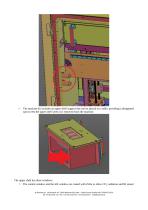
The machine kit includes an upper shell support that can be placed on a table, providing a designated spot to rest the upper shell when it is removed from the machine. The upper shell has three windows: • The central window and the left window are coated with ZnSe to allow CO₂ radiation and IR sensor © Sharebot srl via Montello 18 23895 Nibionno (LC) Italia - Codice Fiscale, Partita IVA IT 03482570136 Tel +39.031.692.132 - Fax + 39.031.228.1412 www.sharebot.it info@sharebo
Open the catalog to page 9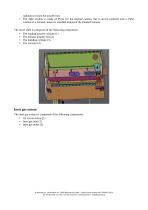
radiation to reach the powder bed. The right window is made of Pyrex for the internal camera, but it can be replaced with a ZnSe window if a thermal camera is installed instead of the standard camera. The lower shell is composed of the following components: • The loading powder cylinder (1) • The exhaust powder exit (2) The inert gas system is composed of the following components: © Sharebot srl via Montello 18 23895 Nibionno (LC) Italia - Codice Fiscale, Partita IVA IT 03482570136 Tel +39.031.692.132 - Fax + 39.031.228.1412 www.sharebot.it [email protected]
Open the catalog to page 10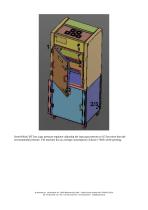
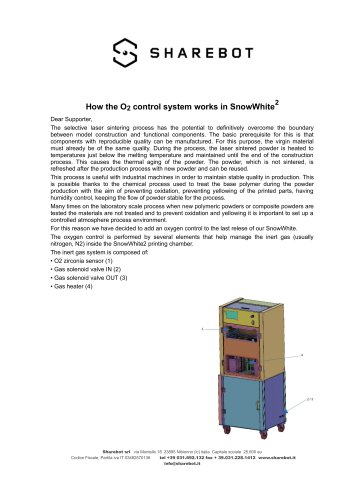
SnowWhite2 HT has a gas pressure regulator adjusting the input gas pressure to 0,5 bar more than the environmental pressure. The machine has an average consumption of about 170lt/h while printing. © Sharebot srl via Montello 18 23895 Nibionno (LC) Italia - Codice Fiscale, Partita IVA IT 03482570136 Tel +39.031.692.132 - Fax + 39.031.228.1412 www.sharebot.it [email protected]
Open the catalog to page 11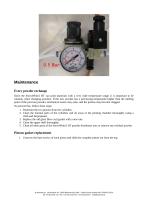
Since the SnowWhite2 HT can print materials with a very wide temperature range, it is important to be cautious when changing powders. If the new powder has a processing temperature higher than the melting point of the previous powder, mechanical issues may arise, and the pistons may become clogged. To prevent this, follow these steps: 1. Dismount the two pistons from the cylinders. 2. Clean the internal parts of the cylinders and all areas of the printing chamber thoroughly using a cloth and Isopropanol. 3. Replace the old glass fiber cord gasket with a new one. 4. Clean the upper shell thoroughly....
Open the catalog to page 12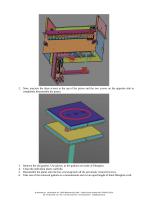
2. Now, unscrew the three screws at the top of the piston and the two screws on the opposite side to completely disassemble the piston. Remove the old gaskets. Use gloves, as the gaskets are made of fiberglass. Clean the individual plates carefully. Reassemble the plates onto the bar, screwing back all the previously removed screws. Take one of the removed gaskets as a measurement and cut an equal length of 6mm fiberglass cord. © Sharebot srl via Montello 18 23895 Nibionno (LC) Italia - Codice Fiscale, Partita IVA IT 03482570136 Tel +39.031.692.132 - Fax + 39.031.228.1412 www.sharebot.it [email protected]...
Open the catalog to page 13All SHAREBOT SRL catalogs and technical brochures
 Dimmer wiring diagram
1 Page
 SDS Finishxpert Filler
30 Pages
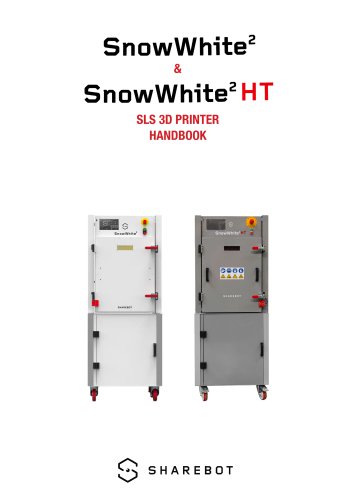 Snowwhite2 Handbook
40 Pages
 Snowwhite2 PCL
4 Pages
 Snowwhite2 enduser patent report
25 Pages
 Snowwhite2 Temperature LOG
3 Pages
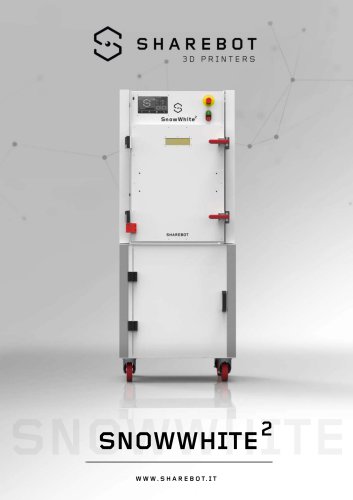 Snowwhite2 brochure
2 Pages
 Snowwhite2 User Manual
49 Pages
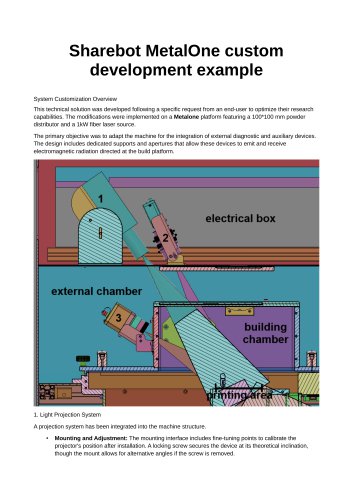 Metalone custom development
2 Pages
 Metalone User Manual
73 Pages
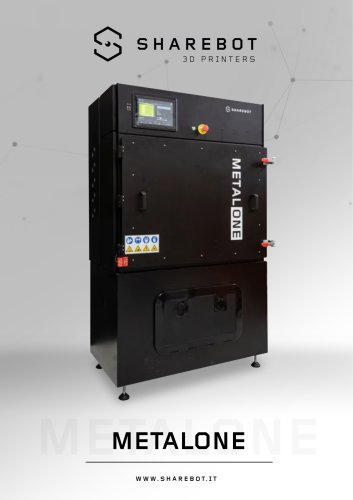 Metalone brochure
2 Pages
 Metalone Handbook
28 Pages
 Brochure Snowwhite2HT
2 Pages
- Additive manufacturing machine
- Automatic test kit
- Industrial 3D printer
- Plastic additive manufacturing machine
- FDM 3D printer
- Laboratory test kit
- High-performance 3D printer
- Plastic spray
- Large-format 3D printer
- High-speed 3D printer
- Metal 3D printing machine
- ABS 3D printer
- Polyester sealant
- PLA 3D printer
- Resin 3D printer
- Desktop 3D printer
- Medical 3D printing machine
- Dental additive manufacturing machine
- PA 3D printer