
- Catalogs
- SHAREBOT SRL
- User Manual Roller Powder Distributor

User Manual Roller Powder Distributor
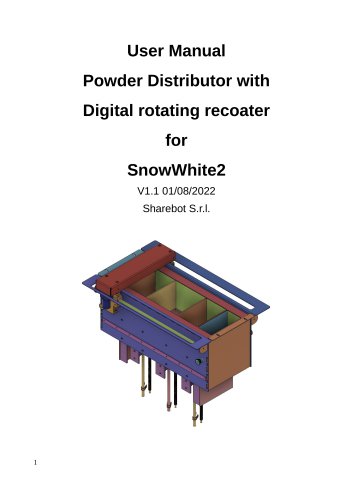
User Manual Roller Powder Distributor
- Ensure the printer is turned off and disconnected from the power supply.
- Remove the front door and gaskets from the upper and lower compartments.
- Loosen the M6 screws on the right side hooks and remove the M4 screws securing the front frame.
- Detach the front frame and its gasket, then remove the M3 screws from the left and right panels of the printing chamber.
- Unscrew and remove the M4 screws securing the powder distributor to the frame.
- If a Heating Resistor is installed, contact support before proceeding. Remove the M4 screws fixing the gas heating resistor.
- Slide the distributor forward, disconnect the cables, and ensure the electrical setup is updated according to the wire schematics.
- Remove the powder distributor and reverse the steps to install the new one.
- Secure the Roller controller box with magnets on the back of the printer.
No changes are needed in slicing parameters for the new Powder Distributor with Digital rotating recoater.
Printing Parameters:- Adjustments may be needed for Roller RPM, which can be set from the roller controlling box.
- Activate or disable the roller and set rotation direction in the Roller Control Plugin menu.
- Set recoater speed in the Layer plugin menu.
- Counter-rotating rollers at low RPM can move printed parts easily.
- Adjust roller distance from the powder distributor top plate by screwing or unscrewing the M4 screws.
- Access the roller by unscrewing the M3 screws securing the roller cover.
- Ensure electrical preparation and firmware update to the latest version.
- Request the latest firmware version from support, download it, and save it on a USB drive.
- Load the software update from the machine interface and restart the machine to apply the upgrade.
- Start from Step 11 of the Powder distributor removal.
- Ensure the machine is unplugged, open the electrical box, and replace connector n°5.
- Connect the new cables to the specified ports in the electrical box.
Verify installation using the "Recoater Cycle" utilities to ensure correct roller operation.
Catalog excerpts
User Manual Powder Distributor with Digital rotating recoater for SnowWhite2 V1.1 01/08/2022 Sharebot S.r.l.
Open the catalog to page 1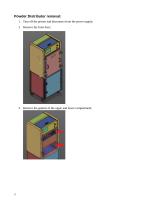
Powder Distributor removal: 1. Turn off the printer and disconnect from the power supply; 2. Remove the front door; 3. Remove the gaskets of the upper and lower compartment;
Open the catalog to page 2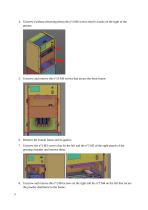
4. Unscrew (without removing them) the n°4 M6 screws that fix hooks on the right of the printer; 5. Unscrew and remove the n°16 M4 screws that secure the front frame; 6. Remove the frontal frame and its gasket; 7. Unscrew the n°3 M3 screws that fix the left and the n°3 M3 of the right panels of the printing chamber and remove them; 8. Unscrew and remove the n°2 M4 screws on the right and the n°2 M4 on the left that secure the powder distributor to the frame;
Open the catalog to page 3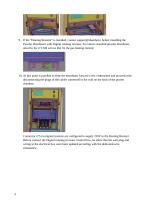
9. If the "Heating Resistor" is installed, contact [email protected] before installing the Powder Distributor with Digital rotating recoater. To remove standard powder distributor, unscrew the n°2 M4 screws that fix the gas heating resistor; 10. At this point is possible to slide the distributor forward a few centimeters and proceed with disconnecting the plugs of the cables connected to the wall on the back of the printer chamber; Connector n°5 in original systems are configured to supply 220V to the Heating Resistor. Before connect the Digital rotating recoater Controll box, be shure that...
Open the catalog to page 4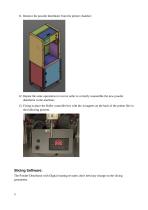
11. Remove the powder distributor from the printer chamber; 12. Repeat the same operations in reverse order to correctly reassemble the new powder distributor in the machine; 13. Fixing in place the Roller controller box with the 4 magnets on the back of the printer like in the following pictures. Slicing Software: The Powder Distributor with Digital rotating recoater, don't need any change on the slicing parameters.
Open the catalog to page 5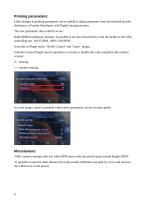
Little changes in printing parameters can be usefull to adapt parameters from the standard powder distributor to Powder Distributor with Digital rotating recoater. The new parameters that could be set are: Roller RPM (rotating per minute): is possible to set that value directly from the handle to the roller controlling box. 0%=0 RPM, 100%=100 RPM. Activable in Plugin menu: "Roller Control” and "Layer" plugin. In Roller Control Plugin menu is possible to activate or disable the roller and define the rotation version: In Layer plugin, menu is possible within other parameters, set the recoater speed;...
Open the catalog to page 6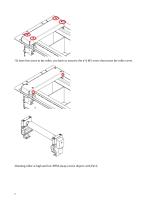
-To have free acess to the roller, you have to unscrew the n°4 M3 screw that secure the roller cover. -Rotating roller at high and low RPM always move objects with Pa12;
Open the catalog to page 7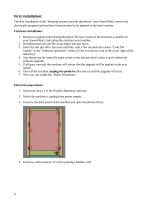
The first installation of the "Rotating recoater powder distributor" your SnowWhite2 need to be electrically prepared and machine firmware need to be updated at the latest version. 1. Request at [email protected] the last version of the firmware available for your SnowWhite2, indicating the machine serial number; 2. Download and save the file on an empty usb pen drive; 3. Insert the usb pen drive into your machine, wait a few seconds then select "Load SW Update" in the "Software operations" menu (it's the two arrows icon in the lower right of the interface); 4. You should see the...
Open the catalog to page 8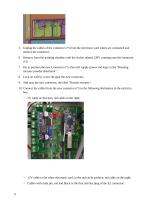
5. Unplug the cables of the connector n°5 from the electronic card where are connected and remove the connector; 6. Remove from the printing chamber wall the sticker related 220V warning near the connector n°5; 7. Put in position the new Connector n°5, that will supply power and logic to the "Rotating recoater powder distributor"; 8. Lock on wall by screw the gear the new connector; 9. Add near the new connector, the label "Rotatin recoater"; 10. Connect the cables from the new connector n°5 to the following destination in the electrica box: ◦ 5V cable on this port, red cable on the right; ◦...
Open the catalog to page 9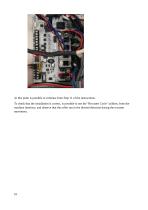
At this point is possible to continue from Step 11 of the instructions. To check that the installation is correct, is possible to use the "Recoater Cycle" utilities, from the machine interface, and observe that the roller run in the desired direction during the recoater movement.
Open the catalog to page 10All SHAREBOT SRL catalogs and technical brochures
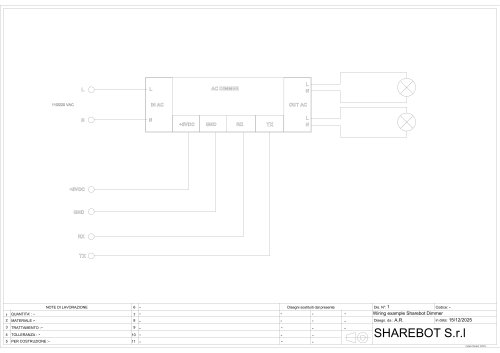 Dimmer wiring diagram
1 Page
 SDS Finishxpert Filler
30 Pages
 Snowwhite2 Handbook
40 Pages
 Snowwhite2 PCL
4 Pages
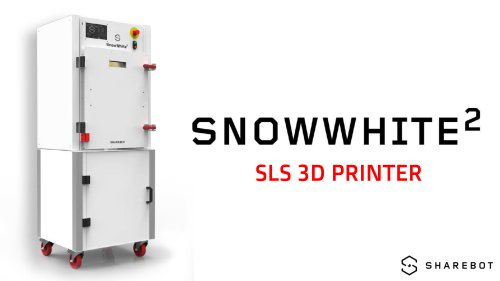 Snowwhite2 enduser patent report
25 Pages
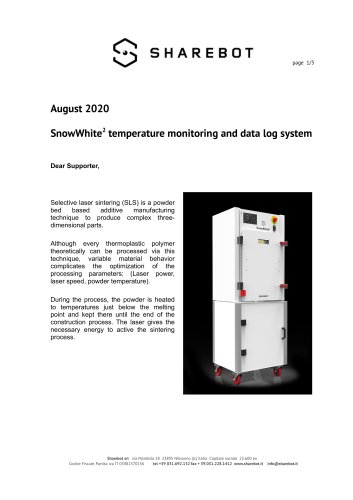 Snowwhite2 Temperature LOG
3 Pages
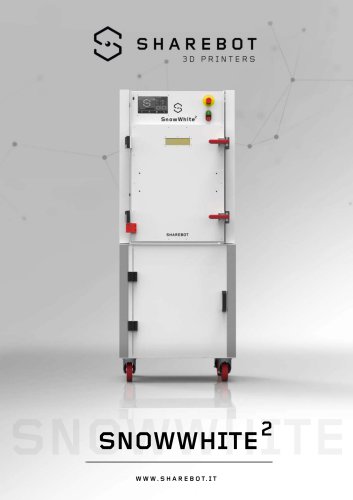 Snowwhite2 brochure
2 Pages
 Snowwhite2 User Manual
49 Pages
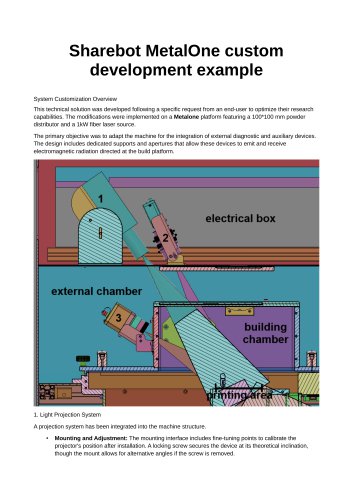 Metalone custom development
2 Pages
 Metalone User Manual
73 Pages
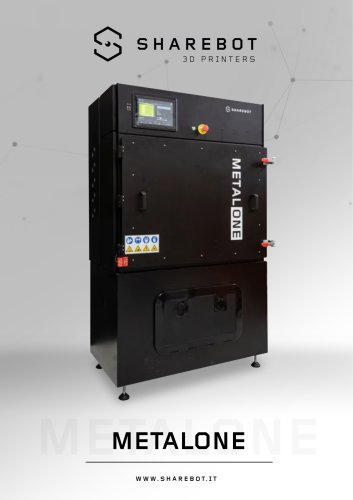 Metalone brochure
2 Pages
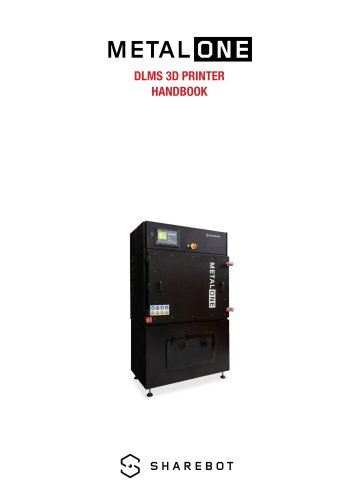 Metalone Handbook
28 Pages
 User Manual Snowwhite2HT
44 Pages
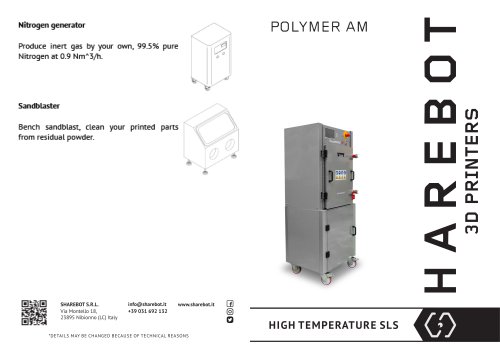 Brochure Snowwhite2HT
2 Pages
- Additive manufacturing machine
- Automatic test kit
- Industrial 3D printer
- Plastic additive manufacturing machine
- Prototyping 3D printing machine
- FDM 3D printer
- High-performance 3D printer
- Laboratory test kit
- Plastic spray
- Large-format 3D printer
- High-speed 3D printer
- Metal 3D printing machine
- ABS 3D printer
- Polyester sealant
- PLA 3D printer
- Resin 3D printer
- Desktop 3D printer
- Medical 3D printing machine
- Dental additive manufacturing machine
- PA 3D printer