

- Company
- Products
- Catalogs
- News & Trends
- Exhibitions
SERVOPRO NOx Operators Manual PN 221195 r0

SERVOPRO NOx Operators Manual PN 221195 r0
The SERVOPRO NOx Gas Analyzer is a versatile instrument that uses Chemiluminescence Detection (CLD) to measure NO, NO2, and NOx concentrations. It can be equipped with a paramagnetic oxygen sensor for emissions monitoring and is available in standard and heated versions to reduce quenching effects from CO2 and H2O.
- Measurement ranges from 0-3 ppm to 3,000 ppm.
- Automatic calibration and fast response time.
- Selectable output options and communication via RS-232, AK protocol, and Modbus TCP/IP.
- CE Mark and ETL listed.
The analyzer measures NOx concentrations using chemiluminescence. In NO mode, it measures the reaction between ozone and nitric oxide, while in NOx mode, it converts NO2 to NO before measurement.
- Detector: Flame Ionization Detection.
- Response Time: T90 < 2 seconds.
- Accuracy: Better than 2% of reading at or above 3.0 ppm.
- Sample Flow Rate: 2.0 to 2.5 LPM.
- Power Requirements: 115 VAC/60 Hz or 230 VAC/50 Hz.
Includes safety information, unpacking instructions, and guidelines for rack mounting, site selection, and electrical connections. Recommended gases and gas handling equipment are specified, along with sampling requirements.
Details procedures for starting and shutting down the analyzer, including proper storage guidelines.
Instructions for navigating the main menu, calibration menu, range menu, diagnostics menu, setup menu, and alarms menu.
Describes preparation for calibration, manual and automated calibration processes, and setup for calibration factors and deviation limits.
Details on analog and digital interfaces, serial interface, and protocols like AK and Modbus.
Highlights the importance of safety symbols such as 'NOTE', 'CAUTION', and 'WARNING' to alert users to critical operational and safety information.
Upon receiving the SERVOPRO NOx Analyzer, users should inspect the instrument for damage and ensure all components are secure.
The analyzer is designed for a 19-inch rack enclosure with optional slides for easy access.
The analyzer should be installed indoors, away from direct sunlight, temperature variations, and electromagnetic interference.
All wiring is connected at the rear, with shielded wiring recommended for output signals.
Calibration requires ultra high-purity nitrogen or calibration-grade air, and a span gas of NO in N2.
Pressure regulators are necessary for zero gas, ozone supply, and span gas cylinders.
Dust must be filtered out, and condensation should be prevented by maintaining a low dew point.
Before startup, ensure all connections are correct and leak-tight.
After shutdown, allow components to cool before storing the analyzer in a temperature-controlled environment.
The keypad includes function keys for shortcuts and numeric entry.
The SERVOPRO NOx Analyzer's main menu provides access to all software functions.
Includes options for viewing diagnostic values such as temperatures, pressures, and flows.
Users can view current alarms, access the alarm log, and set alarm limits for various parameters.
This menu is primarily for factory service use, allowing access to linear coefficients and range settings.
Provides options for managing operator levels and changing or resetting passwords.
Displays the current gas concentration and other relevant information.
The analyzer requires initial calibration with zero and span standards.
The analyzer can be controlled remotely via TCP/IP Modbus or RS-232 AK Protocol.
In this mode, the pump is turned off, and solenoid valves are closed.
Displays model and serial number, factory settings, software versions, and current IP address.
The Automated Calibration menu provides options for Sequenced Calibration and Sequenced Check of existing calibration.
Manual initiation of sequenced calibration or check applies only to the current range in use.
To start a sequenced calibration, select the option from the Automated Calibration menu.
This process checks the validity of the most recent calibration without setting new offsets or gains.
Operators can access and modify the Cal Gas Concentrations screen to change span gas values for different ranges.
The Calibration Setup menu includes parameters for both automated and manual calibrations.
Operators can set the start time, date, and interval for scheduled calibrations.
Operators can select the range, mode, and calibration gases for calibration.
Depending on the setup, calibration gases can be introduced via a sample pump or internal valves.
This setting allows operators to choose between performing a calibration or a check of the calibration.
Timing settings for sequenced auto calibration include Purge Before, Calibration, Verification, and Purge After times.
Operators can define maximum acceptable error limits for zero and span gases during calibration.
This feature holds the analog outputs at the last measured value during calibration.
The Calibration Setup menu displays the current setting at the bottom-right corner of the screen.
Access the Calibration Factors menu to track changes from factory and previous calibrations.
View Zero and Span Gas Deviations from manual calibrations.
View verifying deviations during sequenced and auto calibrations.
Offset is the difference between factory zero and zero calibration value.
Resetting factory settings affects Offsets, Gains, and Linear Coefficients.
Change Range Limits, turn Auto Range On/Off, and adjust Auto Range Switch Points.
Access Diagnostic Values, Raw Values Display, and I/O Status.
View the status of digital outputs and inputs.
The document describes how to measure the digital ground from the Main Connector Pin 6 to Pin 11.
Access the Analyzer Digital Inputs status screen from the I/O Status menu.
From the I/O Status menu, operators can view the status of programmable digital outputs.
The Status Line field contains AK Protocol information.
Access the Setup menu to view or change settings such as averaging times, NO/NOx/NO2 mode times, NOx correction factors, and TCP/IP parameters.
From the Setup menu, access the Measure Settings to change averaging time, NO/NOx/NO2 mode switching times, and NOx correction factors.
Set purge and integration times to ensure adequate purging between NO and NOx cycles.
Advanced operators can adjust NOx Correction Factors to correct small offsets between NO and NOx modes.
Access the Output Settings menu to view or change programmable analog and digital outputs.
Operators can reassign analog output signals, set output scaling, and adjust outputs to match results on a PLC or other devices.
Used for scaling temperatures or pressures, operators can set outputs for specific concentrations.
Operators can force analog outputs to specific percentages of full scale and adjust offsets and gains.
The Programmable Digitals menu allows users to assign any of the 15 digital outputs to specific alarms or statuses.
Operators can assign digital outputs to alarms or statuses.
This menu allows operators to choose whether to hold or clear alarms once they are no longer present.
The Output Test screen enables testing of digital outputs.
Users can set IP-address, Netmask, and Gateway for network communication.
Data logging can be enabled for troubleshooting purposes.
Operators can configure startup parameters, including auto startup, calibration settings, and mode selection.
The internal clock is used for auto calibrations and data time stamping.
Operators can view current alarms, access an alarm log, and set alarm limits.
Users can set upper and lower limits for temperature, pressure, EPC voltage, and gas concentration alarms.
This setting controls whether alarms are displayed on the screen.
The Service menu is accessible for advanced operators and SERVOMEX service personnel.
Operators can optimize linearity by inputting up to five coefficients for each range.
Factory service menus are exclusive to SERVOMEX.
The Security menu allows setting operator access levels and changing passwords.
The analyzer supports analog and digital interfaces, with configurable outputs for voltage or current.
Analog outputs can be set as voltage or current types, with specific pin assignments for connections.
The serial interface allows remote control via RS232, with specific pin assignments and communication settings.
Errors in command processing are possible, and the analyzer provides feedback on unknown instructions or busy states.
- Analyzer does not recognize the instruction sent.
- Analyzer is busy with another function.
- Syntax error within command parameters or incomplete command.
- Requested function or data not available.
- Data error: The kind or number of given parameters not valid.
- Analyzer is offline, in local mode. Only inquiry commands and SREM (set analyzer in Remote Mode) are allowed.
- If the command message contains no error, the Acknowledge message contains the echo of the Function code and the Error Status number (0 to 9).
- If the transfer was faulty or the function code is unknown, the answer contains four question marks (e.g., ???? 0).
- If a control or adjusting command is sent via the serial interface while the device is in Manual mode, it sends an answer like SLIN 0 K0 OF.
- If a channel does not exist, the answer for control and adjusting commands is, for example, ATEM 0 3 NA.
- If the device is busy with a running function, every arriving control command is ignored (except SRES and STBY), and the response message is e.g., SMAN 0 BS.
- If the command message contains data that the device cannot process, the response message is ESYZ 0 SE.
- Numbers are in floating-point format with decimal point. The decimal point can be dropped for integers.
- If you switch from Remote to Manual, the device will remain in Manual mode until a SREM K0 is received by the control computer.
- Mn: Measuring range number (n)
- w.w .. ZZ.: Numerical value
- t: Numeric integer value
- a0 .. a4: Polynomial coefficients
- s: Status
- yymmdd: Date format year, month, and day with 2 characters each and no spaces
- hhmmss: Time format hour, minute, and second with 2 characters each and no spaces
- Scan commands (Axxx)
- Control commands (Sxxx)
- Configuration commands (Exxx)
- AAEG: Verifying Span-Point Deviation During Auto Calibration
- AANG: Verifying Zero-Point Deviation During Auto Calibration
- AAOG: Applied Offsets and Gains
- AATK: Query Auto Calibration Parameters
- ADAL: Diagnostic Alarm Limits
- ADRU: Pressures / Electronic Pressure Control Valve Voltage in Percent
- ADUF: Flows
- AEFF: NOx Correction Factors
- AEMB: Get Measuring Range
- AENT: Query Calibration Gas Flow Settings (Pumps or Valves)
- AFDA: Auto Calibration Times and Purge Time
- AFGR: Default Factory Polynomial Coefficients
- AGRD: Polynomial Coefficients
- AGRW: Max Absolute / Relative Deviation Limits
- AKAK: Calibration Gas Concentrations
- AKAL: Percent Deviations of Last Accepted Calibration
- AKEN: Device Identification
- AKON: Measured Concentration Value
- AMBE: Measuring Range Limit
- AMBU: Upper and Lower Range Switchover Values for Auto Range
- APAR: Auto Calibration Tolerance Values
- ARAW: Raw Detector Volts
- ARMU: Raw Engineering Value
- ASTF: Error Status
- ASTZ: Normal Device Status
- ASYZ: Respond System Time
- AT90: Respond Low-pass Filter Time
- ATCP: Query TCP/IP Settings
- ATEM: Temperatures
- AUDP: Query UDP Data Streaming Parameter
- AVER: Query Software Version
- SARA: Auto Range Off
- SARE: Auto Range On
- SATK: Start Automatic Calibration
- SEGA: Open Valve for Span Gas Calibration
- SEKA: Saves Measured Value as New Span Value
- SEMB: Set Measuring Range
- SENT: Set Calibration Gas Flow (Pumps or Valves)
- SFGR: Reset Calibration Settings to factory defaults
- Registers are addressed starting at zero, with input registers numbered 1-16 addressed as 0-15.
- Data in response messages are packed as two bytes per register, with high-order bits in the first byte and low-order bits in the second.
- Function Code 04: Used to read input registers. The request specifies the starting address and quantity of registers. The response includes the function code, byte count, and input register values.
- Function Code 05: Used to write a single output to ON or OFF. The request specifies the output address and value, with the response echoing the request.
- Function Code 06: Used to write a single holding register. The request specifies the register address and value, with the response echoing the request.
- Function Code 16: Used to write a single floating point register. The request includes the starting address, quantity of registers, and register values.
- Function Code 26: A non-standard code used to read an ASCII string from a specified address.
- Coil Numbers: Lists various coil numbers and their corresponding data, such as sample pressure, air pressure, and temperature readings.
- Register Numbers: Lists register numbers and their contents, including real-time concentrations, detector volts, and temperature alarms.
- Ensure correct addressing of registers and coils starting from zero.
- Use TCP/IP Port 502 for Modbus commands and avoid changing the port from 7700.
Catalog excerpts

Operator Manual Part Number: Revision: Language:
Open the catalog to page 1
The SERVOPRO NOx is a versatile analyzer which uses the time-proven Chemiluminescence Detection (CLD) method to measure NO or NO/NO2/NOx concentrations, all in one standard package, which can also be configured with a paramagnetic oxygen (O2) sensor for emissions monitoring and control. Servomex also has a heated CLD analyzer for certification testing by heavy duty engine manufacturers that must meet the stringent requirements of US EPA 40 CFR Part 1065. Both the standard and heated analyzers can be configured with internal zero/sample/span valves and an internal sampling pump. The heated version...
Open the catalog to page 5
including not needing the high voltage required to run the PMT detector, lasts the lifetime of the instrument, and can be exposed to ambient light during servicing with no burn down time like a PMT detector. Delivering excellent linear analysis from trace levels to high ppmv concentrations (0- 3ppm to 0-3,000ppm) the SERVOPRO NOx analyzer is ideal for continuous monitoring of industrial stationary sources emissions or ambient air monitoring. Equipped with a non-depleting photodiode to detect chemiluminescent light, the fast response time of the analyzer also makes it a perfect solution for engine...
Open the catalog to page 6
Operating Principle The SERVOPRO NOx analyzer utilizes the principle of chemiluminescence for analyzing the NO, NOx or NO2 concentration within a gaseous sample. The sample enters the analyzer directly into a heated chamber and is maintained at an elevated temperature. The moisture will remain in the vapor state, ensuring no loss of the NO2. In the case of the heated NOx analyzer version, the external chiller can be used to drop the moisture content down so that the moisture does not quench the analyzer signal for those applications that require the quenching due to CO 2 and H2O to be below 2%...
Open the catalog to page 7
In the NOx mode, the sample is first routed through an internal converter which converts the NO2 in the sample to NO, then the native NO from the sample plus NO from the converted NO2 flows to the reaction chamber to react with O3. The resultant reaction is a total NO native plus the converted NO2 giving a total concentration of NOx. The NO2 is then just a simple matter of subtracting the native NO from the NOx value. Reaction Chamber The sample and O3 are delivered to the reaction chamber via the unique regulated flow system described below, and mixed together at the center of the chamber where...
Open the catalog to page 8
Flow System The basic function of the flow system is to deliver highly stablized flows of sample and air or O2 to the ozonator and reaction chamber assemblies. The EPC (electronic proportional control) valve delivers approximately 15 PSIG (standard without ozone pump option) to a pre-set capillary and consequently accurately predetermines the ozone flow rate. The air supply cylinder should be set to 25 PSIG. Sample flows through the sample EPC valve, then the NO/NO x solenoid valve, then the sample capillary and into the reaction chamber. The sample pressure is factory set to approximately 3.85...
Open the catalog to page 9
Noise Zero and Span Drift O2 Effect CH4 Effect Flow Control Sample Flow Rate Fuel Requirements Fuel Inlet Pressure Air Requirements Air Flow and Inlet Pressure Readout Less than 1% of full scale. Less than 1% of full scale per 24-hour period. Less than 2% Less than 1.2 to propane Electronic proportional pressure controller (EPC). 2.0 to 2.5 LPM 40/60 H2/He % or 100% H2 at ~250cc/min 25 psig Less than 1 ppm HC purified or synthetic air and Dew point < -10ºC. Flow ~ 450 cc/min at 25 psig As ppm or mg/m3 proportional to Methane (C1) or Propane (C3) Outputs - AK Protocol (TCP/IP and Serial RS-232)...
Open the catalog to page 10
INSTALLATION SAFET Y INFORMATION Safety Alert Temperature Hazard Electrical Shock Hazard Caution or Warning Note, Caution and Warning symbols appear on the instrument and in this manual to draw your attention to important operational and safety information. A “NOTE” marks a short message to alert you to an important detail. A “CAUTION” safety alert appears with information that is important for protecting your equipment and its performance. A “WARNING” safety alert appears with information that is important for protecting you, other people and equipment from damage. Pay especially close attention...
Open the catalog to page 11
symbol (an exclamation point in a triangle) precedes a general CAUTION or symbol (wavy vertical lines with an underscore in a triangle) precedes an symbol (a lightning bolt in a triangle) precedes an electrical shock hazard WARNING statement. elevated temperature hazard CAUTION or WARNING statement. CAUTION or WARNING statement. Some or all of the above symbols may appear in this manual or on the equipment. This manual should be consulted whenever one of these symbols is encountered on the equipment. ALWAYS REMOVE POWER BEFORE CONNECTING OR DISCONNECTING SIGNAL CABLES OR WHEN SERVICING THE EQUIPMENT...
Open the catalog to page 12
UNPACKING INSTRUCTIONS Open the shipping container and carefully remove the analyzer from the packing materials. Inspect the instrument for any sign of damage. Remove the top-cover retaining screws. Visually check for loose parts or connectors that are not properly seated. Verify that all circuit boards and circuit board connections are secure. If all internal components and their alignments look correct, re-install the cover. IMPORTANT: You should save the original shipping container your analyzer arrives in. The shipping container and packaging are specially designed to protect the analyzer...
Open the catalog to page 13
Asia Systems Engineering and Service Centre Bldg. 9, Shanghai Euromate Industrial Park No.88 Yuanshan Road Xinzhuang Industrial Park Shanghai 201108, P.R.China Tel: +86 021 6489 7570 [email protected] [email protected]
Open the catalog to page 14
RACK MOUNTING The front panel is designed for mounting into a standard 19-inch rack enclosure. Holes are located on the left and right side to allow the panel to be secured in the rack by screws. Optional rack slides allow the analyzer to be pulled out of the rack enclosure for access. REAR PANEL The rear panel includes the following: 1. Rear-panel Power ON/OFF switch. 2. Power Entry module for power connection, power switch, fuse compartment. 3. Output connectors for analog outputs and remote functions. 4. TCP/IP connection to connect to network. 5. Serial connection to connect serial connector...
Open the catalog to page 15All SERVOMEX catalogs and technical brochures
 Gas Guide Issue 6
74 Pages
 Product Guide Issue 10
14 Pages
 Service Guide Issue 5
12 Pages
 SERVOTOUGH Oxy 1810
9 Pages
 SERVOTOUGH OxyExact 2200
16 Pages
 SERVOPRO 4900 Multigas
10 Pages
 SERVOPRO PureGas
4 Pages
 DF560E Operator Manual
144 Pages
 DF-745 Operator Manual
112 Pages
 SERVOPRO Plasma Operator Manual
78 Pages
 ES 39 Sustainability
11 Pages
 ES 38 Korea Special
19 Pages
 ES 37 Clean Air part II
11 Pages
 ES 36 Purity & Specialty
11 Pages
 ES 35 Photometric Analysis
11 Pages
 ES 34 70th Anniversary
15 Pages
 ES30 Air Separation Units
11 Pages
 ES 29 Clean Air
11 Pages
 ES 28 Gas Analysis Applications
11 Pages
 Sensing Technologies
13 Pages
 DF760E Operator Manual
182 Pages
 DF750 Operator Manual
112 Pages
 DF745SGMax Operator Manual
90 Pages
 DF-740 Operator Manual
87 Pages
 DF-730 Operator Manual
82 Pages
 DF560E Operator Manual 082616
146 Pages
 DF550E Operator Manual 082616
134 Pages















Archived catalogs
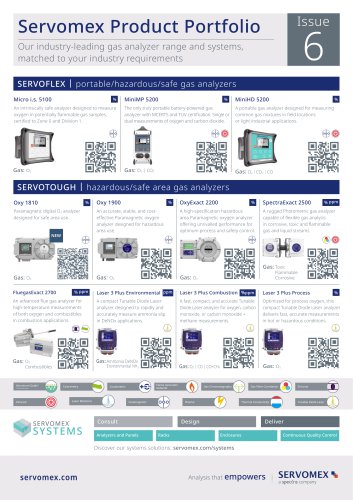
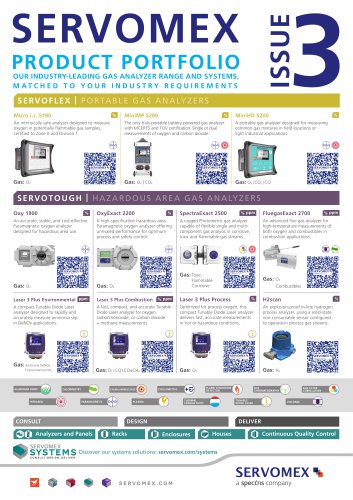
 Servomex Product Portfolio
2 Pages
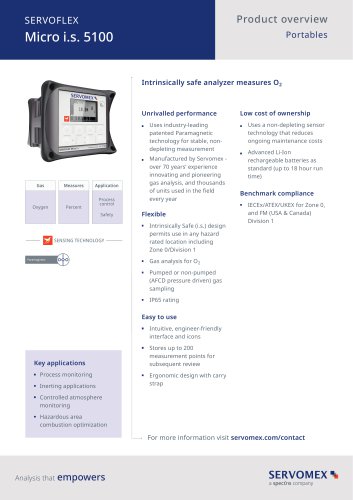
 SERVOFLEX MiniMP 5200
7 Pages
 Servomex Product Guide - Issue 8
15 Pages
 Servomex Service Guide - Issue 3
13 Pages
 Servomex Gas Guide - Issue 4
76 Pages
 SERVOPRO HFID
4 Pages
 SERVOPRO NOx
4 Pages
 Servomex Product Guide Issue 7
13 Pages
 Servomex Service Guide Issue 2
11 Pages
 Servomex GAS GUIDE issue 3
77 Pages
 Servomex Service Portfolio
2 Pages
 SERVOTOUGH H2 Scan
2 Pages
 SERVOTOUGH SpectraScan 2400
2 Pages
 Servomex Gas Guide 2022
65 Pages





- SERVOMEX concentration analyzer
- SERVOMEX monitoring analyzer
- Liquids analyzer
- Automatic analyser
- SERVOMEX benchtop analyzer
- Solids analyser
- SERVOMEX process analyzer
- SERVOMEX portable analyzer
- Continuous analyzer
- Real-time analyzer
- SERVOMEX integration analyzer
- SERVOMEX oxygen analyzer
- Laboratory analyzer
- SERVOMEX compact analyzer
- SERVOMEX digital analyzer
- Infrared analyser
- Calibration analyzer
- Waterproof analyzer
- Temperature analyzer