

- Company
- Products
- Catalogs
- News & Trends
- Exhibitions
SERVOPRO MultiExact 4100 Quick Start Guide rev 2.2

SERVOPRO MultiExact 4100 Quick Start Guide rev 2.2
The Quick Start Guide for the MultiExact 4100 Analyzer provides essential information on installation, connection, software interface, and maintenance. It is designed for users familiar with analytical or process instrumentation, with a comprehensive manual available for detailed guidance.
Users must read the guide and full manual before installation or operation. Symbols indicate potential hazards such as high voltage, high temperatures, and hazardous substances.
The MultiExact 4100 complies with the Low Voltage Directive (2014/35/EU) and the Electromagnetic Compatibility (EMC) Directive (2014/30/EU).
Designed for industrial gas analysis, the MultiExact 4100 supports up to four sensors and various gas measurement technologies, with data output via display, serial device, or digital protocols.
Installation involves unpacking, mechanical and electrical setup, and connecting gases. The analyzer can be mounted on a bench, rack, or panel, with specific safety considerations for electrical connections.
The touchscreen interface includes icons for system status and measurement notifications, with an overview of the main menu and frequently used icons.
Details include mechanical and electrical specifications, maximum voltage ratings, and environmental limits.
Guidelines ensure safety and compliance, with emphasis on proper storage and disposal.
The warranty covers calibration, replacement, or repair, with outlined maintenance policies and return procedures.
Each analyzer includes 4 relay contacts, expandable to 32, with transducers configured via option boards. Outputs include isolated 4-20 mA signals, with additional boards available for more features.
Auto-Cal includes 8 relays per transducer for zero, span, and sample, triggered by clocks, contacts, or protocols like Modbus or PROFIBUS.
Designed for safe areas, the analyzer requires trained personnel for installation, with a maximum pressure limit of 8 psig.
Regular calibration is recommended, with maintenance by qualified personnel following the manual.
Installation should be in well-ventilated areas, with compliance to safety codes and proper grounding.
Ensure the area is suitable, unpack carefully, and remove protective covers before connecting to gas pipework.
Inspect for damage upon receipt, and store properly if not used immediately.
The analyzer can be bench or rack-mounted, with specific options for installation.
Compliance with local standards is required, with specific instructions to avoid warranty invalidation.
Use insulated circuits and shielded cables for EMC compliance, with detailed connection configurations provided.
Relays are insulated and configurable for alarms, with specific configurations detailed in tables.
Ensure isolation before connecting, using the provided power cord and verifying compatibility.
Ensure leak-free connections and proper ventilation, with specific inlets and outlets for gases.
Optional rotameter flow meters can be installed for flow measurement.
The document provides detailed instructions for operation and configuration, emphasizing flow control, operation procedures, and safety precautions.
Rotameters validate flow, with user-managed flow control via mass flow controllers or valves.
Pressure and flow rate requirements are specified, with external regulation needed if outside specified ranges.
Ensure leak-free connections and proper ventilation before powering up, with specific procedures for software loading.
The touchscreen GUI features icon-driven menus for intuitive operation, with configuration options specified at purchase.
Icons facilitate navigation, with access to Measurement, Diagnostics, Maintenance, and Settings screens.
Ensure leak-free external connections and proper ventilation to prevent toxic gas accumulation.
Emphasizes proper flow control, safe operation, and intuitive navigation for accurate and safe use of the analyzer.
Status icons indicate system health, with changes signaling alarms or faults.
Outlines mechanical and electrical specifications, including dimensions, weight, and environmental limits.
Proper storage and disposal comply with local regulations, particularly the WEEE Directive.
A one-year warranty covers defects in materials and workmanship, excluding fuses.
Contact representatives for suspected faults, with RPA required for returns and decontamination if exposed to hazards.
Catalog excerpts

SERVOPRO MultiExact 4100 Analyzer Quick Start Guide PN:0810000Q
Open the catalog to page 1
IMPORTANT INFORMATION Continued safe and reliable operation of this equipment is conditional on all installation, operation and maintenance procedures being carried out in accordance with the appropriate manuals, by personnel having appropriate qualifications, experience and training. Failure to observe the requirements of the manual may result in the user being held responsible for the consequences and may invalidate any warranty. Servomex accepts no liability for unauthorized modifications to Servomex supplied equipment. Servomex has paid particular attention to Health and Safety throughout...
Open the catalog to page 2
© Servomex Group Limited 2018
Open the catalog to page 3
Quick Start Guide P/N: 0810000Q Revision: MG4100QSG2.2 © Servomex Group Limited 2018
Open the catalog to page 4
Introduction About this Quick Start Guide Scope of the Quick Start Guide This guide covers the basics of the installation, connections, software interface overview and routine maintenance of the MultiExact 4100 Analyzer. It is not intended to be a full installation manual but is a quick guide for those that are familiar with the use and maintenance of analytical or process instrumentation. A separate MultiExact 4100 Analyzer Installation and Operations manual is also supplied with the analyzer that provides details on the software configuration and operation of the analyzer. Transducerspecific...
Open the catalog to page 5
Other information provided by the manual Notes give extra information about the equipment. Hints give helpful tips and highlights information which is useful for you to be aware of, for example, specific operating conditions. Applicable EU Directives, Standards, Certification • Low Voltage Directive (2014/35/EU) • Electromagnetic Compatibility (EMC) Directive (2014/30/EU) • EN 61010-1:2010 • EN 61326-1:2013 / IEC 61326-1:2012 Product overview The MultiExact 4100 Analyzers are designed to meet the needs of the control and product quality applications of industrial gas producers and users, who...
Open the catalog to page 6
manufacturing environments or is a component of such equipment. It is not intended for use in domestic applications because the MultiExact 4100 does not meet CISPR 11 class B emission limits for residential locations, which are directly connected to low voltage power supply networks. General description The MultiExact 4100 gas analyzer is a chassis into which up to four gas transducer modules may be fitted. The chassis provides power, gas connections and other support functions to the transducers and calculates associated sample gas concentrations. These concentrations are then displayed on the...
Open the catalog to page 7
• Flow meters to monitor sample or bypass gas flow through the instrument – a maximum of four, one per stream. • A sample-flow switch is optional to alarm when the flow is interrupted – only one allowed per analyzer either on the Paramagnetic Purity or the GFX sensor. • Auto-calibration feature that provides 8 relay contacts for each transducer and software to allow auto-calibration / validation based upon a timer (gas switching is via user installed externally located valves). Note: Full technical specifications for MultiExact 4100 analyzer is presented at the back of this manual. Recommended...
Open the catalog to page 8
responsible for the consequences. In no event shall Servomex be liable for any incidental, consequential or special damages of any kind or nature whatsoever, including but not limited to lost profits arising from or in any way connected with this instruments use. Automatic calibration options There are two functions that are allowed if the Auto-Cal feature is ordered: Auto-calibration: This is performed on the transducer and will change the actual calibration curve. This only reads the value to determine if it is within the specified tolerance. Each transducer can have up to three sequences of...
Open the catalog to page 9
Figure 1-2: Rear of the MultiExact 4100 Gas Analyzer Figure 1-3: The Extended Chassis version of the 4100 MultiExact Gas Analyzer Table 1-2 provides a general overview of the identification of the jumper on the back of the analyzer to the function. Some of the connections are for features that not part of the standard analyzer or transducer and must ordered as an option in order to activate them. © Servomex Group Limited 2018
Open the catalog to page 10
Table 1-2: Rear panel connections ID J9 – J16 Description Relay I/O connections Option board 1&2 4-20 mA inputs Option board 3&4 4-20mA inputs 4 – 20 mA output / voltage output (I1± / V1±) 4 – 20 mA output / analog voltage output (I3± / V3±) 4 – 20 mA output / voltage output (I2± / V2±) 4 – 20 mA output voltage output (I4± / V4±) Profibus connector Ethernet connector Earth (ground) connection Sample requirements For best performance the flow (or pressure) supplied to the analyzer should be kept at a constant value for both normal sampling and for calibration gas input. Temperature: 5°C / 9°F...
Open the catalog to page 11
Pressure driven options: Do not exceed the rated flow or pressure as transducer damage may result. Corrosive gases are not intended to be used in these analyzers. Make sure that if pressurized gases are used to keep the pressure below 8psig (55kPa g). Safety General warnings Before you attempt to install, commission or use the MultiExact 4100 Analyzer, read this manual carefully. Do not attempt to install, commission, maintain or use the MultiExact 4100 Analyzer unless you are trained and know what you are doing. The analyzer must be maintained by a suitably skilled and competent person. Do not...
Open the catalog to page 12
The MultiExact 4100 Analyzer may be attached to equipment that is hot. Always wear the appropriate PPE to minimize the risk of burns. Chemical warnings Sample and calibration gases may be toxic or asphyxiant: • Make sure that the external connections are leak free at full operating pressure before you use sample or calibration gases. • Make sure that the sample/bypass outlet pipes are vented to an area where the gases will not be a hazard to people. • Make sure that the analyzer is used in a sufficiently well-ventilated environment, to prevent the build-up of toxic gases. • Make sure that the...
Open the catalog to page 13All SERVOMEX catalogs and technical brochures
 Gas Guide Issue 6
74 Pages
 Product Guide Issue 10
14 Pages
 Service Guide Issue 5
12 Pages
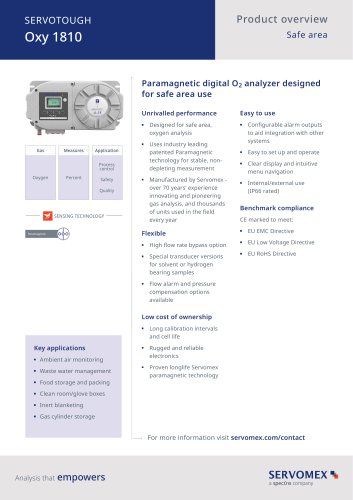 SERVOTOUGH Oxy 1810
9 Pages
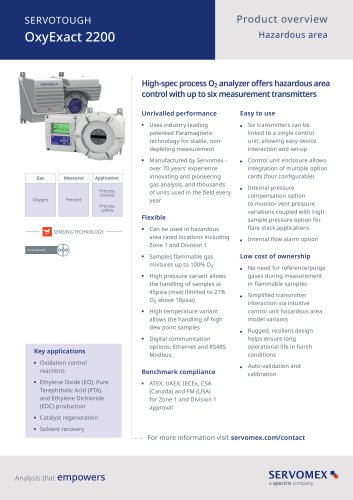 SERVOTOUGH OxyExact 2200
16 Pages
 SERVOPRO 4900 Multigas
10 Pages
 SERVOPRO PureGas
4 Pages
 DF560E Operator Manual
144 Pages
 DF-745 Operator Manual
112 Pages
 SERVOPRO Plasma Operator Manual
78 Pages
 ES 39 Sustainability
11 Pages
 ES 38 Korea Special
19 Pages
 ES 37 Clean Air part II
11 Pages
 ES 36 Purity & Specialty
11 Pages
 ES 35 Photometric Analysis
11 Pages
 ES 34 70th Anniversary
15 Pages
 ES30 Air Separation Units
11 Pages
 ES 29 Clean Air
11 Pages
 ES 28 Gas Analysis Applications
11 Pages
 Sensing Technologies
13 Pages
 DF760E Operator Manual
182 Pages
 DF750 Operator Manual
112 Pages
 DF745SGMax Operator Manual
90 Pages
 DF-740 Operator Manual
87 Pages
 DF-730 Operator Manual
82 Pages
 DF560E Operator Manual 082616
146 Pages
 DF550E Operator Manual 082616
134 Pages










Archived catalogs
 Servomex Product Portfolio
2 Pages
 SERVOFLEX MiniMP 5200
7 Pages
 Servomex Product Guide - Issue 8
15 Pages
 Servomex Service Guide - Issue 3
13 Pages
 Servomex Gas Guide - Issue 4
76 Pages
 SERVOPRO HFID
4 Pages
 SERVOPRO NOx
4 Pages
 Servomex Product Guide Issue 7
13 Pages
 Servomex Service Guide Issue 2
11 Pages
 Servomex GAS GUIDE issue 3
77 Pages
 Servomex Service Portfolio
2 Pages
 SERVOTOUGH H2 Scan
2 Pages
 SERVOTOUGH SpectraScan 2400
2 Pages
 Servomex Gas Guide 2022
65 Pages




- SERVOMEX concentration analyzer
- SERVOMEX monitoring analyzer
- Liquids analyzer
- Automatic analyser
- SERVOMEX benchtop analyzer
- Solids analyser
- SERVOMEX process analyzer
- SERVOMEX portable analyzer
- Continuous analyzer
- Real-time analyzer
- SERVOMEX integration analyzer
- SERVOMEX oxygen analyzer
- Laboratory analyzer
- SERVOMEX compact analyzer
- SERVOMEX digital analyzer
- Infrared analyser
- Calibration analyzer
- Waterproof analyzer
- Temperature analyzer