

- Company
- Products
- Catalogs
- News & Trends
- Exhibitions
SERVOFLEX MiniMP 5200 Operator Manual 05230001A_9

SERVOFLEX MiniMP 5200 Operator Manual 05230001A_9
- Scope: This manual provides instructions for installation, operation, and maintenance of the Servomex 5200 Multi Purpose and 5200 Multi Purpose HF Gas Analysers.
- Safety Information: Important safety warnings and cautions are highlighted to prevent personal injury or equipment damage.
- Description: The Multi Purpose is a lightweight gas analyser for field, laboratory, and light industrial use, capable of measuring oxygen, carbon dioxide, and carbon monoxide concentrations.
- General: Details on the general specifications of the gas analyser.
- Sample Gas: Information on the types of gases that can be measured.
- Calibration Gases: Specifications for gases used in calibration.
- Environmental Limits: Operating conditions and environmental constraints.
- Performance: Details on the performance of various sensors including standard, industrial, and high accuracy oxygen sensors, as well as infrared sensors.
- Installation: Instructions for setting up and switching on the device.
- Battery Charging: Guidelines for charging and recharging the optional rechargeable battery.
- Set-Up: Steps for configuring security levels, setting the clock, and changing regional settings.
- Calibration: Procedures for calibrating the analyser.
- Sample Readings: Instructions for taking and correcting sample readings.
- Display Units: Options for selecting display units and configuring measurement alarms.
- Cleaning: Guidelines for cleaning the device and inspecting the inlet filter.
- Maintenance: Instructions for regenerating or replacing the drying agent and performing preventative maintenance.
- Fault Messages: Introduction to fault messages and general fault finding procedures.
- Storage: Recommendations for storing the device.
- Disposal: Guidelines for disposing of the device in accordance with the WEEE directive.
- Data Log Output Formats: Formats for data logging and serial outputs.
- RS232 Connection Details: Instructions for connecting the analyser to a PC.
- Optional Accessories: Information on optional flowmeters, sample conditioning panels, and gas probe accessories.
The document provides detailed instructions for setting up and operating the 5200 Multi Purpose and 5200 Multi Purpose HF Gas Analysers. It includes steps for connecting milliAmp outputs, fitting power supplies, and switching on the device. The importance of using correctly sized tubes for venting gases is emphasized to prevent over-pressurization.
For units with an optional rechargeable battery, an initial charge of at least 4 hours is recommended. The battery status is displayed on the icon bar, and recharging can occur with the device on or off, though it is faster when off. Users are advised to recharge when the battery is below 10% capacity.
The device offers three security levels: low, standard, and high, with varying degrees of password protection. The supervisor password can override operator-level protections. Users are encouraged to change default passwords for enhanced security.
Instructions are provided for setting the date and time, which can be displayed in different formats. Regional settings allow customization of language, date format, and decimal format to suit local conventions.
For devices with a rechargeable battery, a power save mode is available to conserve energy by automatically switching off after 30 minutes of inactivity. The internal sample pump can be operated manually or on a timed basis, with durations adjustable between 1 to 999 seconds.
Calibration involves using sample and calibration gases, which may pose toxic hazards. Users must conduct risk assessments and adhere to safety practices. Calibration gas pressures must match sample gas pressures for accurate measurements, and a purge time of 3 to 5 minutes is recommended before starting calibration.
The document outlines the calibration procedures for the 5200 Multi Purpose and 5200 Multi Purpose HF Gas Analysers. It emphasizes the importance of not moving the device during calibration to avoid inaccurate measurements. For standard models with a sample pump, manual pump operation is assumed, and the pump operation time must be set correctly. The Multi Purpose HF model does not require a calibration 'T' piece, and its sample pump should not be activated during calibration.
1. Connect the calibration gas supply to the sample gas inlet.
2. Allow the gas to pass through for 3 to 5 minutes.
3. Access the Calibrate screen and select the required calibration ('Lo' or 'Hi').
4. Adjust the target value if necessary and stabilize the current reading before proceeding.
5. Disconnect the calibration gas supply after calibration.
Ensure the device is calibrated before taking readings. Connect the sample gas supply and start the sample pump if applicable. Wait for the measurement to stabilize before recording the reading. Disconnect the sample gas supply after measurement.
The document provides guidance on correcting oxygen measurement errors due to background gases. It lists specific errors for various gases and provides a procedure to enter a compensation for these errors.
The analyser supports various display units such as % volume, ppm, and mg/m3. Users can change the display units and conversion factors through the setup menu.
Two measurement alarms can be configured for each sample gas. Alarms can be set to low, high, or none, and can be latching or non-latching. Hysteresis levels determine when an alarm condition is deactivated. Proper configuration of alarm levels and modes is crucial to avoid spurious alarms.
- Setting Up Alarms: Access the Alarm option screen from the Measurement screen to configure alarms. Use the soft keys to select and set the desired alarm mode (none, low, or high).
- Audible Alarm: Enable or disable the audible alarm through the Alarms option screen. The alarm can be muted temporarily if triggered by a measurement condition.
- Unlatching Alarms: Use the Unlatch option to reset any latched alarms.
- Viewing Alarm Status: The Alarm status screen displays current alarm conditions, including alarm number, sample reading, mode, and level.
- Overview: The device can output milliAmp signals for gas measurements, configurable in two ranges (0-20 mA or 4-20 mA).
- Output Parameters: Set parameters such as high levels for ranges, behavior during calibration, fault conditions, and under-range settings.
- Setup Procedure: Access the mA configuration screen to set up output parameters and select the range associated with measurements.
- Calibration and Checking: Calibrate the milliAmp output using the service menu and check outputs by setting override values.
- Options: Configure the device for data logging, serial outputs, or printed outputs. Data can be logged internally or output to a connected device.
- Serial Output Configuration: Set parameters such as period, baud rate, stop bits, data bits, and parity to match connected devices.
The Multi Purpose memory allows for the storage of up to 200 sample measurements, organized into batches. Each measurement includes a batch number, sequence number, date and time, and indications of alarms or faults. Users must manually transfer measurements into the log, initiate new batches, and clear the log when necessary. Data can be viewed on the Multi Purpose display or output to a connected device.
To enter data, users press a soft key to capture the current measurement. New batches can be started by pressing the soft key again. Data logs can be outputted if the serial output parameters are correctly configured. Viewing and clearing the data log involves navigating through menu options and confirming actions.
The display settings, including backlight timer and contrast, can be adjusted to suit ambient light conditions. The backlight timer can be set between 0 and 999 seconds, and the contrast can be adjusted using soft keys.
Regular cleaning and inspection of the Multi Purpose are recommended. The inlet filter element should be inspected every 3 months or more frequently depending on usage. The drying agent in the drying tube should be regenerated or replaced based on usage and type.
For carbon monoxide measurements, regular leak testing of the Multi Purpose and associated equipment is essential. Leaks must be sealed, and the device should not be used if internal leaks are detected.
An annual preventative maintenance program is recommended to ensure proper operation and compliance with regulatory guidelines. This includes inspection and repair at a Servomex service facility.
When a fault is detected, an audible alarm sounds, a fault LED lights up, and a fault icon appears on the screen. Fault messages are stored and can be viewed, with recommended actions provided for each fault type.
The document provides a comprehensive list of fault messages for the 5200 Multi Purpose and 5200 Multi Purpose HF Gas Analysers, along with recommended actions. Key faults include calibration faults, charging timeouts, communication failures, and various sensor errors. For most faults, the primary recommendation is to recalibrate or restart the device, and if the issue persists, contact Servomex or a local agent.
Users can view current faults via the Fault status screen, which displays the date, time, and fault message. For unresolved issues, users are advised to consult the fault finding table or contact Servomex.
The document outlines common symptoms such as slow response, unexpected measurements, and calibration issues. It provides troubleshooting steps like checking gas inlets/outlets, ensuring correct calibration gases, and verifying ambient conditions.
Instructions for storing the analyser include using original packaging and avoiding extreme conditions. Disposal must comply with local regulations, especially for units with rechargeable batteries.
A list of standard spare parts is provided, including inlet filter elements and power supply units. Regular maintenance of these parts is recommended to ensure optimal performance.
The data log format includes identifiers for serial numbers and gas types, with each log entry detailing date, time, measurement, and status indicators.
The document describes the data log and serial output formats for the 5200 Multi Purpose and 5200 Multi Purpose HF Gas Analysers. Each data log entry includes the date, time, gas type, measurement, units, and alarm or fault status. Serial outputs do not include alarm or fault information.
Printed reports include the date, time, serial number, gas measurements, and alarm status. Alarms can indicate 'Pass', 'FAIL', 'FAULT', or 'RECALIB'. Batch and product fields are available for manual completion.
The RS232 connection uses a 9-way 'D' type connector. Specific pins are designated for receiving and transmitting data. A compatible cable is recommended for connection to a PC, and HyperTerminal can be used for data capture.
Conversion factors are provided for various units, such as % to ppm and ppm to mg/m3, for gases like CO, CO2, and O2. Users must ensure correct conversion factors are applied.
Two types of flowmeters are available: unvalved and valved. They measure and control the flow rate of sample or calibration gas. Proper installation and connection are required for accurate measurements.
This panel is used for measuring oxygen content in wet gas samples. It includes a catchpot and drier, and requires regular maintenance. Proper sampling techniques are recommended for accurate results.
The document provides detailed instructions for the operation and maintenance of the 5200 Multi Purpose and 5200 Multi Purpose HF Gas Analysers. It includes procedures for sampling flue gases, ensuring the sample pipe is positioned correctly to obtain representative samples. The document also describes the components of the sample conditioning panel, including the drier and catchpot, and provides instructions for draining the catchpot and replacing or regenerating the drying agent.
Maintenance procedures include draining the catchpot when liquid is visible and replacing the drying agent when it changes color. The drying agent can be regenerated by heating or replaced with new material. The document warns against allowing liquid levels in the catchpot to rise too high and provides safety instructions for handling new drying agents.
The document describes an optional gas probe accessory, detailing its components and assembly. It provides instructions for using the probe during gas sampling and maintaining the optional filter. Additional spares for the gas probe accessory are listed, including part numbers for ordering.
The document lists materials used in parts of the analyser that contact sample and calibration gases, highlighting their chemical compatibility and corrosion resistance. Materials include various metals, plastics, and glass, each chosen for specific properties.
The analyser is subject to the Waste Electrical and Electronic Equipment (WEEE) Directive, requiring disposal through material recovery and recycling. Compliance with various European Community directives and standards is confirmed, including electromagnetic compatibility and electrical safety. The analyser is also validated for compliance with specific requirements of The Food and Drug Act.
The document confirms that the analyser complies with several European directives and standards, including the Electromagnetic Compatibility Directive and the Low Voltage Directive. It also notes that Servomex Group Ltd is certified to BS EN ISO 9001:2000 and EN ISO 14001:1996 standards.
Catalog excerpts

OPERATOR MANUAL Part Number: Revision: Language:
Open the catalog to page 1
5200 Multi Purpose and 5200 Multi Purpose HF Gas Analysers LIST OF CONTENTS Section Page DESCRIPTION AND DEFINITIONS. . . . . . . . . . . . . . . . . . . . . . . . 1 Scope of this manual . . . . . . . . . . . . . . . . . . . . . . . . . . . . . . . . . . . Safety information. . . . . . . . . . . . . . . . . . . . . . . . . . . . . . . . . . . . . . Description . . . . . . . . . . . . . . . . . . . . . . . . . . . . . . . . . . . . . . . . . . . Sample measurement configurations . . . . . . . . . . . . . . . . . . . . . . . Other product options . . . . . . . . . . . . . . . . . . . . . . . ....
Open the catalog to page 3
5200 Multi Purpose and 5200 Multi Purpose HF Gas Analysers CONTENTS (CONTINUED) Section Calibrating the Multi Purpose. . . . . . . . . . . . . . . . . . . . . . . . . . . . . Taking sample readings. . . . . . . . . . . . . . . . . . . . . . . . . . . . . . . . . Correcting oxygen measurement for different background gases . Overview of measurement errors . . . . . . . . . . . . . . . . . . . . . . . . . Entering a cross-interference compensation . . . . . . . . . . . . . . . . . Selecting display units . . . . . . . . . . . . . . . . . . . . . . . . . . . . . . . . . . Configuring the measurement...
Open the catalog to page 4
5200 Multi Purpose and 5200 Multi Purpose HF Gas Analysers CONTENTS (CONTINUED) Section Introduction to faults and fault messages . . . . . . . . . . . . . . . . . . . . 65 Viewing fault messages . . . . . . . . . . . . . . . . . . . . . . . . . . . . . . . . . 68 General fault finding . . . . . . . . . . . . . . . . . . . . . . . . . . . . . . . . . . . . 68 DATA LOG OUTPUT FORMATS . . . . . . . . . . . . . . . . . . . . . . . . . . 76 SERIAL OUTPUT FORMATS. . . . . . . . . . . . . . . . . . . . . . . . . . . . . 78 PRINTER OUTPUT FORMATS . . . . . . . . . . . . . . . . . . . . . . . . . . ....
Open the catalog to page 5
5200 Multi Purpose and 5200 Multi Purpose HF Gas Analysers CONTENTS (CONTINUED) Section Overview . . . . . . . . . . . . . . . . . . . . . . . . . . . . . . . . . . . . . . . . . . . . Preparing for use . . . . . . . . . . . . . . . . . . . . . . . . . . . . . . . . . . . . . Using the probe . . . . . . . . . . . . . . . . . . . . . . . . . . . . . . . . . . . . . . Additional maintenance . . . . . . . . . . . . . . . . . . . . . . . . . . . . . . . . Additional spares . . . . . . . . . . . . . . . . . . . . . . . . . . . . . . . . . . . . . MATERIALS IN CONTACT WITH SAMPLE AND CALIBRATION GASES...
Open the catalog to page 6
5200 Multi Purpose and 5200 Multi Purpose HF Gas Analysers Scope of this manual This manual provides installation, operation and routine maintenance instructions for the Servomex 5200 Multi Purpose and 5200 Multi Purpose HF Gas Analysers, abbreviated to "Multi Purpose" and "Multi Purpose HF" where applicable in the remainder of this manual. Note that, unless otherwise stated, "Multi Purpose" is used to mean both versions of analyser in the remainder of this manual. Safety information Read this manual and ensure that you fully understand its content before you attempt to install, use or maintain...
Open the catalog to page 7
5200 Multi Purpose and 5200 Multi Purpose HF Gas Analysers The Multi Purpose is simple to operate, with an intuitive user interface (see Section 4). Gas sample measurements are shown on the Multi Purpose display, and can also be output to a serial device connected to the Multi Purpose, or as optional milliAmp outputs. The Multi Purpose requires little routine maintenance (see Section 7), other than calibration (which is essential for the accuracy of sample gas measurements) and regular inspection of the inlet filter element. 1.4 Sample measurement configurations The Multi Purpose can be supplied...
Open the catalog to page 8
5200 Multi Purpose and 5200 Multi Purpose HF Gas Analysers Sample gas 1 label * Sample gas 2 label * Soft key 3 Soft key 4 Alarm LED (red) Power On/Off key Filter retaining cap Sample gas inlet Sample gas outlet † ‡ Fault LED (amber) Sample pump key † Sample pump LED (green) † Soft key 1 Soft key 2 Display * The legends on the labels show the sample gases for which the Multi Purpose is configured. † Only available if an internal sample pump is fitted. ‡ Only fitted if the front sample gas outlet option was specified when you ordered your Multi Purpose. Figure 1 - Front of the Multi Purpose
Open the catalog to page 9
5200 Multi Purpose and 5200 Multi Purpose HF Gas Analysers Serial output port Power inlet milliAmp output socket 2 * Description milliAmp output socket 1 † Sample gas outlet ‡ Bypass gas outlet # * Only fitted if the 5200 Multi Purpose includes 2 optional milliAmp outputs. † Only fitted if the 5200 Multi Purpose includes 1 or 2 optional milliAmp outputs. ‡ Not fitted if the front sample gas outlet option was specified when you ordered your Multi Purpose. # Not fitted to a standard Multi Purpose with an internal sample pump. Figure 2 - Rear of the Multi Purpose
Open the catalog to page 10
5200 Multi Purpose and 5200 Multi Purpose HF Gas Analysers SPECIFICATION WARNING You must install and use the Multi Purpose in accordance with the requirements of this section and subsequent sections of the manual. If you do not, the protection facilities incorporated into the design of the Multi Purpose may not operate as intended, sample gas measurements may not be accurate, or the Multi Purpose may be damaged. The SERVOFLEX Mini MP (5200) must be used with a mains supply in order to comply with TUV/UBA in accordance to QAL1 in EN14181 and EN15267-3. General Dimensions: height x width x depth...
Open the catalog to page 11
5200 Multi Purpose and 5200 Multi Purpose HF Gas Analysers Sample gas WARNING If you sample carbon monoxide, the quantity of gas sampled by the Multi Purpose may be above the short term exposure limit for carbon monoxide, and so the sample should be considered to be toxic. Similarly, other sample and calibration gases which you use may also be considered as toxic. You must therefore carry out your own risk assessment before you use the Multi Purpose with such gases. The maximum inlet pressure of such toxic gases is 34.5 kPa gauge (5 psig, 0.35 bar gauge). Pressure range without internal sample...
Open the catalog to page 12All SERVOMEX catalogs and technical brochures
 Gas Guide Issue 6
74 Pages
 Product Guide Issue 10
14 Pages
 Service Guide Issue 5
12 Pages
 SERVOTOUGH Oxy 1810
9 Pages
 SERVOTOUGH OxyExact 2200
16 Pages
 SERVOPRO 4900 Multigas
10 Pages
 SERVOPRO PureGas
4 Pages
 DF560E Operator Manual
144 Pages
 DF-745 Operator Manual
112 Pages
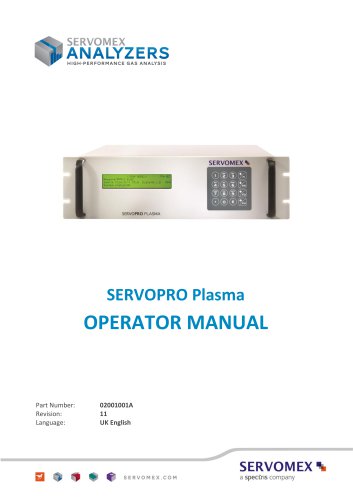 SERVOPRO Plasma Operator Manual
78 Pages
 ES 39 Sustainability
11 Pages
 ES 38 Korea Special
19 Pages
 ES 37 Clean Air part II
11 Pages
 ES 36 Purity & Specialty
11 Pages
 ES 35 Photometric Analysis
11 Pages
 ES 34 70th Anniversary
15 Pages
 ES30 Air Separation Units
11 Pages
 ES 29 Clean Air
11 Pages
 ES 28 Gas Analysis Applications
11 Pages
 Sensing Technologies
13 Pages
 DF760E Operator Manual
182 Pages
 DF750 Operator Manual
112 Pages
 DF745SGMax Operator Manual
90 Pages
 DF-740 Operator Manual
87 Pages
 DF-730 Operator Manual
82 Pages
 DF560E Operator Manual 082616
146 Pages
 DF550E Operator Manual 082616
134 Pages












Archived catalogs
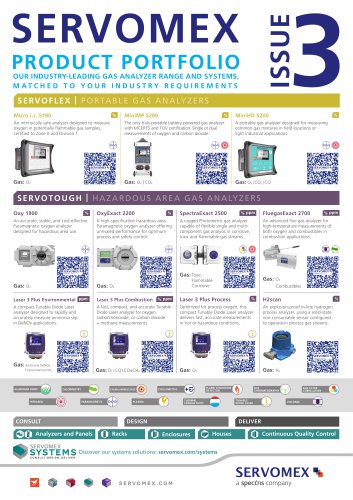
 Servomex Product Portfolio
2 Pages
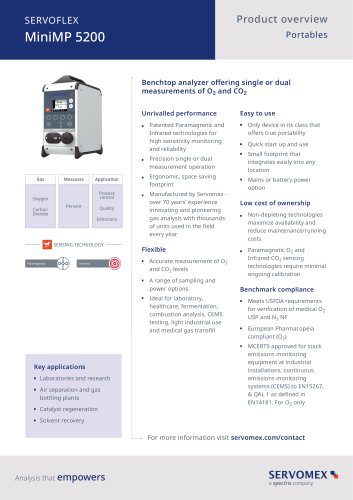 SERVOFLEX MiniMP 5200
7 Pages
 Servomex Product Guide - Issue 8
15 Pages
 Servomex Service Guide - Issue 3
13 Pages
 Servomex Gas Guide - Issue 4
76 Pages
 SERVOPRO HFID
4 Pages
 SERVOPRO NOx
4 Pages
 Servomex Product Guide Issue 7
13 Pages
 Servomex Service Guide Issue 2
11 Pages
 Servomex GAS GUIDE issue 3
77 Pages
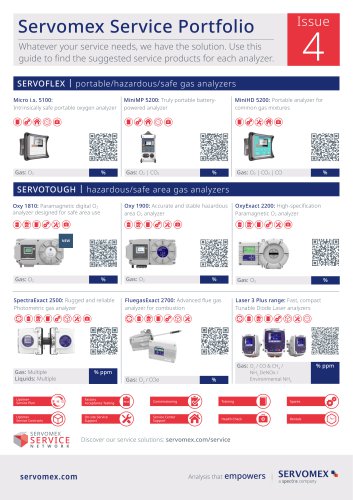
 Servomex Service Portfolio
2 Pages
 SERVOTOUGH H2 Scan
2 Pages
 SERVOTOUGH SpectraScan 2400
2 Pages
 Servomex Gas Guide 2022
65 Pages





- SERVOMEX gas analyzer
- SERVOMEX concentration analyzer
- SERVOMEX monitoring analyzer
- Liquids analyzer
- Automatic analyser
- SERVOMEX benchtop analyzer
- Solids analyser
- SERVOMEX process analyzer
- SERVOMEX portable analyzer
- Continuous analyzer
- Real-time analyzer
- SERVOMEX integration analyzer
- SERVOMEX oxygen analyzer
- Laboratory analyzer
- SERVOMEX compact analyzer
- SERVOMEX digital analyzer
- Infrared analyser
- Calibration analyzer
- Waterproof analyzer
- Temperature analyzer