

- Company
- Products
- Catalogs
- News & Trends
- Exhibitions
DF-740 Operator Manual

DF-740 Operator Manual
The NanoTrace Moisture Analyzer DF-740, manufactured by Servomex Corporation, adheres to ISO-9001 standards, ensuring high quality. It is tested and calibrated with NIST traceable gases for long-term stability.
Unpacking Procedure
Inspect the packaging for damage and verify contents against the packing slip. Report discrepancies immediately. Included items are a power cord, VCR filter gasket, vacuum pump assembly, USB memory stick, and instruction manual.
Installation and Maintenance
Proper installation and maintenance are crucial. Users should be familiar with Ultra-High Purity gas handling. Minimal maintenance is required, but zero calibration intervals must be followed.
Specifications
Detailed specifications for moisture measurement and operational parameters are provided.
Installation, Start Up, and Shut Down
Instructions for gas and electrical connections, startup, and shutdown are detailed. Proper gas pressure and flow settings are essential.
Options and Connectivity
Options include key lock, voltage adjustments, and serial communications. Connections to external devices are supported via serial ports, analog outputs, and relay ports.
User Interface
The interface includes a display screen and keypad for operations like isolating the analyzer, restoring gas flow, calibration, and diagnostics.
Service and Maintenance
Guidelines for obtaining a Return Material Authorization number, maintenance procedures, and a list of replaceable parts are provided. Troubleshooting tips and shipping instructions are included.
Theory of Operation
The principles of moisture measurement using IR spectrum and absorption spectroscopy are explained.
Safety and Warranty
Safety precautions and warranty information ensure safe and reliable use.
Appendices
Additional resources include user menu screens and an index for quick reference.
The document includes a list of figures and tables detailing screens, menus, and components related to the analyzer.
Cautions
Adherence to operational procedures is emphasized to avoid damage and ensure safety. The analyzer is designed for inert, non-toxic, non-combustible gases only.
Specifications
Specifications include detection level, resolution, accuracy, speed of response, and range. It is compatible with ammonia, hydrogen, and nitrogen gases.
Installation, Start Up, and Shut Down
Installation involves connecting the sample gas line, mounting the vacuum pump, and making power connections.
Analyzer Installation
- Gas Connections: Connect via a ¼ inch male swivel VCR fitting. Pre-purge the line with N2 gas for 15 minutes.
- Vacuum Pump Installation: Mount within 8 feet of the analyzer.
- Sample Gas Outlet Connection: Use Teflon tubing to connect the outlet fitting.
- Pneumatic Pressure Line Connection: Requires 60-100 psig air or N2 pressure.
- Ensure the power switch is off before connecting the line cord.
- The analyzer undergoes diagnostic procedures and a warm-up period upon power-up.
- Gas Delivery System: Delivers a gas flow rate of 0.25 liters per minute.
- Gas Pressure and Flow Settings: Adjust the process gas inlet pressure to 9-15 psi.
- Short Term: Shut off the power switch.
- Long Term: Use the system menu to isolate the analyzer.
- Key Lock: Prevents access to internal components.
- Operating Voltage: Can be set for 100-120 Volts AC or 200-240 Volts AC.
- Serial Communications: Options for RS-232 or RS-485.
- Analog Voltage Output: Factory set for various voltage outputs.
- Supports alarm contacts, voltage, and current outputs, and serial communications.
Detailed pin-out for relay connectors J8 and J9 is provided.
Fail Safe Operation
Relays are wired for Fail Safe operation.
User Interface Overview
The interface includes alarm status indicators, data lines, and gas pressure indicators.
Keypad and Menu Navigation
The keypad allows control over features, with keys for menu navigation and numerical entry.
Isolate and Restore Functions
Isolates internal gas lines and moisture sensing cell.
Gas Valves Control
Manages gas flow through the moisture cell.
Calibration and Zeroing
Options for checking and adjusting zero settings.
Data History and Download
Displays historical data with options to download.
Location Management
Set, view, and add locations for data logging.
Allows removal of a location from the list.
View Logs Menu
Access to past events related to operational changes.
Zero Log
Records adjustments to the moisture cell zero setting.
System Error Codes
Reports functional errors in the moisture system.
Pump Capacity Test Log
Assesses the vacuum pump's condition.
Analyzer Setup
Sample GSF: Setup for accurate results.
Fan Failure: Monitors exhaust fans.
Alarm Setup: Includes seven alarms for various parameters.
Defines the voltage or current output range.
Graph Setup
Adjusts the time scale on the main data display.
Diagnostics Menu
Active Zero On/Off: Compensates for zero baseline cleanup.
Zero Offset Adjustment
Process of adjusting the zero offset.
Test Relays
Ensures relay outputs function correctly.
Test Analog Voltage Output
Calibrates the analog recorder output.
Signal Monitor
Displays system parameters for diagnostics.
Pump Capacity Test
Evaluates the vacuum pump's capacity.
Adjust Contrast
Modifies the display screen contrast.
Power Up Default
Sets default states for analyzer power-up.
Date/Time Settings
Sets calendar and clock parameters.
Communications Setup
Parameters for serial PC communications.
Download System Data
System data can be downloaded for troubleshooting.
System Info
Provides configuration and firmware version information.
Firmware Upgrade
Upgrade firmware using a USB stick.
Service and Maintenance
Includes procedures for returning materials and maintenance.
Troubleshooting
Guidance for addressing system alarms and errors.
Shipping Instructions
Details on preparing the analyzer for shipment.
Theory of Operation
Explains the use of infrared absorption for moisture detection.
Provides technical specifications, safety instructions, warranty details, and operational guidelines.
Specifications and Measurements
Explains the use of molecular cross-section and density in measuring concentrations.
Safety Instructions
Critical safety warnings regarding hazardous AC voltages.
Warranty Information
Covers defects in materials and workmanship for one year.
Operational Guidelines
Includes instructions on installation, setup, and operation.
Index and Appendices
An extensive index is provided for quick reference.
Conclusion
Serves as a comprehensive guide for the safe and effective use of the analyzer.
Catalog excerpts

NanoTrace Moisture Analyzer DF-740 OPERATOR MANUAL
Open the catalog to page 1
Copyright 2011 by Servomex Corporation No part of this publication may be reproduced, stored in a retrieval system or transmitted in any form, or by any means including electronic, mechanical, photocopying, recording or otherwise without prior written permission of Servomex Corporation. NanoTrace Moisture Analyzer is a trademark of Servomex Corporation. VCR is a registered trademark of the Cajon Company
Open the catalog to page 2
DF-740 Operator Manual Manual Version 120413 Your NanoTrace Moisture Analyzer has been designed, manufactured and is supported under ISO-9001 controls, thus helping to insure the highest possible standards of quality. Every analyzer that Servomex manufactures is tested and operated on a variety of gas concentrations to insure that it functions properly when you receive it. The certificate of calibration assures your analyzer has been calibrated on gases that are traceable to NIST standards. With proper maintenance, your analyzer should remain calibrated for years. For a fast and successful startup,...
Open the catalog to page 3
Read Me First… Unpacking Procedure Follow the procedure below to unpack your NanoTrace Moisture Analyzer 1. Examine the condition of the packaging and its contents. If any damage is apparent, immediately notify the carrier and Servomex. Do not proceed with the installation. 2. Check the contents against the packing slip to make sure the shipment is complete. Unattached equipment may be shipped with the analyzer in supplemental packaging. Shortages should be reported to Delta F immediately. 3. All NanoTrace Moisture Analyzers are shipped with the following: Item Part Number Power cord with 115...
Open the catalog to page 4
Thank You Thank you for selecting the NanoTrace Moisture Analyzer. Seromex designs, manufactures, exhaustively tests, and supports every analyzer under the tightest quality controls. You should expect every Servomex analyzer to arrive in perfect working order and, with good maintenance, provide years of trouble-free service. Please call your nearest Servomex Business Center if you need assistance.
Open the catalog to page 5
3 Cautions There are a number of warnings and cautions that must be observed to avoid damage to the analyzer as well to insure the safety of its users. The analyzer must be operated in a manner specified in this manual. Servomex cannot be responsible for direct or consequential damages that result from installing or operating the analyzer in a manner not described in this manual. Importantly, the analyzer has been designed for use with inert, non-toxic, non-combustible sample gases only. Servomex cannot be responsible for direct or consequential damages that result from using the analyzer with...
Open the catalog to page 13
CAUTION Do not setup or operate this analyzer without a complete understanding of the instructions in this manual. Do not connect this Analyzer to a power source until all signal and plumbing connections are made. CAUTION This analyzer must be operated in a manner consistent with its intended use and as specified in this manual. EMI DISCLAIMER This Analyzer generates and uses small amounts of radio frequency energy. There is no guarantee that interference to radio or television signals will not occur in a particular installation. If interference is experienced, turn-off the analyzer. If the interference...
Open the catalog to page 14
4 Specifications NOTE – All specifications assume Ammonia background gas. 4.1 Moisture Lowest Detection Level (LDL): 10 ppb @ Constant Conditions Resolution: Analytical (Smallest Detectable Change): 2 ppb Display: 100 ppt Accuracy: Greater of ±5% of reading or ± 5 ppb @ Constant Conditions Speed of Response: Typically 15 minutes to reach 90 percent of an upward step change Upset Recovery Time: Typically less than 5 minutes from a high ppb upset to within 10 ppb of the previously stable reading. Range: 0-10 ppm Background Gas Compatibility: Ammonia, Hydrogen, and Nitrogen gases Return Pressure:...
Open the catalog to page 15
Audible/Visual Alarm Status Indicators: Four Moisture levels, Temperature, Moisture cell Diagnostic, Zero Verification or Calibration in Process, Moisture Analyzer off-line, Analog output freeze during calibration. Alarm Relays: Four non-latching, independently assignable to moisture alarms or to moisture calibration-in-process indicator. SPDT contacts rated at 1 Amp @ 30 VDC. Fail safe action upon loss of power to alarm condition. Not designed to switch AC power. Storage Temperature: Not to exceed 50° C (122° F) Construction: NEMA 1, 19 inch rack mount Dimensions: 19 inch (48.3cm) wide x 10.5...
Open the catalog to page 16
Figure 1: Overall View
Open the catalog to page 17
5 Installation, Start Up and Shut Down Installation of the analyzer requires the following steps be followed: Connecting the sample gas line to the inlet fitting Mounting the vacuum pump Connecting the line from the sample outlet to the needle control valve and vacuum pump Connecting the pneumatic pressure service to the pneumatic inlet fitting Making the power connection to the vacuum pump Making the power connection to the analyzer POWER SWITCH Figure 2: Major Internal Components Installation, Start Up and Shut Down
Open the catalog to page 19
5.1 Analyzer Installation 5.1.1 Gas Connections 5.1.1.1 Sample Gas Inlet Connection Sample gas is connected to the analyzer via a ¼ inch male swivel VCR fitting at the rear of the instrument as shown in Figure 3. Sample pressure of 9-15 psig is required and is regulated by a customer supplied regulator. Use a VCR filter gasket (supplied) to protect the gas delivery system from any particulate matter. Pre-purge the line with N2 gas by connecting to the analyzer (with a new VCR filter gasket) only finger tight and flowing gas for 15 minutes. When power is applied to the analyzer, the internal gas...
Open the catalog to page 20
PROCESS INLET PROCESS OUTLET Figure 3: Rear Panel Gas Connections and Controls Ø.28 [Ø7.14] 4 PL MOUNTING FOR BOTTOM OF BRACKET Ø.28[Ø7.14] 4 PL MOUNTING FOR REAR OF BRACKET Ø.28 [Ø7.14] 4 PL MOUNTING FOR LEFT OR RIGHT SIDE OF BRACKET Figure 4: Vacuum Pump Mounting Dimensions Installation, Start Up and Shut Down
Open the catalog to page 21All SERVOMEX catalogs and technical brochures
 Gas Guide Issue 6
74 Pages
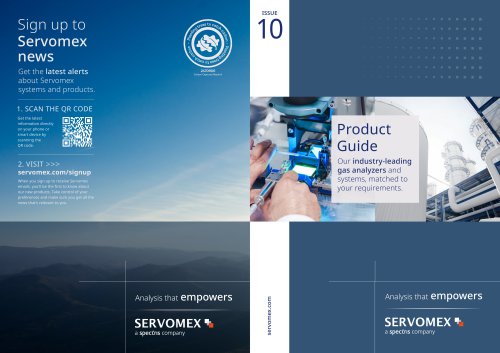 Product Guide Issue 10
14 Pages
 Service Guide Issue 5
12 Pages
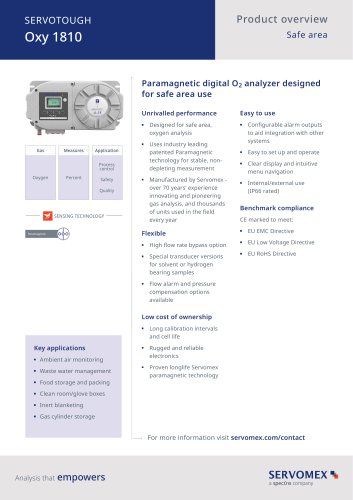 SERVOTOUGH Oxy 1810
9 Pages
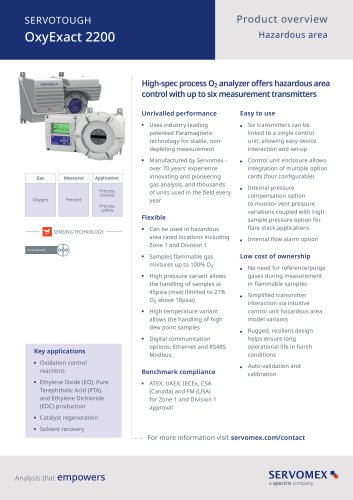 SERVOTOUGH OxyExact 2200
16 Pages
 SERVOPRO 4900 Multigas
10 Pages
 SERVOPRO PureGas
4 Pages
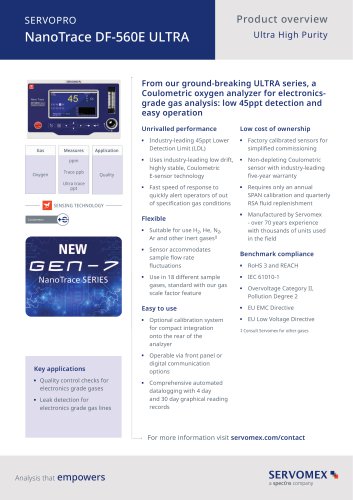
 DF560E Operator Manual
144 Pages
 DF-745 Operator Manual
112 Pages
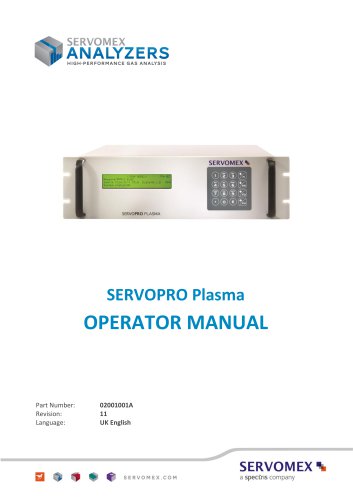 SERVOPRO Plasma Operator Manual
78 Pages
 ES 39 Sustainability
11 Pages
 ES 38 Korea Special
19 Pages
 ES 37 Clean Air part II
11 Pages
 ES 36 Purity & Specialty
11 Pages
 ES 35 Photometric Analysis
11 Pages
 ES 34 70th Anniversary
15 Pages
 ES30 Air Separation Units
11 Pages
 ES 29 Clean Air
11 Pages
 ES 28 Gas Analysis Applications
11 Pages
 Sensing Technologies
13 Pages
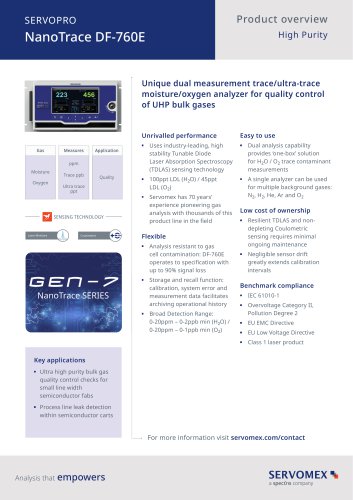
 DF760E Operator Manual
182 Pages
 DF750 Operator Manual
112 Pages
 DF745SGMax Operator Manual
90 Pages
 DF-730 Operator Manual
82 Pages
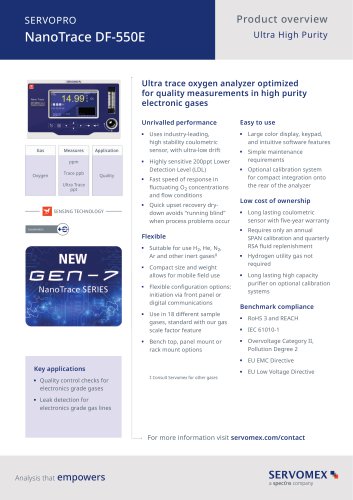
 DF560E Operator Manual 082616
146 Pages
 DF550E Operator Manual 082616
134 Pages












Archived catalogs
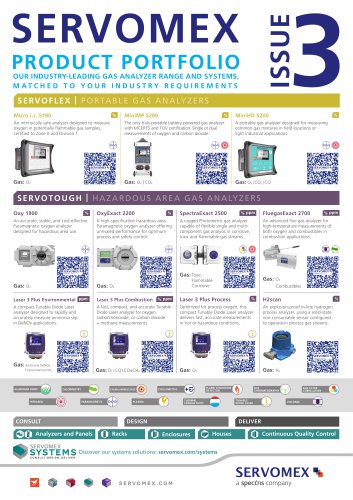
 Servomex Product Portfolio
2 Pages
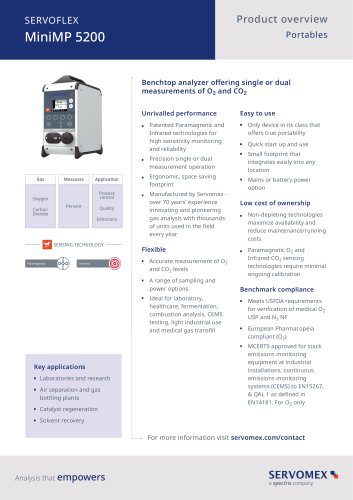 SERVOFLEX MiniMP 5200
7 Pages
 Servomex Product Guide - Issue 8
15 Pages
 Servomex Service Guide - Issue 3
13 Pages
 Servomex Gas Guide - Issue 4
76 Pages
 SERVOPRO HFID
4 Pages
 SERVOPRO NOx
4 Pages
 Servomex Product Guide Issue 7
13 Pages
 Servomex Service Guide Issue 2
11 Pages
 Servomex GAS GUIDE issue 3
77 Pages
 Servomex Service Portfolio
2 Pages
 SERVOTOUGH H2 Scan
2 Pages
 SERVOTOUGH SpectraScan 2400
2 Pages
 Servomex Gas Guide 2022
65 Pages




- SERVOMEX gas analyzer
- SERVOMEX concentration analyzer
- SERVOMEX monitoring analyzer
- Liquids analyzer
- Automatic analyser
- SERVOMEX benchtop analyzer
- Solids analyser
- SERVOMEX process analyzer
- SERVOMEX portable analyzer
- Continuous analyzer
- Real-time analyzer
- SERVOMEX integration analyzer
- SERVOMEX oxygen analyzer
- Laboratory analyzer
- SERVOMEX compact analyzer
- SERVOMEX digital analyzer
- Infrared analyser
- Calibration analyzer
- Waterproof analyzer
- Temperature analyzer