
- Catalogs
- Servo-Matik
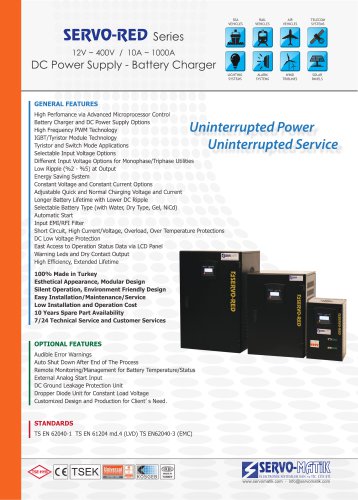
- SERVO-RED SERIES BATTERY CHARGERS


SERVO-RED SERIES BATTERY CHARGERS
SERVO-RED SERIES BATTERY CHARGERS
This manual provides detailed instructions for installing and operating the SERVO-RED series battery chargers. Users should read it thoroughly to prevent damage and ensure proper functioning. For issues, contact the service center.
Safety Precautions
Do not open the device cover due to shock hazards. Only authorized personnel should perform maintenance. Ensure proper grounding and avoid operating in explosive environments or direct sunlight. Avoid metal items during installation.
User Errors
Common errors include connecting abnormal loads, incorrect cable connections, changing fuse rates, and exposing the device to unsuitable conditions, which can void the warranty.
Design and Operation
The charger includes a transformer, thyristor block, control board, and display panel. It supports fast and buffer charging modes with adjustable voltage and current settings.
Physical and Technical Features
Dimensions and technical specifications such as input voltage, frequency, and output current are provided. The device features a full automatic microprocessor control system and complies with CE and ISO-9001 standards.
Installation
Check for transportation damage during unpacking. Transport upright and install in a well-ventilated area. Use specific cable sizes for electrical connections, and ground the device before other connections.
User Instructions
Instructions for starting up with mains AC power or battery power only are provided. The shutdown procedure involves turning off connected loads and circuit breakers sequentially.
Menu Navigation
The front panel features navigation buttons for six main menus: Displays, Warnings, Settings, System, Calibration, and Parameters, allowing users to view and adjust operational settings.
Displays changes in operation status, modes, and faults, recording up to 1024 events/warnings in real-time for troubleshooting. Events are shown chronologically, with older events overwritten when the limit is exceeded.
Warnings/Events/Errors List
Provides a detailed list of warnings, including input voltage and frequency issues, battery voltage levels, overloads, temperature warnings, and rectifier statuses.
Settings Menu
Allows adjustments to charging voltages, currents, and time.
System Menu
Users can configure buzzer, date/time, language, and password settings.
Calibration Menu
Displays options for voltage and current calibration.
Parameters Menu
Shows tolerance and limit settings.
Maintenance & Service
Only authorized personnel should perform maintenance and service. The device is designed for safe operation by trained personnel. Its lifetime is five years, with preventive maintenance recommended every two years.
Troubleshooting
Provides diagnostic steps for common issues such as non-starting front panels, over-temperature warnings, incorrect voltage settings, lack of output power, and overload warnings. Solutions include checking fuses, breakers, ventilation, and contacting service for internal faults.
Warranty Conditions
The warranty starts from the invoice date and covers all equipment. Repairs during the warranty period extend the warranty time. If repairs exceed 15 days, a replacement device must be provided. Warranty does not cover misuse or non-compliance with the manual.
Catalog excerpts

SERVO-RED SERIES BATTERY CHARGERS USER MANUAL SERVO-MATİK ELECTRONIC SYSTEMS Ortabayır Mah. Dereboyu Cad. No:110 34410 Gültepe / Kağıthane / İstanbul [email protected] +90 212 211 22 85 2017
Open the catalog to page 1
SERVO-MATIK ELECTONIC SYSTEMS SERVO-RED SERIES BATTERY CHARGERS
Open the catalog to page 2
SERVO-MATIK ELECTONIC SYSTEMS SERVO-RED SERIES BATTERY CHARGERS INTRODUCTION This User Manual includes all the information for installation and operation of SERVO-RED series BATTERY CHARGERS. Read the manual carefully before operating the system. Follow all the instructions in the correct order. Read the warnings in the manual. Make sure you read the manual carefully when you want to perform an action on the charger. Otherwise the device can be damaged. Contact with the service center via phone number/e-mail on the first cover of this manual if a problem occurs. CAUTION Shock danger! Do not open...
Open the catalog to page 3
SERVO-MATIK ELECTONIC SYSTEMS SERVO-RED SERIES BATTERY CHARGERS • Connection of abnormal loads that excedeeds device nominal power rate, • Wrong connection of input, output and battery cables, • Changing phase sequence of input(3 phase models), • Changing fuse rates of input, output and batteries, • Changing batteries, battery numbers • Making reverse connection of batteries, • Changing place of and device settings without information of SERVO-MATiK Electronic Systems • Being exposed to physical damage to Device or gotten harm • Being kept out of normal environmental conditions or worked of device.(Temperature,...
Open the catalog to page 4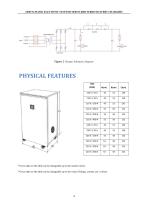
SERVO-MATIK ELECTONIC SYSTEMS SERVO-RED SERIES BATTERY CHARGERS PHYSICAL FEATURES TYPE * Given data on the table can be changeable up to the model variety.*Given data on the table can be changeable up to the value (Voltage, current, etc.) variety. 4
Open the catalog to page 5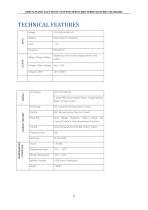
SERVO-MATIK ELECTONIC SYSTEMS SERVO-RED SERIES BATTERY CHARGERS TECHNICAL FEATURES INPUT
Open the catalog to page 6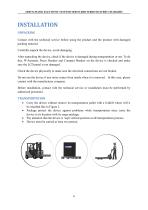
SERVO-MATIK ELECTONIC SYSTEMS SERVO-RED SERIES BATTERY CHARGERS INSTALLATION UNPACKING Contact with the technical service before using the product and the product with damaged packing material. Carefully unpack the device, avoid damaging. After unpacking the device, check if the device is damaged during transportation or not. To do this, W-Automat, Pacco Breaker and Compact Breaker on the device is checked and make sure the LCD panel is not damaged. Check the device physically to make sure the electrical connections are not broken. Do not run the device if any noise comes from inside when it...
Open the catalog to page 7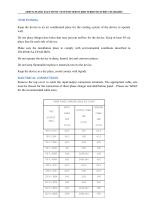
SERVO-MATIK ELECTONIC SYSTEMS SERVO-RED SERIES BATTERY CHARGERS Keep the device in an air conditioned place for the cooling system of the device to operate well. Do not place things/close holes that may prevent airflow for the device. Keep at least 50 cm place free for each side of device. Make sure the installation place to comply with environmental conditions described in TECHNICAL FEATURES. Do not operate the device in dusty, humid, hot and corrosive places. Do not keep flammable/explosive materials next to the device. Keep the device in a dry place, avoid contact with liquids. Remove the...
Open the catalog to page 8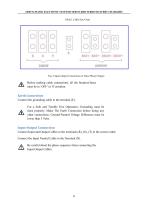
SERVO-MATIK ELECTONIC SYSTEMS SERVO-RED SERIES BATTERY CHARGERS Table2. Cable Size Chart Fig–3 Input-Output Connections in Three Phase Charger Before making cable connections, all the breakers/fuses must be in ‘OFF’ or ’0’ position. Earth Connection Connect the grounding cable to the terminal (E) . For a Safe and Trouble Free Operation, Grounding must be done properly. Make The Earth Connection before doing any other connections. Ground-Neutral Voltage Difference must be lower than 3 Volts. Input-Output Connection Connect Input and Output Cables to the terminals (R), (S), (T) in the correct order....
Open the catalog to page 9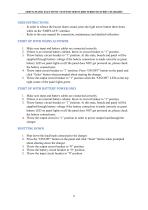
SERVO-MATIK ELECTONIC SYSTEMS SERVO-RED SERIES BATTERY CHARGERS - In order to silence the buzzer alarm sound, press the right arrow button three times while on the “DISPLAYS” interface. - Refer to the user manual for connection, maintenance and detailed utilization. 1. Make sure input and battery cables are connected correctly. 2. If there is an external battery cabinet, throw its circuit breaker to “1” position. 3. Throw battery circuit breaker to “1” position. At this state, boards and panel will be supplied through battery voltage if the battery connection is made correctly as green battery...
Open the catalog to page 10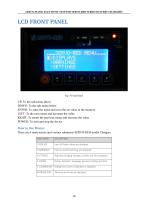
SERVO-MATIK ELECTONIC SYSTEMS SERVO-RED SERIES BATTERY CHARGERS UP: To the sub-menu above DOWN: To the sub-menu below ENTER: To enter the menu and save the set value in the memory. LEFT: To the next menu and decrease the value. RIGHT: To return the previous menu and increase the value POWER: To start and stop the device There are 6 main menus and various submenus SERVO-RED model Chargers.
Open the catalog to page 11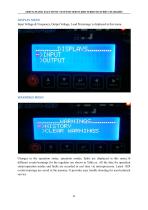
SERVO-MATIK ELECTONIC SYSTEMS SERVO-RED SERIES BATTERY CHARGERS Input Voltage & Frequency, Output Voltage, Load Percentage is displayed in this menu. CLEAR WARNIHGS Changes in the operation status, operation modes, faults are displayed in this menu.16 different events/warnings for the regulator are shown in Table.xx. All the data for operation status/operation modes and faults are recorded in real time via microprocessor. Latest 1024 events/warnings are saved in the memory. It provides easy trouble shooting for user/technical service
Open the catalog to page 12
SERVO-MATIK ELECTONIC SYSTEMS SERVO-RED SERIES BATTERY CHARGERS When the menu is entered, the past events are displayed in the chronological order from the present to the past by pressing down button. When the number of the events/warnings exceeds 1024, new events are saved and the oldest events are deleted. List for Warnings/Events/Errors for SERVO-RED CHARGER
Open the catalog to page 13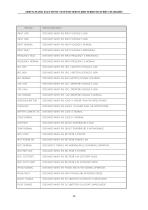
SERVO-MATIK ELECTONIC SYSTEMS SERVO-RED SERIES BATTERY CHARGERS
Open the catalog to page 14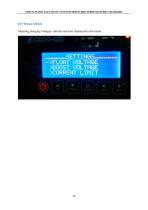
SERVO-MATIK ELECTONIC SYSTEMS SERVO-RED SERIES BATTERY CHARGERS SETTINGS MENU Adjusting charging voltages, currents and time displayed in this menu.
Open the catalog to page 15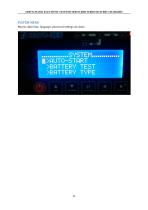
SERVO-MATIK ELECTONIC SYSTEMS SERVO-RED SERIES BATTERY CHARGERS SYSTEM MENU Buzzer, date/time, language, password settings are done.
Open the catalog to page 16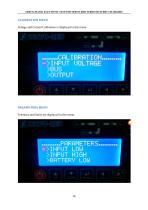
SERVO-MATIK ELECTONIC SYSTEMS SERVO-RED SERIES BATTERY CHARGERS Voltage and Current Calibration is displayed in this menu. Tolerance and limits are displayed in this menu. ->IMPUT LOW >INPUT HIGH >BATTERV LOW
Open the catalog to page 17All Servo-Matik catalogs and technical brochures
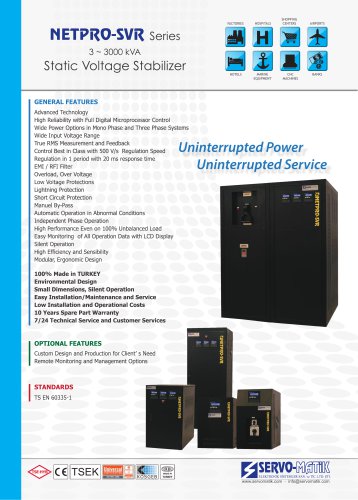 Static Voltaqe Stabilizer
2 Pages
 SERVO-INV
21 Pages
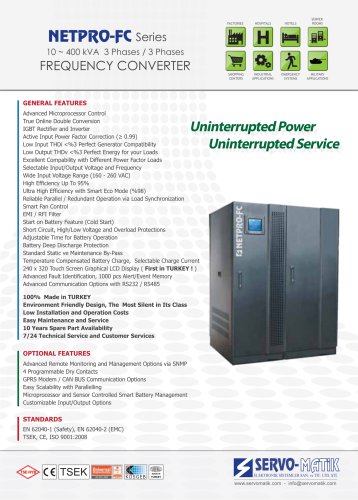 FREQUENCY CONVERTER
2 Pages
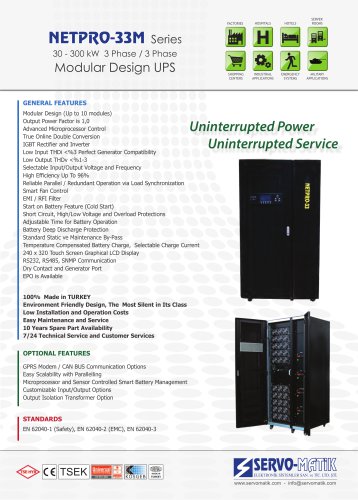 Modular Design UPS
2 Pages
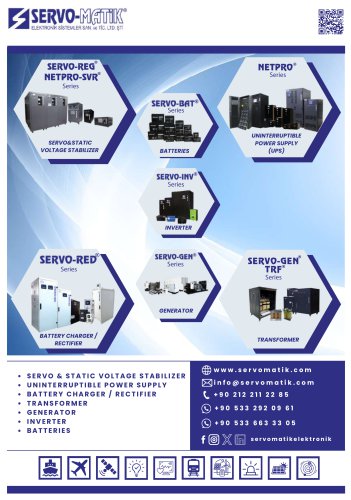 Servo-Matik Catalog
16 Pages
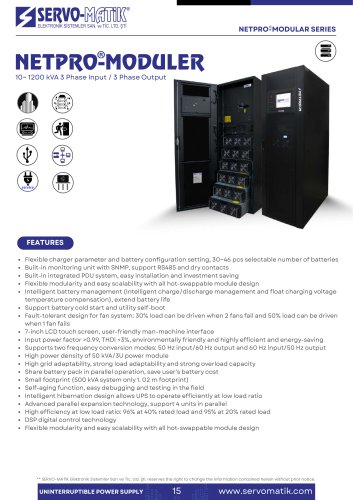 NETPRO MODULER
4 Pages
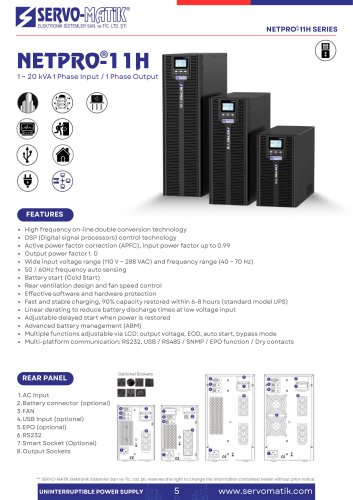 NETPRO-11H
2 Pages
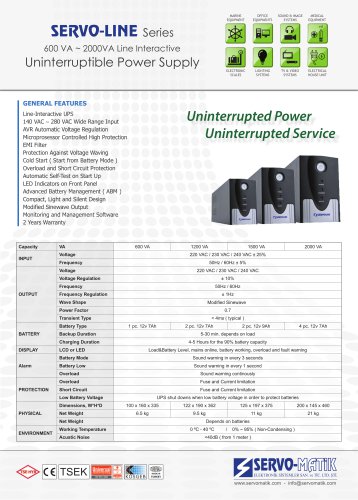
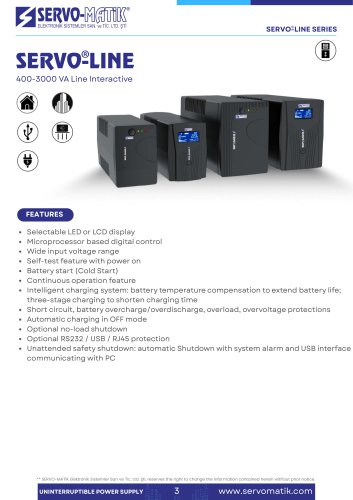 SERVO-LINE
2 Pages
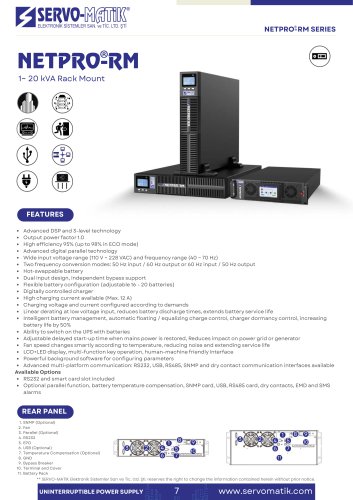 NETPRO-RM
2 Pages
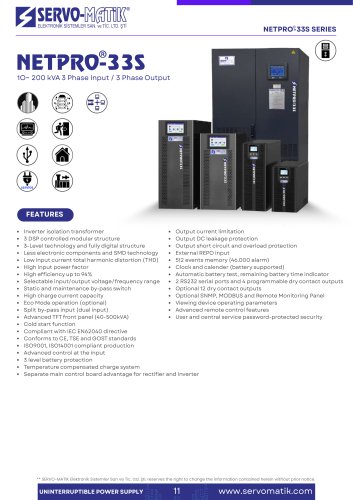 NETPRO-33S
2 Pages
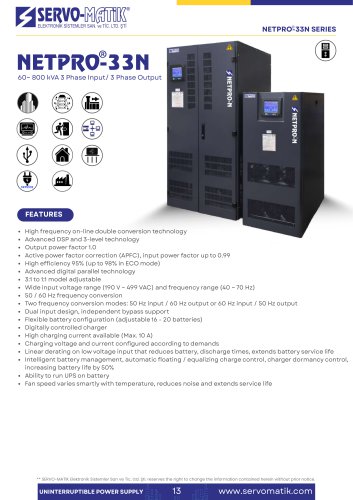 NETPRO-33N
2 Pages
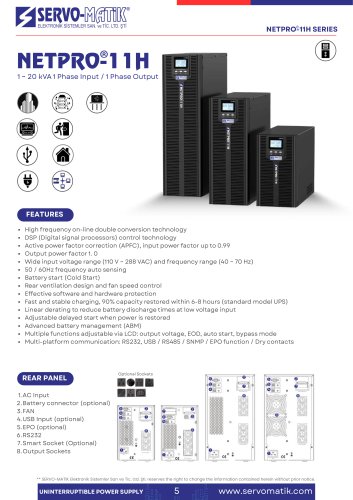 NETPRO-11H
2 Pages
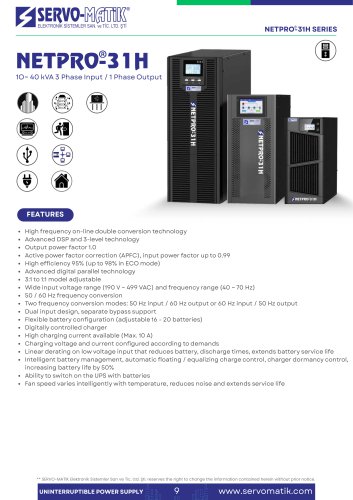 NETPRO-31H
2 Pages
 SERVO- RED
11 Pages
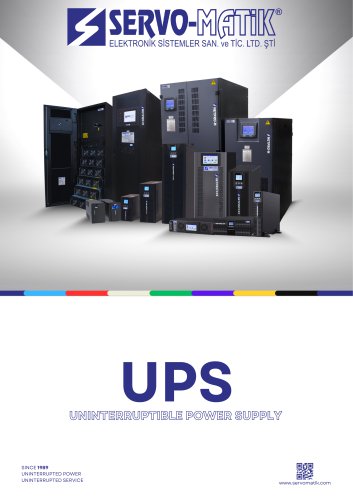 UPS UNINTERRUPTIBLE POWER SUPPLY
23 Pages
- Dry transformer
- Single-phase transformer
- Industrial transformer
- On-line UPS
- Isolation transformer
- Three-phase transformer
- Industrial UPS
- AC buffered power supply
- Single-phase UPS
- Floor-standing transformer
- Three-phase UPS
- UPS with LCD display
- Data center UPS
- Network UPS
- Compact UPS
- AC voltage stabilizer
- Eco mode UPS
- Current rectifier
- Automatic voltage stabilizer