


SAP NetWeaver ILM 702 Release Note

SAP NetWeaver ILM 702 Release Note
Product Version: SAP ERP 6.0 Enhancement Package 5 SP03 (SAP NetWeaver 7.0 Enhancement Package 2 SP06).
Area: BC-ILM.
Country Relevance: Valid for all countries.
SAP introduces new roles for SAP NetWeaver ILM functions, providing complete or limited access to functions based on administration rights. These roles facilitate the use of ILM in application systems.
The term "audit package" replaces "work package" for standardization purposes.
An audit area defines the content and purpose of checks, such as tax audits. Retention rules are based on audit areas, and audit package templates can be created for data analysis in SAP NetWeaver BW.
A new Web Dynpro-based application allows for the management of retention rules and policies, including importing and exporting in XML format.
The new Audit Trail component logs changes across the Business Suite, replacing the Electronic Records function for broader application logging.
Enhanced to allow destruction of archived data and attachments, with the ability to change expiration dates for snapshots and invalidate URIs.
ILM functions now support multiclient processing, enabling the use of a single Retention Warehouse system for multiple business lines.
New functions for automating data transfer and archiving during system decommissioning, including checksums for data completeness verification.
Supplied content can be used for tax auditing or product liability checks, requiring activation of specific business functions.
Attachments linked to business objects can be displayed directly from a BW Query.
Archived data can be evaluated without BW, allowing data export for external processing.
A new function allows copying or merging of audit areas, with options to include related audit package templates.
Simplified view maintenance is available, supporting step-by-step creation of data views.
Catalog excerpts
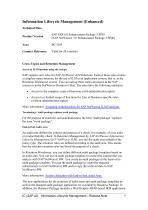
Information Lifecycle Management (Enhanced) Technical Data Product Version SAP ERP 6.0 Enhancement Package 5 SP03 (SAP NetWeaver 7.0 Enhancement Package 2 SP06) Country Relevance Cross-Topics and Retention Management Access to ILM functions using the cockpit SAP supplies new roles for SAP NetWeaver ILM functions. Each of these roles creates a complete menu structure for the use of ILM in an application system, that is, in the Retention Warehouse system. You can call up these menu structures in the SAP system or in the NetWeaver Business Client. The roles have the following attributes: Access to the complete scope of functions (with administration rights) Access to a limited scope of functions for Line of Business-specific rules (without administration rights) More information: Assigning Authorizations for SAP NetWeaver ILM Functions Terminology: Audit package replaces work package For the purpose of exactness and standardization, the term "audit package" replaces the term "work package". End-to-End Audit Area An audit area defines the content and purpose of a check, for example, of a tax audit or product liability check. In Retention Management by SAP NetWeaver Information Lifecycle Management (SAP NetWeaver ILM), you use the audit area instead of the policy type. The retention rules are defined according to the audit area. This means that the relevant retention rules are based the purpose of a check. In Retention Warehouse, you can define different audit package templates based on an audit area. You can use an audit package template to restrict the content that you analyze with SAP NetWeaver BW. You create an audit package on the basis of an audit package template. You use the audit package to create the required infrastructure in SAP NetWeaver BW and to copy the archived data to SAP NetWeaver BW. More information: Archive Selection with End-to-End Audit Area The new applications for the creations of audit areas and audit package templates as well as the changed audit package application are available by Business Package. In addition, the Business Package includes a Web Dynpro-ABAP-based IRM application (C) SAP AG Information Lifecycle Management - Release Note
Open the catalog to page 1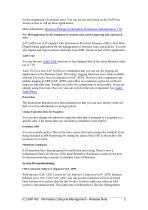
for the assignment of retention rules. You can use the user menu on the SAP Easy Access screen to call up these applications. More information: Business Package for Retention Warehouse Administration 1.50 New IRM application for the assignment of retention rules and the importing and exporting of rules SAP NetWeaver ILM together with Information Retention Manager offers a new Web Dynpro-based application for the management of retention rules and policies. You can now import and export policies and rules in an XML format as part of this application. Audit Trail You use the new Audit Trail functions...
Open the catalog to page 2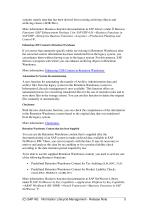
contains mainly data that has been derived from existing archiving objects and archiving classes (ADK files). More information: Business function documentation in SAP Library under Business Functions (SAP Enhancement Package 5 for SAP ERP 6.0) Business Functions in SAP ERP Enterprise Business Functions -ALogistics -aProduction Planning and Control H. Enhancing CDE Content in Retention Warehouse If you notice that enterprise-specific tables are missing in Retention Warehouse after the extracted context information has been transferred from the legacy system, you can enhance them without having...
Open the catalog to page 3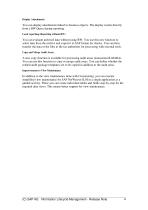
Display Attachments You can display attachments linked to business objects. The display results directly from a BW Query during reporting. Local reporting (Reporting without BW) You can evaluate archived data without using BW. You use this new function to select data from the archive and export it to SAP format for checks. You can then transfer the data or the files to the tax authorities for processing with external tools. Copy and Merge Audit Areas A new copy function is available for processing audit areas (transaction ILMARA). You can use this function to copy or merge audit areas. You can...
Open the catalog to page 4Archived catalogs
 SAP Business Objects
16 Pages
 procurement-solutions-from-sap
12 Pages
 Asset Network
1 Page
 power your innovation
10 Pages
 SAP
SAP32 Pages
 mercedes
3 Pages
 SAP HANA®
7 Pages
 Debt investor Call First Quarter
19 Pages
 Responsive Manufacturing
1 Page
 Manufacturing Network
1 Page


- SAP management software
- SAP automation software
- SAP analysis software
- SAP process software
- SAP real-time software
- Windows software
- Computer-aided design software
- SAP cloud software
- SAP control software
- Design software solution
- SAP monitoring software
- Interface software
- Visualization software solution
- SAP quality software
- Simulation software solution
- Programming software solution
- SAP automated software
- Development software
- SAP network software
- SAP reporting software