


- Company
- Products
- Catalogs
- News & Trends
- Exhibitions
RIEGL Monitoring Apps

RIEGL Monitoring Apps
Overview
The document introduces RIEGL's suite of monitoring applications designed for real-time analysis and processing of scan data using RIEGL terrestrial laser scanners. These apps facilitate remote operation and monitoring, providing users with reliable data for prompt decision-making.
RIEGL Monitoring Apps
The RIEGL Monitor+ App integrates functionalities from the Monitoring App, Design Compare App, and Slope Angle App, offering flexibility and ease of use. It supports various field scenarios, allowing for interruptions in data acquisition and temporary removal of scanners. The app automatically aligns scan positions upon resumption to ensure accurate data comparison.
Key Features
- Multiple Areas of Interest: Users can define different zones with individual scan schedules to enhance productivity, even under adverse conditions.
- Intelligent Filtering: User-defined masks prevent incorrect change detection and automatic alerts.
- Complex Monitoring Scenarios: The app supports complex data acquisition and processing schedules, executing them automatically and providing results via an integrated web viewer.
- Prism/Target Monitoring: The scanner can track targets like a robotic total station, providing trend diagrams of movement and suppressing outliers.
- Automated Alerts: Real-time notifications are provided upon reaching critical thresholds, with adjustable settings directly on the scanner.
- Multiple Viewtype Support: Changes are displayed on various image types via the web viewer.
Technical Specifications
The Monitor+ App runs directly on VZ-i series scanners and the RIEGL CB23 communication box, allowing use with older scanners. Results are accessible via any web browser, enabling secure remote access. The app supports 24/7 operation, even in remote or off-grid conditions, and integrates with local or cloud infrastructure for data synchronization.
Conclusion
The RIEGL Monitor+ App is designed for modern, data-driven operations, providing comprehensive monitoring capabilities and seamless integration into existing network infrastructures.
Catalog excerpts
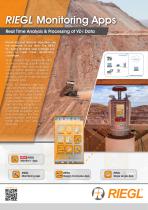
RIEGL Software Real Time Analysis & Processing of RIEGL Scan Data Monitoring and Remote Operation are the keywords of our time. The RIEGL terrestrial laser scanners are ready to meet these demanding challenges. Field Network RIEGL presents four easy-to-use and intuitive monitoring apps that will support users in their daily work, especially in critical situations. Based on reliable real-time data, necessary decisions can be made promptly on a sound basis. RIEGLs 3D terrestrial laser scanners can smoothly be integrated in . any network infrastructure by using LAN, Wi-Fi, and LTE-interfaces, which enables fully remote operation of the scanflgfeSWtl the installation of customized apps for automatic data acquisition and data processing, the user gets automatic real-time results without any user interaction. NEW RIEGL Monitor+ App RIEGL Scheduler Scripts Remote Kinematic Monitor+ Headquarters Network DesignComp Slope Angle Monitoring
Open the catalog to page 1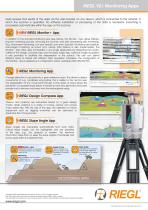
RIEGL Software RIEGL Monitoring AppsKey Features The RIEGL Monitor+ App offers full flexibility in one single application by integrating the functionalities of the Monitoring App, the Design Compare App and the Slope Angle App. The Monitor+ App is designed for maximum flexibility in use. This makes it possible to interrupt data acquisition and even temporarily remove the scanner in sporadic or regular monitoring. So the scanner can also be used for standard surveying tasks. As soon as monitoring is resumed, the Monitor+ app automatically performs scan position alignment to ensure accurate data...
Open the catalog to page 2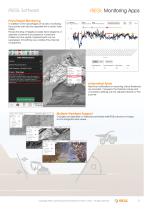
RIEGL Software RIEGL Monitoring AppsPrism/Target Monitoring In addition to the advantages of full area monitoring the scanner can also be operated like a robotic total station. Precise tracking of targets provides trend diagrams of absolute movement and speed of movement. Outliers and low-quality measurements can be suppressed. Smoothing over variable time intervals is supported. Define Phone Numbers Errors / Warnings Mean Change: Max Change: com.riegl.vzi-apps.monitor+app | Threshold of 15.000m3 reached in epoch '250523_075000' of 'Monitoring Alert Zone'. A largest cluster of 23.020m3 was detected....
Open the catalog to page 3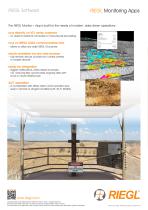
RIEGL Software RIEGL Monitoring Apps The RIEGL Monitor+ App is built for the needs of modern, data-driven operations: runs directly on VZ-i series scanners – no need for external computers or manual post-processing runs on RIEGL CB23 communication box – allows to utilize any older RIEGL VZ-scanner results available via any web browser – fully remote, secure access from control centers or mobile devices – triggers notifications, offers results via simple csv- and png-files, synchronizes ongoing data with local or cloud infrastructure – in combination with RIEGL CB23 communication box; even in...
Open the catalog to page 4All RIEGL LMS catalogs and technical brochures
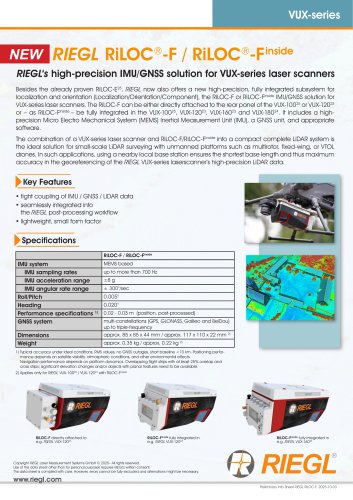 RiLOC-F / RiLOC-F-inside
1 Page
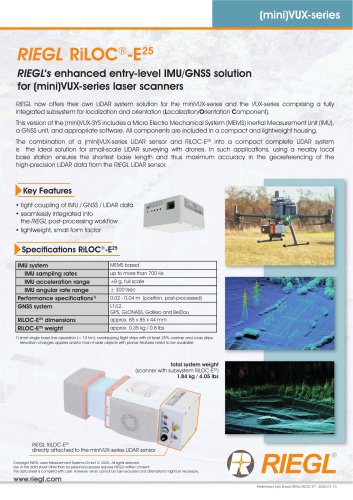 RIEGL RiLOC-E-25
1 Page
 RiACQUIRE
4 Pages
 RIEGL VMX-2HA
8 Pages
 RIEGL VZ-4000i-25
8 Pages
 RIEGL VQ-860-G
6 Pages
 RIEGL VQ-840-GL
6 Pages
 RIEGL VZ-2000i
10 Pages
 RIEGL VQX-1 Wing Pod
4 Pages
 RIEGL VQ-580 II-S
8 Pages
 RIEGL VQ-1560 III-S
10 Pages
 RIEGL VQ-1260
10 Pages
 RIEGL VQ-1460
10 Pages
 RIEGL VPX-1
2 Pages
 RIEGL VMY-1
4 Pages
 RIEGL VQ-680
8 Pages
 RIEGL VMY-2
8 Pages
 RIEGL V-Line CB23
2 Pages
 RIEGL VMQ -1HA
6 Pages
 RIEGL LD05e-A30-PH67
5 Pages
 RIEGL VZ-600i
8 Pages
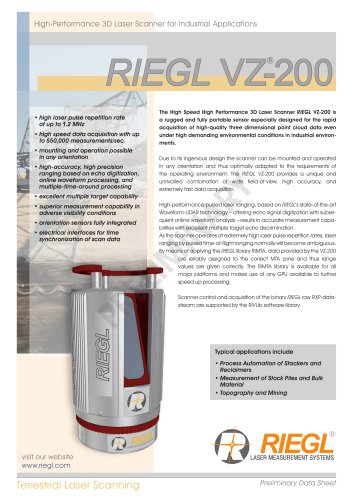 RIEGL VZ-200
6 Pages
 RIEGL VQ-840-G
6 Pages
 RIEGL VQ-840-GE
6 Pages
 RiMINING
4 Pages
 RIEGL VUX-180-24
6 Pages
 RIEGL VUX-240-24
6 Pages
 VUX-160²³
6 Pages
 RIEGL VUX-120²³
8 Pages
 RIEGL miniVUX-3UAV
6 Pages
 RIEGL V-Line UB23
2 Pages
 RIEGL BLS Overview
1 Page
 LIS TreeAnalyzer Plugin
2 Pages
 RIEGL VZ-400i
10 Pages
 RIEGL VMX-RAIL
6 Pages
 LIS GeoTec Plugin
2 Pages
 RIEGL VQ-480 II
6 Pages
 RIEGL VMR
4 Pages
 RDBLib
2 Pages
 RiSOLVE
4 Pages
 RIEGL VQ-1560 II-S
10 Pages
 RIEGL VQ-780 II-S
8 Pages
 RIEGL VQ-780 II
8 Pages
 RIEGL LD05-A10GF
10 Pages
 LD05e-A10, LD05e-A30
4 Pages
 RIEGL VUX-240
6 Pages
 RIEGL VQ-580 II
6 Pages
 RiPROCESS
4 Pages
 RIEGL VQX-2 Helicopter Pod
4 Pages
 RIEGL ULS Overview
1 Page
 RIEGL ALS Overview
1 Page
 RIEGL VMX-2HA-BC
2 Pages
 RIEGL PH-VUX
2 Pages
 RIEGL Topo-Bathymetry
4 Pages
 RIEGL miniVUX-SYS
4 Pages
 RIEGL VUX-1UAV-22
6 Pages
 RIEGL VUX-1HA-22
4 Pages
 RIEGL VUX-1LR-22
6 Pages
 RIEGL UAV Sensors & Systems
2 Pages
 RiSCAN PRO
4 Pages
 RIEGL VUX-SYS
4 Pages
 RIEGL VZ-400i
2 Pages
 RIEGL miniVUX-1UAV
4 Pages
 RiVLib
4 Pages
 RiUNITE
4 Pages
 RIEGL VQ-1560i-DW
10 Pages
 RIEGL VMZ
4 Pages
 RIEGL VZ-6000
6 Pages
 RiPANO
4 Pages
 RIEGL DR1560i
2 Pages
 RiHYDRO
2 Pages
 RIEGL LD05e-HT
4 Pages
 RIEGL LD05-HTGF
13 Pages
 RIEGL VZ-2000i
2 Pages


Archived catalogs
 RIEGL VZ-4000
6 Pages
 RIEGL miniVUX-1LR
4 Pages
 RIEGL miniVUX-2UAV
4 Pages
 RIEGL LD05-A80
5 Pages
- 3D scanning system
- Measurement scanner
- High-resolution scanner
- High-precision scanner
- XY scanner
- Compact scanner
- High-speed scanner
- Portable scanner
- Rangefinder
- Scanning system
- Laser rangefinder
- LIDAR sensor
- LIDAR scanner
- Non-contact scanner
- Integrated scanner
- Mobile scanner
- Wireless scanner
- Ethernet scanner
- Rugged scanner