


View Toolkits

View Toolkits
PTC Creo View Toolkits offer a comprehensive set of APIs designed to enhance visual collaboration across product development organizations. These toolkits enable the creation of interactive web portals, Java applications, and Microsoft Office documents with embedded viewables, facilitating improved communication and collaboration within the supply chain.
Key Benefits
- Enhanced accessibility of viewable data for extended product development teams.
- Increased productivity through high-performance architecture and compressed files.
- Flexible development options to meet unique organizational needs.
- Support for various visual collaboration use cases, including interactive web pages and Microsoft Office documents with embedded 3D data.
Features
- Performance and Scalability: Efficient handling of large assemblies with a scalable architecture.
- Programming Languages: Support for JavaScript and Java, with specific toolkits for web, Java applications, and Microsoft Office integration.
- Interaction and Control: Embedding capabilities in HTML, Java, and Office applications, with features like annotation, camera state capture, and dynamic product structure editing.
Supporting Information
- Includes electronic user manuals, sample code, and data.
Platform Requirements
- Compatible with Microsoft Windows and available in English only.
Note: Product release timings and features are subject to change at PTC's discretion.
Catalog excerpts

Data Sheet Extend or Tailor PTC Creo View Toolkits for Unsurpassed Visual Collaboration FOR PRODUCT DEVELOPMENT ORGANIZATIONS THAT HAVE UNIQUE COLLABORATION NEEDS, PTC CREO VIEW TOOLKITS PROVIDE A RICH SET OF APIS FOR TO ALLOW REUSE OF PTC CREO VISUALIZATION TECHNOLOGY ACROSS THE ORGANIZATION AND THROUGHOUT THE SUPPLY CHAIN. PTC Creo View Toolkits provide customers with a rich set of APIs for creating interactive Web portals, tailored Java® applications, and dynamic Microsoft® Office® documents containing embedded viewables. Imagine the insight gained by having applications, such as simple touch screen displays, for navigating 3D models on the shop floor and highly optimized 3D product navigation Web pages to improve communication with the supply chain. Key Benefits • Make viewable data accessible to your extended product development team in ways never before attainable -- Unlock your visual content throughout your supply chain by providing highly interactive Web pages -- Create stunning Microsoft Office documents containing embedded, interactive 3D data • Gain productivity advantages by using a high-performance architecture and highly compressed files • Support your unique requirements with flexible development options • Allow support for a variety of visual collaboration use cases: -- Infuse high levels of visual interactivity into existing product development applications to support internal team members Interactive Web pages built with PTC Creo View Web Toolkit. Page 1 of 3 | Extend or Tailor PTC Creo View Toolkits for Unsurpassed Visual Collaboration
Open the catalog to page 1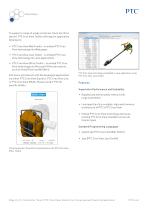
Data Sheet To support a range of usage scenarios, there are three distinct PTC Creo View Toolkit offerings for application • PTC Creo View Web Toolkit - to embed PTC Creo View technology into Web pages • PTC Creo View Java Toolkit - to embed PTC Creo View technology into Java applications • PTC Creo View Office Toolkit - to embed PTC Creo View technology into Microsoft Office documents, such as PowerPoint and MS Word End users will interact with the developed applications via either PTC Creo View Express, PTC Creo View Lite, or PTC Creo View MCAD. Please contact PTC for specific details. creo*...
Open the catalog to page 2
Data Sheet Rich Levels of Interaction and Control Supporting Information • Embed in HTML pages, Java applications, and Microsoft Office applications • Electronic user manuals • Enable interaction with 3D models, 2D drawings, documents, images and ECAD, PCB’s and schematics • Enable the instinctive, task-based PTC Creo View user interface within Web pages or custom applications • Get or set PTC Creo View runtime parameters • Get or set data parameters • Capture camera states (Annotation sets) • Allows annotation set creation, storage and activation • Java API enables dynamic construction and editing...
Open the catalog to page 3All PTC catalogs and technical brochures
 Creo SchematicsTM
4 Pages
 SIMUtATIO CAPABILITI IN CREO
9 Pages
 Vuforia Studio
2 Pages
 PTC X/Server™
4 Pages
 PTC Lex & YACC
2 Pages
 Creo Augmented Reality
2 Pages
 PTC ® Creo ® Illustrate
4 Pages
 PTC ® Creo ® Schematics ™
5 Pages
 PTC Creo ® Parametric ™
7 Pages
 Arbortext_Bro
14 Pages
 Lifecycle Manager ™
5 Pages
 View Design Check
2 Pages
 Mechanism Dynamics Option
3 Pages
 Mold Analysis Extension
3 Pages
 Creo View ECAD
2 Pages
 Creo® View MCAD
3 Pages
 Options_Modeler_DS
2 Pages
 Creo_Layout
2 Pages
 Direct_DS
3 Pages
 Creo_Simulate
3 Pages
 Integrity
4 Pages
 Creo_Schematics
4 Pages
 Windchill_Cost
3 Pages
 Creo_Sketch_DS
2 Pages
 Creo_Parametric_DS
6 Pages
 Windchill
8 Pages
 Creo™ Package Overview
7 Pages


Archived catalogs
 Arbortext
10 Pages
 Windchill
10 Pages
 Pro/ENGINEER
10 Pages
- PTC management software
- PTC automation software
- PTC analysis software
- PTC process software
- PTC real-time software
- Windows software
- PTC CAD software
- PTC cloud software
- Control software
- PTC design software
- Monitoring software solution
- PTC industrial software
- PTC 3D software
- Interface software
- PTC visualization software
- PTC quality software
- Simulation software solution
- Programming software solution
- Automated software
- PTC development software