


Mechanism Dynamics Option

Mechanism Dynamics Option
- Real-World Simulation: Simulate forces such as gravity and friction on a desktop, allowing for early detection and correction of design issues.
- Integrated Design and Analysis: Seamless integration with PTC Creo eliminates data translation errors and speeds up the design process.
- Cost Reduction: Virtual prototyping reduces the need for physical prototypes, cutting costs and reducing time-to-market.
- Quality Improvement: Conducting virtual tests leads to higher quality physical prototypes and products.
- Behavior Simulation: Simulate various forces and perform kinematic and dynamic motion analysis.
- Data Integration: Import behavioral data from applications like PTC Mathcad and Microsoft Excel for performance analysis.
- Advanced Motion Analysis: Analyze complex motion scenarios and create custom force and motor profiles.
- Design and Simulation Integration: Transfer loads to PTC Creo Simulate and set optimization goals for performance studies.
- Eliminate errors and costs associated with data translation.
- Reduce development costs and time by using virtual prototypes.
- Deliver higher quality products faster by incorporating changes early.
- Reduce warranty costs by better estimating product life.
- Create innovative products by evaluating more design ideas with time savings from virtual testing.
Catalog excerpts

Data Sheet PTC Creo Mechanism Dynamics Option ® Analyze Dynamic Forces with a Powerful Prototyping Solution PTC Creo Mechanism Dynamics Option (MDO) allows you to virtually simulate real-world forces and analyze how your product will react to them, Analyze Dynamic Forces with a Powerful Prototyping Solution without building costly physical prototypes. Gaining insight into product behavior early in the design phase allows you to build better products, while saving you time and money. Simulate real-world forces With PTC Creo MDO, you can determine, on a desktop –, how your design will react to dynamic forces such as gravity and friction. Since you can conduct this analysis without having to build a physical prototype, you can perform your tests very early in the design phase when correcting problems is much less costly. Also, when building a physical prototype it’s likely to be of much higher quality as you’ve already completed a series of vigorous tests, virtually. By building fewer physical prototypes, you not only cut costs, but you also reduce time-to-market because you’re building a better quality product that is ‘right the first time.’ Design and analyze concurrently PTC Creo MDO takes advantage of the integrated toolset of PTC Creo. This means there are no errors in data translation from one application to another. Additionally, engineers working with PTC Creo MDO are already familiar with the graphical user interface, as it is the same one used to design the product in PTC Creo. Furthermore, since PTC Creo MDO already leverages the same model data as PTC Creo, you won’t waste time translating data for analysis. After implementing engineering changes, you simply rerun the analysis, generating a higher quality model, faster. Page 1 of 3 | PTC Creo Mechanism Dynamics Option PTC Creo MDO simulates real-world forces, reducing the number of physical prototypes and shortening the design cycle. Key benefits • Eliminate time, effort, and money spent on data translation and associated errors by using fully integrated design and analysis tools • Reduce development costs by creating virtual prototypes for desktop testing • Incorporate changes into the products faster and earlier, and get immediate results from desktop testing • Deliver higher quality products to market first by reducing development time
Open the catalog to page 1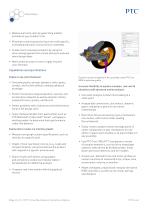
Data Sheet • Reduce warranty costs by generating a better estimate of your product’s life • Eliminate costly manufacturing errors with specific, animated production instructions for assembly • Create more innovative products by using the time-savings gained from virtual testing to evaluate more design ideas • Work within an easy-to-learn, highly intuitive user interface Capabilities and specifications Explore real-world behavior • Simulate gravity, springs, dampers, belts, gears, contact, and friction without creating a physical prototype • Perform kinematic analysis (position, velocity, and...
Open the catalog to page 2
Data Sheet Integrate design and simulation Platform support and system requirements • Transfer reaction, gravity, and inertial loads directly to PTC Creo Simulate™ For the most up-to-date platform support information, please visit the PTC Support Page. • Set design feasibility and optimization study goals for kinematic and dynamic performance For more information, visit: PTC.com/products/creo • Leverage integration with other PTC Creo solutions, such as PTC Creo Simulate and PTC Creo Behavioral Modeling Extension, both for optimization and complete virtual product analysis • Leverage design information...
Open the catalog to page 3All PTC catalogs and technical brochures
 Creo SchematicsTM
4 Pages
 SIMUtATIO CAPABILITI IN CREO
9 Pages
 Vuforia Studio
2 Pages
 PTC X/Server™
4 Pages
 PTC Lex & YACC
2 Pages
 Creo Augmented Reality
2 Pages
 PTC ® Creo ® Illustrate
4 Pages
 PTC ® Creo ® Schematics ™
5 Pages
 PTC Creo ® Parametric ™
7 Pages
 Arbortext_Bro
14 Pages
 Lifecycle Manager ™
5 Pages
 View Design Check
2 Pages
 View Toolkits
3 Pages
 Mold Analysis Extension
3 Pages
 Creo View ECAD
2 Pages
 Creo® View MCAD
3 Pages
 Options_Modeler_DS
2 Pages
 Creo_Layout
2 Pages
 Direct_DS
3 Pages
 Creo_Simulate
3 Pages
 Integrity
4 Pages
 Creo_Schematics
4 Pages
 Windchill_Cost
3 Pages
 Creo_Sketch_DS
2 Pages
 Creo_Parametric_DS
6 Pages
 Windchill
8 Pages
 Creo™ Package Overview
7 Pages


Archived catalogs
 Arbortext
10 Pages
 Windchill
10 Pages
 Pro/ENGINEER
10 Pages
- PTC management software
- PTC automation software
- PTC analysis software
- PTC process software
- PTC real-time software
- Windows software
- PTC CAD software
- PTC cloud software
- Control software
- PTC design software
- Monitoring software solution
- PTC 3D software
- PTC industrial software
- Interface software
- PTC visualization software
- PTC quality software
- Simulation software solution
- Automated software
- Programming software
- PTC development software