


Creo® View MCAD

Creo® View MCAD
- Accelerate the Design Process: Offers tools for viewing, markup, and annotation, supporting design reviews and collaboration globally.
- Reduce IT Infrastructure Overhead: A single tool for viewing various product data types reduces IT overhead and improves productivity.
- Improve Efficiency: Enhances productivity by enabling easy sharing of visual information and accurate dimension measurement.
- Increase Control and Security: Allows watermarking of critical business content for secure collaboration.
- Simple and Powerful Viewer: Intuitive interface supporting various 3D model, 2D drawing, and image formats, with optional adapters for major MCAD formats.
- Effective Markup Tools: Web-based markup and distribution tools replace paper processes, allowing real-time section manipulation.
- Filter Visual Information: Rich queries based on product attributes and spatial locations enhance component location efficiency.
- PLM-wide Visualization: Integrates with PTC applications and other PLM systems for broad visualization capabilities.
- Creo View Interface for JT: Native import/export of JT format files.
- Creo View Toolkits: APIs for creating interactive web pages and embedding technology in Microsoft applications.
- Creo View PDF Review: Document collaboration with annotation and watermarking.
- Creo View Design Check: Tool for digital verification of design intent.
- Creo View Interference Analysis: Early detection and review of interference issues.
- Creo View Animator: High-performance animation for digital mockups.
- Creo View Massive Assemblies: Scalability for exploring large assemblies.
- Creo View Adapters: Publish native MCAD files to lightweight formats.
Catalog excerpts

Data Sheet Creo View MCAD ® ULTR A-SCALABLE VISUAL COLLABOR ATION Creo View MCAD is a universal viewer that brings 3D MCAD product models, assemblies, drawings, images and documents to everyone’s desktop for comprehensive interrogation and visual collaboration–all without the need for native authoring applications. One of the biggest issues facing manufacturers is how to efficiently share the large volume of digital product content created throughout the product development process across the extended enterprise. With its compact, accurate 3D viewable format, Creo View MCAD allows complex product information to be quickly accessed. Now everyone can collaborate visually on product information, using markups to reduce rework and accelerate decision-making across the enterprise and beyond. Key benefits Accelerate the Design Process By offering comprehensive view, markup and annotation tools, as well as market-leading performance, Creo View MCAD can accelerate the important design reviews that occur throughout the product development process. Now stakeholders around the world can simultaneously be involved in the design process. And with its ultra-scalability, Creo View MCAD supports a full range of visualization requirements, from simple desktop viewing of single CAD models to interaction with massive digital models of over one million parts. Reduce IT Infrastructure Overhead Having a single tool to view many types of detailed product data lowers the amount of overhead required from the IT department. A common, consistent interface that can access digital product definition data across the enterprise lowers expenses associated with software maintenance, product upgrades and internal training. Eliminating data interoperability issues translates into lower overhead and higher productivity. Improve Efficiency Productivity improves by enabling engineers to easily share visual information across the enterprise, while still permitting users to accurately measure dimensions. Not only can Creo View MCAD accelerate time-to-market, but its visual collaboration and markup capabilities can also help reduce costs. Increase Control and Security Creo View MCAD allows critical business content (including models, drawings and documents) to be watermarked when collaborating on projects both within and beyond the enterprise. Easily and quickly share detailed visual information across the enterprise. Courtesy of Callaway Cars. Page 1 of 3 | Creo View MCAD
Open the catalog to page 1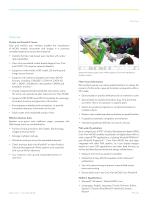
Data Sheet Features Simple and Powerful Viewer Easy and intuitive user interface enables the visualization of MCAD models, documents and images in a common, consistent experience across the enterprise. • Instantly familiar, task-based user interface with undo/ redo capabilities • View richly annotated model-based designs from Creo and CATIA® V5 (requires optional adapter) • Supports a wide variety of 3D model, 2D drawing and image source formats • Supports (with optional adapters) all major MCAD formats, including: CADDS5®, CATIA V4, CATIA V5, NX®, I-DEAS®, SolidWorks®, Microstation® (DGN) and...
Open the catalog to page 2
Data Sheet Optional Creo View MCAD Extensions Creo View Interface for JT Provides native import and export of JT format files Creo View Toolkits (Web, Java, Office) Use a rich set of APIs to create interactive Web pages, customize visualization applications and embed Creo View technology in Microsoft applications such as PowerPoint® Creo View PDF Review Full document collaboration capabilities, including annotation, viewing and watermarking Creo View Design Check An interactive tool that provides rapid, digital verification of the design intent captured in the original 3D model-based design Creo...
Open the catalog to page 3All PTC catalogs and technical brochures
 Creo SchematicsTM
4 Pages
 SIMUtATIO CAPABILITI IN CREO
9 Pages
 Vuforia Studio
2 Pages
 PTC X/Server™
4 Pages
 PTC Lex & YACC
2 Pages
 Creo Augmented Reality
2 Pages
 PTC ® Creo ® Illustrate
4 Pages
 PTC ® Creo ® Schematics ™
5 Pages
 PTC Creo ® Parametric ™
7 Pages
 Arbortext_Bro
14 Pages
 Lifecycle Manager ™
5 Pages
 View Design Check
2 Pages
 View Toolkits
3 Pages
 Mechanism Dynamics Option
3 Pages
 Mold Analysis Extension
3 Pages
 Creo View ECAD
2 Pages
 Options_Modeler_DS
2 Pages
 Creo_Layout
2 Pages
 Direct_DS
3 Pages
 Creo_Simulate
3 Pages
 Integrity
4 Pages
 Creo_Schematics
4 Pages
 Windchill_Cost
3 Pages
 Creo_Sketch_DS
2 Pages
 Creo_Parametric_DS
6 Pages
 Windchill
8 Pages
 Creo™ Package Overview
7 Pages


Archived catalogs
 Arbortext
10 Pages
 Windchill
10 Pages
 Pro/ENGINEER
10 Pages
- PTC management software
- PTC automation software
- PTC analysis software
- PTC process software
- PTC real-time software
- Windows software
- PTC CAD software
- PTC cloud software
- Control software
- PTC design software
- Monitoring software solution
- PTC 3D software
- PTC industrial software
- Interface software
- PTC visualization software
- PTC quality software
- Simulation software solution
- Automated software
- Programming software
- PTC development software