


Creo_Simulate

Creo_Simulate
- Thermal Analysis: Apply heat loads, prescribed temperatures, and convection coefficients. Import thermal boundary conditions from CFD analyses and perform coupled structural thermal analyses.
- Result Analysis: Query results directly on the model, automate results creation, compare model iterations, and output reports in various formats.
- Design Optimization: Conduct optimization and feasibility studies, perform sensitivity studies, and vary properties parametrically.
- Advanced Capabilities: Analyze static stress, displacement, natural frequency, and perform steady-state thermal analyses.
- Modeling Tools: Model welds, automate assembly connectivity, define component contact, and simulate fastener connections.
- Meshing Tools: Offer mixed meshing options and automated geometry cleanup.
- Gain early insight into product performance, reducing the need for physical prototypes.
- Improve user efficiency with an intuitive interface.
- Increase innovation by designing and simulating simultaneously.
- Decrease development costs by reducing physical prototyping.
Catalog excerpts

Data Sheet Creo Simulate ® GAIN EARLY INSIGHT INTO DESIGN PERFORMANCE Creo Simulate gives designers the power to understand structural and thermal product performance ‘on the desktop,’ before resorting to costly, time-consuming physical prototyping. By gaining early insight into product behavior, you can vastly improve product quality while saving time, effort and money. Today’s competitive marketplace is forcing design teams to ‘get it right the first time.’ The reality is, the earlier in the development cycle that designers can understand product performance, the faster a quality product can get to market. When teams must rely on costly, time-consuming physical prototyping to test product behavior, schedules and budgets are quickly compromised. Other CAE tools offer a solution, but they’re usually disconnected from the CAD solution. Thus, engineers must spend valuable time translating data and preparing the model for analysis. Then, each time there’s a design change, designers have to repeat the translation process. Moreover, typical CAE tools require users to have an extensive, specialized skill set. There’s a faster, smarter way to evaluate product performance with a powerful yet easy-to-use simulation solution – Creo Simulate. With Creo Simulate, design engineers can better understand product performance and then optimize the digital design – early in the design cycle, without needing expertise in simulation. Available as a stand-alone or an extension to Creo Parametric, Creo Simulate has the same user interface, workflow and productivity tools that are prevalent throughout Creo. Thus, product designers can enjoy the same industry – leading power, performance and associativity of Creo Parametric for all their analysis needs – without needing to learn a new program. In addition, Creo Simulate analyzes native Creo and Creo Elements/Direct™ models and stores the analyses in the model files. This capability means streamlined data management with no data translation. With the ability to virtually evaluate product performance on screen, Creo Simulate gives engineers the freedom to explore new ideas and design variants, then optimize their designs. Furthermore, engineers have confidence that their new designs will satisfy performance requirements, need fewer changes during physical prototyping and deliver superior value. Creo Simulate allows you to analyze your model and quickly identify problem areas. Once you update the design, you can easily rerun the analysis, without recreating it. Page 1 of 3 | Creo Simulate PTC.com
Open the catalog to page 1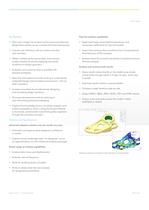
Data Sheet Key Benefits Thermal analysis capabilities • Gain early insight into product performance and discover design flaws quickly, as you increase first-time build success • Apply heat loads, prescribed temperatures, and convection coefficients for thermal models • Improve user efficiency with an intuitive, familiar user interface • Import thermal boundary conditions from Computational Fluid Dynamic (CFD) analyses • Obtain realistic performance data, and improve product quality, by directly applying real-world conditions to design geometry • Analyze hierarchical loads and perform coupled...
Open the catalog to page 2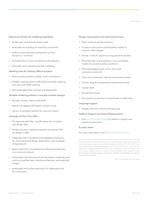
Data Sheet Robust set of tools for modeling assemblies Design improvement and optimization tools • Model spot, end and perimeter welds • Track results at specific locations • Automate the handling of assembly connectivity • Conduct optimization and feasibility studies to improve initial designs • Define contact between components as free, bonded, or nonlinear • Simulate bolt or screw connections with fasteners • Automate mid-surfaced assembly modeling • Answer “what-if” scenarios using sensitivity studies • Parametrically vary properties in your simulation model structural boundary conditions...
Open the catalog to page 3All PTC catalogs and technical brochures
 Creo SchematicsTM
4 Pages
 SIMUtATIO CAPABILITI IN CREO
9 Pages
 Vuforia Studio
2 Pages
 PTC X/Server™
4 Pages
 PTC Lex & YACC
2 Pages
 Creo Augmented Reality
2 Pages
 PTC ® Creo ® Illustrate
4 Pages
 PTC ® Creo ® Schematics ™
5 Pages
 PTC Creo ® Parametric ™
7 Pages
 Arbortext_Bro
14 Pages
 Lifecycle Manager ™
5 Pages
 View Design Check
2 Pages
 View Toolkits
3 Pages
 Mechanism Dynamics Option
3 Pages
 Mold Analysis Extension
3 Pages
 Creo View ECAD
2 Pages
 Creo® View MCAD
3 Pages
 Options_Modeler_DS
2 Pages
 Creo_Layout
2 Pages
 Direct_DS
3 Pages
 Integrity
4 Pages
 Creo_Schematics
4 Pages
 Windchill_Cost
3 Pages
 Creo_Sketch_DS
2 Pages
 Creo_Parametric_DS
6 Pages
 Windchill
8 Pages
 Creo™ Package Overview
7 Pages


Archived catalogs
 Arbortext
10 Pages
 Windchill
10 Pages
 Pro/ENGINEER
10 Pages
- PTC management software
- PTC automation software
- PTC analysis software
- PTC process software
- PTC real-time software
- Windows software
- PTC CAD software
- PTC cloud software
- Control software
- PTC design software
- Monitoring software solution
- PTC 3D software
- PTC industrial software
- Interface software
- PTC visualization software
- PTC quality software
- Simulation software solution
- Automated software
- Programming software
- PTC development software