


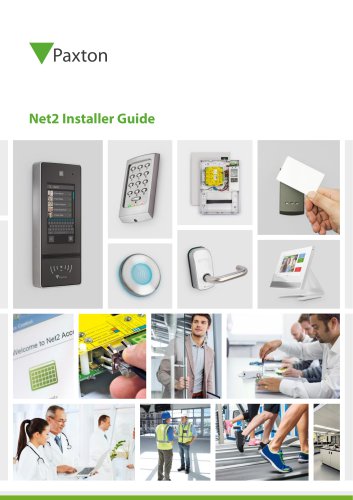
System guide for installers
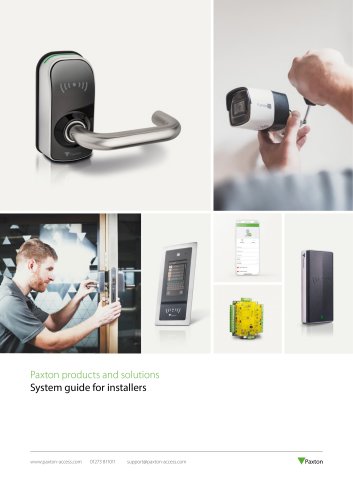
System guide for installers
Paxton offers scalable and flexible access control solutions that integrate with other security systems like CCTV and alarms, providing comprehensive security solutions.
- Scalable systems for incremental installation.
- Plug and play solutions with clear instructions.
- Free software upgrades and no license fees.
- Industry-leading technical support and a 5-year guarantee.
Paxton provides various systems including:
- Net2: A networked system managed from a central PC.
- Paxton10: Combines access control and video management.
- Compact and Switch2: Standalone systems for simple security needs.
Designed for simplicity and scalability, offering:
- Two software versions: Net2 Lite and Net2 Pro.
- Integration with other security systems.
- Features like site graphics and live event logging.
Intuitive and user-friendly, compatible with Windows 10 and 11, offering:
- Free upgrades and unlimited client workstations.
- Integration with CCTV and other systems.
- Advanced features in the Pro version.
The Paxton Connect app enhances remote site management with features like:
- Remote door opening and user administration.
- Real-time event updates and reports.
- Emergency lockdown capabilities.
Combines access control and video management, supporting multi-site management and remote access. Features include:
- Web-based user interface and Bluetooth smart credentials.
- Video management supporting up to 1000 cameras.
- Readers: Multi-format readers with Bluetooth capabilities.
- Alarm Connector: Integrates fire and intruder alarms.
- Desktop Reader: Supports all token formats.
- Door Controller: Manages a single door with additional connectors.
- Server: Acts as the system hub with remote access support.
- Bluetooth® Hands Free Keyfob: Provides hands-free access.
- Video Controller: Processes up to four third-party IP cameras.
Offers a simple solution for internal doors without a PC or network, ideal for small sites.
Allows visitor verification before granting access, compatible with Net2 and Paxton10 systems.
Paxton offers free installer training sessions and technical support, ensuring efficient installation of their products.
Paxton provides a five-year guarantee on all products with a straightforward returns policy.
Catalog excerpts

Paxton products and solutions System guide for installers
Open the catalog to page 1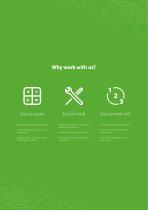
Why work with us? Easy to quote • Build your system one door at a time • A range of products to suit any site requirement • Scalable system - add doors when the budget is available • Plug and play solutions that connect directly to the network • Simple mix and match product line • Clear instructions and colour coded wiring labels • Industry-leading technical support • 5-year guarantee and hassle-free returns policy • Free software upgrades and no licence fees
Open the catalog to page 2
04 Our solutions 06 Access control 06 Our access control systems 10 Net2 - How it works 12 Net2 software features 14 Apps for Net2 22 Paxton10 - How it works 24 Paxton10 software features 26 Apps for Paxton10 28 Cameras & video management 30 Paxton10 products 38 Entry - How it works 40 Apps for Entry 42 Entry products 46 PaxLock Pro - How it works 48 PaxLock products 50 Free installer training 50 Industry leading technical support
Open the catalog to page 3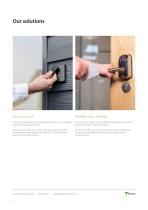
Access control Wireless door handles A secure and flexible way of controlling who has access to a building and when that access is allowed. Security built-in, these can be installed by themselves or as part of a networked system for greater flexibility. Unlike locks and keys, access control can offer more functionality when integrating with other systems like CCTV, fire and intruder alarms for a complete solution. Electronic handles communicate wirelessly, reducing cabling and making them straightforward to fit an existing door, saving installation time.
Open the catalog to page 4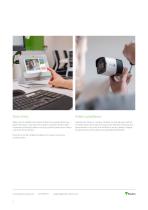
Door entry Video surveillance Allow users to validate their visitors at their entry panel before they grant them access. Our door entry system comprises three simple components that auto-detect on set-up; external panel, door control unit and internal monitor. Capture site activity on camera. Cameras can provide users with an increased sense of security and reassurance that their site and assets are protected. In the case of an incident or security breach, footage can provide you with evidence and possible identification. Door entry can be installed standalone or as part of an access control...
Open the catalog to page 5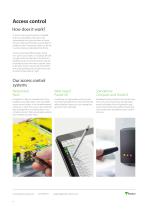
Access control How does it work? Once an access control system is installed, all doors controlled by the system will automatically lock when the door is closed. Anyone without a PIN code or access token is unable to enter. If necessary, doors can be set to unlock during a designated time frame. Access control also offers flexible control over users’ access rights. For example, all staff can gain access through the main door of a building, but access to internal areas may be restricted to those who have a specific need to be there. Access may also be restricted by time, only granting access to...
Open the catalog to page 6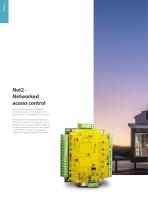
Net2 Networked access control Net2 is our user friendly and flexible networked access control and door entry system, which is managed from a central PC. Net2 access control is easy to install and designed to make the management of any building very simple. Net2 offers a range of IP, battery powered, door entry and wireless or wired door controllers to suit any site requirement, making installers’ lives easier.
Open the catalog to page 8
Case study - Net2 Huntsville, AL, USA An integral part of the Huntsville School Districts sports complex, the activity center serves as the hub for student activities across the district. It is located on a remote site that includes a football and track stadium, baseball facilities, the activity center, and other buildings. Net2 allowed the district a lot of granular control over their security, especially when it came to access permissions. They are able to easily determine who has access to which doors at specific times. The addition of the wireless PaxLock door handles has also been beneficial...
Open the catalog to page 9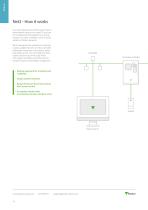
Net2 - How it works Our networked access control system, Net2, is administered using one or more PCs and can be monitored and managed from a central location. Our door controllers come as wired, wireless or battery powered. Net2 is designed with simplicity in mind and is easily scalable. Paxton's one door controller philosophy means you only quote for doors that require access. You can build your Net2 system one door at a time using wired and wireless controllers and door entry for versatile security and building management. • Modular approach for simplicity and scalability • Simple intuitive...
Open the catalog to page 10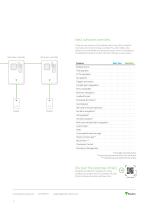
Net2 software overview There are two versions of the software: Net2 Lite, which is ideal for most sites and is free of charge, and Net2 Pro, which offers extra features for more flexible and advanced access control. Developed to be straightforward and intuitive, the Net2 software is easy to learn. Net2 door controller Net2 door controller Feature Multiple clients Free upgrades CCTV integration Site graphics Intruder alarm integration* Entry compatible Biometric integration Landlord Tenant Timesheet & Timeline* Card designer Roll call and muster reporting* Fire alarm integration* Security lockdown*...
Open the catalog to page 11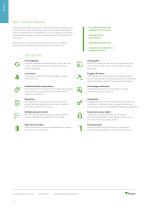
Net2 software features Tailor access privileges to groups or individuals quickly and easily using our intuitive, user-friendly software. Event reports can be generated in a few clicks and the advanced features such as site graphics, IP camera integration and triggers and actions further extend the capabilities of the system. • Lite software is free and suitable for most needs Net2 software is compatible with Windows 10 and 11. operating systems and is designed to feel familiar to any Windows user. • Multiple operator levels • Unlimited client workstations • Integrations available for a complete...
Open the catalog to page 12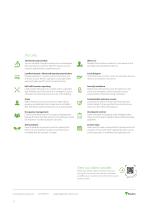
Pro only Timesheet and timeline You can use Net2 to log the working hours of employees. Also note periods out of the office for reasons such as vacation, appointments, unpaid leave, etc. Who’s in? Displays the last known location of a user based on the last reader they presented a token to. Landlord tenant / Advanced operator permissions Manage operators in various ways to limit access and enhance security. Restrict operators to only administer users and apply specific access level permissions. Card designer Personalise access control cards with employee pictures, details and company information....
Open the catalog to page 13All PAXTON catalogs and technical brochures
 System guide for customers
16 Pages
Archived catalogs
 DS1020 CARDLOCK reader
1 Page
 DS1033 Marine exit button
2 Pages
 DS1036 Net2 Classic
2 Pages
 DS1039 Plastic housing
2 Pages
 DS1037 Switch2
2 Pages
 DS1030 Compact Easyprox
2 Pages
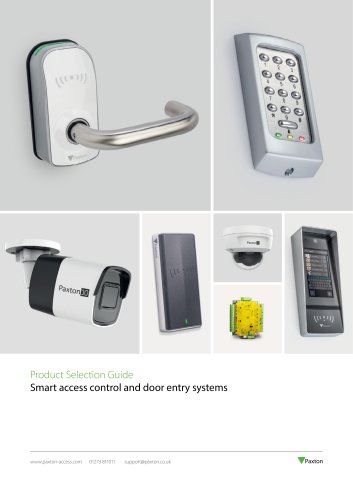
 PRODUCT SELECTION GUIDE
44 Pages
 Readers and Keypads
23 Pages
 Access Control
25 Pages
 Net2 PaxLock
4 Pages
 Net2
Net24 Pages
 Standalone
4 Pages
 DS1055 Net2 Entry
2 Pages
 DS1053 Net2 Entry - Monitor
3 Pages
 DS1052 Net2 Entry - VR Panel
3 Pages
 DS1051 Net2 Entry Panel
3 Pages
 DS1049 Net2 Air bridge - USB
2 Pages
 DS1048 Easyprox nano
2 Pages


