
- Catalogs
- Omron Electronics GmbH
- Adept DeskTop



Adept DeskTop

Adept DeskTop
Adept DeskTop is a robust PC-based development environment designed for Adept systems, offering a comprehensive suite of tools for programming, debugging, and testing. It is built on the Microsoft Visual Studio .NET platform, allowing customization of the graphical user interface and user-access levels for various Adept robotic applications.
- Enhances efficiency in robotic application development.
- Facilitates application development and testing directly from a PC.
- Utilizes the Adept DeskTop environment across multiple Adept systems.
- Access Levels: Provides security through password-protected access levels for specific tools and controls.
- Editing Tools: Includes a code editor with standard functionalities, a V+ code library for quick startup, and a keyword browser for V+ keywords.
- Programming and Execution Tools: Features a task manager for assigning programs to controller tasks and a program manager for managing programs in the controller's memory.
- Utilities: Offers file management, backup/restore functionality, license management, and a monitor terminal.
- Configuration and Debugging: Provides tools for managing digital I/O, switches, parameters, and variables.
- Robot Operation Tools: Includes robot control, operator control, a virtual jog pendant, and a vision guidance option.
- Hardware: Requires a SmartController or AIB, Intel Pentium-4 1 GHz processor or higher, 500 MB disk space, 256 MB RAM, and a monitor with at least 800x600 resolution.
- Software: Compatible with Windows 2000, XP, or Vista, and requires Microsoft .NET Framework version 1.1 or later and Internet Explorer 5.01 or later.
- Controller Requirements: V+ 16.2 D3 or later, Micro V+ Version 2.1A8 or later for Cobra i-series systems.
Adept Technology, Inc., 3011 Triad Drive, Livermore, CA 94551. Tel: 925-245-3400, Fax: 925-960-0452, Email: [email protected], Website: www.adept.com
Catalog excerpts
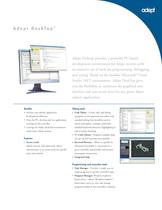
Benefits Editing tools Increase your robotic application development efficiency.ՕFrom the PC, develop and test applicationsrunning on the controller.Leverage the Adept DeskTop environmentacross many Adept systems. Օ Code Editor - Create, edit, and debugprograms in the improved text editor withstandard editing functionalities such as search-and-replace, multiple undo/redo, standard keyboard shortcuts, highlighting aswell as syntax checking. V+ Code Library - Program examples helpyou get up and running more quickly.Օ Keyword Browser - Allows to quickly beinformed of available V+ keywords on agiven controller and provides informationon program instructions. Features Օ Access Levels Added security, with passwords, allows administrator to set access levels for specific tools and controls. Integrated help Programming and execution tools Task Manager - Provides a simple way toassign programs to specific controller tasks.Օ Program Manager: Windows Explorer > based access. - Allows Windows Explorer > ٙ based direct access to view and manageprograms loaded in the controller's memory. >
Open the catalog to page 1
Adept DeskTop 4.0 System Requirements Hardware ControllerSmartController or AIB ProcessorIntel ٮ Pentium-4 1 GHz processor or higher Disk Space500 MB (recommended minimum) Memory256 MB RAM MonitorSVGA resolution minimum 800x600 recommended 1024x768 Software Operating SystemWindows 2000, Windows XP or Windows Vista Microsoft .NET Framework version 1.1 or later (included with Adept DeskTop installer) Microsoft Internet Explorer 5.01 or later Controller Requirements V+ 16.2 D3 or later Micro V+ Version 2.1A8 or later (for Cobra i-series systems) Utilities: Robot operation tools: ٕFile Manager Utility...
Open the catalog to page 2All Omron Electronics GmbH catalogs and technical brochures
 TM Collaborative Robot Brochure
15 Pages
 Collaborative Robots Datasheet
16 Pages
 New value for control panels
9 Pages
 NX1
NX138 Pages
 NYP
NYP14 Pages
 NYB
NYB13 Pages
 Industrial Automation Portfolio 2016
172 Pages
 Panel Builder Guide 2017
276 Pages
 Industrial Automation Guide 2017
894 Pages


Archived catalogs
 Adept Cobra s800 Inverted
2 Pages
 Adept Quattro s650HS
2 Pages
 Adept SmartController CX
2 Pages
 AdeptSight Guidance
2 Pages
 Adept Product Catalog
5 Pages
 Adept Viper Family (6-Axis)
6 Pages
 Adept Cobra Family (SCARA)
12 Pages
 Adept Quattro s650H
2 Pages
 Adept T2 Pendant
2 Pages
 Adept Cobra s800
2 Pages
 Adept Cobra i600
2 Pages
 Adept Cobra i800
2 Pages
 Adept Cobra s600
2 Pages
 Adept Cobra s350
2 Pages
 Adept Mobile Robots
6 Pages
 Adept AnyFeeder SX240
2 Pages
 Adept Quattro s800H
2 Pages
 Adept SmartVision EX
2 Pages
 Adept Mobile
8 Pages
 Adept Robotics for Packaging
8 Pages
 Adept Product Portfolio
6 Pages
 Adept eCobra 600 SCARA robot
2 Pages
 Industrial Automation Selection 2016
420 Pages
 Collaborative Robots TM5
14 Pages

