

L51W
L51W
This user manual provides detailed guidance on the NEC NP-L51W projector, covering its features, installation, and operation. It emphasizes the importance of following safety precautions to ensure the projector's longevity and safe use.
- Trademarks: Lists trademarks like DLP, IBM, Apple, and Microsoft.
- Software Licenses: Includes software under GPL and LGPL licenses, details on the CD-ROM.
- Safety Cautions: Advises reading the manual carefully, avoiding moisture, ensuring ventilation, and careful handling of the power cord.
- Disposal: Provides guidance on proper disposal in compliance with EU legislation.
- RF Interference: Warns about potential RF interference and solutions to mitigate it.
- Installation: Avoid unstable, wet, or hot environments; ensure proper ventilation.
- Fire and Shock Precautions: Avoid blocking vents and handling the power plug during storms.
- Remote Control: Handle carefully and dispose of batteries according to regulations.
- 3D Viewing: Provides health precautions for 3D viewing.
- High Altitude Mode: Set to 'High' fan mode above 2500 feet to prevent overheating.
- Connecting the Projector: Instructions for connecting to computers and video sources.
- Powering On/Off: Detailed steps for turning on and off, with warning indicators.
- Adjusting the Image: Guidance on adjusting height, focus, and size.
- User Controls: Explains on-screen display and menu navigation.
- Multimedia Use: Instructions for using as a storage device and for wireless projection.
- Troubleshooting: Section dedicated to troubleshooting common issues.
- Specifications: Detailed specifications and compatibility modes.
- Follow all warnings and precautions to maximize lifespan.
- Turn on the projector before signal sources.
- Use a soft cloth with mild detergent for cleaning.
- Avoid extreme conditions or direct sunlight.
- WXGA single chip 0.45” DLP® projector with LED light source.
- Quick start and power off features, no cool down required.
- Energy-saving Eco Mode and low power consumption in standby.
- HDMI input and built-in 2W speaker.
- USB Display and multimedia capabilities.
- Supports 3D images and wireless projection with accessories.
- Includes power cord, computer cable, remote control, battery, and documentation.
- Save original packaging for future shipping needs.
- SD CARD Slot, USB-A and USB-B Ports, HDMI IN, COMPUTER IN, VIDEO IN, AUDIO IN, and KensingtonTM Lock Port.
- Not all SD cards and USB devices are supported.
- Features buttons for power, volume, input selection, and menu navigation.
- Battery installation requires a CR2025 coin cell.
- Connect using supplied cables and ensure secure connections.
- Power on before signal sources.
- Adjust height and focus for optimal display.
- Follow correct sequence to avoid damage.
- Use remote control or control panel for operation.
- Flashing red status indicator signals overheating or fan failure.
- Contact service if issues persist.
Provides a reference chart for screen sizes and dimensions, including recommended viewing distances.
Features a multilingual OSD for image adjustments and settings changes, with automatic closure after 30 seconds of inactivity.
Offers various picture modes and additional image adjustments like wall color compensation and gamma settings.
Adjust aspect ratio, overscan, vertical keystone, and enable 3D settings.
Includes mute and volume control, and synchronization of display timing with the graphic card.
Includes direct power on, auto power off, control panel lock, and reset to factory defaults.
Supports interactive PC-less presentations with modes for photo, video, music, and office document playback.
Supports various video formats and Office Reader for Microsoft Office and PDF files.
Office Reader provides a simplified display with restrictions on fonts and animations.
Can be used as temporary storage up to 1GB, accessed via USB.
Displays screen image via USB; wireless projection requires an optional Wireless LAN Unit.
Common issues include no image display and unstable images, with solutions provided.
Uses a single DLP chip with WXGA resolution, 500 lumens light output, and 4000:1 contrast ratio.
Outlines video signal resolutions, aspect ratios, and refresh rates for various standards.
Images are displayed using scaling technology; certain signals may not display correctly.
Instructions for installing using a camera tripod and safety precautions.
Details for Mini D-Sub 15 Pin Connector signal levels and pin assignments.
Checklist for common issues like no image display and remote control functionality.
Mentions TravelCare service for international warranty and repair.
Catalog excerpts
• DLP, DLP logo, DLP Link, and BrilliantColor are trademarks or registered trademarks of Texas Instruments. • IBM is a trademark or registered trademark of International Business Machines Corporation. • Apple, iPhone, iPad, iTunes, Macintosh, Mac, and Mac OS are trademarks of Apple Inc., registered in the U.S. and other countries. • IOS is a trademark or registered trademark of Cisco Systems, Inc. in the U.S. and other countries. • Microsoft, Windows, Windows Vista, and PowerPoint are either a registered trademark or trademark of Microsoft Corporation in the United States and/or other countries....
Open the catalog to page 2
Important Information Safety Cautions Precautions Please read this manual carefully before using your NEC projector and keep the manual handy for future reference. CAUTION To turn off main power, be sure to remove the plug from power outlet. The power outlet socket should be installed as near to the equipment as possible, and should be easily accessible. CAUTION TO PREVENT SHOCK, DO NOT OPEN THE CABINET. THERE ARE HIGH-VOLTAGE COMPONENTS INSIDE. REFER SERVICING TO QUALIFIED SERVICE PERSONNEL. This symbol warns the user that uninsulated voltage within the unit may be sufficient to cause electrical...
Open the catalog to page 3
Important Information WARNING The Federal Communications Commission does not allow any modifications or changes to the unit EXCEPT those specified by NEC Display Solutions of America, Inc. in this manual. Failure to comply with this government regulation could void your right to operate this equipment. This equipment has been tested and found to comply with the limits for a Class B digital device, pursuant to Part 15 of the FCC Rules. These limits are designed to provide reasonable protection against harmful interference in a residential installation. This equipment generates, uses, and can radiate...
Open the catalog to page 4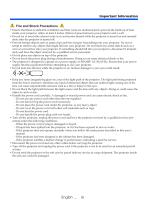
Important Information A Fire and Shock Precautions A • Ensure that there is sufficient ventilation and that vents are unobstructed to prevent the build-up of heat inside your projector. Allow at least 4 inches (10cm) of space between your projector and a wall. • Do not try to touch the exhaust vents as it can become heated while the projector is turned on and immediately after the projector is turned off. • Prevent foreign objects such as paper clips and bits of paper from falling into your projector. Do not attempt to retrieve any objects that might fall into your projector. Do not insert any...
Open the catalog to page 5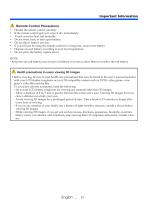
Important Information • Handle the remote control carefully. • If the remote control gets wet, wipe it dry immediately. • Avoid excessive heat and humidity. • Do not short, heat, or take apart battery. • Do not throw battery into fire. • If you will not be using the remote control for a long time, remove the battery. • Dispose of used battery according to your local regulations. • Do not place the battery upside down. • Keep the coin cell battery out of reach of children so as not to allow them to swallow the cell battery. • Before viewing, be sure to read health care precautions that may be...
Open the catalog to page 6
Important Information About High Altitude mode • Set [Fan Mode] to [High] when using the projector at altitudes approximately 2500 feet/760 meters or higher. • Using the projector at altitudes approximately 2500 feet/760 meters or higher without setting to [High] can cause the projector to overheat and the projector could shut down. If this happens, wait a couple minutes and turn on the projector. About Copyright of original projected pictures: Please note that using this projector for the purpose of commercial gain or the attraction of public attention in a venue such as a coffee shop or hotel...
Open the catalog to page 7
Usage Notice Precautions Follow all warnings, precautions and maintenance as recommended in this user’s guide to maximize the life of your unit. ■ Warning- Turn on the projector first and then the signal sources. Turkish RoHS information relevant for Turkish market EEE Yonetmeliğine Uygundur. High gain type screens are not optimal for use with this projector. The lower the screen gain (i.e., screen gain on the order of 1), the better the appearance of the projected image.
Open the catalog to page 9
Usage Notice Do: ■ T urn off the product before cleaning. ■ Use a soft cloth moistened with mild detergent to clean the cabinet. ■ Disconnect the power plug from AC outlet if the product is not being used for a long period of time. ■ If the lens is soiled, use a commercially available cleaning cloth for lens. Do not: ■ U se abrasive cleaners, waxes or solvents to clean the unit. ■ Use under the following conditions: - Extremely heat, cold or humidity. - In areas susceptible to excessive dust and dirt. - In direct sunlight. - Apply excessively strong pressure against the lens.
Open the catalog to page 10
Introduction Product Features This product is a WXGA single chip 0.45” DLP® projector. Features you’ll enjoy: ■ Light and small LED projector The projector uses LED as a light source instead of lamp. ■ Display popular wide screen High resolution display - 1,039,680 pixels (similar to WXGA) ■ Quick start (4 seconds), Quick Power Off (0.5 second), Direct Power Off 4 seconds after turning on the power, the projector is ready to display PC or video images. The projector can be put away immediately after the projector is powered down. No cool down period is required after the projector is turned off...
Open the catalog to page 11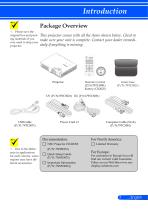
Introduction Package Overview This projector comes with all the items shown below. Check to make sure your unit is complete. Contact your dealer immediately if anything is missing. Please save the original box and packing materials if you ever need to ship your projector. Remote Control (P/N:79TC5091) Battery (CR2025) Due to the difference in applications for each country, some regions may have different accessories. Quick Setup Guide Important Information Limited Warranty For Europe: For customers in Europe:You will find our current valid Guarantee Policy on our Web Site:www.necdisplay-solutions.com...
Open the catalog to page 12All NEC catalogs and technical brochures
 LT150/LT85
59 Pages
 HT510/HT410
74 Pages
 GT6000/GT5000
115 Pages