
- Catalogs
- MSE TEKNOLOJİ LTD. ŞTİ.
- Temperature Controller


Temperature Controller
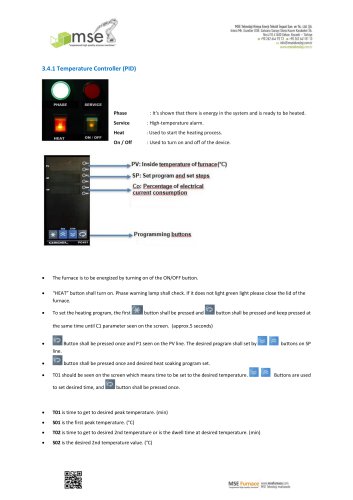
Temperature Controller
- Activate the furnace using the ON/OFF button.
- Ensure the "HEAT" button is on and the phase warning lamp is green. If not, close the furnace lid.
- To set the heating program, press and hold the first button until the C1 parameter appears (approx. 5 seconds).
- Adjust the desired program using the buttons on the SP line.
- Set the desired heat soaking program and time using the buttons.
- T01: Time to reach the desired peak temperature (min).
- S01: First peak temperature (°C).
- T02: Time to reach the second temperature or dwell time (min).
- S02: Second temperature value (°C).
- Set 1100°C for 4 hours with a 5°C/min heat soaking time, cooling at 3°C/min to 25°C.
- T01: 215 min (25 to 1100°C)
- S01: 1100°C
- T02: 240 min (dwell time)
- S02: 1100°C
- T03: 359 min (1100 to 25°C)
- S03: 25°C
- T04: END
- End the program by pressing the designated button.
- Review and adjust program steps as needed.
- Return to the main menu by holding the button for 5 seconds.
- To run or stop the furnace, follow the specified button sequence.
- Access the main menu and select "PRG" to choose a saved program.
- View "time" and "temperature" parameters by pressing the button.
- Run the selected program by following the button sequence.
- APr: Maximum power to reach set temperature (not recommended).
- HLd: Maintains set temperature until a command is issued.
- End: Ends the program.
- dLy: Delays program start.
- rSt: Minutes left to finish the step.
- PSP: Theoretical temperature for the step.
- SEt2: Alarm set value for maximum temperature (1105°C).
- Changing parameters may cause errors.
- Service page changes are irreversible and may cause issues.
- Contact MSE Technology service before altering service page parameters.
- Follow Autotune operation instructions for target temperature settings.
Catalog excerpts
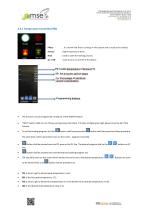
: It's shown that there is energy in the system and is ready to be heated. : High-temperature alarm. : Used to start the heating process. : Used to turn on and off of the device. The furnace is to be energized by turning on of the ON/OFF button. “HEAT” button shall turn on. Phase warning lamp shall check. If it does not light green light please close the lid of the furnace. To set the heating program, the first button shall be pressed and button shall be pressed and keep pressed at the same time until C1 parameter seen on the screen. (approx.5 seconds) • Button shall be pressed once and P1 seen on the PV line. The desired program shall set by button shall be pressed once and desired heat soaking program set. T01 should be seen on the screen which means time to be set to the desired temperature. to set desired time, and button shall be pressed once. T01 is time to get to desired peak temperature. (min) S01 is the first peak temperature. (°C) T02 is time to get to desired 2nd temperature or is the dwell time at desired temperature. (min) S02 is the desired 2nd temperature value.
Open the catalog to page 1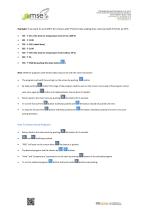
Example: If we want to set 1100oC for 4 hours with 5oC/min heat soaking time. And cool with 3oC/min to 25oC. • T01 → 215 (the time for temperature from 25 to 1100oC) T03 → 359 (the time for temperature from 1100 to 25oC) T04 → END (by pushing the down button Note: Different programs with desired steps may be set with the same transaction. • The program ends with the end sign on the screen by pushing button first stage of the program shall be seen on the screen. Every step of the program can be seen once again by button and readjustments may be done if needed. Return back to the main menu by pushing...
Open the catalog to page 2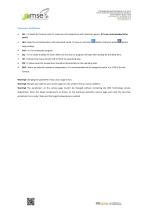
Parameter Definitions • APr : It makes the furnace reach to maximum set temperature with maximum power. (It is not recommended to be used.) HLd : Keep the set temperature until command issued. To issue a command button shall push while kept pushing. • dLy : It is in order to delay the start. When the furnace ran program will start after waiting for the delay time. rSt : It shows how many minutes left to finish the operating step. PSP : It shows what the temperature should be theoretically on the operating step. SEt2 : Alarm set value for maximum temperature. It is recommended not to change this...
Open the catalog to page 3All MSE TEKNOLOJİ LTD. ŞTİ. catalogs and technical brochures
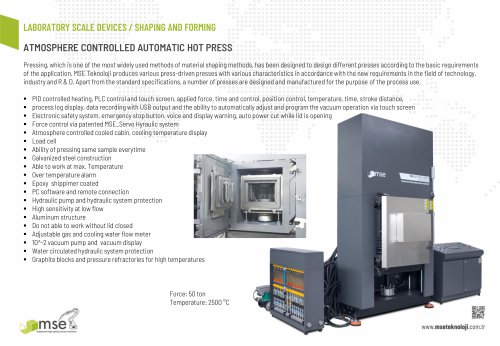 LABORATORY SCALE DEVICES
1 Page
 PRODUCTS FURNACES
63 Pages
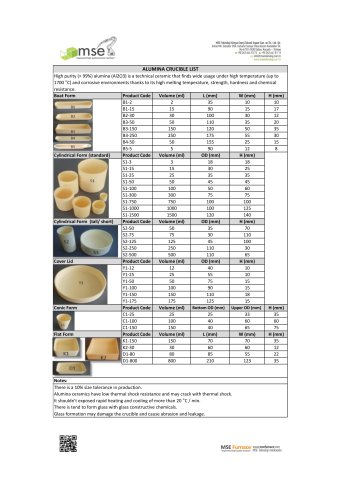 ALUMINA CRUCIBLE LIST
1 Page
 PRODUCTS DEVICES
46 Pages
 SPT series
2 Pages
Archived catalogs
 LABORATORY SCALE FURNACES
2 Pages
 MSE Process Devices 2018
40 Pages
 LABORATORY DEVICES
25 Pages
 LABORATORY FURNACES
31 Pages
 MSE Furnaces 2018
40 Pages
- Industrial press
- Kiln
- Test machine
- Dynamic agitator
- Chamber kiln
- Forming press
- Hydraulic press
- Test cabinet
- Electric furnace
- Heat treatment kiln
- Batch agitator
- Grinding mill
- Automated testing machine
- Material test machine
- Climatic test cabinet
- Liquid homogenizer
- Automatic press
- Drying kiln
- Vertical homogenizer
- Homogenizer for the chemical industry