
- Catalogs
- movizon GmbH
- movizon CONTROL Resource Table Settings


movizon CONTROL Resource Table Settings
movizon CONTROL Resource Table Settings
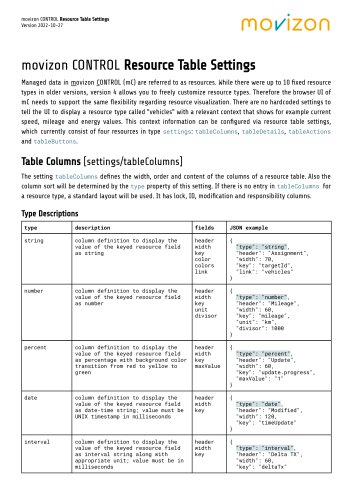
- Table Columns: Defines the width, order, and content of resource table columns. It includes various column types such as string, number, percent, date, interval, priority, arrayLength, arraySum, mapSum, alert, and led, each with specific attributes like header, width, key, and additional properties for display customization.
- Table Details: Specifies the content of the unfolded area when a resource is selected. It supports multiple detail boxes and includes types like string, json, map, errors, and dashboard, each with fields for label and key definitions.
- Table Actions: Describes actions available through a dropdown menu for selected resources. Actions include button, switch, delete, upload, download, evaluate, mapAim, io, and remote, with fields for icon, label, key, and additional script-related settings.
- Table Buttons: Customizes the display properties of buttons in the header bar above the map, determining their visibility based on resource type.
Catalog excerpts

movizon CONTROL Resource Table Settings Managed data in movizon CONTROL (mC) are referred to as resources. While there were up to 10 fixed resource types in older versions, version 4 allows you to freely customize resource types. Therefore the browser UI of mC needs to support the same flexibility regarding resource visualization. There are no hardcoded settings to tell the UI to display a resource type called "vehicles" with a relevant context that shows for example current speed, mileage and energy values. This context information can be configured via resource table settings, which currently consist of four resources in type settings: tableColumns, tableDetails, tableActions and tableButtons. The setting tableColumns defines the width, order and content of the columns of a resource table. Also the column sort will be determined by the type property of this setting. If there is no entry in tableColumns for a resource type, a standard layout will be used. It has lock, ID, modification and responsibility columns. Type Descriptions type
Open the catalog to page 1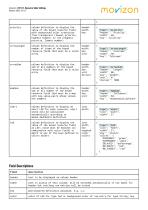
movizon CONTROL Resource Table Settings
Open the catalog to page 2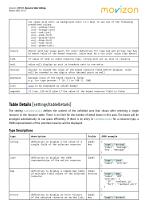
movizon CONTROL Resource Table Settings
Open the catalog to page 3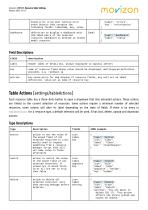
movizon CONTROL Resource Table Settings
Open the catalog to page 4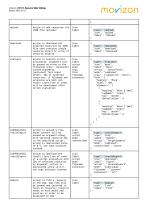
movizon CONTROL Resource Table Settings
Open the catalog to page 5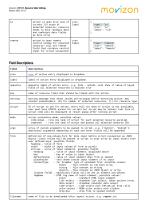
movizon CONTROL Resource Table Settings
Open the catalog to page 6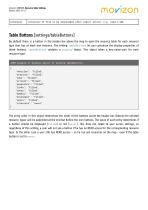
movizon CONTROL Resource Table Settings Version 2022-10-27 extension of file to be downloaded after export action, e.g. report.txt Table Buttons [settings/tableButtons] By default there is a button in the header bar above the map to open the resource table for each resource type that has at least one resource. The setting tableButtons let you customize the display properties of these buttons. tableButtons contains a display object. This object takes a key-value-pair for each resource type: JSON example of display object of setting tableButtons { "vehicles": "filled", "stations": "filled", "jobs":...
Open the catalog to page 7
movizon CONTROL Resource Table Settings
Open the catalog to page 8All Movizon GmbH catalogs and technical brochures
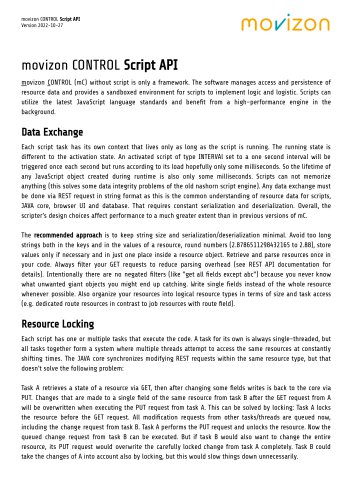 movizon CONTROL Script API
4 Pages
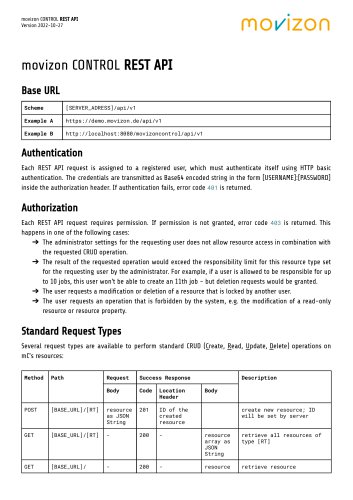 movizon CONTROL REST API
11 Pages
