- Catalogs
- MIWIRE GROUP
- MiWire Pro

MiWire Pro
MiWire Pro
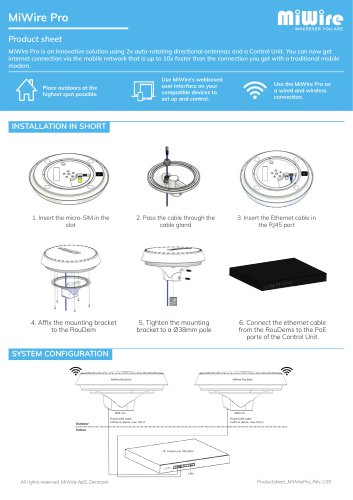
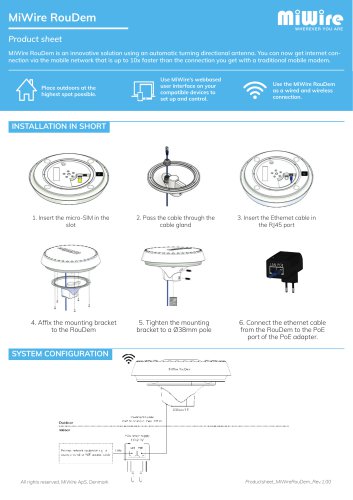
- Insert the micro-SIM card into the designated slot.
- Pass the cable through the cable gland.
- Connect the Ethernet cable to the RJ45 port.
- Attach the mounting bracket to the RouDem and secure it to a Ø38mm pole.
- Connect the Ethernet cable from the RouDem to the PoE ports of the Control Unit.
Catalog excerpts
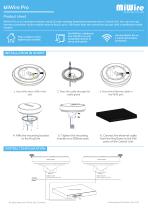
MiWire Pro Product sheet MiWire Pro is an innovative solution using 2x auto-rotating directional antennas and a Control Unit. You can now get internet connection via the mobile network that is up to 10x faster than the connection you get with a traditional mobile modem. Use MiWire’s webbased user interface on your compatible devices to set up and control. Place outdoors at the highest spot possible. Use the MiWire Pro as a wired and wireless connection. 1. Insert the micro-SIM in the slot 2. Pass the cable through the cable gland 3. Insert the Ethernet cable in the RJ45 port 4. Affix the mounting bracket to the RouDem 5. Tighten the mounting bracket to a Ø38mm pole 6. Connect the ethernet cable from the RouDems to the PoE ports of the Control Unit. MiWire RouDem MiWire RouDem Power/LAN cable CAT5e or above, max 100 m Power/LAN cable CAT6 or above, max 100 m All rights reserved, MiWire ApS, Denmark : Local network Developed and produced by MiWire ApS, Denmark - Diplomvej 381, DK-2800 Kongens Lyngby - Phone: +45 82 820 820 - E-mail: [email protected]
Open the catalog to page 1All MIWIRE GROUP catalogs and technical brochures
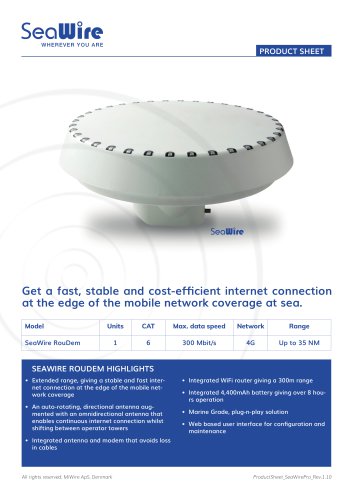 SeaWire
4 Pages
 MiWire RouDem
1 Page