

iShore-100
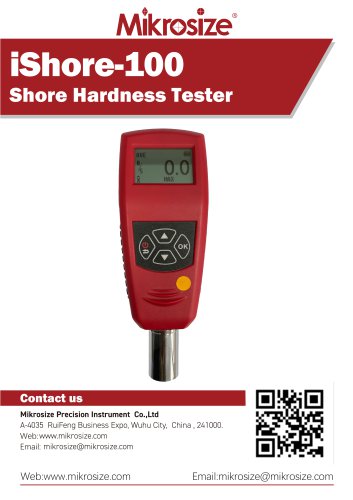
iShore-100
- Multiple Measurement Types: Supports various types (A, C, D, B, OO, DO) for different hardness ranges, suitable for materials from soft rubber to rigid plastics.
- Precise Measurement: Accuracy of ≤±1H, compliant with GB/T531, ISO7619, and ASTM D2240 standards.
- Easy Operation: Simple interface with power/back, confirmation, and navigation keys.
- Convenient Data Management: Stores up to 500 readings, with options for browsing, deleting, and uploading data.
- Flexible Test Settings: Offers average, maximum value, and timer modes, with settings for test numbers, tolerances, and error elimination.
- Rubber Industry: Measures hardness of various rubber products to ensure quality standards.
- Plastics Industry: Suitable for different hardness levels in plastic products.
- Leather Industry: Tests leather hardness for quality assessment.
- Textile Industry: Measures hardness of textile materials for quality control.
- Materials Research: Used in research for new materials to measure hardness characteristics.
- Power/Back Button: Long press to turn off, short press to return.
- Confirm Button, Up/Down Select Buttons for navigation.
- Displays battery level, hardness value, mean value, number of test points, and test mode.
- Configurable test settings for mode, number of tests, tolerance, and error elimination.
- Upper and lower tolerance limits can trigger alerts if exceeded.
- Workpiece numbering for data management.
- Backlight duration, keypad tone, alarm switch, date & time, and calibration settings available.
- Supports Chinese and English languages.
- Wireless printing of test reports with options for automatic printing and item selection.
- Data browsing, deletion, and upload via USB for export to Excel and CSV files.
- Standard delivery includes main unit, charger, cable, standard thickness block, manual, certificate, and instrument box.
- Optional items include mini printer, test stand, and hardness test blocks.
Catalog excerpts
iShore-100Shore Hardness TesterContact us Mikrosize Precision Instrument Co.,Ltd A-4035 RuiFeng Business Expo, Wuhu City, China , 241000. Web: www.mikrosize.com Email: [email protected] Web:www.mikrosize.com Email:[email protected]
Open the catalog to page 1
Product Features • Multiple Measurement Types: Equipped with various types including A, C, D, B, OO, DO, etc., it can adapt to material measurements across different hardness ranges, suitable for everything from soft rubber to rigid plastics (The picture shows A type indenter); • Precise Measurement: With a measurement accuracy of «£ ±1H, it complies with standards such as GB/T531, ISO7619, and ASTM D2240, enabling accurate measurement of material hardness; • Easy Operation: The operation interface is simple, with clearly defined functions such as power/back key, confirmation key, and up key,...
Open the catalog to page 2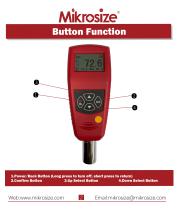
1. Power/Back Button (Long press to turn off, short press to return) 2. Confirm Button 3.Up Select Button 4.Down Select Button
Open the catalog to page 3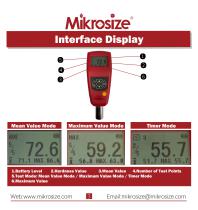
Mean Value Mode
Open the catalog to page 4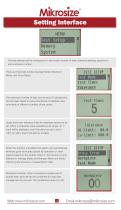
Setting Interface The test settings can be configured for: test mode, number of tests, tolerance settings, gross error, and workpiece number; There are three test modes: Average Mode, Maximum Mode, and Timer Mode. The maximum number of tests can be set to 9; adjustments can be made based on actual conditions to facilitate measurements of different numbers of test points. Upper and lower tolerance limits for hardness values can be set. When a measured value exceeds the set range, an "!" mark will be displayed, and if the alarm sound is set to "ON", an alarm sound will also be emitted. When this...
Open the catalog to page 5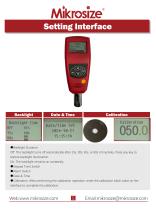
Calibration Calibration • Backlight Duration: Off: The backlight turns off automatically after 15s, 30s, 45s, or 60s of inactivity. Press any key to restore backlight illumination. On: The backlight remains on constantly. • Keypad Tone Switch • Alarm Switch • Date & Time • Calibration: After performing the calibration operation, enter the calibration block value on the interface to complete the calibration.
Open the catalog to page 6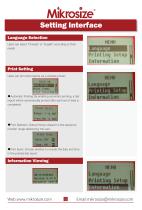
Language Selection Users can select "Chinese” or "English” according to their needs Print Setting Users can print test reports via a wireless printer; •Automatic Printing: By enabling automatic printing, a test report will be automatically printed after each set of tests is completed; • Print Selection: Data printing is based on the sequence number range selected by the user; Print Items Information Viewing
Open the catalog to page 7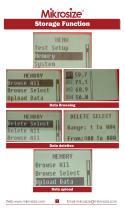
Browse Select Data Browsing DELETE SELECT Range: 1 To 004 Front:008 To 000
Open the catalog to page 8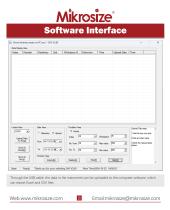
Software Interface Through the USB cable, the data in the instrument can be uploaded to the computer software, which can export Excel and CSV files
Open the catalog to page 9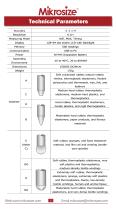
Technical Parameters Accuracy Resolution Measuring Mode Display Memory Communication Power Operating Environment Dimensions Weight 128*64 dot matrix LCD with Backlight 500 readings USB to PC Ni-MH Chargeable Battery Soft vulcanized rubber, natural rubber, nitriles, thermoplastic elastomers, flexible polyacrylics and thermosets, wax, felt, and Medium-hard rubber, thermoplastic elastomers, medium-hard plastics, and thermoplastics Hard rubber, thermoplastic elastomers, harder plastics, and rigid thermoplastics Moderately hard rubber, thermoplastic elastomers, paper products, and fibrous materials...
Open the catalog to page 10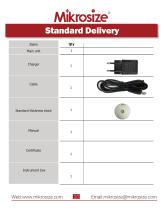
Standard Delivery Items Main unit Standard thickness block
Open the catalog to page 11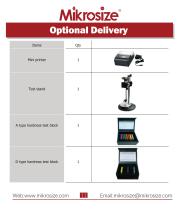
Optional Delivery Items Mini printer Test stand A type hardness test block D type hardness test block
Open the catalog to page 12All Mikrosize catalogs and technical brochures
 IMS-20
9 Pages
 iSurfa-100
12 Pages
 iSurfa-520
14 Pages
 iCoat-320
12 Pages
 iLeeb-300
13 Pages
 iFlaw-80
12 Pages
 iCoat-310
11 Pages
 MS-DF-20K
11 Pages
 iFlaw-100
13 Pages
 iStereo-211VT
12 Pages
 iMetal-880B/BD
11 Pages
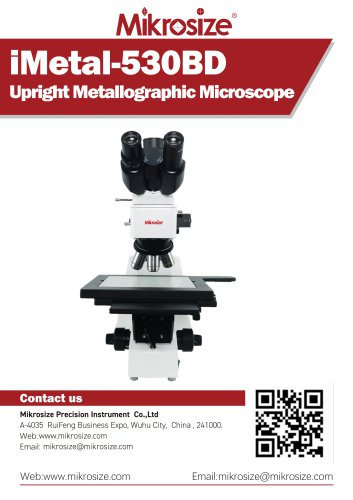 iMetal-530BD
9 Pages
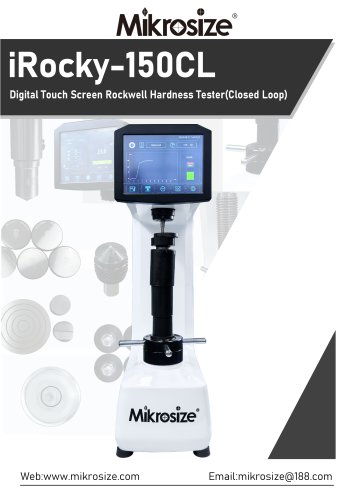 iRocky-150CL
14 Pages
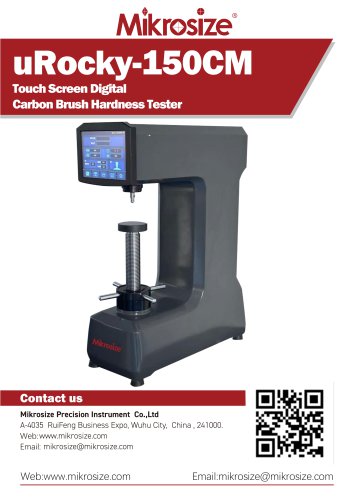 uRocky-150CM
5 Pages
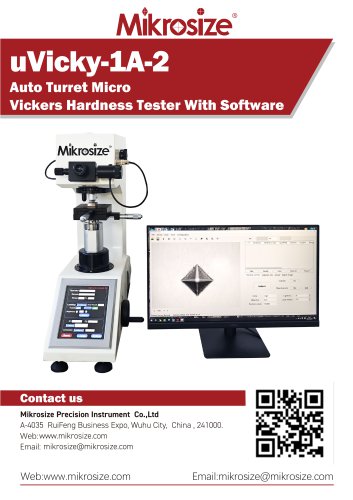 uVicky-1A-2
11 Pages
 MVicky-1000T
13 Pages
 MIKROSIZE INDUSTRY MICROSCOPE
28 Pages
 portable instrument
80 Pages
 MIKROSIZE VIDEO MEASURING SYSTEM
32 Pages
- Cutting system
- Metal cut-off machine
- Test machine
- Measuring device
- Automatic cut-off machine
- Cutting machine for industrial applications
- Monitoring analyzer
- High-precision cutting center
- Measuring machine
- Automatic analyser
- Microscope
- Automated testing machine
- Material test machine
- High-speed cut-off machine
- Indentation hardness tester
- Plastic cutting machine
- Solids analyser
- Digital weighing scale
- Computer-controlled test machine
- Precision cut-off machine