
- Catalogs
- METTLER TOLEDO
- ID7-FormXP


- Company
- Products
- Catalogs
- News & Trends
- Exhibitions
ID7-FormXP
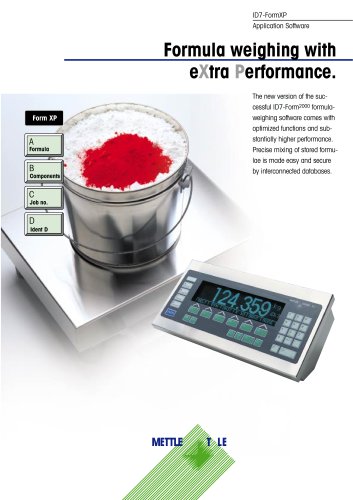
ID7-FormXP
- Rugged Design: The software is housed in a waterproof casing, protected to IP68/IPX 9K standards, ensuring durability in harsh conditions.
- Display and Interface: Features a BIG WEIGHT® display for easy readability and a smooth, waterproof keypad. It supports connection to three different scales for accurate formula weighing.
- Data Management: Utilizes interconnected databases for secure and efficient formula management. Supports barcode input for component verification and sequence specification for accurate mixing.
- Reporting: Capable of printing reports with customer-specific data for comprehensive documentation.
- Formula Memory: Stores up to 150 formulas, each with a 30-character name and a unique 20-digit identifier. Supports up to 100 components per formula.
- Raw Material Memory: Can store up to 500 raw materials, each with a 30-character name and a unique 20-digit identifier.
- Messages: Allows for 200 display messages, each up to 24 characters, assignable to formulas or components.
Catalog excerpts
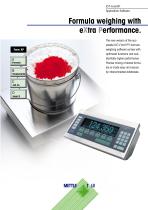
Formula weighing with eXtra Performance. Form XP The new version of the successful ID7-Form2000 formulaweighing software comes with optimized functions and substantially higher performance. Precise mixing of stored formulae is made easy and secure by interconnected databases.
Open the catalog to page 1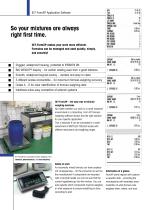
No matter whether you work in a harsh industrial environment or a laboratory, Form XP formulaweighing software always has the right solution for your specific application. This is because it can be connected to a wide assortment of METTLER-TOLEDO scales with different resolutions and weighing ranges. An incorrectly mixed formula can have unpleasant consequences - for the consumer as well as the manufacturer! If components are recorded with a barcode reader you can be sure that the correct ingredients go into the mixture. You can even specify which component must be weighed in what sequence to...
Open the catalog to page 2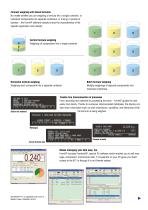
Formula weighing with stored formulas No matter whether you are weighing a formula into a single container, or individual components into separate containers, or mixing a number of batches – the FormXP software already knows the characteristics of the specific application and industry. Vertical formula weighing Weighing all components into a single container Horizontal formula weighing Weighing each component into a separate container Batch formula weighing Multiple weighings of separate components into individual containers Trouble-free interconnection of processes From recording raw materials...
Open the catalog to page 3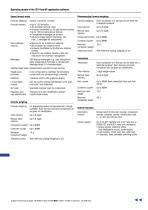
Stored formula mode Pharmaceutical formula weighing Formula memory Formula weighing Total memory Component counter Container counter Minimum component weight Tolerance control Formula weighing Vertical, horizontal, or batch • Uniquely identifiable by 20-digit formula number • 5 embedded messages per formula • Inputs for target weight, tolerances, and max. 2 messages for components • Uniquely identifiable by 20-digit raw material number • Inputs for raw material inventory data and instructions for inventory management Messages 200 display messages (e.g. user instructions) freely assignable to...
Open the catalog to page 4All METTLER TOLEDO catalogs and technical brochures
 LE740
1 Page
 Ariva-H
2 Pages
 SmartX Software
4 Pages
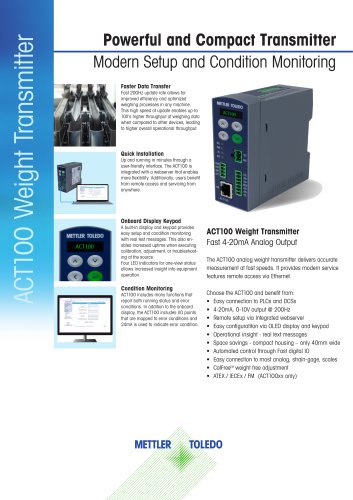 ACT100 Weight Transmitter
3 Pages
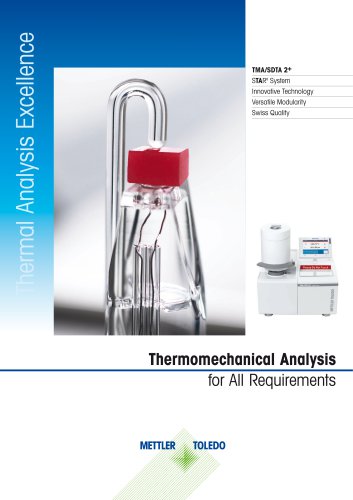 TMA/SDTA 2+
24 Pages
 InPro 6000 Sensor Series
12 Pages
 Portable pH Meter Pro2Go
4 Pages
 InPro® 3100 / InPro® 3100UD
4 Pages
 IND690batch
4 Pages
Archived catalogs
 C-Series Checkweighers
6 Pages
 Industrial Weighing Catalog
136 Pages
 Weighing Component Catalog
272 Pages
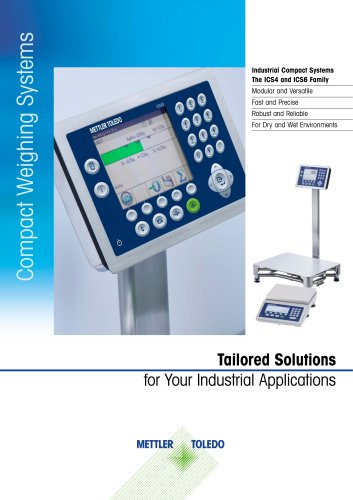
 Compact Weighing Systems
20 Pages
 Validation Support
12 Pages
 eBook: Connected Weighing
12 Pages
 ACT100 Weight Transmitter
2 Pages


- Force sensor
- Measuring device
- Mettler Toledo gas analyzer
- Mettler Toledo concentration analyzer
- Monitoring analyzer
- Management software solution
- Automation software solution
- Analysis software solution
- Mettler Toledo liquids analyzer
- Process software
- Tension/compression force transducer
- Automatic analyser
- Steel load cell
- Strain gauge force sensor
- Mettler Toledo benchtop analyzer
- Solids analyser
- Mettler Toledo digital scale
- Stainless steel force transducer
- Gas detector
- Process analyzer