
- Catalogs
- MAHLE Service Solutions
- ACX 350/450


ACX 350/450
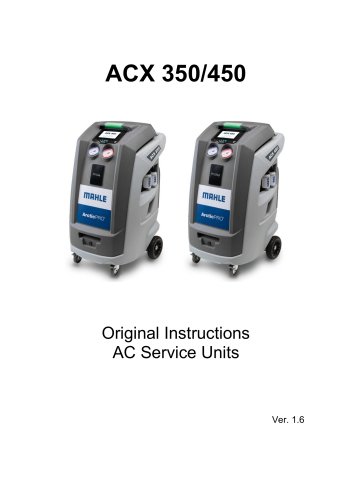
ACX 350/450
- The manual is for users of the ACX 350/450 equipment by MAHLE Aftermarket Italy S.r.l. It should not be reproduced without permission and may change without notice.
- Operators must adhere to local laws regarding pressure equipment checks.
- The equipment is for recovering and recycling R1234yf/R134a refrigerant from automotive A/C systems and should be used by trained professionals only.
- Environmental precautions include preventing refrigerant release into the atmosphere, in line with the Kyoto protocol and EU regulations.
- Defines dangerous areas, exposed persons, and operators for safety assurance.
- Emphasizes correct equipment use and regular maintenance to avoid hazards.
- Requires operation in well-ventilated areas, away from heat sources.
- Electrical connections must meet specified standards; damaged cords should be replaced immediately.
- Operators must use personal safety equipment when handling refrigerants and lubricants.
- Only pure R134a or R1234yf refrigerants should be used; equipment should not be modified or used with non-approved containers.
- Includes sections on symbols, glossary, and refrigerant handling guidelines.
- Details the application, scope of delivery, and user interface of the ACX 350/450 units.
- Provides specifications and instructions for unpacking and installing the equipment.
- Covers connections, software updates, and initial verification procedures.
- Describes preliminary operations, gas discharge, and cycle data settings.
- Includes refrigerant analysis, AC performance tests, and optional functions like flushing and leak tests.
- Outlines procedures for hose emptying, air purging, and component replacements.
- Instructions for disposing of the A/C service unit and recycled materials.
- Information on obtaining spare parts for maintenance and repairs.
This manual accompanies the ACX 350/450 equipment and must remain with it if transferred to a new user. It complies with UNI standard 10893:2000 and includes technical, operational, maintenance, and safety information. Symbols highlight hazardous operations, those requiring special attention, and those needing careful reading of instructions.
Safety Symbols
The manual describes various safety symbols used on the equipment, such as those indicating alternating current, safety grounding, and electrocution hazards. It also advises on the use of protective gear like gloves and goggles.
Glossary
Key terms include refrigerant types (R-1234yf and R-134a), A/C system, equipment, external and internal tanks, recovery, recycling, disposal, vacuum cycle, oil charge, and system flushing.
Handling of Refrigerant
Refrigerants must be stored carefully to avoid mixing. The equipment can handle R134a or R1234yf refrigerants individually. Safety sheets from suppliers should be consulted for handling and emergency situations.
Product Description
The ACX 350/450 is suitable for vehicles with A/C systems using R134a or R1234yf. It supports functions like refrigerant recovery, vacuum generation, and flushing. The unit includes various components such as service hoses, oil bottles, and a touch screen interface.
User Interface
The touch screen display provides access to all settings, controls, and service functions. It shows the status of the equipment and service progress, and allows for menu navigation and data entry.
Main Menu Functions
The main menu includes options for vehicle selection, cycles, additional functions, maintenance, setup, and secured service (for customer service personnel only).
Technical Features
The equipment supports cylinders for R134a or R1234yf, with a maximum operating pressure of 20 bar. It includes features like automatic oil measurement, UV dye charge, and a complete electronic database.
Installation and Commissioning
Installation requires careful unpacking and positioning on a stable, ventilated surface. The unit must be connected to a 230VAC, 50Hz power supply and properly grounded. Software updates can be checked and downloaded via Wi-Fi.
The initial verification process involves gas and oil weight verification and the first vessel filling. This process must be completed before the equipment can operate. The procedure includes creating a vacuum in the internal tank, connecting the LP quick coupler to an external refrigerant tank, and ensuring no refrigerant is released into the environment.
New Oil and UV Dye Bottle Filling
The new oil bottle and UV dye bottle must be filled with attention to the "Active Oil Protection" system, ensuring the air inside the bottle is dry. The UV dye is used for detecting leaks in the vehicle A/C system.
Setup
The setup menu allows users to configure Wi-Fi, print options, software updates, display brightness, maintenance counters, account information, language settings, remote control service, system information, date and time, licenses, and specific functions like refrigerant analysis.
A/C System Charge
Preliminary operations include ensuring the vehicle's A/C system is not too hot and identifying the correct amount of refrigerant and oil. The E³ CONNECT quick couplers help avoid refrigerant dispersion and perform automatic leak tests.
Non-condensable Gas Discharge
The AIR PURGE SYSTEM automatically detects and purges non-condensable gases to maintain optimal working parameters.
Cycles
The system offers automatic cycles for vehicle selection, OneClick operations, and specific cycle modifications. Users can set parameters for recovery, vacuum, and injection cycles.
Additional Functions
Additional functions include refrigerant analysis, A/C performance tests, flushing with optional accessories, and forming gas leak tests. These functions help maintain and diagnose the A/C system effectively.
After selecting the forming gas leak test function, default values such as vacuum time, vacuum test time, leakage limit, and leakage test time are displayed. The test can be started once the external gas bottle is installed and the pressure reducer is regulated between 10 and 15 bar. Overpressure can compromise safety.
Nitrogen Test (Optional)
This function requires activation and involves connecting an external nitrogen gas bottle. Default values are displayed, and the test can be started once the pressure reducer is set between 10 and 15 bar. Overpressure warnings apply.
ROU Process (Optional)
After installing the R.O.U. kit, default values such as recovery time and emptying time are displayed. Errors can be identified and the process interrupted if necessary.
Maintenance Procedures
- Hoses Emptying: Select the function from the menu and wait for completion.
- Air Purge: Manually discharge non-condensable gases or use the automatic function every 7 days.
- Vessel Filling: Set refrigerant quantity and follow the procedure. Ensure proper connection and avoid overfilling.
- Pressures Zero: Store atmospheric pressure value, recommended when moving the station to different altitudes.
- Self Leak Test: Checks internal components for leaks. Repair any detected issues before retesting.
- E³ Pump: Extends pump oil life up to 1000 hours. Requires manual activation and oil level check.
- Pump Oil Change: Follow detailed steps for oil replacement using specified tools.
- Dryer Filter Change: Replace after dehydrating 150 kg of refrigerant. Follow safety and replacement instructions.
- Active Oil Protection Cartridge Replacement: Replace annually or after injecting 2 kg of new oil/UV dye.
- Calibration Check: Verify gas weight scale with a reference weight.
- Printer Maintenance: Follow steps to change the paper roll.
- Periodic Checks: Regularly inspect for corrosion, leakage, and hose condition. Replace lubricants and filters as scheduled.
- Refrigerant Type Replacement: Adapt ACX 350 for R1234yf use with authorized service assistance.
Disposal
Dispose of the unit and materials according to local legislation. Recycle refrigerants and lubricants appropriately.
Spare Parts
Available parts include charging hoses, quick couplers, dryer filter, and vacuum pump oil. Use only approved parts to ensure safety.
Catalog excerpts
Original Instructions AC Service Units
Open the catalog to page 1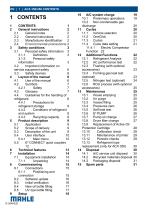
3.1 Personal safety information 3 service equipment safety 6 5.5 E3 CONNECT quick couplers 12 11.4 Cycle data setting 21 11.4.1 Electric Compressor Function 22 12.3 Flushing (with optional 12.4 Forming gas leak test 12.5 Nitrogen test (optional) 24 12.6 ROU process (with optional 13.5 Self leak test 26 13.8 Dryer filter change 27 14.1 A/C service unit disposal 30 14.2 Recycled materials disposal 30
Open the catalog to page 3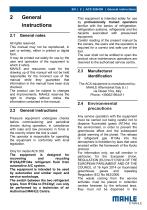
This manual may not be reproduced, in part or entirely, either in printed or digital form. It may be printed out solely for use by the user and operators of the equipment to which it refers. MAHLE and resources used for the drawing up of this manual will not be held responsible for the incorrect use of the manual while they guarantee that information in the manual have been duly checked. The product can be subject to changes and improvements. MAHLE reserves the right to change without notice the information contained in the manual. Pressure equipment undergoes checks before commissioning and...
Open the catalog to page 4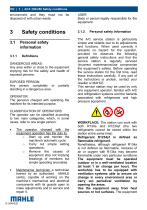
environment and they must not be disposed of with urban waste. DANGEROUS AREAS: Any area within or close to the equipment implying risk for the safety and health of exposed persons. EXPOSED PERSON: Any person completely or partially standing in a dangerous area. The person/s charged with operating the machine for its intended purpose. CLASSIFICATION OF OPERATORS The operator can be classified according to two main categories, which, in some cases, refer to one single person: • The operator charged with the equipment operation has the duty to: o Start up and monitor the machine's automatic cycle;...
Open the catalog to page 5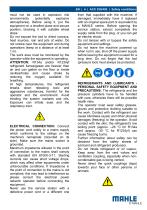
must not be used in explosion risk environments (potentially explosive atmospheres). Before using it, put the equipment on a levelled plane and secure position, blocking it with suitable wheel stops. Do not expose the tool to direct sunrays, heat sources, rain and jets of water. Do not smoke near the equipment and during operations (keep at a distance of at least 1 m). The work area must be monitored by the operator while the equipment is operating. ATTENTION: R134a and/or R1234yf refrigerant fumes/gases are heavier than air and can gather on the floor or inside cavities/holes and cause choke...
Open the catalog to page 6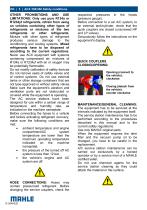
OTHER PROHIBITIONS AND USE LIMITATIONS: Only use pure R134a or R1234yf refrigerants, refrain from using on vehicles containing other types of refrigerants or mixtures of the two refrigerants or other refrigerants. Mixture with other types of refrigerant produces serious damage to the conditioning and cooling systems. Mixed refrigerants have to be disposed of according to the current regulations. Never use ACX equipment with systems containing compressed air; mixtures of R134a or R1234yf with air or oxygen may be potentially flammable. Do not modify calibration of safety devices. Do not remove...
Open the catalog to page 7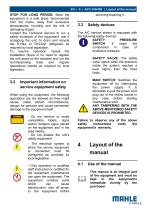
STOP FOR LONG PERIOD: Store the equipment in a safe place, disconnected from the mains, away from excessive temperatures, humidity and the risk of damaging impact. Contact the Technical Service to run a safety shutdown of the equipment, and if scrapping the unit, to drain and recycle the R134a or R1234yf refrigerant as required by local legislation. To resume operation, repeat the installation (there is no need to register the unit anew on the website) and run the commissioning trials and regular operational checks as required by local legislation. The A/C service station is equipped with the...
Open the catalog to page 8
• This manual shall accompany the equipment in case this is passed on to a new user. • The content of this manual has been drawn up in compliance with the guide lines of the UNI standard 10893:2000. • Diffusion, modification or use of this manual for own aims is forbidden. • The manual uses symbols which call the reader's attention to specific points to facilitate its use. • It includes all technical, operating, shutdown, maintenance, spare parts and safety information. • In case of doubts on the correct interpretation of the instructions, please contact our technical service to obtain the required...
Open the catalog to page 9
Internal cylinder: cylinder for refrigerant storage. Phase: Performance of a single function. Cycle: Sequence of steps. Recovery: Extraction of refrigerant from the vehicle. Recycling: Cleaning of refrigerant, includes: separating out oils, removal of non-condensable gas and single/multiple pass through filters to reduce humidity, acidity and particulate content of the fluid. Disposal: disposal of refrigerant for storage followed by destruction/scrapping by an authorised waste management centre. Vacuum cycle: Draining out of a motor vehicle A/C system and separation out of condensed matter and...
Open the catalog to page 10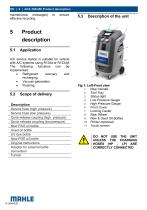
maintenance messages) effective recycling. Description Service hose (high pressure) Service hose (low pressure) Quick-release coupling (high pressure) Quick-release coupling (low pressure) New PAG oil bottle Used oil bottle UV dye bottle New POE oil bottle Original instructions Adapter for external bottle connection Funnel Product description A/C service station is suitable for vehicle with A/C systems using R134a or R1234yf. The following functions can be implemented: • Refrigerant recovery and recharging. • Vacuum generation. • Flushing. Fig.1: Left-Front view 1 Rear Handle 2 Tool Tray 3 Status...
Open the catalog to page 11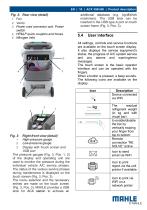
Fig. 2: Rear view (detail) 3 Power cord connector and Power switch 4 HP&LP quick couplers and hoses additional database (e.g. Agri&Work machinery). The USB stick can be inserted in the USB type A port on touch screen frame (Fig. 3, Pos. 3). All settings, controls and service functions are available on the touch screen display. It also displays the service equipment's status, the progress of A/C system service and any alarms and warning/error messages. The touch screen is the basic operator interface and can be operated with the fingers. When a button is pressed, a beep sounds. The following icons...
Open the catalog to page 12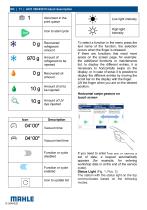
To select a function in the menu press the text name of the function, the selection occurs when the finger is released. If there are functions that need more space on the screen page, for example: the additional functions or maintenance list, to display the different entries, it is necessary to horizontally swipe on the display, or in case of setup it is possible to display the different entries by moving the scroll bar on the display with the finger. Lift the finger when you are on the desired position. Horizontal swipe gesture on touch screen If you need to enter liee lexi UI lueimiy a set...
Open the catalog to page 13All MAHLE Service Solutions catalogs and technical brochures
 FluidPRO®
20 Pages
 TechPRO® 2 Line
36 Pages
 TechPRO® 2 Line
36 Pages
- Portable tester
- Hydraulic parking jack
- Voltage testing system
- Automotive jack
- Steel jack
- Floor jack
- Battery testing system
- Diagnostic tester
- Handheld tester
- Diagnostic code reader
- Tester for automotive applications
- WiFi diagnostic tool
- Car jack
- Android diagnostic tool
- 2 ton jack
- Bluetooth diagnostic tool
- Smart tester
- Air conditioning station
- Automatic air conditioning station