
- Catalogs
- LINX PRINTING TECHNOLOGIES LTD
- Linx VisiCode®

- Company
- Products
- Catalogs
- News & Trends
- Exhibitions
Linx VisiCode®

Linx VisiCode®
Linx VisiCode is a specialized set of parameters designed for the Linx range of laser coders (CSL10, CSL30, CSL60) that enhances the visibility of laser markings on cold glass, even at high line speeds.
VisiCode modulates the laser to an adjusted pulse frequency, creating micro cracks on the glass surface. These micro cracks form slightly opaque dots that contrast with the transparent glass, resulting in more visible and higher quality codes without compromising the integrity of the glass packaging.
- Improved code visibility enhances brand protection and reduces product waste.
- Supports high line speeds, making it ideal for fast-paced bottling lines.
- Easy implementation with a preinstalled template on the Linx CSL60.
- Compatible with the Linx CSL range, known for reliability and ease of integration across various coding applications.
Linx CO2 scribing laser coders continuously fire the laser, using galvanometer-driven mirrors to direct the beam over the glass surface. This process induces thermal stress, creating micro-cracks that form contrasting marks. Due to the hardness of glass, the laser's dwell time may be longer compared to softer materials, requiring more laser power.
For further details, contact Linx Printing Technologies Ltd at Linx House, 8 Stocks Bridge Way, Compass Point Business Park, St Ives, Cambs, PE27 5JL, UK. Telephone: +44 (0)1480 302100, Email: [email protected], Website: www.linxglobal.com
Catalog excerpts

Linx VisiCode® Higher quality laser coding onto glass Linx VisiCode is a unique set of parameters available in the Linx range of laser coders (CSL10, CSL30, CSL60) which produces highly visible markings on cold glass, even at the highest line speeds. How does a laser code? Linx CO2 scribing laser coders produce a code on glass by firing the laser continuously. Two galvanometer-driven mirrors in the laser head tilt to move the laser beam over the surface of the glass to draw the code. The laser beam induces thermal stress in glass, causing micro-cracks in the surface which produce a contrasting mark. Glass is particularly hard to mark, so the ‘dwell time’ or time that the laser beam is directed to the surface of the glass, may be longer than on other materials that are easier to mark, such as card. This can use more laser power. How does VisiCode produce a code? VisiCode is a special set of parameters that modulates the laser to an adjusted pulse frequency, instead of a continuous wave. Each laser pulse produces micro cracks in the surface of the glass substrate. These cracks produce a slightly opaque dot with a higher contrast to the surrounding transparent glass. The code is more visible and of higher quality than one produced without the VisiCode feature. The integrity of the glass packaging is unaffected. Benefits of VisiCode • More visible code – improve your brand protection and minimise product waste • High line speeds possible – ideal for high speed bottling lines • Easy to implement with the help of a preinstalled template on the Linx CSL60 • Available with the Linx CSL range of laser coders – reliable, easy to integrate, and designed to suit a wide range of coding applications. For more information, contact Linx Printing Technologies Ltd, Linx House, 8 Stocks Bridge Way, Compass Point Business Park, St Ives, Cambs, PE27 5JL, UK. Telephone +44 (0)1480 302100 Email [email protected] Website www.linxglobal.com Linx and VisiCode are registered trademarks of Linx Printing Technologies Ltd. © Linx Printing Tech
Open the catalog to page 1All LINX PRINTING TECHNOLOGIES LTD catalogs and technical brochures
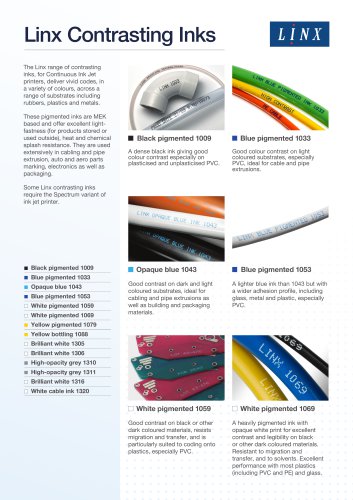 Linx Contrasting Inks_2024
3 Pages
 General-purpose black inks
3 Pages
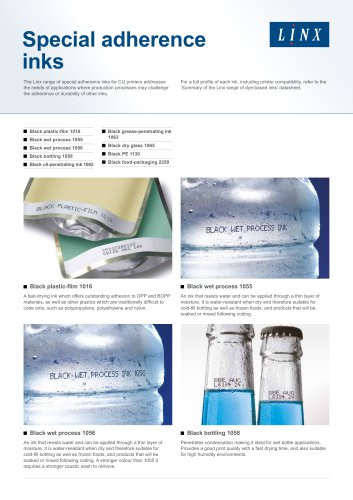
 Special adherence inks
3 Pages
 Food grade inks
2 Pages
 LINX 10
2 Pages
 LINX TJ50
2 Pages
 LINX TJ20
2 Pages
 LINX SL3
2 Pages
 LinxVision®
2 Pages
 Linx IJ355 and IJ375
2 Pages
 Linx FSL20 & FSL50
2 Pages
 Linx SLHP
2 Pages
 Linx CSL60
2 Pages
 Linx PRINTERNET™
4 Pages
 Linx CSL10 & CSL30
2 Pages
 Linx SL1
2 Pages
 Process specific inks
2 Pages
 Linx Printernet
2 Pages
 CSL 60
2 Pages
 CSL 30
2 Pages
 CSL 10
2 Pages
 CJ400LE
2 Pages
 Linx 8940
2 Pages
 Linx 8920
2 Pages
 Linx 8900 8910
2 Pages
 8900 Print Samples Guide
4 Pages
 Linx 7900BC
2 Pages
 Linx 7900E
2 Pages
 Linx 7900 Solver
2 Pages
 Linx 7900 Spectrum
2 Pages
 Linx TJ725
2 Pages
 Linx SL302 laser coder
2 Pages
 Linx SL102 laser coder
2 Pages
 Linx 5900
2 Pages
 Linx 7900
2 Pages
 Removable Coding Inks
2 Pages
 Thermochromic Inks
2 Pages
 Coloured Inks
2 Pages
 Black Inks
2 Pages
 Process Tolerant Inks
2 Pages
 Linx CJ400
2 Pages
 IJ355_IJ375_datasheet
2 Pages
 TT series
6 Pages


Archived catalogs
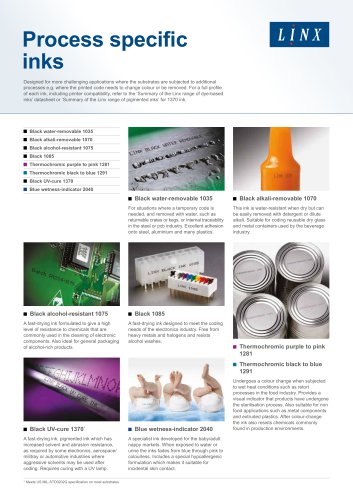 Linx Contrasting Inks_2017
2 Pages
 Security (UV Readable) Inks
2 Pages
 Pigmented Inks
2 Pages
 Food Grade Inks
2 Pages
 Enhanced Adhesion Inks
2 Pages
 Linx TT3
2 Pages
 Linx TT10
6 Pages
 TT5
TT56 Pages
 Linx SL501
2 Pages
- Industrial printer
- Ink
- Color printer
- Desktop printer
- Compact printer
- Mobile app
- USB interface printer
- High-speed printer
- Protective sheet
- Floor-standing printer
- Integration printer
- Printer with touchscreen
- High-quality printer
- Plastic sheet
- Monochrome printer
- Flexible foil
- Android mobile app
- Plastic ink
- Film for the food industry
- Solvent-based ink