
- Catalogs
- Konica Minolta
- Spectrophotometer CF-300


- Company
- Products
- Catalogs
- News & Trends
- Exhibitions
Spectrophotometer CF-300
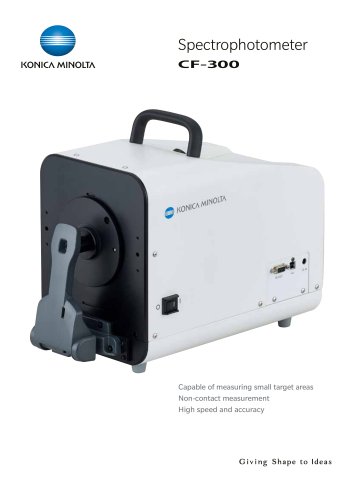
Spectrophotometer CF-300
Catalog excerpts
SpectrophotometerKONICA MINOLTA CF-300 Capable of measuring small target areas Non-contact measurement High speed and accuracy Giving Shape to Ideas
Open the catalog to page 1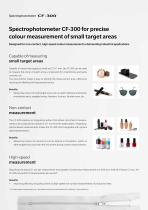
Spectrophotometer CF-300 for precise colour measurement of small target areas Designed for non-contact, high-speed colour measurement in demanding industrial applications Capable of measuring small target areas Capable of measuring targets as small as 0.75×1 mm, the CF-300 can be used to measure the colour of watch screws, small parts for smartphones and game consoles, etc. The view pointer makes it easy to identify the measurement area, effectively reducing the likelihood of measurement errors. Benefits • Measuring colours of small target areas such as watch dial faces and bands, smartphone...
Open the catalog to page 2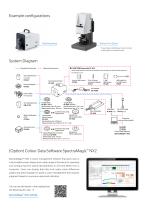
Example configurations Benchtop Base Bottom Port Stand * To purchase a bottom port stand, contact a sales office on the back cover. System Diagram Standard Accessories Optional Accessories 1.3MP USB Camera Set CF-A32 When a USB camera is mounted on the finder of the CF-300, the measurement target can be viewed on a PC. CS-to-C-Mount Conversion Adapter CF-A31 Colour Plate (14 colours) White Calibration Plate CF-A24 Target Mask CF-A21 (MAV) Illumination area : Ø11mm Measurement area : Ø8 mm Target Mask CF-A22 (XUSAV) Illumination area : 5 X 7 mm Measurement are : 0.75×1 mm Screws for securing target...
Open the catalog to page 3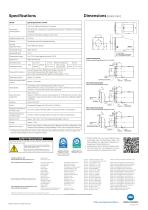
Dimensions [Units:mm] * For details about measurement items (colour systems, indices and colour-difference formulas), see the user's guide of the separately sold SpectraMagic™ NX2 colour management software. SAFETY PRECAUTIONS For correct use and for your safety, be sure to read the instruction manual before using the instrument. • Always connect the instrument to the specified power supply voltage. Improper connection may cause a fire or electric shock. • Be sure to use the specified batteries. Using im proper batteries may cause a fire or electric shock. Registration Date : October 26, 2018...
Open the catalog to page 4All Konica Minolta catalogs and technical brochures
 Leather
8 Pages
 Watch and Jewellery
12 Pages
 Surface Treatment
8 Pages
 Glass
Glass12 Pages
 Rhopoint All-in-one
8 Pages
 SpectraMagic NX2
3 Pages
 Recycled Materials
12 Pages
 Automation Solutions
8 Pages
 Color Reader CR-10Plus
2 Pages
 Spectrophotometer CM-3630A
4 Pages
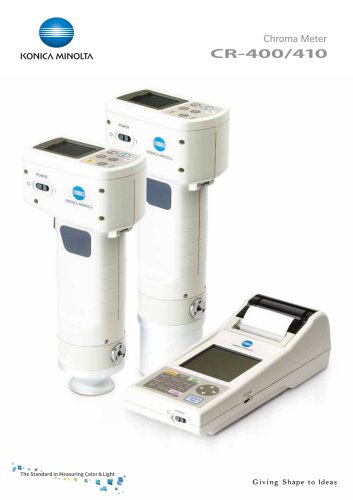 Chroma Meter CR-400/410
5 Pages
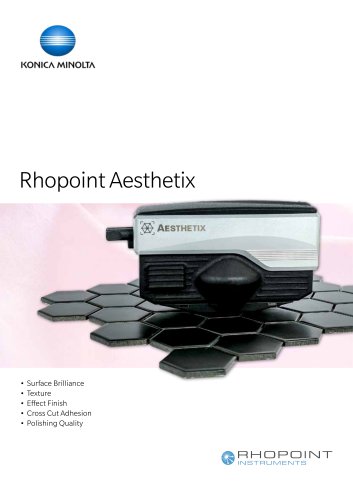 Rhopoint Aesthetix
8 Pages
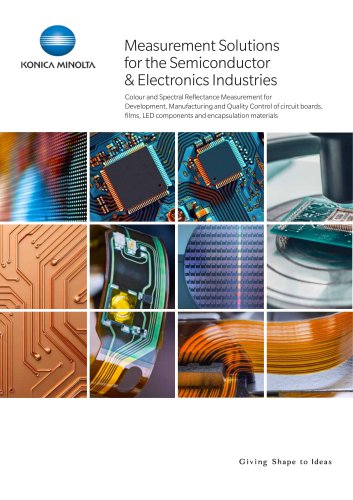 Semiconductors
8 Pages
 Aeronautics & Defence
16 Pages
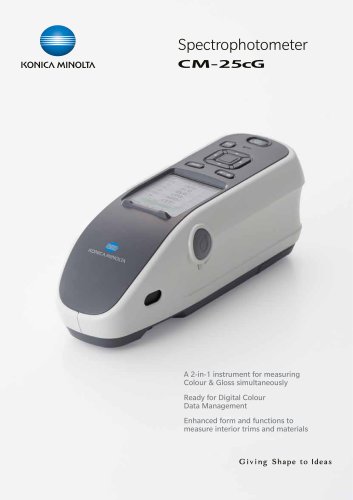 Spectrophotometer CM-25cG
8 Pages
 Spectroradiometer CS-3000
5 Pages
 Illuminance Meter T-10A
4 Pages
 CL-500A
4 Pages
 CL-200A
4 Pages
 CA2500
8 Pages
 Consumer Eletronics
12 Pages
 Rhopoint IQ-S
8 Pages
 Solutions Food Industry
12 Pages
 Spectrophotometer CM-5
8 Pages
 Rhopoint TAMS™
12 Pages
 Rhopoint IQ FLEX 20-S
8 Pages
 Rhopoint Novo-Gloss 60 KM
4 Pages
 Rhopoint Novo-Gloss Flex 60
8 Pages
 Solutions Cereal Industry
8 Pages
 Alcohol
8 Pages
 Spectrophotometer CM-M6
3 Pages
 Multi Gloss 268A
4 Pages
 Automotive Solutions
24 Pages
 Solution_Paint Coating
12 Pages
 Cosmetics
8 Pages
 KMSEU_Solution_Plastics_2024
12 Pages
 CM-23d
2 Pages






- Analysis software solution
- Windows software
- Industrial software
- Measurement software
- Quality software
- Reporting software
- EDM software
- Data acquisition software
- Data management software
- Calculation software
- KM Sensing visible spectrophotometer
- KM Sensing benchtop spectrophotometer
- Surface measuring machine
- Calibration software
- Lux meter
- Laboratory software
- KM Sensing USB spectrophotometer
- KM Sensing color spectrophotometer
- Industrial surface measuring machine