


Install Guide

Install Guide
- Launch the install wizard and select the preferred language.
- Accept the license agreement and choose the installation directory.
- Decide on creating a desktop shortcut and select drivers and plug-ins.
- Ensure external dependencies are met and configure security settings.
- Set a strong password for the Administrator account and finish the installation.
- Launch the install wizard and select the preferred language.
- Accept the license agreement and proceed with the upgrade, which will remove the legacy server.
- Choose installation directories and configure security settings.
- Finish the installation and configure Windows permissions.
- Launch the install wizard and read the License Warning.
- Accept the license agreement and proceed with the installation.
- Choose installation directories and configure security settings.
- Upgrade the license to Version 6 to avoid time-limited mode.
- Review best practices and knowledge articles to prevent license binding issues in virtual environments.
- Access detailed licensing instructions through the License Utility product manual available via KEPServerEX Configuration, License Utility, or Administration Menu.
- Change the language post-installation via the System Tray icon and Administration tab.
- Technical support is available for customers with an active Support & Maintenance Agreement. Pre-sales support is also available.
Catalog excerpts
KEPServerEX® V6 Install Guide Last updated November 2021
Open the catalog to page 1
Kepware is a software development business of PTC Inc. located in Portland, Maine. Kepware provides a portfolio of software solutions to help businesses connect diverse automation devices and software applications and enable the Industrial Internet of Things. From plant floor to wellsite to windfarm, Kepware serves a wide range of customers in a variety of vertical markets including Manufacturing, Oil & Gas, Building Automation, Power & Utilities, and more. Established in 1995 and now distributed in more than 100 countries, Kepware’s software solutions help thousands of businesses improve operations...
Open the catalog to page 2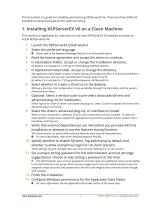
This document is a guide for installing and licensing KEPServerEX V6. There are three different installation scenarios based on the machine history. 1. Installing KEPServerEX V6 on a Clean Machine This scenario is applicable for users who do not have KEPServerEX V5 installed and want to install KEPServerEX V6. Launch the KEPServerEX install wizard. Select the preferred language. Please refer to the Kepware Knowledge Base for a list of localized drivers. Read the license agreement and accept the terms to continue. In Destination Folder, accept or change the installation directory. By default,...
Open the catalog to page 3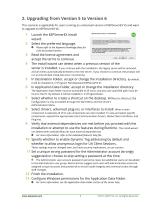
2. Upgrading from Version 5 to Version 6 This scenario is applicable for users running an unlicensed version of KEPServerEX V5 and want to upgrade to KEPServerEX V6. Launch the KEPServerEX install wizard. Select the preferred language. Please refer to the Kepware Knowledge Base for a list of localized drivers. Read the license agreement and accept the terms to continue. The Install wizard can detect when a previous version of the server is installed. If you continue with the installation, the legacy server will be removed, and all clients automatically directed to the new server. If you choose...
Open the catalog to page 4
3. Installing Version 6 on a Machine with Licenses This scenario is applicable to users that have previously installed and licensed KEPServerEX Version 5 and may or may not have an active Support & Maintenance Agreement. Launch the KEPServerEX V6 install wizard. Select the preferred language. Please refer to the Kepware Knowledge Base for a list of localized drivers. Read the License Warning. If you have a valid KEPServerEX Version 5 license, but do not have an active Support & Maintenance Agreement, contact Kepware’s Support Sales team to renew your subscription before continuing with the installation....
Open the catalog to page 5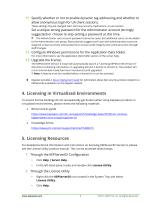
11 Specify whether or not to enable dynamic tag addressing and whether to allow anonymous login for UA client sessions. These settings may be changed later, but have security implications, so use caution. Set a unique strong password for the Administrator account (strongly suggested) or choose to skip setting a password at this time. The Administrator user account password cannot be reset, but additional users can be added to the Administrator user group. Best practices suggest each user with administrative access be assigned unique accounts and passwords to ensure audit integrity and continual...
Open the catalog to page 6
3 Through the Administration Menu • Right-click the KEPServerEX icon located in the System Tray and select Help. In the left-hand pane, locate and double-click License Utility. To access additional licensing resources, visit https://www.kepware.com/support/licensing/. 6. Changing the Language You can change the language in KEPServerEX at any time following the install: 1 Right-click the KEPServerEX icon located in the System Tray and select Settings. 2 Access the Administration tab and select a language from the Product language selection drop-down menu. Note: User-defined channel, device, and...
Open the catalog to page 7All Kepware catalogs and technical brochures
 Alarms and Events
4 Pages
 Scheduler
2 Pages
 IoT Gateway
2 Pages
 DataLogger Plug-In
2 Pages
 Security Policies Plug-In
2 Pages
 EFM Exporter
2 Pages
 DataLogger Tips and Tricks
3 Pages
 ClientAce
1 Page
 Oracle MES/MOC Connector
2 Pages


Archived catalogs
 RedundancyMaster_2015
1 Page
 RedundancyMaster
2 Pages
 RedundancyMaster_2009
8 Pages
 Installation Guide
40 Pages
- Automation software solution
- Management software solution
- Process software
- Real-time software
- Windows software
- Cloud-based software
- Monitoring software solution
- Industrial software
- Programming software
- Network software
- EDM software
- Optimization software
- Tracking software
- Storage software
- Data collection software solution
- Control software
- Linux software
- Infrastructure software
- Alarm software
- OPC software