


K-114
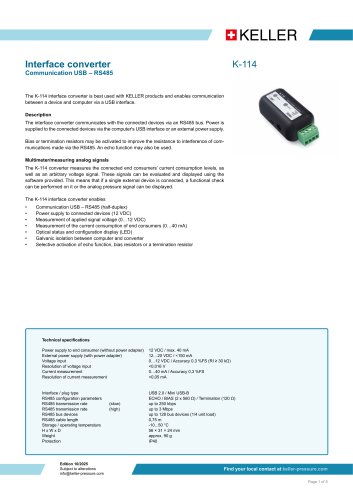
K-114
- USB to RS485 communication (half-duplex)
- 12 VDC power supply to devices
- Voltage measurement (0-12 VDC) and current measurement (0-40 mA)
- LED status and configuration display
- Galvanic isolation between computer and converter
- Configurable echo function, bias, and termination resistors
- Power supply: 12 VDC / max. 40 mA (without adapter), 12-20 VDC / <150 mA (with adapter)
- Voltage input accuracy: 0.3% FS, resolution <0.016 V
- Current measurement accuracy: 0.3% FS, resolution <0.05 mA
- RS485 transmission rates: up to 250 kbps (slow), up to 3 Mbps (high)
- Operating temperature: -10 to 50 °C
- Protection: IP40
- ControlCenterSeries30: Visualizes pressure, temperature, power consumption, and voltage signal patterns.
- K-114_Config: A tool for configuration and diagnostics.
Catalog excerpts
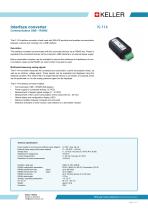
Interface converter The K-114 interface converter is best used with KELLER products and enables communication between a device and computer via a USB interface. Description The interface converter communicates with the connected devices via an RS485 bus. Power is supplied to the connected devices via the computer's USB interface or an external power supply. Bias or termination resistors may be activated to improve the resistance to interference of communications made via the RS485. An echo function may also be used. Multimeter/measuring analog signals The K-114 converter measures the connected end consumers’ current consumption levels, as well as an arbitrary voltage signal. These signals can be evaluated and displayed using the software provided. This means that if a single external device is connected, a functional check can be performed on it or the analog pressure signal can be displayed. The K-114 interface converter enables • • • • • • • Communication USB – RS485 (half-duplex) Power supply to connected devices (12 VDC) Measurement of applied signal voltage (0…12 VDC) Measurement of the current consumption of end consumers (0…40 mA) Optical status and configuration display (LED) Galvanic isolation between computer and converter Selective activation of echo function, bias resistors or a termination resistor Technical specifications Power supply to end consumer (without power adapter) External power supply (with power adapter) Voltage input Resolution of voltage input Current measurement Resolution of current measurement Interface / plug type USB 2.0 / Mini USB-B RS485 configuration parameters ECHO / BIAS (2 x 560 Ω) / Termination (120 Ω) RS485 transmission rate (slow) up to 250 kbps RS485 transmission rate (high) up to 3 Mbps RS485 bus devices up to 128 bus devices (1/4 unit load) RS485 cable length 0,75 m Storage / operating temperature -10...50 °C H x W x D 56 × 31 × 24 mm Weight approx. 90 g Protection IP40 Edition 10/2025 Subject to alterations [email protected] Find your local contact
Open the catalog to page 1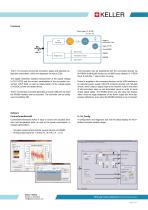
Functions Power supply 12…20 VDC - +V Ground (GND) Bias resistor Termination resistor RS485 B Bias resistor The K-114 converter shows the connection status and selected configuration parameters, which are displayed via status LEDs. The digital multimeter enables measurement of the supply voltage U-OUT [VDC] and the current consumption of the connected consumers I-OUT [mA], as well as measurement of the voltage signal U-IN [VDC] of the connected device. The K-114 interface converter generates a virtual COM port via which the RS485 interface can be accessed. The converter can be configured via...
Open the catalog to page 2
The various versions of the K-114 interface converter use different, product-specific interface plugs. The product overview shows the compatibility between the product and the interface converters. The converter can also be expanded using additional cable options. Both the detailed operating instructions and the open-source KELLER software for the interface converter can be found at www.keller-pressure.com. X-line pressure transmitter with cable gland 4-pole plug-in screw terminal (MC 1,5 / 4-ST-3.81) Total cable length: 1 m Fischer plug-in connector series 103/5-pole (m) Total cable length:...
Open the catalog to page 3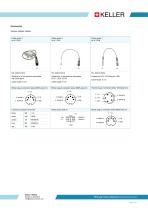
Accessories Various adapter cables: Cable option 1 for K-114-B Suitable for X-line pressure transmitter with cable gland Suitable for X-line pressure transmitter, LEO1, LEO2, ECO2 Binder plug-in connector series 680/5-pole (m) Binder plug-in connector series 680/5-pole (m) Fischer plug-in connector series 103/5-pole (m) 3: +Vs Licenced connection terminals black Edition 10/2025 Subject to alterations [email protected] Binder plug-in connector series 680/5-pole (m) 3: +Vs Find your local contact at keller-pressure.com Page 4 of 5
Open the catalog to page 4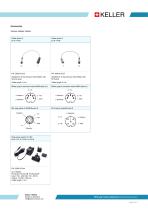
Accessories Various adapter cables: Plug power supply 15 VDC for K-114 / K-114-A / K-114-B PLUG-EU, PLUG-GB, PLUG-US/JP Input: 100...240 VAC / 50...60 Hz Output: 15 VDC / 500 mA Cable length: 1,8 m Subject to alterations [email protected] Find your local contact atlkeller-pressure.com Page 5 of 5
Open the catalog to page 5All KELLER Pressure AG catalogs and technical brochures
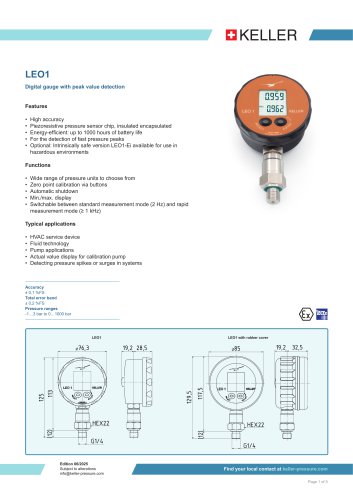 LEO1
5 Pages
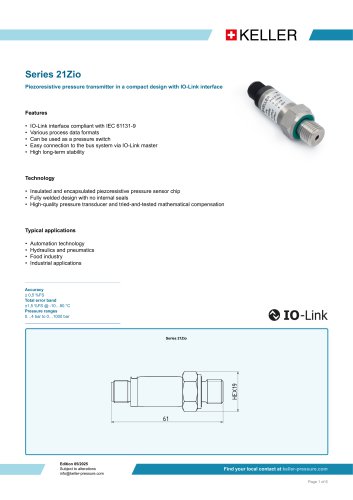 Serie 21Zio
6 Pages
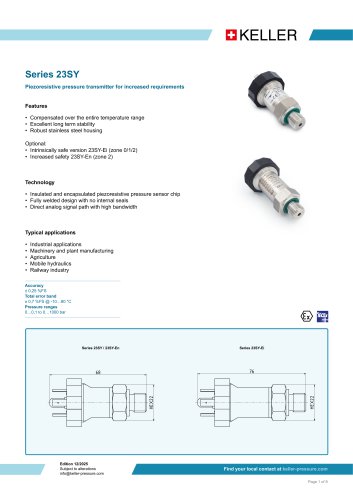 Series 23SY
8 Pages
- KELLER data-logger
- KELLER pressure gauge
- Windows software
- Cloud-based software
- Calibration system
- KELLER analog pressure transmitter
- KELLER level sensor
- KELLER temperature data-logger
- KELLER liquid level sensor
- Pressure probe
- KELLER waterproof pressure transmitter
- KELLER membrane pressure transmitter
- KELLER stainless steel pressure transmitter
- Measurement software
- KELLER relative pressure transmitter
- USB datalogger
- Analog level sensor
- KELLER stainless steel pressure gauge
- KELLER digital pressure transmitter