
- Catalogs
- Jinan Rainbow Technology Co.,Ltd
- wall-mounted air quality transmitter / RS-485

wall-mounted air quality transmitter / RS-485

wall-mounted air quality transmitter / RS-485
The 7-in-1 Modular Transmitter (Model 485) is a wall-mounted environmental monitoring device with an IP65 protection grade, making it resistant to rain and snow while maintaining good air permeability. It features industrial-grade microprocessor chips and high-precision sensors for reliable performance. The device supports RS485 output for long-distance transmission and is compatible with the Modbus protocol for secondary development.
Features
- Accurate measurement capabilities.
- Stable communication using a dedicated 485 circuit.
- Wide voltage range (9-36V) for power supply, with easy installation.
Main Technical Parameters
- Measurement accuracy for various parameters such as eCO2, eCH2O, TVOC, PM2.5, PM10, temperature, and humidity.
- Operating voltage: DC 9-32V, with a working current of ≤200mA.
- Preheat time of 2 minutes for CO2, CH2O, and TVOC.
- Working temperature range: 0℃ to 50℃, humidity ≤95%RH.
- Communication protocol: RS485 (Modbus protocol).
- Service life: 5 years.
Equipment Installation Instructions
Before installation, ensure all components are present, including the transmitter, certificate of conformity, warranty card, calibration report, expansion plugs, screws, and optional USB to 485 converter. Follow specific wiring instructions to avoid conflicts in device addresses on the 485 bus.
Configuration Software Installation and Use
Select the correct COM port and connect one device at a time to test and modify the baud rate and address as needed. Default settings include a baud rate of 9600bit/s and address 0x01.
Communication Protocol
The device uses the Modbus-RTU protocol with specific frame structures for host queries and slave responses. The default communication parameters include an 8-bit binary code, no parity bit, and a CRC error-checking method.
Common Problems and Solutions
Issues with device connectivity may arise from incorrect COM port selection, duplicate device addresses, incorrect baud rate settings, disconnected 485 bus, or damaged equipment. Solutions include checking connections, ensuring correct settings, and installing necessary drivers.
Appendix
The wall-mounted shell dimensions are 110×85×44mm.
Catalog excerpts

7-in-1 Modular Transmitter (Model 485) User Manual V1.1 7-in-1 Environmental Monitoring Transmitter User Manual (Model:AQM-RK485)
Open the catalog to page 1
7-in-1 Modular Transmitter (Model 485) User Manual V1.1 1. Product description 1.1 description The product is a wall-mounted high-grade enclosure with a protection grade of IP65, rain and snow proof and good air permeability. The circuit uses imported industrial-grade microprocessor chips, high-precision temperature sensors, and environmental monitoring sensors. Ensure product reliability. This product adopts a particle sintered probe sheath, and the probe is directly connected to the shell and has a beautiful appearance. The output signal type is divided into RS485, which can realize long-distance...
Open the catalog to page 2
7-in-1 Modular Transmitter (Model 485) User Manual V1.1 2.Equipment installation instructions 2.1 Inspection before equipment installation Equipment List: ■ 1 temperature and humidity transmitter equipment ■ Certificate of conformity, warranty card, calibration report, etc. ■ 2 expansion plugs, 2 self-tapping screws ■ USB to 485 (optional) ■ 485 terminal resistance (gift for multiple devices)
Open the catalog to page 3
7-in-1 Modular Transmitter (Model 485) User Manual V1.1 Special Note: 1) There are certain specification requirements for 485 line field wiring. For details, please refer to the data package "485 Equipment Field Wiring Manual". 2) When the device is connected to the 485 bus, ensure that the addresses of multiple devices will not be repeated. 2.3 Wiring instructions Power and 485 signal Wide voltage power input is 10~30V. When wiring the 485 signal wire, pay attention to the two wires A\B not reversed, and the addresses of multiple devices on the bus cannot conflict. Thread color Power negative...
Open the catalog to page 4
7-in-1 Modular Transmitter (Model 485) User Manual V1.1 3. Configuration software installation and use 3.1 Software selection Pass the dedicated software test
Open the catalog to page 5
3.2 Parameter settings ①、Select the correct COM port (check the COM port in "My Computer—Properties —Device Manager—Port"),The following figure lists the driver names of several different 485 converters. ②、Connect only one device separately and power it on, click the test baud rate of the software, the software will test the baud rate and address of the current device, the default baud rate is 9600bit/s, and the default address is 0x01. Support 4800, 9600, 19200, 38400, 115200 The address range is 01~255, address 0 is the broadcast address ③、Modify the address and baud rate according to the needs...
Open the catalog to page 6
Time to end structure ≥ 4 bytes Address code: the address of the transmitter, which is unique in the communication network (factory default 0x01). Function code: the command function instruction issued by the host, this transmitter only uses function code 0x03 (read register data). Data area: The data area is the specific communication data, pay attention to the high byte of 16bits data first! CRC code: two-byte check code. Host query frame structure: Address code Function code Register start address Register length Check code high bit Slave machine response frame structure: Addres s code Function...
Open the catalog to page 7
4.4 Communication protocol example and explanation Example: Read the temperature and humidity value of the device address 0x01 Inquiry frame (hexadecimal): Function code Initial address Data length Check code high bit Response frame (hexadecimal):(For example, the temperature is -10.1℃ and the humidity is 65.8%RH) Address code Function code Returns the number of valid bytes 0x04 Temperature Check code low bit value 0xFF 0x9B Check code high bit 0x3D Temperature calculation: When the temperature is lower than 0 ℃, the temperature data is uploaded in the form of complement code. Temperature: FF9B...
Open the catalog to page 8
Appendix: Shell size Wall-mounted shell:110×85×44mm
Open the catalog to page 9All Jinan Rainbow Technology Co.,Ltd catalogs and technical brochures
 infrared dust sensor
3 Pages
 air quality monitor
12 Pages
 NDIR CO2 sensor
2 Pages
 CH4 gas sensor
4 Pages
 Air quality monitor
17 Pages
 air quality sensor
17 Pages
 VOC air quality sensor
3 Pages
 AQM-RK 14Z
5 Pages
 O3 gas sensor
7 Pages
 HCHO gas sensor
5 Pages
 formaldehyde gas sensor
5 Pages
 Hydrogen gas sensor
6 Pages
 Hydrogen sulfide gas sensor
5 Pages
 Nitrogen Dioxide gas sensor
4 Pages
 smoke gas sensor
7 Pages
 Combustible gas sensor
8 Pages
 NH3 gas sensor
5 Pages
 H2S gas sensor
5 Pages
 Electrochemical sensor
22 Pages
 gas sensor
21 Pages
 Gas sensor module
24 Pages
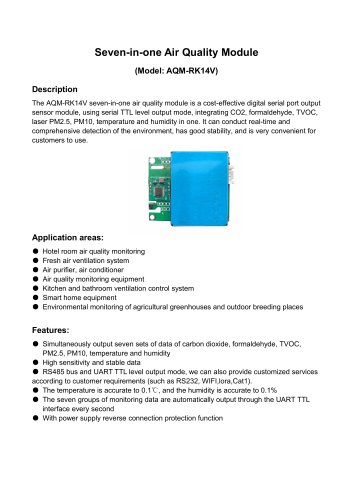


Archived catalogs
 electrochemical H2S gas sensor
10 Pages
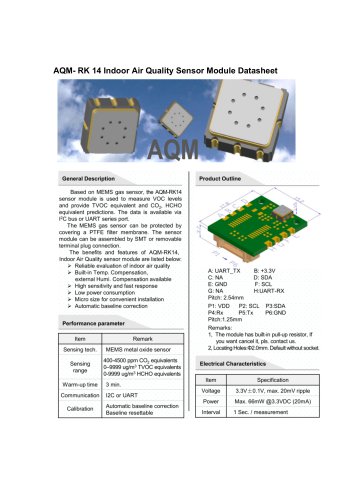 AQM-RK 14
2 Pages
 propane gas sensor_M1011
3 Pages
 propane gas sensor_S1011
6 Pages
 ethanol gas sensor_M1005
3 Pages
 ethanol gas sensor_S1005Y
9 Pages
 CO gas sensor_S10003
7 Pages
 CO gas sensor_M1003
4 Pages
 methane gas sensor_M1008Y
5 Pages
 methane gas sensor_S1008Y
6 Pages
 ammonia gas sensor
5 Pages
 VOC gas sensor_S1013V
3 Pages
 VOC gas sensor_S1013Y
6 Pages


- Gas detector
- Pressure probe
- Gas sensor
- Humidity and temperature probe
- Relative humidity and temperature sensor
- Membrane pressure sensor
- Flow sensor
- Relative pressure sensor
- Waterproof humidity and temperature sensor
- Digital humidity and temperature sensor
- Volume flow sensor
- Compact detector
- Electrochemical gas sensor
- Oxygen meter
- Digital recorder
- Digital pressure sensor
- HVAC temperature sensor
- High-sensitivity detector
- Monitoring gas sensor