

ITR831-001 - KNX-DMX GATEWAY
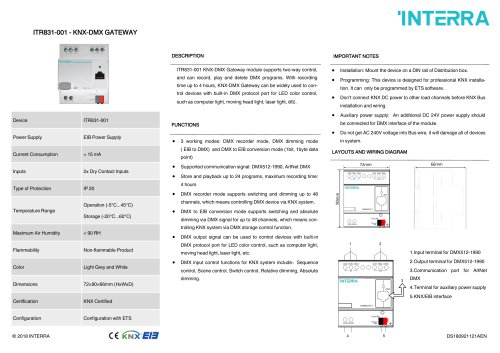
ITR831-001 - KNX-DMX GATEWAY
- Model: ITR831-001
- Power Supply: EIB Power Supply
- Current Consumption: Less than 15 mA
- Inputs: 2x Dry Contact Inputs
- Protection Type: IP 20
- Operating Temperature: -5°C to 45°C
- Storage Temperature: -20°C to 60°C
- Maximum Air Humidity: Less than 90% RH
- Flammability: Non-flammable
- Color: Light Grey and White
- Dimensions: 72×90×66mm (HxWxD)
- Certification: KNX Certified
- Configuration: Requires ETS software
The ITR831-001 is a KNX-DMX Gateway module that supports two-way control and can record, play, and delete DMX programs. It is suitable for controlling devices with a DMX protocol port for LED color control, such as computer lights, moving head lights, and laser lights. The module can record up to 4 hours of DMX programs.
- Mount on a DIN rail in a distribution box.
- Program using ETS software.
- Ensure KNX DC power is not connected to other load channels before installation.
- Connect an additional DC 24V power supply for the DMX interface.
- Avoid AC 240V voltage in the Bus wire to prevent damage.
- Supports three working modes: DMX recorder mode, DMX dimming mode (EIB to DMX), and DMX to EIB conversion mode.
- Compatible with DMX512-1990 and ArtNet DMX communication signals.
- Can store and playback up to 24 programs with a maximum recording time of 4 hours.
- DMX recorder mode supports switching and dimming up to 48 channels.
- DMX to EIB conversion mode allows switching and absolute dimming for up to 48 channels.
- DMX output can control devices with a DMX protocol port for LED color control.
- DMX input control functions for KNX system include sequence control, scene control, switch control, relative dimming, and absolute dimming.
1. Input terminal for DMX512-1990
2. Output terminal for DMX512-1990
3. Communication port for ArtNet DMX
4. Terminal for auxiliary power supply
5. KNX/EIB interface
Catalog excerpts
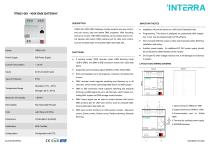
ITR831-001 - KNX-DMX GATEWAY DESCRIPTION IMPORTANT NOTES ITR831-001 KNX-DMX Gateway module supports two-way control, • Installation: Mount the device on a DIN rail of Distribution box. and can record, play and delete DMX programs. With recording • Programming: This device is designed for professional KNX installa- time up to 4 hours, KNX-DMX Gateway can be widely used to control devices with built-in DMX protocol port for LED color control, such as computer light, moving head light, laser light, etc. ITR831-001 Power Supply Current Consumption Temperature Range Non-flammable Product Light Grey and White • Auxiliary power supply: An additional DC 24V power supply should be connected for DMX interface of the module. • Do not get AC 240V voltage into Bus wire, it will damage all of devices in system. • 3 working modes: DMX recorder mode, DMX dimming mode ( EIB to DMX) and DMX to EIB conversion mode (1bit, 1byte data point) LAYOUTS AND WIRING DIAGRAM 66mm • Supported communication signal: DMX512-1990, ArtNet DMX • Store and playback up to 24 programs, maximum recording time: 4 hours • DMX recorder mode supports switching and dimming up to 48 channels, which means controlling DMX device via KNX system. • DMX to EIB conversion mode supports switching and absolute dimming via DMX signal for up to 48 channels, which means controlling KNX system via DMX storage control function. • Don’t connect KNX DC power to other load channels before KNX Bus tion. It can only be programmed by ETS software. • DMX output signal can be used to control devices with built-in 1 DMX protocol port for LED color control, such as computer light, moving head light, laser light, etc. • DMX input control functions for KNX system include:Sequence control, Scene control, Switch control, Relative dimming, Absolute dimming. DMX 4.Terminal for auxiliary power supply 5.KNX/EIB
Open the catalog to page 1All Interra catalogs and technical brochures
 Concierge Server
1 Page
 KNX-DALI Gateway
3 Pages
 Ethernet I/O Module
1 Page
Archived catalogs
 itr10
itr101 Page
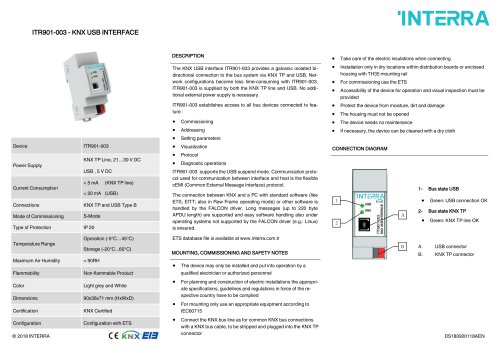 itr901
1 Page
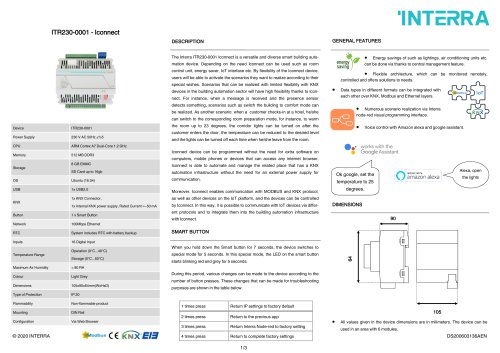 itr230
3 Pages
 itr640-001
2 Pages
 itr3
itr32 Pages







- Panel PC
- Industrial panel PC
- Panel PC with touch screen
- Touch monitor
- LCD screen
- LCD panel PC
- Digital I/O
- Panel-mount screen
- Single-pole switch
- IO module
- Wireless panel PC
- Analog I/O
- Digital IO module
- WiFi panel PC
- Communication gateway
- Industrial gateway
- Ethernet gateway
- TFT-LCD monitor
- Ethernet panel PC
- Ethernet communication router