

itr230
itr230
Catalog excerpts

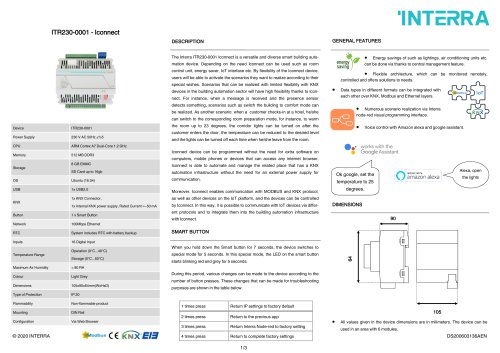
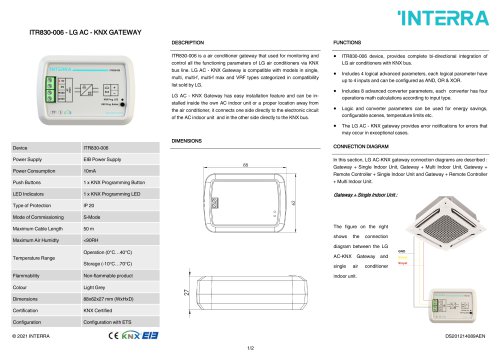
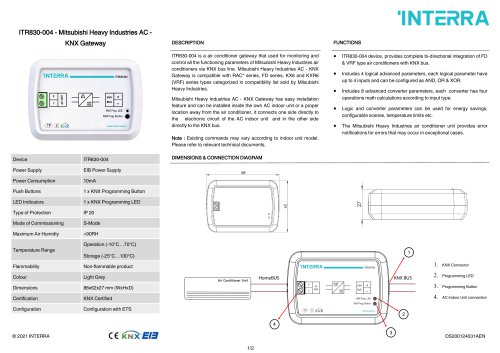
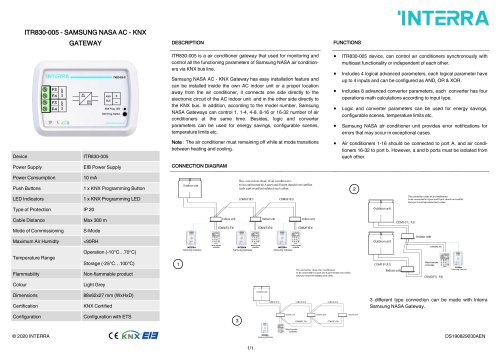
GENERAL FEATURES INTERRA Device Power Supply CPU Memory Storage OS USB KNX Button Network RTC Inputs Temperature Range Maximum Air Humidity Colour Dimensions Type of Protection Flammability Mounting Configuration ITR230-0001 230 V AC 50Hz ±%5 ARM Cortex A7 Dual-Core 1.2 GHz 512 MB DDR3 8GBEMMC SD Card up to 16gb Ubuntu (16.04) 1 x USB2.0 1x KNX Connector, 1x Internal KNX power supply, Rated Current =~50 mA 1 x Smart Button 100Mbps Ethernet System includes RTC with battery backup 16 Digital Input Operation (0°C...40°C) Storage (0°C...50°C) < 90 RH Light Grey 105x90x64mm(WxHxD) IP 20 Non-flammable product DIN Rail Via Web Browser The Interra ITR230-0001 Iconnect is a versatile and diverse smart building automation device. Depending on the need Iconnect can be used such as room control unit, energy saver, IoT interface etc. By flexibility of the Iconnect device, users will be able to activate the scenarios they want to realize according to their special wishes. Scenarios that can be realized with limited flexibility with KNX devices in the building automation sector will have high flexibility thanks to Iconnect. For instance, when a message is received and the presence sensor detects something, scenarios such as switch the building to comfort mode can be realized. As another scenario: when a customer checks-in at a hotel, he/she can switch to the corresponding room preparation mode, for instance, to warm the room up to 23 degrees, the corridor lights can be turned on after the customer enters the door, the temperature can be reduced to the desired level and the lights can be turned off each time when he/she leave from the room. Iconnect device can be programmed without the need for extra software on computers, mobile phones or devices that can access any internet browser. Iconnect is able to automate and manage the related place that has a KNX automation infrastructure without the need for an external power supply for communication. Moreover, Iconnect enables communication with MODBUS and KNX protocol, as well as other devices on the IoT platform, and the devices can be controlled by Iconnect. In this way, it is possible to communicate with IoT devices via different protocols and to integrate them into the building automation infrastructure with Iconnect. SMART BUTTON ray t ft • Energy savings of such as lightings, air conditioning units etc. saving can be done via thanks t0 central management feature. • Flexible architecture, which can be monitored remotely, controlled and offers solutions to needs. When you hold down the Smart button for 7 seconds, the device switches to special mode for 5 seconds. In this special mode, the LED on the smart button starts blinking red and grey for 5 seconds. During this period, various changes can be made to the device according to the number of button presses. These changes that can be made for troubleshooting purposes are shown in the table below. works with the # Google Assistant Ok google, set the temperature to 25 degrees. DIMENSIONS • All values given in the device dimensions are in milimeters. The device can be used in an area with 6 modules.
Open the catalog to page 1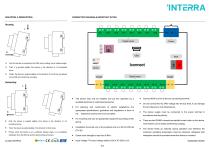
MOUNTING & DEMOUNTING CONNECTION DIAGRAM & IMPORTANT NOTES • First, the device is contacted to the DIN rail by holding it at an oblique angle. • Then, it is pushed slightly from above in the direction of 1st numbered arrow. • Finally, the device is pushed slightly in the direction of 2nd arrow and placed on the DIN rail to finish the mounting. SMART Button Iconnect Digital Inputs • First, the device is pushed slightly from above in the direction of 1st numbered arrow. • Then, the device is pulled slightly in the direction of 2nd arrow. • Finally, when the device is at a sufficient oblique angle,...
Open the catalog to page 2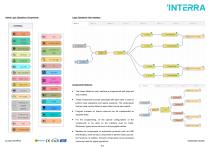
Interra Logic Operations Components : Logic Operations User Interface: Components Features: • The Interra Node-red user interface is programmed with drag and drop method. • These components must be associated with each other in order to perform logic operations and realize scenarios. The components that are used must be linked to each other’s inputs and outputs. • Program snippets on Interra node-red can be implemented as separate flows. • For the programming, all the special configurations of the components to be used on the interface must be made. Otherwise, logical errors will occur in the...
Open the catalog to page 3All Interra catalogs and technical brochures
 Concierge Server
1 Page
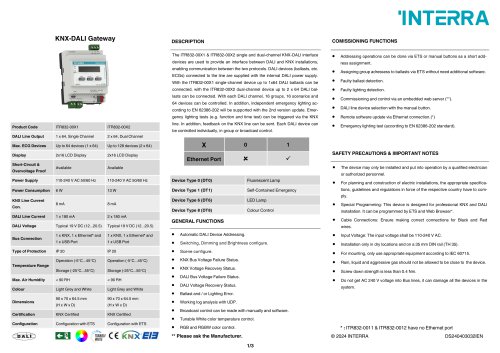 KNX-DALI Gateway
3 Pages
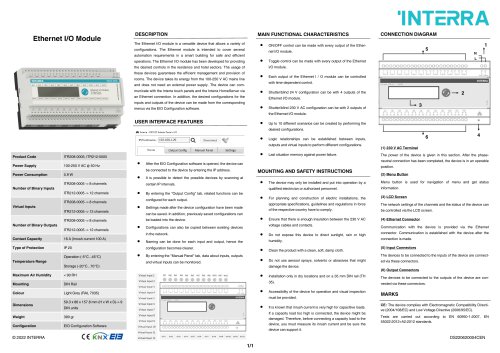 Ethernet I/O Module
1 Page
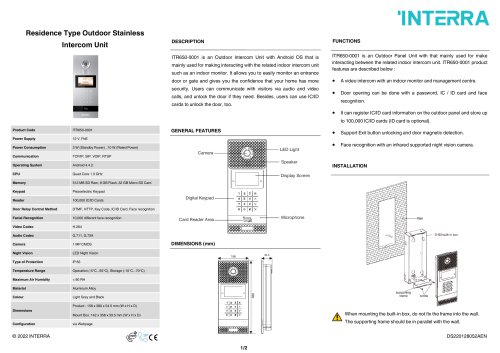
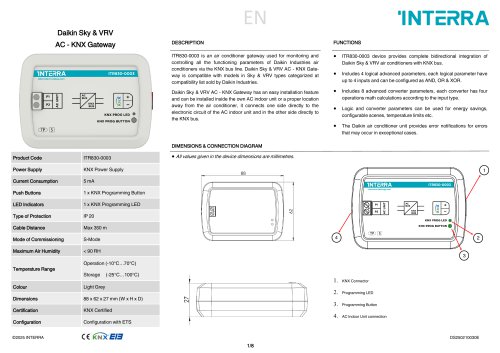
Archived catalogs
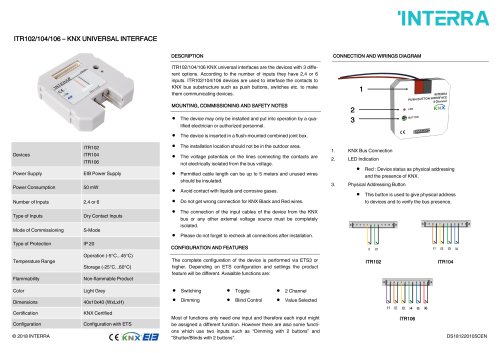 itr10
itr101 Page
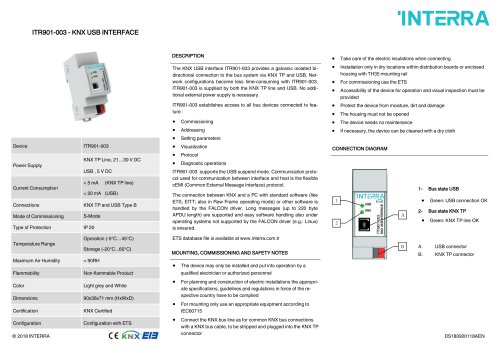 itr901
1 Page
 itr640-001
2 Pages
 itr3
itr32 Pages
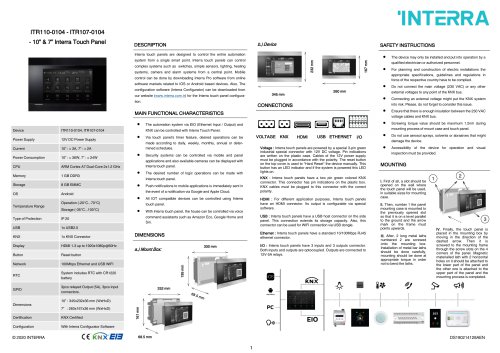
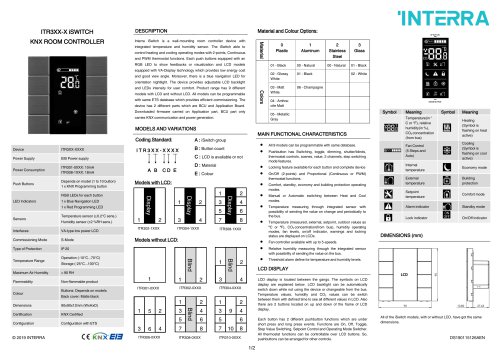







- Panel PC
- Industrial panel PC
- Panel PC with touch screen
- Touch monitor
- LCD panel PC
- LCD screen
- Digital I/O
- Panel-mount screen
- Single-pole switch
- IO module
- Wireless panel PC
- Analog I/O
- Digital IO module
- WiFi panel PC
- Communication gateway
- TFT-LCD monitor
- Industrial gateway
- Ethernet gateway
- Ethernet panel PC
- Outdoor monitor